
SilverBullet
Scriptable Markdown knowledge base, self-hosted or on desktop
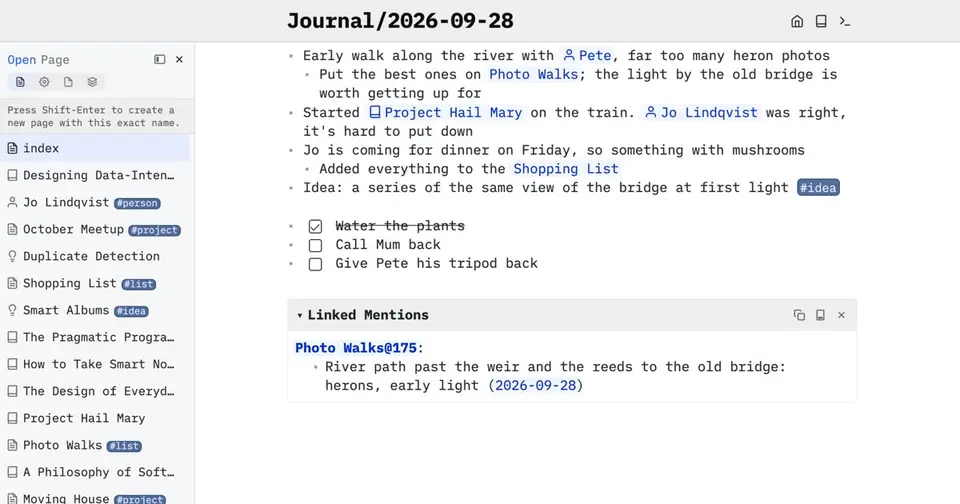
SilverBullet report card
Very good · out of 4.0 · graded Oct 9, 2026
Best for Markdown notes you can query and script
SilverBullet keeps your notes as plain Markdown files in a folder you control, then lets you query them like a database and script them with a built-in Lua dialect. The Server is free and open source, and the desktop app is free for personal use. It's a tinkerer's tool, though: getting it onto your phone means running the Server yourself or renting one.
Who SilverBullet is for
- Great if you want Markdown notes you can query like a database
- Handy when you already self-host and want a personal or team wiki in one container
- Good for developers who keep docs in the same git repository as the code
Who SilverBullet is not for
- Skip it if you want a phone app from an app store, as phones only get the browser version
- Not for you if you don't want to run a server or write a script, because that's where the clever parts are
- Tight if you want every part open source, since only the Server is and the Desktop app isn't
Why SilverBullet gets a 3.4
Five grades, each with its reason. The GPA is their average: an A is 4 points, an F is none.
- AValue for moneyThe Server is free and MIT-licensed for any number of users, and Desktop Personal is free too. Using the desktop app for work needs Pro at $50 per user a year, which is still under what note apps typically charge. Hosted on PikaPods, it starts at $2 a month.
- AFree plan and trialYou could stay free for good. The Server has no user limit, at home or at work, and Desktop Personal gives you unlimited spaces and sync with any Server. Only work use of the desktop app costs money.
- AFeaturesA Markdown editor that renders as you type, wiki links with Linked Mentions, queries that update as your notes change, and Space Lua for adding your own commands and widgets. The Server adds accounts, roles, comments and single sign-on. Live sync and the object graph are still marked experimental.
- CEase of useNo rating on record. The desktop app opens any local folder, which is simple enough. But using it in a browser or on a phone means running the Server as a container or a binary, or renting one from PikaPods. And the clever parts are things you script.
- BPlatforms and integrationsAny browser through the Server, plus desktop apps for macOS, Windows and Linux, and your notes can sit in a git repository. There's no app-store mobile app. Phones open the Server in a browser and can install it as a PWA.
What these grades rest on. Graded from this listing, whose facts were read from SilverBullet's own pages on 9 October 2026. Not based on using the product, and shorter than our full reviews. How we review and grade.
Make SilverBullet? Put this grade on your site

Paste this where you want the badge. It links here and follows the grade if it changes. About badges
<a href="https://toolgpa.com/tools/silverbullet#review"><img src="https://toolgpa.com/badge/silverbullet.svg" alt="SilverBullet: 3.4 GPA on ToolGPA" width="196" height="56"></a>What is SilverBullet?
SilverBullet is a Markdown knowledge management system created by Zef Hemel that keeps notes as plain files in a folder you control. Pages link to one another, can be queried like a database, and can be extended with Space Lua, a scripting language built into the notes. It runs as a free, open-source server used from any browser, or as a desktop app for macOS, Windows and Linux that is free for personal use and paid for work.
SilverBullet has a free plan. Paid plans start at $50 per user / year (Desktop Pro, required for work use). See every plan
Good for
- People who want Markdown notes they can query and script
- Self-hosters running a personal or team wiki from one container
- Developers keeping documentation in the same git repository as their code
Worth knowing
- Using the Desktop app at work requires Pro at $50 per user per year; only personal and education use is free.
- Desktop is not open source. The FAQ says only SilverBullet Server is, with the same editor and Space Lua in both.
- There is no app-store mobile app: phones open the Server in a browser and can install it as a PWA.
- The features page marks live sync, the Mention Inbox and the object graph as experimental.
Key features
- Live Preview Markdown editor
- Plain Markdown is rendered as you type, including links, tasks, tables, code and widgets. Outlining, templates, slash commands, a daily journal and an optional Vim mode are included.
- Wiki links and Linked Mentions
- Double-bracket links connect pages, headings or positions, every page lists where it is mentioned, and a page or section can be embedded inside another.
- Live queries
- Notes can be queried like a database from inside a page, for example open tasks across projects or every page with a tag, and the results update as notes change.
- Space Lua scripting
- A Lua dialect built into the notes adds commands, widgets and automations with no build step, and CSS written in a page restyles the interface.
- Server for browsers and teams
- The Server runs as one container or a single binary and is used from any browser, with accounts and roles, comments, @-mentions, single sign-on and read-only publishing.
- Desktop app with sync
- Desktop opens any local folder as a space, binds system-wide shortcuts to commands, and syncs both ways with your own or a hosted SilverBullet Server.
SilverBullet pricing
- Starts at
- $50 per user / year (Desktop Pro, required for work use)
- Free plan
- SilverBullet Server is free and open source for any number of users. Desktop Personal is free for personal use and education, with unlimited spaces and sync with any Server.
- Free trial
- None listed
| Plan | Price | What you get |
|---|---|---|
| Server | $0 | The MIT-licensed server for any number of users, at home or at work, run on your own hardware and used from a browser. |
| Desktop Personal | $0 | The desktop app for personal use and education, with unlimited spaces and sync with any SilverBullet Server. |
| Desktop Pro | $50per user / year | Needed for work use. Adds Meta Space, the Edge release channel of nightly builds, and bulk seats that can be assigned to a team. |
| Cloud | $2per month and up, billed by PikaPods | SilverBullet Server hosted by PikaPods, an independent host, with one-click deployment and starting credit at sign-up. |
Read from silverbullet.md on Oct 9, 2026. Prices change, so confirm with SilverBullet before you buy.
Ways to pay less
- EducationDesktop is free for use in education
SilverBullet Desktop is free for personal use and for use in education. Only work use needs the Pro license at $50 per user per year.
Stated on silverbullet.md
Works with
- Git
- Docker
- PikaPods
SilverBullet alternatives
- SilverBullet vs Obsidian
Free plan · from $4/mo
- SilverBullet vs Logseq
Free plan · from $5/mo
- SilverBullet vs SiYuan
Free plan · from $64 one-time




Common questions
Is SilverBullet free?
SilverBullet has a free plan. SilverBullet Server is free and open source for any number of users. Desktop Personal is free for personal use and education, with unlimited spaces and sync with any Server. Paid plans start at $50 per user / year (Desktop Pro, required for work use).
How much does SilverBullet cost?
SilverBullet lists 4 plans. Server: $0. Desktop Personal: $0. Desktop Pro: $50 per user / year. Cloud: $2 per month and up, billed by PikaPods. Prices were read from silverbullet.md on Oct 9, 2026.
What platforms does SilverBullet work on?
SilverBullet is available on Web, macOS, Windows and Linux.
Does SilverBullet offer any discounts?
SilverBullet publicly lists the following: Desktop is free for use in education.
Does SilverBullet have an Android app?
No Android app was listed when its pages were read on Oct 9, 2026. SilverBullet is listed for Web, macOS, Windows and Linux.
Does SilverBullet have an iPhone app?
No iPhone app was listed when its pages were read on Oct 9, 2026. SilverBullet is listed for Web, macOS, Windows and Linux.
Is SilverBullet open source?
Yes. SilverBullet is open source, according to its own site. It can also be run on a server of your own.
Does SilverBullet work offline?
Yes, according to its own site. What works without a connection differs by plan and platform, so check the vendor's page for the detail.
What does SilverBullet integrate with?
SilverBullet's listing names Git, Docker and PikaPods. A listing names up to eight integrations, so it may connect to more.
Does SilverBullet have a student discount?
Desktop is free for use in education. SilverBullet Desktop is free for personal use and for use in education. Only work use needs the Pro license at $50 per user per year.
Who makes SilverBullet?
SilverBullet is made by Zef Hemel. It dates from 2022.
What are the alternatives to SilverBullet?
The closest alternatives to SilverBullet in our directory are Obsidian, Logseq, Trilium Notes, TiddlyWiki and SiYuan. Each one has a side-by-side comparison with SilverBullet.
Sources for this page
The prices, plans, platforms and features above were read from these pages on Oct 9, 2026.