
Notesnook review (2026): is the free plan enough?
Open source, end-to-end encrypted notes on every platform
Black Friday: is there a Notesnook sale?
Notesnook report card
Fair · out of 4.0 · graded Nov 18, 2026
Best for private, encrypted notes that are free to keep
Notesnook users have lost hours of edits and whole notes after failed syncs, updates and system upgrades, and because everything is encrypted the company cannot restore them. Since October 2025 the free plan has no task lists, Markdown shortcuts or app lock, updates have left the desktop app unable to open on some Windows PCs, and exports still change your text when you try to leave.
Who Notesnook is for
- Fits if you want encrypted notes on a mix of devices without paying
- Works for people who want open source apps and a sync server they could host themselves
Who Notesnook is not for
- Skip it if your notes are full of photos and scans, as free allows 50 MB of uploads a month and 10 MB per file
- Tight if you organize with lots of tags, because free stops at 50 tags, 50 notebooks and 10 active reminders
- Not for you if you want one plain price, since the website shows local prices with tax, and ours come from the US App Store
- Watch out: the 14-day trial needs a payment method, and the prepaid 5-year plan has no trial
- Pricey if you need room for attachments, as 10 GB a month means Pro at $69.99 a year
Why Notesnook gets a 2.2
Five grades, each with its reason. The GPA is their average: an A is 4 points, an F is none.
- CValue for moneyWas B. Down to C because of one problem people report: bug reports, even about lost notes, wait months or get closed unfixed.
- CFree plan and trialWas B. Down to C because of one problem people report: task lists, Markdown shortcuts and app lock were taken off the free plan.
- CFeaturesWas B. Down to C because of two problems people report: notes and hours of edits can vanish, and Notesnook cannot get them back; self-hosting the sync server is still an unsupported alpha.
- CEase of useWas B. Down to C because of one problem people report: updates can leave the desktop app unable to open.
- BPlatforms and integrationsWas A. Down to B because of one problem people report: exports change the text of your notes.
What these grades rest on. Graded from this listing, whose facts were read from Notesnook's own pages on 5 October 2026, and its App Store rating. Problems people report, and lawsuits, fines and breaches, were read from reviews, news, app-store reviews and court and regulator records on 18 November 2026. How we review and grade.
Make Notesnook? Put this grade on your site

Paste this where you want the badge. It links here and follows the grade if it changes. About badges
<a href="https://toolgpa.com/tools/notesnook#review"><img src="https://toolgpa.com/badge/notesnook.svg" alt="Notesnook: 2.2 GPA on ToolGPA" width="196" height="56"></a>The worst thing about Notesnook
Notes and edits can vanish, and nobody can restore them
People writing in Notesnook have lost hours of edits, half of a meeting note and in one case every note, after a failed sync, an app update or an operating system upgrade. Because notes are encrypted, Notesnook cannot get them back, and several of these reports have sat for months with no fix or were closed as specific to one account. Anyone without a recent backup of their own can lose the work for good.
Took a letter off its grade for Features
Reported bygithub.com (Jun 17, 2025)github.com (Jul 17, 2025)github.com (Apr 28, 2026)github.com (Apr 27, 2026)github.com (Jun 9, 2026)github.com (Dec 8, 2025)apps.apple.com (Jan 10, 2022)justuseapp.com
What else goes wrong
- 2
Task lists, Markdown shortcuts and app lock were taken off the free plan
With version 3.3 in October 2025, task lists, outline lists, callouts and Markdown shortcuts moved to Essential at $1.99 a month, full offline mode moved to Essential, and app lock moved to Pro at $6.99. Free users said they could no longer create checklists and that app lock vanished on Android. Free is also capped at 50 notebooks, 50 tags, 10 active reminders and 50 MB of uploads a month.
Took a letter off its grade for Free plan and trial
Reported bygithub.com (Nov 15, 2025)discuss.privacyguides.net (Oct 8, 2025)discuss.privacyguides.net (Aug 7, 2026)discuss.privacyguides.net (Aug 11, 2026)learnlinux.tvandroidauthority.com (Jul 5, 2026)
- 3
Bug reports, even about lost notes, wait months or get closed unfixed
Notesnook's help sends users to GitHub to report problems, and many reports get no answer. A June 2025 report of two lost hours of edits was marked complete without a fix, reopened after the user objected, then closed in February 2026 as specific to that account. Reports of lost notes from April 2026 had no reply seven months on, and a broken Windows on ARM installer reported in July 2026 still had none on 31 October. No response times are given.
Took a letter off its grade for Value for money
Reported bygithub.com (Jul 17, 2025)github.com (Oct 31, 2026)github.com (Feb 23, 2024)theprivacydad.com (Mar 1, 2024)apps.apple.com (Jan 10, 2022)
- 4
Updates can leave the desktop app unable to open
Since July 2026, updating the Windows on ARM app leaves out Notesnook.exe and other files, so it will not start; five users hit it and a clean reinstall does not help; it still happened on 3.4.11 in late October. Version 3.2.3 would not launch on some Windows 11 PCs in 2025, with no fix posted, and 3.3.0 would not start on Fedora in October 2025. The workaround offered is the web app or the Intel build.
Took a letter off its grade for Ease of use
Reported bygithub.com (Jul 6, 2026)github.com (Jun 29, 2025)github.com (Oct 6, 2025)discussion.fedoraproject.org (Oct 23, 2023)github.com (Oct 11, 2025)
- 5
Exports change the text of your notes
An August 2026 report on iOS 3.4.8 lists 13 faults in Markdown and text exports: spaces deleted so words run together, text in angle brackets turned into HTML tags, bracketed text turned into links, lines broken at 80 characters. In February 2026 PDFs exported from the Windows app had text that could not be copied. Moving your notes to another app means checking them by hand.
Took a letter off its grade for Platforms and integrations
Reported bygithub.com (Aug 15, 2026)github.com (Feb 13, 2026)news.ycombinator.com (Apr 25, 2025)theprivacydad.com (Mar 1, 2024)
- 6
Self-hosting the sync server is still an unsupported alpha
Notesnook is sold as open source with a sync server you can run yourself, but the server's own page still calls self-hosting alpha, offers no support for it and says setup documentation is pending. A 2025 commenter found the docs unclear and a recent review said the apps could only use Notesnook's own service, so in practice your notes sync through Notesnook.
Took a letter off its grade for Features
Reported bylearnlinux.tvnews.ycombinator.com (Apr 25, 2025)hn.algolia.com (Dec 20, 2023)
Notesnook on the record
Data breachResolvedMar 25, 2026
Five security flaws fixed in March and April 2026, three rated high or critical
Notesnook published five security advisories on GitHub between 11 March and 25 April 2026. In three of them a booby-trapped note, web clip or note history view could run code on the desktop app, because the app let page scripts reach the computer; the two worst were scored 9.6 out of 10. Fixes came in Web and Desktop 3.3.11 and 3.3.15 and mobile 3.3.17 and 3.3.20. The advisories do not report any attack on users.
Reported bygithub.com (Apr 25, 2026)github.com (Mar 25, 2026)github.com (Apr 25, 2026)
Found on Nov 18, 2026 by searching reviews, news, app-store reviews, and court and regulator records. A problem is listed only when at least three places report it and it is still true, and each one took a letter off the grade it belongs to. Cases are described as they stand today: an ongoing case is a claim, not a finding.
Where Notesnook stands among note-taking apps
Notesnook's GPA of 2.2 is higher than 57 of the 169 other note-taking apps we grade, and level with 37.
It stands best on platforms and integrations (B, above 121 of 169) and worst on free plan and trial (C, above 19).
Its paid plans start at $1.67 a month when paid by the year, against a middle price of $5.83 for the category: 6 of the 72 others that charge start lower.
On features, ease of use and platforms it scores 2.3 out of 4. 3 tools score higher and cost less.
Each grade against the category
Every bar is all 170 note-taking apps we grade, cut by the letter each got. Notesnook’s own letter is outlined.
- CValue for moneyAbove 34 of 169, level with 27
- CFree plan and trialAbove 19 of 169, level with 68
- CFeaturesAbove 82 of 169, level with 62
- CEase of useAbove 48 of 169, level with 68
- BPlatforms and integrationsAbove 121 of 169, level with 43
Price against what you get
Each dot is one of 118 note-taking apps. Further left costs less, and higher up scores better on features, ease of use and platforms. Point at a dot to see which tool it is.
Features, ease of use and platforms, averaged
What paid plans start at, a month (each step along is roughly double) →
- The best score at each price
- Has a free plan
- No free plan
Keep Notesnook, or make your own?
You could make this
A notes app at its plainest is text in folders with a search box.
What Notesnook does at its core is notes, web clipper, linked notes and Markdown, and that is the kind of thing an AI app builder makes well. You would give up 2 things, listed below, and little else. It costs $19.99 a year. An AI app builder starts at about $20 a month on our listings, and you only need it while you build. Notesnook is open source, so there is a third way: take its code and run it yourself.
What you could make
- Notes, web clipper, linked notes and Markdown: an app builder makes these well.
What you could not
- Apps for macOS, Windows, Linux, iOS and Android that stay in step with each other.
- End-to-end encryption done properly.
What this rests on. Notesnook’s listing: what it does, where it runs, what it plugs into and what it costs. It is a judgement about the kind of software this is. We have not built a replacement for it, and making your own means looking after it too. How we decide, and every tool’s verdict.
What is Notesnook?
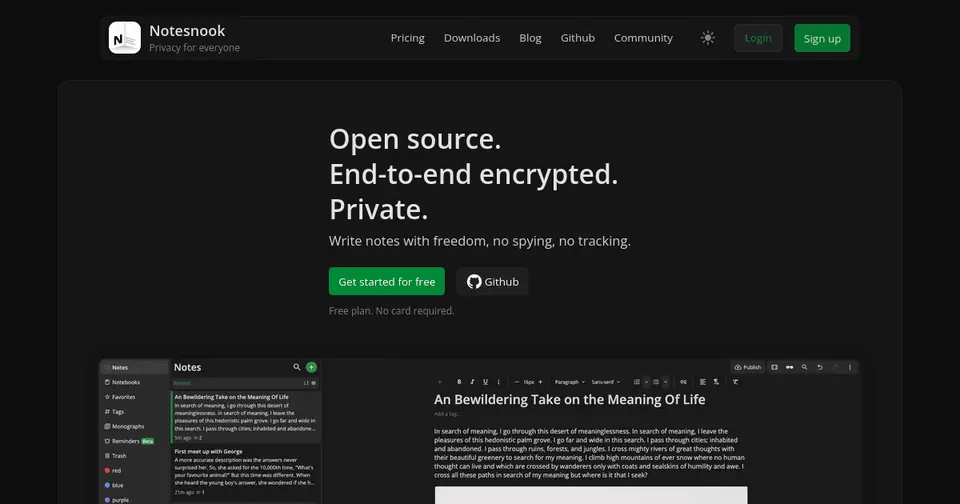
Notesnook is an open source note-taking app that encrypts notes on your device before they sync, so the company cannot read them. It runs on Windows, macOS, Linux, Android, iOS and the web, with a rich editor, linked notes, reminders, a password-protected vault and a web clipper. The free plan allows unlimited notes on unlimited devices; paid plans mainly add attachment storage and raise limits.
Worth knowing
- The free plan allows 50 MB of attachment uploads a month and 10 MB per file, and caps notebooks and tags at 50 each.
- Paid tiers mainly raise storage and limits: Essential gives 1 GB a month, Pro 10 GB and Believer 25 GB.
- Prices on notesnook.com are localized by country and shown with tax; the dollar prices here come from the US App Store listing.
- The 5-year plan is prepaid and does not include the 14-day trial.
Key features
- End-to-end encryption
- Everything is encrypted on the device with XChaCha20-Poly1305 and Argon2 before it syncs, so the servers hold only data they cannot read.
- Rich editor
- The editor handles tables, task lists, outlines, code blocks, maths formulas, images and file attachments, with Markdown support.
- Vault and app lock
- The app can require a fingerprint, PIN or password to open, and a vault puts selected notes behind a second password.
- Linked notes
- Notes link to one another, and each note lists both the notes it points to and the notes that reference it.
- Web clipper and published notes
- An open source clipper for Chrome and Firefox saves pages or selections into notes. A single note can be published as a web page, optionally behind a password.
- Reminders and Inbox API
- Reminders can be set on any note and fire from the device. An inbox API lets Zapier, IFTTT or your own script add notes, encrypted with your key.
Notesnook pricing
As of Nov 2, 2026, Notesnook has a free plan, and paid plans start at $1.99 per month, or $19.99 per year (Essential).
- Starts at
- $1.99 per month, or $19.99 per year (Essential)
- Free plan
- Free forever, no card: unlimited encrypted notes on unlimited devices, with 50 MB of attachment storage a month, 10 MB per file, 50 notebooks, 50 tags and 10 active reminders.
- Free trial
- 14-day free trial on monthly and yearly plans; a payment method is required. The 5-year plan has no trial.
| Plan | Price | What you get |
|---|---|---|
| Free | $0 | Unlimited notes and devices, 50 MB of attachment storage a month, 10 MB file size, 50 notebooks, 50 tags and 100 versions per note. |
| Essential | $1.99per month, or $19.99 per year (US App Store prices) | 1 GB of storage a month, 100 MB file size, 500 notebooks and tags, 50 active reminders and 1,000 versions per note. |
| Pro | $6.99per month, or $69.99 per year (US App Store prices) | 10 GB of storage a month, 1 GB file size and unlimited notebooks, tags, colors and reminders. Also sold as a prepaid 5-year plan. |
| Believer | $8.99per month, or $89.99 per year (US App Store prices) | 25 GB of storage a month and 5 GB file size, with every limit removed. Also sold as a prepaid 5-year plan. |
Read from apps.apple.com on Nov 2, 2026. Prices change, so confirm with Notesnook before you buy.
Ways to pay less
- Annual discountTwo months free with yearly billing
The pricing page labels yearly billing as 2 months free. On the US App Store, Essential is $19.99 a year against $1.99 a month, and Pro is $69.99 against $6.99.
Stated on notesnook.com - EducationPro for $19.99 a year for students and educators
Students and educators can apply with an EDU email address or an official document to get Notesnook Pro for 19.99 USD per year. It lasts one year and can be reclaimed.
Stated on notesnook.com - Other savingsPrepaid 5-year plans for Pro and Believer
Pro and Believer can be paid for five years at a time, at a lower monthly rate than the standard yearly price shown on the pricing page.
Stated on notesnook.com
How people rate the Notesnook app
4.7
out of 5 for the iPhone and iPad app
668 ratings on the App Store in the United States, read Oct 5, 2026. It rates the app, not everything the product does. See the listing
Works with
Notesnook alternatives
- Notesnook vs Standard Notes
Free plan · from $90/yr
- Notesnook vs Joplin
Free plan · from €2.40/mo
- Notesnook vs Obsidian
Free plan · from $4/mo
- Notesnook vs Evernote
Free plan · from $99/yr





Common questions
Is Notesnook open source?
Yes. Notesnook is open source, according to its own site. It can also be run on a server of your own.
Is Notesnook end-to-end encrypted?
Notesnook describes itself as end-to-end encrypted on its own site. Nobody here has audited that.
Sources for this page
The prices, plans, platforms and features above were read from these pages on Nov 2, 2026. What people say is linked where it appears.