
Craft
Notes and documents app with tasks, daily notes and whiteboards
Craft review
Very good · out of 4.0 · graded Oct 9, 2026
Best for notes and docs that look good enough to share
Craft is the notes app for people who care how their notes look. Write up a trip plan or a meeting, and it comes out looking like something you'd happily send to someone. It's at its best on a Mac, iPhone or iPad. The catch is the free plan, which stops at 1,500 blocks. After that it's $96 a year.
Who Craft is for
- Great if you want notes and docs that look good without fiddling with design
- Handy when you share things, like a trip plan or a proposal, as a web page with a link
- Good for families and small teams, since one flat price covers up to 6 or 10 people
- A treat if you're all Apple, with calendar events, Reminders and Shortcuts built in
- Good for students and teachers, who get the paid features free with a school email
Who Craft is not for
- Tight if you're staying free, because 1,500 blocks goes quickly when every paragraph counts
- Pricey if it's only you, at $96 a year when plenty of notes apps cost nothing
- Not for you if you're on Linux, as there's no app for it on the download list
- Skip it if your team is bigger than 10, because past that you have to ask for a quote
Why Craft gets a 3.4
Five grades, each with its reason. The GPA is their average: an A is 4 points, an F is none.
- BValue for moneyPlus is $96 a year, or $10 month to month, which is a fair bit for one person's notes. Family is where it gets cheap. $180 a year covers up to 6 people, and Team is $600 for up to 10.
- BFree plan and trialFree for as long as you like, with 1 GB of storage. But it stops at 1,500 blocks, and every paragraph, heading and picture is a block. Students and teachers get the paid features free with a school email.
- AFeaturesDocs, tasks, daily notes, a calendar, whiteboards and Collections, which are little databases. Any doc can be published as a web page. There's an AI assistant, and an API on every plan.
- AEase of use4.8 from about 6,600 App Store ratings. Reviewers keep comparing it to Notion and saying there's far less to learn. You open a doc and start writing.
- BPlatforms and integrationsMac, iPhone, iPad, Windows, Android, web and a browser clipper, plus an API and MCP server. But calendar events, Reminders and Shortcuts are Apple-only, and there's no Linux app on the download list.
The good
So what makes Craft different from the other twenty notes apps? It cares how things look.
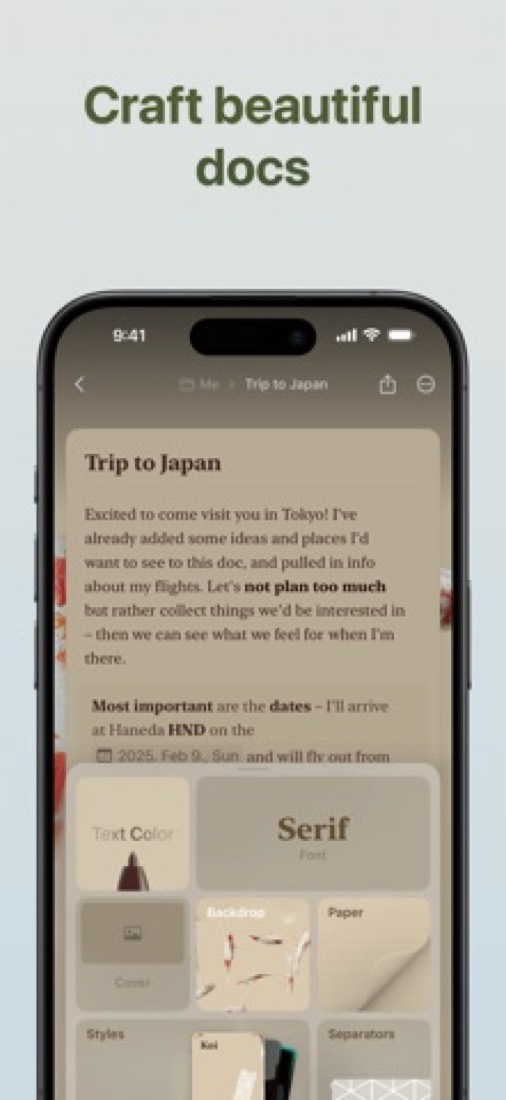
Every doc can have a cover picture, its own font, a backdrop and paper-style pages. Type up a trip plan and it looks like something you'd send to a client, not a scrappy note.
Sharing is the other half. Publish a doc and it becomes a web page with its own link. People can read it on their phone and leave a comment without making a Craft account.
It isn't only docs, either. There are tasks, daily notes, a calendar, whiteboards and Collections, which are small databases you can view as a table, a gallery or a kanban board.
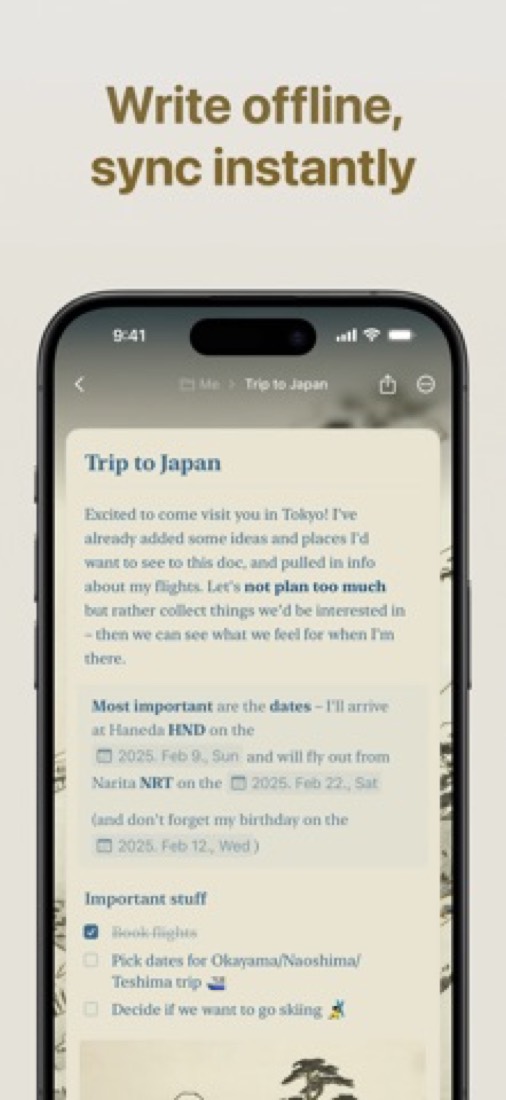
It works offline too. On a Mac, iPhone or iPad everything syncs in the background, so your notes are still there on the plane.
And a nice surprise if you like to tinker: the API and MCP server come with every plan, the free one included. So you can point Claude or ChatGPT at your own notes.
The stuff that'll bug you
The free plan runs out. 1,500 blocks sounds like plenty until you learn that every paragraph, heading and picture is a block.
Keep a daily note with ten lines in it and you'll hit the wall in about five months. Then it's Plus, and one Hacker News commenter summed that up nicely: good app, but it gets pricey the moment you have to pay.
It's also happiest on Apple. Calendar events, Reminders, Shortcuts and Apple Pencil only work on Mac, iPhone and iPad. On Windows, Android and the web, offline has to be switched on in settings, and it only keeps the docs you've already opened.
Even then, offline has gaps. You can't make a new document, search or use the AI without a connection.
The Android app only arrived in November 2025, so it's the youngest of the lot. And there's no Linux app on the download list.
Want a shared space with other people? That needs Family or Team, and those stop at 6 and 10 accounts.
Money
Start on Starter. It's free, and the limit is how much you can keep: 1,500 blocks, 1 GB of storage and files up to 25 MB.
Plus is $96 a year, which works out at $8 a month, or $10 if you pay monthly. That takes the block limit away and gives you 5 spaces of 1 TB each, files up to 5 GB and 50 AI credits a month.
Family is the clever one. $180 a year covers 2 to 6 people, each with their own Plus account. With six of you, that's $30 a head for the year!
Team is $600 a year for up to 10 people, and there's a 15-day free trial with no payment up front. It's a flat price, so a team of four pays the same as a team of ten.
Students and teachers, look at the Education plan first. A school email gets you the paid features for free, and you re-verify every 12 months.
Don't be surprised if their site shows you different numbers. Craft sets its prices per country, in local currency.
What actual users say
Craft has 4.8 on the App Store from about 6,600 ratings, and roughly nine in ten are five stars.
What do people rave about? The look, mostly. One reviewer wrote a blog draft, dropped in a picture, shared it as a web page in a couple of clicks and got a compliment from the friend they sent it to.
Another calls it the sweet spot: less to learn than Notion, less to set up than Obsidian.
Then there's the price. Our favourite review is from someone who told their wife they'd happily pay a hundred dollars for it, then found out that's about what a year costs. They weren't so sure after that.
It's not all praise. A two-star review from February 2026 says the Mac app crashed on them daily and kept choking on pasted text, though they still liked it on iPad. And one Hacker News commenter files Craft under apps they find clunky or slow.
Older reviews grumble about missing tags. Craft's release notes show tags have been added since, so that one's sorted.
What this review rests on. Based on Craft's home and pricing pages, its help centre (plans, team plans, education, platforms, offline, integrations, blocks and AI usage) and its release notes as of 9 October 2026, its App Store reviews and Hacker News comments about it. Not based on using the product: this is a read of everything that's public, not a test. How we review and grade.
What is Craft?
Craft is a notes and documents app with native apps for Mac, iPhone, iPad, Windows and Android plus a web app. Documents are built from blocks and sit alongside tasks, daily notes, whiteboards and collections of structured data. The Starter plan is free up to 1,500 blocks; Plus removes the content limit, and Family and Team are fixed-price bundles of Plus accounts.
Craft has a free plan. Paid plans start at $96 per year ($8 a month), or $10 billed monthly. See every plan
Good for
- People who want polished documents and personal notes in one app
- Individuals and families working mainly on Apple devices, with Windows, Android and web as well
- Small teams of up to 10 that prefer a fixed price over per-seat billing
Worth knowing
- The free Starter plan stops at 1,500 content blocks, 1 GB of storage and 25 MB per file.
- Shared spaces come with the Family and Team bundles, which are capped at 6 and 10 accounts.
- Offline use covers documents opened earlier; creating documents, search and the AI assistant need a connection.
- Prices are set per country in local currency, so the amount shown on the pricing page varies by region.
Key features
- Block-based documents
- Documents combine styled text, headings, lists and tables in blocks, and can be shared or published to the web.
- Tasks, daily notes and calendar
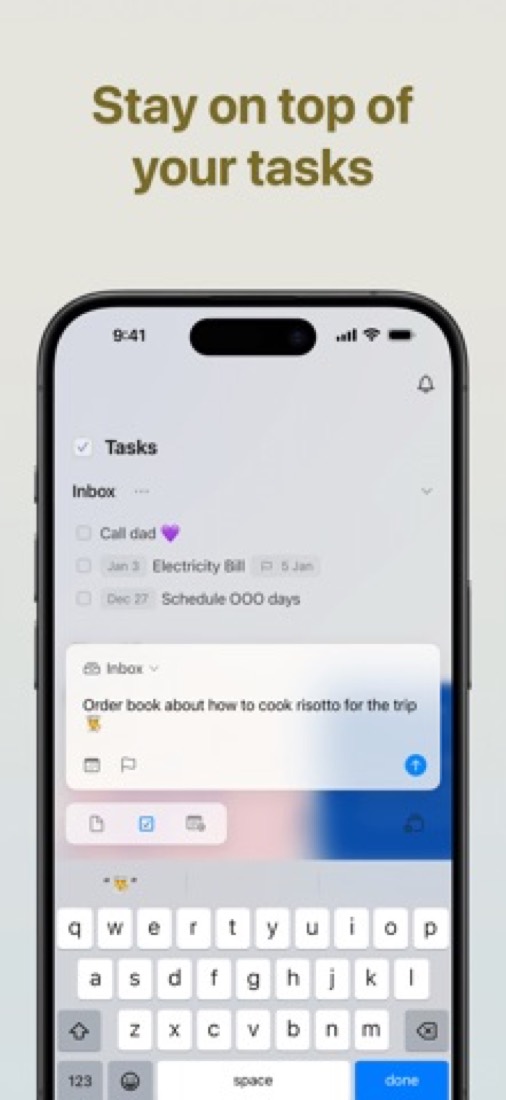
- Tasks sit inside documents and daily notes, with a calendar view. On Mac, iPhone and iPad, system calendar events appear alongside them.
- Whiteboards and Collections
- Whiteboards provide a visual canvas, and Collections add structured tracking with rich data to a document.
- Craft Assistant
- AI help for writing and editing, metered in credits: 15 on the Starter plan and 50 per month on Plus.
- Offline editing
- Documents opened earlier can be read and edited without a connection and sync on reconnect. Mac and iOS sync in the background; elsewhere it must be enabled in settings.
- API, MCP and capture tools
- A REST API and MCP server are included in all plans. A browser extension clips web pages, and emails can be forwarded into a space.
Craft pricing
- Starts at
- $96 per year ($8 a month), or $10 billed monthly
- Free plan
- Starter plan: up to 1,500 content blocks across all documents, 1 GB of storage, 25 MB per file, 7-day version history and 15 AI credits.
- Free trial
- 15-day free trial of Team plans.
| Plan | Price | What you get |
|---|---|---|
| Starter | $0 | One account with up to 1,500 content blocks, 1 GB of storage, 25 MB per file, 7-day version history and 15 AI credits. |
| Plus | $96per year ($10 if billed monthly) | One account with unlimited documents, up to 5 spaces of 1 TB each, 5 GB per file, 30-day version history and 50 AI credits a month. |
| Family | $180per year ($18 if billed monthly) | Fixed-price bundle of 2 to 6 Plus accounts with up to 5 shared family spaces. |
| Team | $600per year ($60 if billed monthly) | Fixed price for up to 10 Plus accounts with up to 25 shared team spaces, member roles and centralized billing. |
Read from support.craft.do on Oct 4, 2026. Prices change, so confirm with Craft before you buy.
Ways to pay less
- Annual discountSave up to 20% with annual billing
Plus is $96 a year versus $10 a month, a 20% saving. Family ($180 a year or $18 a month) and Team ($600 a year or $60 a month) save about 17%.
Stated on support.craft.do - EducationFree Education plan for students and staff
Enrolled students, faculty and staff with a school-issued email get free access to premium features, including unlimited documents and 250 GB of storage, re-verified every 12 months.
Stated on support.craft.do
How people rate the Craft app
4.8
out of 5 for the iPhone and iPad app
- 5 stars90%
- 4 stars7%
- 3 stars1%
- 2 stars<1%
- 1 star1%
6,621 ratings on the App Store in the United States, read Oct 5, 2026. It rates the app, not everything the product does. See the listing
Works with
Craft alternatives
- Craft vs Notion
Free plan · from $10/mo
- Craft vs Bear
Free plan · from $2.99/mo
- Craft vs Evernote
Free plan · from $99/yr
- Craft vs Obsidian
Free plan · from $4/mo
- Craft vs Capacities
Free plan · from $9.99/mo





Featured in
- The best Evernote alternatives in 2026Alternatives
- The best Notion alternatives in 2026Alternatives
- The best note-taking apps in 2026Best of
Common questions
Is Craft free?
Craft has a free plan. Starter plan: up to 1,500 content blocks across all documents, 1 GB of storage, 25 MB per file, 7-day version history and 15 AI credits. Paid plans start at $96 per year ($8 a month), or $10 billed monthly.
How much does Craft cost?
Craft lists 4 plans. Starter: $0. Plus: $96 per year ($10 if billed monthly). Family: $180 per year ($18 if billed monthly). Team: $600 per year ($60 if billed monthly). Prices were read from support.craft.do on Oct 4, 2026.
What platforms does Craft work on?
Craft is available on Web, macOS, Windows, iOS and Android. It also has a browser extension.
Does Craft offer any discounts?
Craft publicly lists the following: Save up to 20% with annual billing; Free Education plan for students and staff.
How is Craft rated?
Craft's iPhone and iPad app averages 4.8 out of 5 from 6,621 ratings on the App Store in the United States, as read on Oct 5, 2026. That is the store's rating of the app, not a score from us.
Does Craft have a Linux app?
No Linux app was listed when its pages were read on Oct 4, 2026. Craft is listed for Web, macOS, Windows, iOS and Android.
Is Craft open source?
Craft is not described as open source on its own site, as read on Oct 4, 2026.
Does Craft work offline?
Yes, according to its own site. What works without a connection differs by plan and platform, so check the vendor's page for the detail.
Does Craft have an API?
Yes. Craft offers a public API, according to its own site.
What does Craft integrate with?
Craft's listing names Readwise, Apple Reminders and Apple Shortcuts. A listing names up to eight integrations, so it may connect to more.
Does Craft have a student discount?
Free Education plan for students and staff. Enrolled students, faculty and staff with a school-issued email get free access to premium features, including unlimited documents and 250 GB of storage, re-verified every 12 months.
Does Craft have a free trial?
Yes. 15-day free trial of Team plans.
Who makes Craft?
Craft is made by Craft Docs Limited.
What are the alternatives to Craft?
The closest alternatives to Craft in our directory are Notion, Bear, Evernote, Obsidian and Capacities. Each one has a side-by-side comparison with Craft.
Sources for this page
The prices, plans, platforms and features above were read from these pages on Oct 4, 2026. What people say is linked where it appears.
- craft.do
- craft.do/pricing
- support.craft.do/en/account-and-subscription/subscription-plans/plans-and-pricing
- support.craft.do/en/account-and-subscription/subscription-plans/team-plans
- support.craft.do/en/account-and-subscription/subscription-plans/education-plan
- support.craft.do/en/introduction/platforms
- support.craft.do/en/introduction/offline
- support.craft.do/en/integrate
- apps.apple.com/us/app/craft-write-docs-ai-editing/id1487937127