
Standard Notes review (2026): is the free plan enough?
End-to-end encrypted notes app with open source clients
Black Friday sale on now: up to 50% off
Standard Notes report card
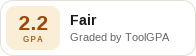
Fair · out of 4.0 · graded Nov 18, 2026
Best for private notes nobody else can read
Notes can vanish after a sync: in 2026 users lost meeting notes on a Mac and iPad and whole spreadsheets overnight, and the phone apps have no undo while free accounts keep no older versions. The iPhone app often fails to sign in or opens black, and paying users have been locked out of their own notes with only slow email support to fix it. Paid plans cost $90 or $120 a year up front, with no trial.
Who Standard Notes is for
- Fits if you want notes that even the company storing them can't read
- Works for plain-text notes, since that part is free on every device
Who Standard Notes is not for
- Skip it if you want Markdown or folders without paying, as both need the $90 plan
- Pricey if you'd rather pay month by month, because only yearly prices are listed
- Not for you if you want a trial first, as there's none, only a refund within 14 or 90 days
- Watch out: files stored on Professional can't be viewed or downloaded once the subscription ends
- Watch out: when a plan lapses, notes in the paid editors go read-only until switched back to plain text
Why Standard Notes gets a 2.2
Five grades, each with its reason. The GPA is their average: an A is 4 points, an F is none.
- DValue for moneyWas C. Down to D because of three problems people report: paying users get told to upgrade and their own notes lock; support is email only, and replies can take weeks or never come; paid plans are sold only by the year, $90 or $120 up front, with no trial.
- BFree plan and trialFree forever with encryption, sync on unlimited devices, offline access, tags and daily email backups, and no cap on notes, so a plain-text note-taker could live here. Not an A, because that's all you get: plain text, no folders, and history only for the current session.
- CFeaturesWas B. Down to C because of two problems people report: notes can vanish or open blank after a sync; no undo on the phone apps, and free accounts keep no older versions.
- CEase of useWas B. Down to C because of two problems people report: the iPhone app often won't sign in or opens to a black screen; phone apps open slowly and the keyboard or banners cover your text.
- BPlatforms and integrationsWeb, Mac, Windows, Linux, iPhone and Android, plus a clipper for Chrome and Firefox on paid plans, and you can host the server yourself. But the listing shows no integrations and no API, so it keeps to itself.
What these grades rest on. Graded from this listing, whose facts were read from Standard Notes' own pages on 5 October 2026, and its App Store rating. Problems people report, and lawsuits, fines and breaches, were read from reviews, news, app-store reviews and court and regulator records on 18 November 2026. How we review and grade.
Make Standard Notes? Put this grade on your site
Paste this where you want the badge. It links here and follows the grade if it changes. About badges
<a href="https://toolgpa.com/tools/standard-notes#review"><img src="https://toolgpa.com/badge/standard-notes.svg" alt="Standard Notes: 2.2 GPA on ToolGPA" width="196" height="56"></a>The worst thing about Standard Notes
Notes can disappear after syncing, with no way back on the free plan
People on Mac, iPad, iPhone and Android report notes vanishing or opening blank after a sync, most recently in October 2026. Meeting notes, a day's writing and whole spreadsheets were lost. Free accounts keep history only for the current session and the phone apps have no undo, so a lost note usually cannot be brought back.
Took a letter off its grade for Features
Reported byitunes.apple.com (Oct 17, 2026)github.com (Jan 20, 2026)github.com (Jan 13, 2026)itunes.apple.com (Feb 18, 2025)
What else goes wrong
- 2
No undo on the phone apps, and free accounts keep no older versions
Phone users find no way to undo a deletion. In April 2025 a keyboard glitch wiped six passwords from an Android note, and in May 2026 another Android user lost text the same way. In August 2026 an iPhone user deleted part of a note by accident and could not get it back. On the free plan, note history covers only the current session, so a note that goes blank cannot be restored without paying, as an Android user found in January 2024.
Took a letter off its grade for Features
Reported bygithub.com (Apr 19, 2025)itunes.apple.com (Aug 6, 2026)github.com (Jan 31, 2024)
- 3
Paying users get told to upgrade and their own notes lock
Some people with an active plan see their paid notes turn read-only, with a banner asking them to upgrade. Three users on GitHub hit this between September and November 2026, on Professional, Productivity and a five-year plan, and the only fix was emailing support and waiting. In August 2026 a paying iPhone user had templates stuck read-only and got no answer from support. In August 2025 another paid and the plan did not switch on for days.
Took a letter off its grade for Value for money
Reported bygithub.com (Sep 23, 2026)itunes.apple.com (Aug 27, 2026)itunes.apple.com (Aug 15, 2025)
- 4
Support is email only, and replies can take weeks or never come
There is no phone or chat. An iPhone user who reported a Super note bug in June 2026 got one reply, then nothing for two months. Another never got an answer about a locked account. In December 2025 a refund request went unanswered, and in November 2025 a customer charged $149 through PayPal for a plan they say they never ordered could find no phone number. Bug reports on GitHub from 2025 and 2026 sit with no staff reply.
Took a letter off its grade for Value for money
Reported byitunes.apple.com (Aug 11, 2026)justuseapp.com (Dec 30, 2025)pissedconsumer.com (Nov 28, 2025)github.com (Jul 31, 2026)
- 5
The iPhone app often won't sign in or opens to a black screen
Through 2026 iPhone users report sign-in hanging, the screen going black or the app crashing at launch, while the same account works on the web and on a Mac. Reports came in January, February, March, July and October 2026, including an iPhone 15 stuck at login and an iPhone 15 Pro showing only black. In July 2026 two users got a too many attempts error on every try, even after reinstalling. Some hangs were traced to Lockdown Mode, and others get signed out often.
Took a letter off its grade for Ease of use
Reported byitunes.apple.com (Jan 21, 2026)github.com (Jul 31, 2026)github.com (Mar 26, 2026)github.com (Apr 1, 2024)
- 6
Phone apps open slowly and the keyboard or banners cover your text
On phones the keyboard or its hide button covers the lines being typed, reported in May 2025, March 2026 and June 2026, and one update fixed scrolling only for the next to break it. On Android a large expired-plan notice fills the space above the keyboard, reported in June and October 2026. An iPhone user found the cursor stuck at the start of Super notes. With over 1,000 notes the app takes 5 to 7 seconds to open, and one Android user waits almost 30.
Took a letter off its grade for Ease of use
Reported byitunes.apple.com (May 26, 2025)itunes.apple.com (Mar 6, 2026)github.com (Jun 3, 2026)news.ycombinator.com (May 19, 2026)
- 7
Paid plans are sold only by the year, $90 or $120 up front, with no trial
There is no monthly price and no trial, so trying Markdown, folders or checklists means paying $90 or $120 for a year first. A supporter since launch lost their plan in February 2026 and was offered only yearly billing. Others quit over $120 a year with no monthly option, and one moved to Notesnook rather than pay over $100 untried. Proton subscribers get no discount.
Took a letter off its grade for Value for money
Reported byitunes.apple.com (Jul 10, 2025)itunes.apple.com (Feb 24, 2026)justuseapp.comitsfoss.com (Nov 1, 2024)
- 8
The free plan is plain text only: no checkboxes, bold or folders
Free accounts get plain text and tags and little else. Users in 2025 and 2026 complain that even a checkbox, bold text, a bullet list or a folder needs a paid plan, and some say the phone's built-in notes app does more for free. A writer moved to Notesnook in 2024 because rich text was paywalled.
Took a letter off its grade for Free plan and trial
Reported byitunes.apple.com (Oct 1, 2025)itunes.apple.com (Apr 30, 2026)itsfoss.com (Nov 1, 2024)
Standard Notes on the record
Data breachResolvedSep 7, 2026
Android import flaw could expose encryption keys and notes (CVE-2026-78325)
Proton, which owns Standard Notes, published a flaw in the Evernote and Google Keep importers of the Android app up to version 3.201.24. Importing a crafted file could run code inside the app, steal encryption keys and note data and call phone functions. It was rated 6.9 out of 10 (medium) and fixed in 3.201.25. No attack on users has been reported.
Reported byosv.dev (Sep 7, 2026)app.opencve.io (Sep 7, 2026)
Data breachResolvedNov 12, 2026
Super note plugins could escape their sandbox, fixed in November 2026
The desktop release 3.203.1 of 12 November 2026 says it stops a custom plugin from escaping its sandbox through Super notes. The release notes give no more detail, and no attack on users has been reported.
Reported bygithub.com (Nov 12, 2026)
Found on Nov 18, 2026 by searching reviews, news, app-store reviews, and court and regulator records. A problem is listed only when at least three places report it and it is still true, and each one took a letter off the grade it belongs to. Cases are described as they stand today: an ongoing case is a claim, not a finding.
Where Standard Notes stands among note-taking apps
Standard Notes's GPA of 2.2 is higher than 57 of the 169 other note-taking apps we grade, and level with 37.
It stands best on platforms and integrations (B, above 121 of 169) and worst on value for money (D, above 6).
Its paid plans start at $7.50 a month when paid by the year, against a middle price of $5.83 for the category: 47 of the 72 others that charge start lower.
On features, ease of use and platforms it scores 2.3 out of 4. 7 tools score higher and cost less.
Each grade against the category
Every bar is all 170 note-taking apps we grade, cut by the letter each got. Standard Notes’s own letter is outlined.
- DValue for moneyAbove 6 of 169, level with 27
- BFree plan and trialAbove 88 of 169, level with 25
- CFeaturesAbove 82 of 169, level with 62
- CEase of useAbove 48 of 169, level with 68
- BPlatforms and integrationsAbove 121 of 169, level with 43
Price against what you get
Each dot is one of 118 note-taking apps. Further left costs less, and higher up scores better on features, ease of use and platforms. Point at a dot to see which tool it is.
Features, ease of use and platforms, averaged
What paid plans start at, a month (each step along is roughly double) →
- The best score at each price
- Has a free plan
- No free plan
Keep Standard Notes, or make your own?
You could make this
A notes app at its plainest is text in folders with a search box.
What Standard Notes does at its core is notes, Markdown and web clipper, and that is the kind of thing an AI app builder makes well. You would give up 2 things, listed below, and little else. It costs $90 a year. An AI app builder starts at about $20 a month on our listings, and you only need it while you build. Standard Notes is open source, so there is a third way: take its code and run it yourself.
What you could make
- Notes, Markdown and web clipper: an app builder makes these well.
What you could not
- Apps for macOS, Windows, Linux, iOS and Android that stay in step with each other.
- End-to-end encryption done properly.
What this rests on. Standard Notes’s listing: what it does, where it runs, what it plugs into and what it costs. It is a judgement about the kind of software this is. We have not built a replacement for it, and making your own means looking after it too. How we decide, and every tool’s verdict.
What is Standard Notes?
Standard Notes is a note-taking app that encrypts notes and files on your device before they sync, so only you hold the keys. The free plan covers plain-text notes with sync across unlimited devices on web, desktop and mobile. Paid plans add richer note types such as Markdown, rich text and spreadsheets, longer revision history and, on Professional, 100 GB of encrypted file storage. The application and server source code are public.
Worth knowing
- The free plan is limited to plain-text notes; Markdown, rich text, spreadsheets and folders need Productivity at $90 per year.
- The pricing page lists yearly prices only, and there is no free trial; refunds are offered within 14 days (Productivity) or 90 days (Professional).
- Encrypted file storage comes only with Professional, and files cannot be viewed or downloaded after a subscription expires.
- When a subscription lapses, notes in the paid editors become read-only until switched back to plain text.
Key features
- End-to-end encryption
- Notes, tags and other data are encrypted on the device with XChaCha20-Poly1305 before syncing, so the server stores only data it cannot read.
- Note types
- A note is plain text on the free plan. A subscription adds Super notes for Markdown, rich text, checklists and code, plus spreadsheets and an authenticator for 2FA codes.
- Sync and offline access
- Notes sync across unlimited devices on the web, desktop and mobile, and an offline copy stays available without an internet connection.
- Revision history and backups
- Daily encrypted email backups come with every plan. Note history covers the current session on the free plan, 1 year on Productivity and is unlimited on Professional.
- Encrypted file storage
- Professional includes 100 GB of encrypted storage for photos, videos and documents, with no file size limit (tested up to 2 GB) and offline file access.
- Web Clipper and folders
- Paid plans add a Chrome and Firefox extension that clips a full page, an article or a selection into a note, and nested folders built from tags.
Standard Notes pricing
As of Oct 5, 2026, Standard Notes has a free plan, and paid plans start at $90 per year (Productivity).
- Starts at
- $90 per year (Productivity)
- Free plan
- Standard plan: end-to-end encrypted plain-text notes, unlimited device sync, offline access, tags, password-protected notes, two-factor authentication and daily encrypted email backups.
- Free trial
- None listed
| Plan | Price | What you get |
|---|---|---|
| Standard | Free | Plain-text notes with end-to-end encryption, unlimited device sync, offline access, tags and daily encrypted email backups. |
| Productivity | $90per year | Adds the Super note type for Markdown and rich text, spreadsheets, Daily Notebooks, folders, the Web Clipper, an authenticator and 1-year revision history. |
| Professional | $120per year | Adds 100 GB of encrypted file storage, subscription sharing with up to 5 accounts, maximum revision history and hardware security key support. |
Read from standardnotes.com on Oct 5, 2026. Prices change, so confirm with Standard Notes before you buy.
6 price changes on recordWhat the app costs in other countries
Ways to pay less
- Education30% student discount
Students get 30% off any plan, except offline subscriptions, by emailing the support team from a student email address.
Stated on standardnotes.com - Other savingsHelp for people who cannot afford a plan
Standard Notes invites anyone facing economic difficulty to email support with their circumstances so a plan that works for them can be arranged.
Stated on standardnotes.com - Other savingsDiscounted offline subscription for self-hosting
Offline subscriptions, which unlock the paid features on a self-hosted server, are sold at what the vendor calls a steep discount from the hosted plans.
Stated on standardnotes.com
How people rate the Standard Notes app
4.7
out of 5 for the iPhone and iPad app
- 5 stars84%
- 4 stars8%
- 3 stars2%
- 2 stars1%
- 1 star4%
3,737 ratings on the App Store in the United States, read Oct 5, 2026. It rates the app, not everything the product does. See the listing
Jobs at Standard Notes
Standard Notes has 13 open roles, most in CC - Sales (3), CC - Customer Support (2) and CC - Engineering Neutron (2). Here are the newest; open one to read the whole job and apply on Standard Notes’ own site.
- Senior Product Manager (VPN)NewView and apply
Product and design · CC - Product - VPN · Barcelona; Geneva · posted 4 days ago
- Customer Support AdvisorNewView and apply
Customer success and support · CC - Customer Support · Skopje · posted 5 days ago
- Customer Support Advisor (Proton VPN)NewView and apply
Customer success and support · CC - Customer Support · Taipei · posted 8 days ago
- Inbound Sales Development Representative - German SpeakerNewView and apply
Sales and partnerships · CC - Sales · Barcelona · posted 10 days ago
- Account ExecutiveNewView and apply
Sales and partnerships · CC - Sales · Geneva; Zurich; Remote from Switzerland · posted 10 days ago
Read from Standard Notes’ job board on Greenhouse on Nov 17, 2026 and checked every week. Applications go to Standard Notes, not to us.
Standard Notes alternatives
- Standard Notes vs Notesnook
Free plan · from $1.99/mo
- Standard Notes vs Joplin
Free plan · from €2.40/mo
- Standard Notes vs Obsidian
Free plan · from $4/mo
- Standard Notes vs Evernote
Free plan · from $99/yr





Common questions
Is Standard Notes open source?
Yes. Standard Notes is open source, according to its own site. It can also be run on a server of your own.
Is Standard Notes end-to-end encrypted?
Standard Notes describes itself as end-to-end encrypted on its own site. Nobody here has audited that.
Does Standard Notes work offline?
Yes, according to its own site. What works without a connection differs by plan and platform, so check the vendor's page for the detail.
Sources for this page
The prices, plans, platforms and features above were read from these pages on Oct 5, 2026. What people say is linked where it appears.
- standardnotes.com
- standardnotes.com/plans
- standardnotes.com/features
- standardnotes.com/help/38/does-standard-notes-offer-a-student-discount
- standardnotes.com/help/56/what-if-i-can-t-afford-the-price-of-extended
- standardnotes.com/help/48/can-i-use-extensions-with-a-self-hosted-server
- standardnotes.com/help/46/is-the-standard-notes-source-code-public
- standardnotes.com/help/39/what-country-is-standard-notes-located-in
- standardnotes.com/help/20/what-happens-to-my-data-when-my-subscription-expires
- standardnotes.com/help/51/what-is-the-refund-policy-on-standard-notes-extended
- standardnotes.com/help/usage/how-do-i-clip-web-pages
- apps.apple.com/us/app/standard-notes/id1285392450