
Lavender review (2026): is the free plan enough?
AI email coach that scores and rewrites sales emails
Black Friday: is there a Lavender sale?
Lavender report card
Fair · out of 4.0 · graded Nov 12, 2026
Best for email coaching inside Gmail and Outlook
Lavender scores a sales email as you write it in Gmail or Outlook and suggests fixes. The free plan covers 5 analyzed and 5 personalized emails a month. It doesn't send campaigns, and integrations with outreach tools only start on Individual Pro at $45 a month.
Who Lavender is for
- Fits if you write sales emails by hand in Gmail or Outlook
- Works for managers who want a coaching dashboard on a team plan
Who Lavender is not for
- Skip it if you want something that sends campaigns, since it doesn't
- Tight if you write more than 5 emails a month on free
- Pricey if you need integrations, which start at $45 a month on Individual Pro
- Watch out: the team plan is $89 a seat and sold through a demo
Why Lavender gets a 2.2
Five grades, each with its reason. The GPA is their average: an A is 4 points, an F is none.
- CValue for moneyStarter is $27 a month on yearly billing, between the category's cheaper quarter ($25) and its middle ($39). Integrations need Individual Pro at $45.
- CFree plan and trialFree Basic covers 5 analyzed and 5 personalized emails a month. A real cap, and 7 days of paid plans are also free with no card.
- CFeaturesScores drafts, suggests fixes and adds prospect context. It does that job fully, but it's a smaller job than a sender, and Ora, its agent, is sold separately.
- CEase of useNo store rating on record. It's a browser extension with accounts to connect inside Gmail or Outlook.
- BPlatforms and integrationsWeb and a browser extension, with Gmail, Outlook, Outreach, Salesloft, HubSpot, Apollo, Groove and Gong.
What these grades rest on. Graded from this listing, whose facts were read from Lavender's own pages on 12 November 2026. Not based on using the product, and shorter than our full reviews. How we review and grade.
Make Lavender? Put this grade on your site

Paste this where you want the badge. It links here and follows the grade if it changes. About badges
<a href="https://toolgpa.com/tools/lavender#review"><img src="https://toolgpa.com/badge/lavender.svg" alt="Lavender: 2.2 GPA on ToolGPA" width="196" height="56"></a>Where Lavender stands among cold outreach tools
Lavender's GPA of 2.2 is higher than 17 of the 47 other cold outreach tools we grade, and level with 14.
It stands best on platforms and integrations (B, above 9 of 47) and worst on ease of use (C, above 0).
Its paid plans start at $27 a month, against a middle price of $39 for the category: 14 of the 43 others that charge start lower.
On features, ease of use and platforms it scores 2.3 out of 4. 1 tool scores higher and costs less.
Each grade against the category
Every bar is all 48 cold outreach tools we grade, cut by the letter each got. Lavender’s own letter is outlined.
- CValue for moneyAbove 9 of 47, level with 19
- CFree plan and trialAbove 15 of 47, level with 32
- CFeaturesAbove 7 of 47, level with 24
- CEase of useAbove 0 of 47, level with 43
- BPlatforms and integrationsAbove 9 of 47, level with 38
Price against what you get
Each dot is one of 44 cold outreach tools. Further left costs less, and higher up scores better on features, ease of use and platforms. Point at a dot to see which tool it is.
Features, ease of use and platforms, averaged
What paid plans start at, a month (each step along is roughly double) →
- The best score at each price
- Has a free plan
- No free plan
Keep Lavender, or make your own?
Keep it
To replace Lavender you would be making an AI agent, with the models and the safeguards behind it. That is not a weekend's work, with an AI app builder or without one.
It costs $324 a year.
What you could make
- Reports: an app builder makes this well.
What you could not
- An AI agent, with the models and the safeguards behind it.
- It plugs into other products, Gmail, Outlook and Outreach among them.
- People on the other end: coaches. No app builder makes those.
What this rests on. Lavender’s listing: what it does, where it runs, what it plugs into and what it costs. It is a judgement about the kind of software this is. We have not built a replacement for it, and making your own means looking after it too. How we decide, and every tool’s verdict.
What is Lavender?
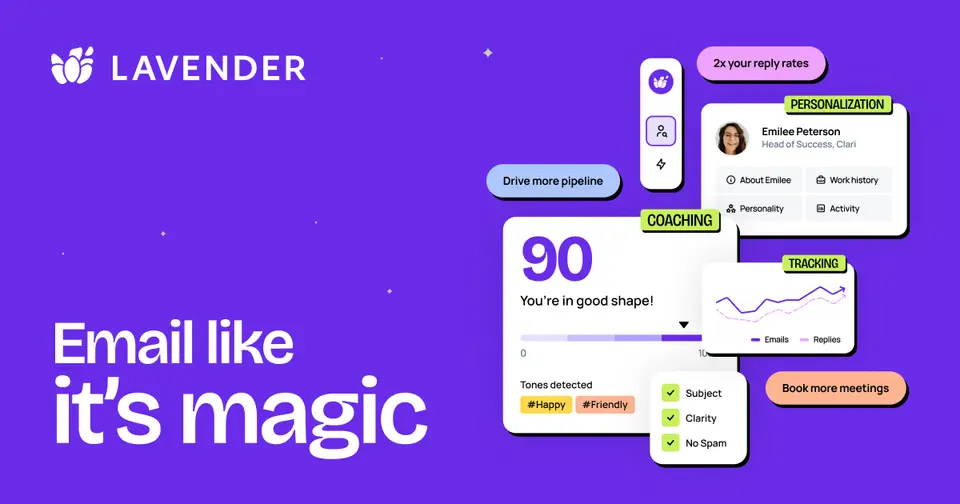
Lavender is an email coach for sales reps that scores a draft, suggests fixes and adds prospect context inside Gmail or Outlook. A coaching dashboard for managers is part of the team plan. The company also offers Ora, a separate AI sales agent that drafts outbound emails.
Worth knowing
- Basic is capped at 5 analyzed and 5 personalized emails a month.
- Integrations with outreach tools are included from Individual Pro, not Starter.
- The Team Plan price shown is per seat and is bought through a demo rather than self-serve.
- Lavender coaches emails and does not send campaigns itself; Ora is priced separately and its page gives no clear plan table.
Key features
- Email scoring
- Scores an email or template against best practice and flags what may hold back replies; the page cites a score of 90 or above as the target.
- Personalization assistant
- Brings prospect data into the inbox and suggests ways to personalize, including personality-based insights about the recipient.
- AI email writer
- Suggests first drafts and fixes, available even on the free Basic plan within its monthly limits.
- Coaching dashboard
- Managers can track team performance, ROI and what works across inboxes; it comes with the Team Plan.
- Works where you send
- Runs in Gmail and Outlook and connects with Outreach, Salesloft, HubSpot, Apollo, Groove and Gong.
- Ora sales agent
- Ora is a separate AI agent for drafting outbound emails; its page says agents can be built for free and billed monthly after launch.
Lavender pricing
As of Nov 12, 2026, Lavender has a free plan, and paid plans start at $27 per month, billed yearly ($29 billed monthly).
- Starts at
- $27 per month, billed yearly ($29 billed monthly)
- Free plan
- Basic: analyze 5 emails and personalize 5 emails a month, with the AI email writer and recommendations on Gmail and Outlook 365.
- Free trial
- 7-day free trial of paid plans with all integrations, no card required
| Plan | Price | What you get |
|---|---|---|
| Basic | $0 | Analyze 5 emails and personalize 5 emails a month in Gmail and Outlook 365. |
| Starter | $27per month, billed yearly ($29 billed monthly) | For individuals: unlimited emails, personalization and AI recommendations, multi-inbox support and chat support. |
| Individual Pro | $45per month, billed yearly ($49 billed monthly) | Everything in Starter with integrations, priority support and a dedicated customer success manager. |
| Team Plan | $89per seat / month, billed yearly ($99 billed monthly) | Adds integrations and the Coaching Dashboard; booked through a demo, with Starter, Growth and Enterprise tiers. |
Read from lavender.ai on Nov 12, 2026. Prices change, so confirm with Lavender before you buy.
Ways to pay less
- Annual discountYearly billing lowers the monthly rate
Lavender's pricing toggle shows Starter at $27 a month billed yearly against $29 billed monthly, and Team at $89 against $99 per seat.
Stated on lavender.ai
Works with
Lavender alternatives
- Lavender vs Regie.ai
Free trial · from $41/mo
- Lavender vs Reply.io
Free trial · from $49/mo





Common questions
Does Lavender have an Android app?
No Android app was listed when its pages were read on Nov 12, 2026. Lavender is listed for Web.
Does Lavender have an iPhone app?
No iPhone app was listed when its pages were read on Nov 12, 2026. Lavender is listed for Web.
Is Lavender open source?
Lavender is not described as open source on its own site, as read on Nov 12, 2026.
Sources for this page
The prices, plans, platforms and features above were read from these pages on Nov 12, 2026.