
Collabora Online review (2026): is the free plan enough?
Self-hosted, open-source office suite based on LibreOffice
Black Friday: is there a Collabora Online sale?
Collabora Online report card
Fair · out of 4.0 · graded Oct 10, 2026
Best for an office suite on your own servers
Collabora Online is LibreOffice in a browser: documents, spreadsheets, slides and drawings several people can edit at once, on servers you control, at $3.40 a user a month for up to 99 users. Collabora won't host it for you, it needs Nextcloud, ownCloud or SharePoint beside it to store files, and the free CODE edition has no SLA or long-term support. The desktop version and mobile support need an Enterprise quote.
Who Collabora Online is for
- Fits if your documents have to stay on servers you control
- Works for teams already running Nextcloud, ownCloud or OpenCloud who want editing inside it
Who Collabora Online is not for
- Skip it if you want to sign up and start typing, because Collabora doesn't host it for you
- Not for you if you're after a wiki or knowledge base, since it only edits office documents
- Tight if you're a business on the free edition, which has no SLA or long-term support
- Watch out: it needs Nextcloud, ownCloud, SharePoint or similar to store files and handle access
- Pricey if you have 100 or more users, or want the desktop version or mobile support: those need an Enterprise quote
Why Collabora Online gets a 2.4
Five grades, each with its reason. The GPA is their average: an A is 4 points, an F is none.
- AValue for money$3.40 a user a month on a yearly subscription for up to 99 users, with long-term support, a service level agreement and signed security updates. Set against the office suites it names as rivals that undercuts the lot, and outside users without an account aren't charged for at all.
- BFree plan and trialThe free CODE edition is the whole suite, self-hosted and updated about once a month, and a household or a small team could live on it indefinitely. No SLA, no long-term support, and Collabora itself says not to run a business on it.
- DFeaturesWriter, Calc, Impress and Draw in a browser, several people editing at once, opening and saving Word, Excel and PowerPoint as well as OpenDocument. But by the vendor's own account it only edits documents: pair it with Nextcloud, ownCloud or SharePoint to store files and control access, or it's no use at all.
- DEase of useYou host it yourself on Linux, a virtual machine or Docker, or find a hosting partner, and then connect it to a platform like Nextcloud or ownCloud before anybody can open a file. There is no sign-up-and-start version.
- BPlatforms and integrationsIn a browser it runs anywhere, with ready integrations for Nextcloud, ownCloud, OpenCloud, Moodle, Alfresco, SharePoint, Mattermost and Drupal and the WOPI protocol for anything else. The catch is that the desktop version and mobile support arrive with the Enterprise plan.
What these grades rest on. Graded from this listing, whose facts were read from Collabora's own pages on 6 October 2026. Also tested with a demo account on 2026-09-17. How we review and grade.
Make Collabora Online? Put this grade on your site

Paste this where you want the badge. It links here and follows the grade if it changes. About badges
<a href="https://toolgpa.com/tools/collabora-online#review"><img src="https://toolgpa.com/badge/collabora-online.svg" alt="Collabora Online: 2.4 GPA on ToolGPA" width="196" height="56"></a>Where Collabora Online stands among docs and wiki tools
Collabora Online's GPA of 2.4 is higher than 34 of the 86 other docs and wiki tools we grade, and level with 12.
It stands best on value for money (A, above 60 of 86) and worst on features (D, above 0).
Its paid plans start at $3.40 a month for each person, against a middle price of $18.50 for the category: 2 of the 57 others that charge start lower.
On features, ease of use and platforms it scores 1.7 out of 4. 7 tools score higher and cost less.
Each grade against the category
Every bar is all 87 docs and wiki tools we grade, cut by the letter each got. Collabora Online’s own letter is outlined.
- AValue for moneyAbove 60 of 86, level with 26
- BFree plan and trialAbove 41 of 86, level with 19
- DFeaturesAbove 0 of 86, level with 1
- DEase of useAbove 0 of 86, level with 24
- BPlatforms and integrationsAbove 28 of 86, level with 54
Price against what you get
Each dot is one of 79 docs and wiki tools. Further left costs less, and higher up scores better on features, ease of use and platforms. Point at a dot to see which tool it is.
Features, ease of use and platforms, averaged
What paid plans start at, a month (each step along is roughly double) →
- The best score at each price
- Has a free plan
- No free plan
Keep Collabora Online, or make your own?
Keep it
To replace Collabora Online you would be making a spreadsheet engine with its formulas. That is not a weekend's work, with an AI app builder or without one.
It costs $40.80 a year. Collabora Online is open source, so there is a third way: take its code and run it yourself.
What you could make
- Documents: an app builder makes this well.
What you could not
- A spreadsheet engine with its formulas.
- A slide editor.
- Apps for macOS, Windows, Linux, iOS and Android that stay in step with each other.
- Several people working in it at the same moment.
- It plugs into other products, Nextcloud, ownCloud and OpenCloud among them.
- What a company asks for before it lets staff use something: roles and permissions.
What this rests on. Collabora Online’s listing: what it does, where it runs, what it plugs into and what it costs. It is a judgement about the kind of software this is. We have not built a replacement for it, and making your own means looking after it too. How we decide, and every tool’s verdict.
What is Collabora Online?
Collabora Online is an open-source online office suite based on LibreOffice, with Writer, Calc, Impress and Draw for text documents, spreadsheets, presentations and drawings. The vendor does not host it: organizations run it on their own servers or get it through a hosting partner, connected to a platform such as Nextcloud or ownCloud that handles file storage and access. Supported subscriptions are priced per user, and a free development edition is available.
Worth knowing
- Collabora does not host the product: you run the server yourself or go through one of its hosting partners.
- It only edits documents, so it has to be paired with another product that handles file storage and user access.
- The free CODE edition has no SLA or long-term support, and the vendor does not recommend it for business or production use.
- Business stops at 99 users, at $3.40 per user a month on a yearly subscription; 100 or more users need an Enterprise quote.
Key features
- Writer, Calc, Impress and Draw
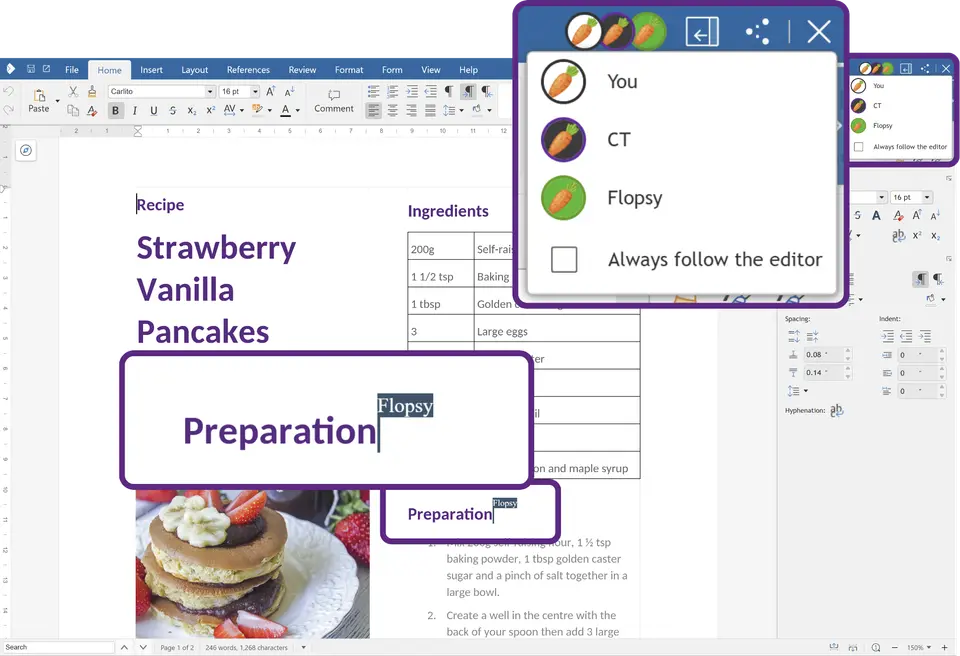
- Four browser-based editors cover text documents, spreadsheets, presentations and drawings, with pivot tables and charts in Calc and Visio files opening in Draw.
- Collaborative editing
- Several people can edit one document together. The FAQ sets no formal limit and calls 20 people in a session normal, and external users without an account are not charged for.
- Microsoft and OpenDocument formats
- Opens and saves DOCX, XLSX and PPTX, the older DOC, XLS and PPT formats and the OpenDocument equivalents, and offers PDF download.
- Deployment on your own servers
- The server runs on a Linux system, a virtual machine or a Docker container, so documents stay on infrastructure you control. Large Kubernetes deployments scale through the COOL Controller.
- Integration through WOPI
- Ready integrations cover Nextcloud, ownCloud, OpenCloud, Moodle, Alfresco, SharePoint and Mattermost, and other web applications connect by implementing the WOPI protocol.
- Admin console
- An admin console shows the users connected, the documents open and their resource usage, and can pass monitoring data to external services.
Collabora Online pricing
As of Oct 6, 2026, Collabora Online has a free plan, and paid plans start at $3.40 per user / month on a yearly subscription (up to 99 users).
- Starts at
- $3.40 per user / month on a yearly subscription (up to 99 users)
- Free plan
- Collabora Online Development Edition (CODE): free, self-hosted rolling release with no SLA or long-term support. The vendor suggests it for testing, home use or small teams, not production.
- Free trial
- None listed
| Plan | Price | What you get |
|---|---|---|
| Collabora Online Development Edition | Free | Self-hosted rolling release, updated about once a month, for testing, home use and small teams. No SLA or long-term support. |
| Collabora Online for Business | $3.40per user / month, on a yearly subscription | Up to 99 users, self-hosted, with long-term support, a service level agreement, signed security updates and a customer portal. |
| Collabora Online for Enterprise | Custom | 100 or more users with volume discounts, adding roadmap input, integration support, customization, and the desktop version and mobile support. |
Read from collaboraonline.com on Oct 6, 2026. Prices change, so confirm with Collabora Online before you buy.
Ways to pay less
- EducationSpecial pricing for educational institutions
The subscriptions page asks educational institutions to get in touch for special pricing. No rate is published.
Stated on collaboraonline.com - NonprofitSpecial pricing for NGOs
The subscriptions page asks NGOs that want to deploy Collabora to get in touch for special pricing. No rate is published.
Stated on collaboraonline.com - Other savingsMulti-year contract discounts
Subscriptions are priced yearly, and the vendor says discounts for three-year contracts are available on request.
Stated on collaboraonline.com
Works with
- Nextcloud
- ownCloud
- OpenCloud
- Moodle
- Alfresco
- SharePoint
- Mattermost
- Drupal
Jobs at Collabora Productivity
Any open roles at Collabora Productivity are on its own careers page. We can’t read a count from there, so have a look.
Applications go to Collabora Productivity, not to us.
Collabora Online alternatives
- Collabora Online vs ONLYOFFICE
Free plan · from $20/mo
- Collabora Online vs Google Docs
Free plan · from $7/mo
- Collabora Online vs Zoho Writer
Free plan · from $2.50/mo
- Collabora Online vs CryptPad
Free plan · from €5/mo




Common questions
Is Collabora Online open source?
Yes. Collabora Online is open source, according to its own site. It can also be run on a server of your own.
Sources for this page
The prices, plans, platforms and features above were read from these pages on Oct 6, 2026.