
Vegas Pro review (2026): is it worth $8.33 a month, billed yearly?
Windows video editor with AI tools, now published by Boris FX
Black Friday: is there a Vegas Pro sale?
Vegas Pro report card
Weak · out of 4.0 · graded Nov 12, 2026
Best for a Windows editor with a timeline and GPU speed
Vegas Pro is a timeline editor for Windows with GPU acceleration, colour tools, multicam and titling, from $8.33 a month on yearly billing. It runs on Windows only, and speech to text and the stock library are subscription-only.
Who Vegas Pro is for
- Fits if you edit on a Windows PC and want a timeline editor with GPU rendering
- Works for people who edit longer videos with several cameras
Who Vegas Pro is not for
- Skip it if you use a Mac or Linux, because it's Windows software only
- Tight if you want speech to text, text to speech or the Storyblocks library, which are subscription-only
- Watch out: the store also sells a perpetual licence, but its price and the monthly prices weren't visible on the pages read
- Not for you if you want to know the trial length up front, as it isn't stated
- Watch out: prices exclude tax and VAT
Why Vegas Pro gets a 1.8
Five grades, each with its reason. The GPA is their average: an A is 4 points, an F is none.
- CValue for money$8.33 a month on yearly billing for the base plan, between the category's cheapest quarter and its middle. The dearer plans are $12.50 and $16.66.
- DFree plan and trialA free trial is offered, but the pages don't say how long it lasts or whether a card is needed. No free plan.
- BFeaturesGPU timeline, colour and compositing, multicam, audio, titling and AI tools. Nothing in the listing is missing from the job of a professional editor.
- CEase of useNo store rating on record. A full timeline editor has a learning curve.
- DPlatforms and integrationsWindows only. No Mac or Linux version is listed, and no phone or web version.
What these grades rest on. Graded from this listing, whose facts were read from Vegas Pro's own pages on 12 November 2026. Not based on using the product, and shorter than our full reviews. How we review and grade.
Make Vegas Pro? Put this grade on your site

Paste this where you want the badge. It links here and follows the grade if it changes. About badges
<a href="https://toolgpa.com/tools/vegas-pro#review"><img src="https://toolgpa.com/badge/vegas-pro.svg" alt="Vegas Pro: 1.8 GPA on ToolGPA" width="196" height="56"></a>Where Vegas Pro stands among screen recording and video tools
Vegas Pro's GPA of 1.8 is higher than 3 of the 84 other screen recording and video tools we grade, and level with 2.
It stands best on features (B, above 49 of 84) and worst on platforms and integrations (D, above 0).
Its paid plans start at $8.33 a month, against a middle price of $12 for the category: 19 of the 62 others that charge start lower.
On features, ease of use and platforms it scores 2.0 out of 4. 22 tools score higher and cost less.
Each grade against the category
Every bar is all 85 screen recording and video tools we grade, cut by the letter each got. Vegas Pro’s own letter is outlined.
- CValue for moneyAbove 15 of 84, level with 40
- DFree plan and trialAbove 6 of 84, level with 6
- BFeaturesAbove 49 of 84, level with 33
- CEase of useAbove 1 of 84, level with 49
- DPlatforms and integrationsAbove 0 of 84, level with 5
Price against what you get
Each dot is one of 71 screen recording and video tools. Further left costs less, and higher up scores better on features, ease of use and platforms. Point at a dot to see which tool it is.
Features, ease of use and platforms, averaged
What paid plans start at, a month (each step along is roughly double) →
- The best score at each price
- Has a free plan
- No free plan
Keep Vegas Pro, or make your own?
Keep it
To replace Vegas Pro you would be making a video editor. That is not a weekend's work, with an AI app builder or without one.
That makes this kind of software worth paying for, not this one in particular: 79 of the 84 other screen recording and video tools grade higher. It costs $99.96 a year.
What you could not
- A video editor.
- A voice model, which you can rent by the minute but not make.
- Speech turned into text you can trust.
- A real app for Windows. Something home-made would be a web page.
- AI features, unless you pay a model provider for each request yourself.
- The depth: we grade its features B, which means it covers the whole job.
What this rests on. Vegas Pro’s listing: what it does, where it runs, what it plugs into and what it costs. It is a judgement about the kind of software this is. We have not built a replacement for it, and making your own means looking after it too. How we decide, and every tool’s verdict.
What is Vegas Pro?
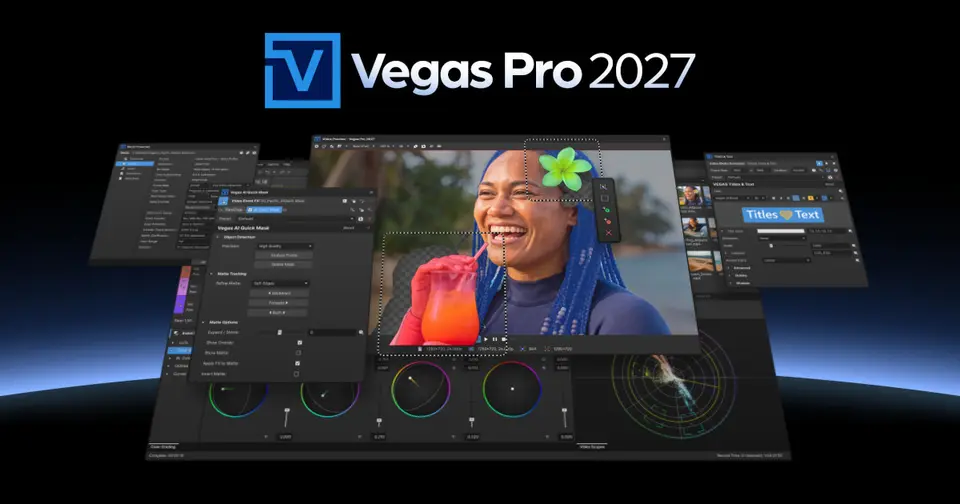
Vegas Pro is a professional video editor for Windows with a GPU-accelerated timeline, color grading, compositing, multicam editing and built-in audio tools. AI features cover reframing, masking, text-based editing and speech tools. It is sold in three tiers, with Boris FX effects and audio apps in the higher ones.
Worth knowing
- The product pages describe it as software for Windows; no Mac or Linux version is listed.
- Speech to text, text to speech and the Storyblocks library are marked subscription-only.
- The store also offers a perpetual license, but its price could not be read; monthly billing prices also were not visible.
- Prices exclude taxes and VAT, and Boris FX offers a 15-day money-back guarantee.
Key features
- GPU-accelerated timeline
- A flexible timeline with unlimited video and audio tracks, running on the Vegas Core engine for playback, effects and rendering.
- AI tools
- Auto reframing to vertical or square, AI quick masks, text-based editing from a transcript, speech to text and text to speech.
- Color and compositing
- Advanced color grading, compositing modes, masks and effects for layered edits.
- Multicam and audio
- Multicam sync for interviews and events, plus recording, editing and mixing tools built into the editor.
- Titling
- Continuum 2D and 3D titling is included in every tier for animated titles and motion graphics.
- Stock media
- A Storyblocks library of stock footage, music and sound effects, available on subscriptions.
Vegas Pro pricing
As of Nov 12, 2026, Vegas Pro is a paid product with a free trial, starting at $8.33 per month, billed yearly.
- Starts at
- $8.33 per month, billed yearly
- Free plan
- None
- Free trial
- A free trial is offered; its length is not stated on the pages read
| Plan | Price | What you get |
|---|---|---|
| Vegas Pro | $8.33per month, billed yearly | The editor with AI tools, Continuum titling, speech-to-text, text-to-speech and Storyblocks media. $99.95 for the year. |
| Vegas Pro Plus | $12.50per month, billed yearly | Adds Mocha Vegas tracking, CrumplePop audio plugins, Sound Forge and Acid Pro. |
| Vegas Pro Ultimate | $16.66per month, billed yearly | Adds Continuum VFX plugins, Mocha Pro, Particle Illusion, Optics, iZotope Photon and Sound Forge Plus. |
Read from borisfx.com on Nov 12, 2026. Prices change, so confirm with Vegas Pro before you buy.
Ways to pay less
- Annual discountYearly billing saves over 50%
The Boris FX store labels its yearly subscription option as saving over 50% compared with monthly billing.
Stated on borisfx.com
Works with
- Storyblocks
Vegas Pro alternatives
- Vegas Pro vs DaVinci Resolve
Free plan · from $94.99
- Vegas Pro vs Adobe Premiere
Free plan · from $22.99/mo
- Vegas Pro vs Wondershare Filmora
Free plan · from $49.99/yr
- Vegas Pro vs Camtasia
Free plan · from $39/yr





Common questions
Does Vegas Pro have an Android app?
No Android app was listed when its pages were read on Nov 12, 2026. Vegas Pro is listed for Windows.
Does Vegas Pro have an iPhone app?
No iPhone app was listed when its pages were read on Nov 12, 2026. Vegas Pro is listed for Windows.
Is Vegas Pro open source?
Vegas Pro is not described as open source on its own site, as read on Nov 12, 2026.
Sources for this page
The prices, plans, platforms and features above were read from these pages on Nov 12, 2026.