
Loom review (2026): is the free plan enough?
Screen and camera recorder for shareable video messages
Black Friday: is there a Loom sale?
Our verdict
Second of our top three screen recording and video tools
For: Teams that send video messages instead of meeting
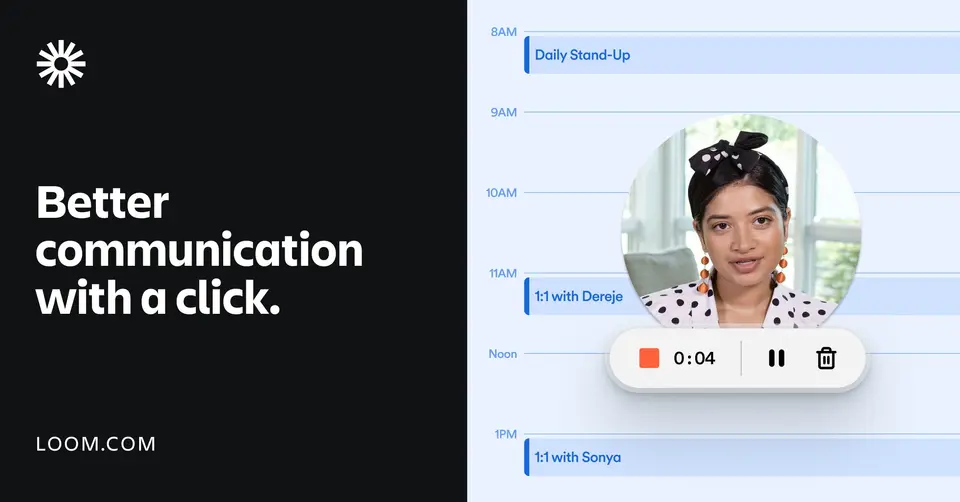
Loom is built for the short walkthrough sent as a link: record the screen, the camera or both from a Mac or Windows app, a Chrome extension or an iPhone or Android app, and viewers answer with comments and emoji reactions. The free Starter plan takes up to 50 members and includes transcripts in more than 50 languages, and its iPhone and iPad app averages 4.8 from about 19,100 ratings. It is second because it costs more and its free plan stops sooner: Starter is capped at 25 videos per person, 5-minute screen recordings and 720p, and Business is $18 per user a month, billed monthly. Summaries and chapters written by AI need Business + AI at $24, and no Linux app is listed.
See all three and how we rankLoom report card
Good · out of 4.0 · graded Oct 10, 2026
Best for quick screen recordings you share as a link
Loom records your screen and voice and gives you a link to send in place of a meeting, with transcripts, comments and viewer insights, and it ties into Jira and Confluence as part of Atlassian. The free plan stops at 25 videos, 5-minute recordings and 720p. Business is $18 per user a month, AI summaries need $24, editing is trimming and stitching only, and there's no Linux app.
Who Loom is for
- Fits if your team would rather watch a two-minute walkthrough than sit in a call
- Works for teams in Jira and Confluence that want video tied into them
Who Loom is not for
- Tight if you're staying free and explain things at length, as screen recordings stop at 5 minutes and 720p
- Not for you if you want a real timeline, because editing here is trimming and stitching
- Pricey if you want the summaries and chapters, since those need Business + AI at $24 per user a month
- Watch out: after the 14-day trial the workspace drops to Starter, which caps at 25 videos per person
- Skip it if you're on Linux, or need SSO without an annual Enterprise contract
Why Loom gets a 2.8
Five grades, each with its reason. The GPA is their average: an A is 4 points, an F is none.
- CValue for moneyBusiness is $18 per user a month billed monthly, which is the top of the normal band for video tools here against a middle of $10. Annual billing saves up to 17%. The AI summaries sit a tier higher again at $24.
- CFree plan and trialStarter is free and includes transcriptions in 50+ languages, but it stops at 25 videos per person, 5-minute screen recordings and 720p. Those are caps you reach, not caps you forget about.
- CFeaturesIt does the record-and-send job fully: capture, transcripts, captions, comments, reactions, viewer insights. But that's a smaller job than an editor's, and Loom's own listing calls its editing basic, trimming and stitching with a few overlays.
- AEase of use4.81 from 19,101 App Store ratings. Record from the desktop app, the Chrome extension or your phone and what comes out is a link, with nothing for the viewer to install.
- APlatforms and integrationsMac, Windows, iPhone, Android and a Chrome extension, with ties to Jira, Confluence, Slack, Google Workspace, Salesforce and Figma. Only the lack of a Linux app spoils it.
What these grades rest on. Graded from this listing, whose facts were read from Loom's own pages on 4 October 2026, and its App Store rating. Also tested with a demo account on 2026-04-20. How we review and grade.
Make Loom? Put this grade on your site

Paste this where you want the badge. It links here and follows the grade if it changes. About badges
<a href="https://toolgpa.com/tools/loom#review"><img src="https://toolgpa.com/badge/loom.svg" alt="Loom: 2.8 GPA on ToolGPA" width="196" height="56"></a>Where Loom stands among screen recording and video tools
Loom's GPA of 2.8 is higher than 104 of the 133 other screen recording and video tools we grade, and level with 15.
It stands best on platforms and integrations (A, above 128 of 133) and worst on features (C, above 0).
Its paid plans start at $18 a month for each person, against a middle price of $12.25 for the category: 60 of the 88 others that charge start lower.
On features, ease of use and platforms it scores 3.3 out of 4. Nothing scores higher for less, though at least one tool matches that score at a lower price.
Each grade against the category
Every bar is all 134 screen recording and video tools we grade, cut by the letter each got. Loom’s own letter is outlined.
- CValue for moneyAbove 20 of 133, level with 66
- CFree plan and trialAbove 24 of 133, level with 80
- CFeaturesAbove 0 of 133, level with 77
- AEase of useAbove 127 of 133, level with 6
- APlatforms and integrationsAbove 128 of 133, level with 5
Price against what you get
Each dot is one of 102 screen recording and video tools. Further left costs less, and higher up scores better on features, ease of use and platforms. Point at a dot to see which tool it is.
Features, ease of use and platforms, averaged
What paid plans start at, a month (each step along is roughly double) →
- The best score at each price
- Has a free plan
- No free plan
Keep Loom, or make your own?
Keep it
To replace Loom you would be making a video editor. That is not a weekend's work, with an AI app builder or without one.
It is one of the better ones too: its GPA of 2.8 is higher than 104 of the 133 other screen recording and video tools we grade. It costs $216 a year.
What you could not
- A video editor.
- Recording the screen with its sound, and somewhere to keep the video.
- Speech turned into text you can trust.
- Capture tools hooked into the operating system.
- Apps for macOS, Windows, iOS and Android that stay in step with each other.
- It is priced for each person, which means accounts and billing for a team.
- It plugs into other products, Jira, Confluence and Slack among them.
- AI features, unless you pay a model provider for each request yourself.
What this rests on. Loom’s listing: what it does, where it runs, what it plugs into and what it costs. It is a judgement about the kind of software this is. We have not built a replacement for it, and making your own means looking after it too. How we decide, and every tool’s verdict.
What is Loom?
Loom is a screen and camera recorder for sending short video messages by link. Recordings are made from a desktop app, Chrome extension or mobile app and come with transcripts, comments and viewer insights. Loom is now part of Atlassian and connects to Jira and Confluence. Its AI features, such as automatic summaries and chapters, are sold in a separate Business + AI tier.
Worth knowing
- The free Starter plan is capped at 25 videos per person, 5-minute screen recordings and 720p quality.
- Auto-summaries, auto-chapters and filler-word removal need Business + AI or Enterprise.
- Business plans are billed per Creator, and Enterprise is sold on annual subscriptions only.
- No Linux app is listed; recording is offered on Mac, Windows, Chrome, iOS and Android.
Key features
- Screen and camera recording
- Record the screen, the camera or both from the desktop app, the Chrome extension or the mobile apps, then share the video as a link.
- Basic editing
- Trim recordings, stitch clips together and add backgrounds, text, arrows and box overlays.
- Transcripts and captions
- Transcriptions and closed captions in more than 50 languages, included on the free Starter plan.
- Comments and viewer insights
- Viewers can respond with comments, emoji reactions and tasks, and creators can see who watched. Engagement insights and calls-to-action are paid features.
- Loom AI
- Business + AI and Enterprise add auto-summaries, auto-chapters and filler-word removal. An AI bug report feature fills in Jira work items from a recording.
- Meeting recordings
- Meetings can be recorded without a length limit, including on the Starter plan.
Loom tips most people miss
Leaving
Download your videos before you drop to the free plan
Loom's help page says admins and creators on the free Starter plan can't download videos, and Creator Lites can't on any plan. Downloads are MP4, one at a time, and captions, chapters and calls-to-action are left out of the file. So save what you need while you're still paying.
support.atlassian.comRenewal
Cancelling or removing someone never gets money back
Loom's billing policy says there are no prorated refunds when you cancel, downgrade or deactivate a member, and on yearly plans a downgrade only goes through at the end of the year. Anyone added since your last bill is charged on the day you cancel.
support.atlassian.comPrivacy
New videos are open to anyone with the link unless you change it
Its privacy page says new videos default to Public unless a workspace admin changes that. Admins do it in Workspace settings, Security, Access & viewing. You can set your own default in Personal Settings, or limit one video to the workspace or just the people you add.
support.atlassian.comShortcut
Start and restart a recording without touching the mouse
On a Mac the desktop app starts, pauses and resumes with Control+Option+R; on Windows Ctrl+Shift+L starts and stops. In the Chrome extension, Alt+Shift+L opens it and Alt+Shift+R restarts the take (Option on a Mac). Change them in the app's settings or at chrome://extensions/shortcuts.
support.atlassian.comEasy to miss
A record button turns up inside Gmail, Notion and Slack
With the Chrome extension, a Quick Record button appears in apps like Gmail, Google Docs, Notion, Slack, Figma and Trello and starts with your last settings. If it gets in the way, turn it off for one site or everywhere under Account & Preferences, Quick Record.
support.atlassian.comEasy to miss
Ask for an email before a video plays to see who watched
On Business, Business + AI and Enterprise, "Request email to view" can require an email, just ask for one, or skip it. Without it, anyone not logged in to Loom watches anonymously, and the "Ask for email" option can be skipped by the viewer.
support.atlassian.comPay less
On the free plan, archiving a video doesn't free up room
Loom's Starter FAQ says the 25-video count includes archived videos and screenshots. Go over it, say after a downgrade, and nothing is deleted, but you can't record again until you're back under 25. Delete old ones rather than archiving them.
support.atlassian.com
Read on Oct 17, 2026. Read from Loom's help centre on Atlassian's support site (Starter plan FAQ, billing policy, downloads, privacy settings, viewer emails, keyboard shortcuts and Quick Record) on 17 October 2026. Not tried out: these tips are what its own pages say.
Loom pricing
As of Oct 4, 2026, Loom has a free plan, and paid plans start at $18 per user / month, billed monthly.
- Starts at
- $18 per user / month, billed monthly
- Free plan
- Starter plan: up to 25 videos per person, 5-minute screen recordings, 720p quality, unlimited meeting length, transcriptions in 50+ languages and up to 50 members.
- Free trial
- 14-day free trial of Business + AI; the workspace drops to the free Starter plan afterwards
| Plan | Price | What you get |
|---|---|---|
| Starter | $0 | Up to 25 videos per person, 5-minute screen recordings, 720p quality and up to 50 members. |
| Business | $18per user / month, billed monthly | Unlimited storage, recordings up to 6 hours, HD recording, custom branding, engagement insights and calls-to-action. |
| Business + AI | $24per user / month, billed monthly | Everything in Business plus Loom's AI features, including auto-summaries, auto-chapters and filler-word removal. |
| Enterprise | Custom | Annual contracts through sales with SSO, SCIM, custom data retention and advanced security controls. |
Read from loom.com on Oct 4, 2026. Prices change, so confirm with Loom before you buy.
Ways to pay less
- Annual discountSave up to 17% with annual billing
Loom's pricing page says you can be billed monthly but save 17% if you pay annually.
Stated on loom.com - EducationUp to 75% off for education
Verified teachers, professors and students at accredited institutions can get up to 50% off premium plans for general academic use, or 75% off for classroom use.
Stated on support.atlassian.com
Loom refunds and cancellation
Ordinary · checked Oct 18, 2026
Loom's billing policy says it three times over: cancel, downgrade a seat or deactivate someone, and no prorated refund is coming. What you keep is the time you paid for, and you end the plan yourself without writing to anyone. No money back but an unlocked door is the ordinary deal, so a C. Deactivating a member is the sharp edge: their access stops that day and the rest of their month is gone.
- Refund window
- No set window
- How you cancel
- Yourself, in settings
- Getting your money back
The billing policy's refund section says that cancelling an annual or monthly subscription takes effect at the next renewal date, that you keep full access for the rest of the current period, and that no prorated refund is issued for that time. Downgrading a member works the same way. Deactivating or deleting a member takes effect at once, all unused time is forfeited and no prorated refund is given.
Stated on support.atlassian.com- How to cancel Loom
How you cancel depends on whether the account is managed by Atlassian or by Loom's legacy system. On Atlassian billing, only billing or organisation admins can do it, through the Atlassian Administration hub under Billing, then Subscriptions. On a legacy account, a workspace admin opens Workspace Settings, then Plan and Billing, then Manage Subscription, and picks Downgrade to Starter. Enterprise goes through sales.
- Open the Atlassian Admin portal from the left sidebar and select Billing
- Select Subscriptions, find the Loom subscription and select Manage
- Select Manage for the right entitlement, then open the Loom subscription
- Open the subscription's menu and select Deactivate
- Choose a reason for cancelling and select Continue
- Choose to continue cancelling rather than downgrade to the Starter free plan
- Select Cancel subscription and note the cancellation date on the confirmation
- What you keep afterwards
The workspace drops to the free Starter plan. Recordings are capped at five minutes and the workspace at 25 videos and screenshots: Loom says it deletes nothing above that, you simply cannot record more until you prune or upgrade. Engagement insights and custom branding go, single sign-on is switched off, existing spaces stay but new ones cannot be made, and every member drops to a Creator Lite role.
Stated on support.atlassian.com- Renewals
The billing policy says the card on file is charged automatically at the start of every billing period, monthly or yearly, and that admins are emailed if a payment fails. Seats added mid-period are prorated and billed in the next cycle, which Loom says is why a charge can land on the day you cancel. No page read mentions a reminder before a renewal.
Stated on support.atlassian.com
In your favour
- You cancel yourself, with no notice period and nobody to talk out of it.
- Paid features run to the end of the period you already paid for.
- Videos over the free plan's 25 are not deleted, just frozen until you upgrade or prune.
- Loom sets its billing rules out with worked examples rather than leaving them to the terms.
Watch out for
- No prorated refund on cancelling, and Loom says so in as many words.
- Deactivate a member and their access stops that day with the rest of the month forfeited.
- A seat you added mid-cycle can be billed on the very day you cancel.
- Single sign-on is switched off when you drop to Starter, so logins need rearranging.
Loom customer support
Ordinary · checked Oct 18, 2026
Pay for Loom and you get priority support, with a dedicated contact and an account manager if you buy Enterprise. The pricing table leaves the support row empty for the free Starter plan. Nowhere does Loom say when anyone is at their desk or how quickly they reply, and the contact page wanted our reader to sign in before it would show anything. Documentation and a busy forum fill the gap, which lands it on a C.
Ways to get help
Contact form or ticket
Atlassian's contact page is the route for raising a support request on the web. It sent our reader to an Atlassian account sign-in page rather than a form, so what it asks for could not be read.
Stated on support.atlassian.comHelp inside the app
On the mobile app you open the Videos tab, tap the gear icon, and either read the help articles or, on iOS, tap the writing icon to submit a support request. On Android the same screen prompts you to send an email instead.
Stated on support.atlassian.comHelp centre
Atlassian hosts Loom's documentation, covering recording, sharing, workspace administration, plans and billing, integrations and troubleshooting. It is open to anyone without signing in and each article ends with a feedback form.
Stated on support.atlassian.comCommunity or forum
The Atlassian Community has public Loom forums where customers ask questions and post articles. Every help page ends by pointing there with an Ask the Community link.
Stated on community.atlassian.com
Not listed on Loom’s pages: live chat, phone.
- When people answer
Its pages do not say.
- How fast it says it replies
Its pages do not say.
- What depends on your plan
The pricing table leaves the support row blank for Starter and marks it included on Business, Business + AI and Enterprise. Business and Business + AI list priority support; Enterprise adds dedicated support, a dedicated account manager and custom onboarding and education. No response time is attached to any of them.
Stated on loom.com
In your favour
- Priority support is included on both paid Business plans, not held back for Enterprise.
- Enterprise buyers get a named account manager and custom onboarding.
- The documentation is open to everyone and unusually specific about billing.
- Mobile problems have their own route from inside the app.
Watch out for
- The pricing table's support row is blank for the free Starter plan.
- No page states support hours, a time zone or a target reply time.
- There is no live chat and no phone line anywhere on the pages read.
- The web contact page asks you to sign in before it will show you anything.
What these two grades rest on. Read on 18 October 2026: Loom's billing FAQ, its billing policy for paid plans with the refund and cancellation sections, the downgrade-or-cancel article, the Starter plan FAQ and the mobile support article on Atlassian's support site, plus the support rows of Loom's pricing page and the Atlassian Community. Atlassian's contact page asked our reader to sign in. Nobody here cancelled a plan or wrote to support. They are graded apart from the five that make the GPA. How we grade refunds and support.
How people rate the Loom app
4.8
out of 5 for the iPhone and iPad app
- 5 stars91%
- 4 stars4%
- 3 stars1%
- 2 stars<1%
- 1 star2%
19,101 ratings on the App Store in the United States, read Oct 6, 2026. It rates the app, not everything the product does. See the listing
Works with
Jobs at Atlassian
Any open roles at Atlassian are on its own careers page. We can’t read a count from there, so have a look.
Applications go to Atlassian, not to us.
Loom alternatives
- Loom vs Tella
Free trial · from $13/mo
- Loom vs Descript
Free plan · from $16/mo
- Loom vs Screen Studio
From $9/mo
- Loom vs CleanShot X
From $35 one-time
- Loom vs Riverside
Free plan · from $9.99/mo





Featured in
- The best Loom alternatives in 2026Alternatives
- The best screen recording software in 2026Best of
Common questions
Does Loom have a Linux app?
No Linux app was listed when its pages were read on Oct 4, 2026. Loom is listed for macOS, Windows, iOS and Android.
Is Loom open source?
Loom is not described as open source on its own site, as read on Oct 4, 2026.
Sources for this page
The prices, plans, platforms and features above were read from these pages on Oct 4, 2026. What people say is linked where it appears.
- loom.com
- loom.com/pricing
- atlassian.com/software/loom/pricing
- support.atlassian.com/loom/docs/available-loom-plans/
- support.atlassian.com/loom/docs/what-are-the-differences-between-loom-plans/
- support.atlassian.com/loom/docs/loom-billing-faq/
- support.atlassian.com/loom/docs/starter-plan-faq/
- support.atlassian.com/loom/docs/is-there-a-loom-mobile-app/
- support.atlassian.com/loom/docs/install-the-loom-desktop-app/
- support.atlassian.com/loom/docs/loom-education-discount-verification/