
Bandicam review (2026): is the free plan enough?
Screen, game and webcam recorder for Windows, with a Mac edition
Black Friday: is there a Bandicam sale?
Bandicam report card
Good · out of 4.0 · graded Oct 10, 2026
Best for recording games and tutorials on a Windows PC
Bandicam is a Windows screen recorder for the whole screen, a window, a game or a webcam, with a game mode that shows frames per second. It's $33.26 a year or $53.90 once for personal use. The free version stops every recording at 5 minutes, editing is trimming only, work use costs $49.46 a year, and the Mac app is a separate purchase.
Who Bandicam is for
- Fits if you record gameplay on Windows and want an FPS counter on screen
- Works for lectures, tutorials or meetings recorded on one PC, paid for once
Who Bandicam is not for
- Tight if you're staying free, as every recording stops at 5 minutes and edited exports get a watermark
- Pricey if you use a PC and a Mac, since the Mac app is $39.99 a year on top of the Windows license
- Too light for putting a video together, because editing here means trimming and nothing else
- Watch out: Personal licenses are non-commercial, so businesses and schools pay $49.46 a year per PC
- Watch out: the $53.90 perpetual license covers Bandicam 2027 on one PC, with one year of support
Why Bandicam gets a 2.6
Five grades, each with its reason. The GPA is their average: an A is 4 points, an F is none.
- AValue for money$33.26 a year for one PC, which works out at $2.77 a month against a $10 middle for video tools here, or $53.90 once for a perpetual license. Personal means non-commercial, mind: businesses and schools pay $49.46 a year.
- CFree plan and trialThe free Windows version doesn't watermark plain recordings. But every recording stops at 5 minutes, edited or subtitled exports do get a watermark, and you only see part of an AI transcript.
- CFeaturesFull screen, an area, one window or several monitors, on a schedule, with a game mode for DirectX, OpenGL and Vulkan, webcam overlays, device capture, transcription and Smart Zoom. It records fully and that's where it stops: editing is trimming, nothing more.
- BEase of useNo store rating on record, but nothing needs setting up: pick a mode, press record, trim it afterwards. Working out which license you need takes longer than learning the app.
- CPlatforms and integrationsWindows, and a Mac app that's a separate product with its own subscription that a Windows license doesn't cover. No phone app, no integrations and no API, so in practice it's a Windows tool.
What these grades rest on. Graded from this listing, whose facts were read from Bandicam's own pages on 6 October 2026. Also tested with a demo account on 2026-07-11. How we review and grade.
Make Bandicam? Put this grade on your site
Paste this where you want the badge. It links here and follows the grade if it changes. About badges
<a href="https://toolgpa.com/tools/bandicam#review"><img src="https://toolgpa.com/badge/bandicam.svg" alt="Bandicam: 2.6 GPA on ToolGPA" width="196" height="56"></a>Where Bandicam stands among screen recording and video tools
Bandicam's GPA of 2.6 is higher than 89 of the 133 other screen recording and video tools we grade, and level with 14.
It stands best on value for money (A, above 102 of 133) and worst on features (C, above 0).
Its paid plans start at $2.77 a month when paid by the year, against a middle price of $12.25 for the category: 6 of the 88 others that charge start lower.
On features, ease of use and platforms it scores 2.3 out of 4. 4 tools score higher and cost less.
Each grade against the category
Every bar is all 134 screen recording and video tools we grade, cut by the letter each got. Bandicam’s own letter is outlined.
- AValue for moneyAbove 102 of 133, level with 31
- CFree plan and trialAbove 24 of 133, level with 80
- CFeaturesAbove 0 of 133, level with 77
- BEase of useAbove 87 of 133, level with 39
- CPlatforms and integrationsAbove 17 of 133, level with 49
Price against what you get
Each dot is one of 102 screen recording and video tools. Further left costs less, and higher up scores better on features, ease of use and platforms. Point at a dot to see which tool it is.
Features, ease of use and platforms, averaged
What paid plans start at, a month (each step along is roughly double) →
- The best score at each price
- Has a free plan
- No free plan
Keep Bandicam, or make your own?
Keep it
To replace Bandicam you would be making a video editor. That is not a weekend's work, with an AI app builder or without one.
It is one of the better ones too: its GPA of 2.6 is higher than 89 of the 133 other screen recording and video tools we grade. It costs $33.26 a year.
What you could not
- A video editor.
- Recording the screen with its sound, and somewhere to keep the video.
- Speech turned into text you can trust.
- Capture tools hooked into the operating system.
- A real app for macOS and Windows. Something home-made would be a web page.
- AI features, unless you pay a model provider for each request yourself.
What this rests on. Bandicam’s listing: what it does, where it runs, what it plugs into and what it costs. It is a judgement about the kind of software this is. We have not built a replacement for it, and making your own means looking after it too. How we decide, and every tool’s verdict.
What is Bandicam?
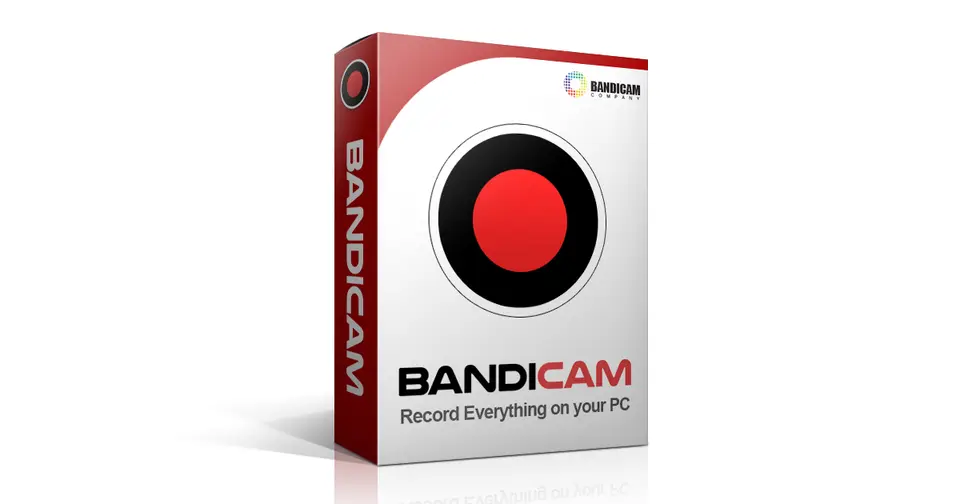
Bandicam is a screen recorder that captures the screen, games, webcams and audio on a Windows PC. Built-in tools trim recordings, zoom in on clicks, remove webcam backgrounds and transcribe speech to text. The Windows version is sold as an annual or a perpetual license per PC, and its free version limits each recording to 5 minutes. A separate Mac app is sold as a subscription through the Mac App Store.
Worth knowing
- The free Windows version limits each recording to 5 minutes and watermarks edited or subtitled exports.
- A Personal license is for non-commercial use; organizations must buy the Business & Education license.
- The Mac app is a separate product with its own App Store subscription, and a Windows license does not cover it.
- A Perpetual license covers Bandicam 2027 on one PC and includes one year of technical support.
Key features
- Screen recording modes
- Record the full screen, a chosen area or a single window with its own audio, across multiple monitors if needed. Recordings can start and stop on a schedule.
- Game recording
- A game mode detects the running DirectX, OpenGL or Vulkan game, records it with your voice and can show frames per second while recording.
- Webcam and device capture
- Overlay a webcam on the screen recording, or capture webcams, smartphones, consoles and other external devices. AI can remove, blur or replace the webcam background.
- AI transcription
- Transcribes recordings and audio files into text that can be saved as subtitles or a text file. The free version shows only part of the transcript.
- Editing, drawing and Smart Zoom
- Trim a recording right after capture, draw arrows, shapes and text while recording, and let Smart Zoom zoom in and out automatically around mouse clicks.
- Audio recording
- Record computer sound and the microphone without the screen, save as MP3 or WAV, and trim the result on a waveform view.
Bandicam pricing
As of Oct 6, 2026, Bandicam has a free plan, and paid plans start at $33.26 per year for 1 PC (Personal Annual), or $53.90 one-time.
- Starts at
- $33.26 per year for 1 PC (Personal Annual), or $53.90 one-time
- Free plan
- Free version for Windows: recordings limited to 5 minutes each with no watermark, but edited or subtitled exports are watermarked and AI transcription and webcam background effects are restricted.
- Free trial
- Mac: 3-day free trial of Pro with the monthly plan
| Plan | Price | What you get |
|---|---|---|
| Free | $0 | 5 minutes per recording with no watermark on recordings; edited exports are watermarked and AI transcription is limited. |
| Personal Annual | $33.26per year, for 1 PC | Non-commercial use on Windows with no recording time limit, free updates and technical support. Labeled 10% off. |
| Bandicam for Mac Pro | $39.99per year, or $9.99 per month, as a Mac App Store purchase | Removes the Mac app's 5-minute limit and adds video trimming and video-to-text. Covers personal and commercial use. |
| Business & Education Annual | $49.46per year, for 1 PC | Commercial and organizational use on Windows, with an invoice. Shown against a crossed-out $65.95; a 2-PC license is $95.92. |
| Personal Perpetual | $53.90one-time payment, for 1 PC | Perpetual use of Bandicam 2027 on Windows with one year of technical support. Shown against a crossed-out $77.00. |
Read from bandicam.com on Oct 6, 2026. Prices change, so confirm with Bandicam before you buy.
Ways to pay less
- Lifetime licensePerpetual license for a one-time $53.90
The Personal Perpetual license covers Bandicam 2027 on one Windows PC for a single payment. The store shows it as 30% off a crossed-out $77.00, with no end date.
Stated on bandicam.com - Other savingsBandicam + Bandicut discount package
A Personal 1-year package of the recorder and the Bandicut video cutter is listed at $49.97 against a crossed-out $64.90.
Stated on bandicam.com
Bandicam alternatives
- Bandicam vs Camtasia
Free plan · from $39/yr
- Bandicam vs Movavi Screen Recorder
Free trial · from $19.99/mo
- Bandicam vs Wondershare DemoCreator
Free trial · from $29.99
- Bandicam vs Camtasia Snagit
Free trial · from $39/yr




Common questions
Does Bandicam have an Android app?
No Android app was listed when its pages were read on Oct 6, 2026. Bandicam is listed for Windows and macOS.
Does Bandicam have an iPhone app?
No iPhone app was listed when its pages were read on Oct 6, 2026. Bandicam is listed for Windows and macOS.
Is Bandicam open source?
Bandicam is not described as open source on its own site, as read on Oct 6, 2026.
Sources for this page
The prices, plans, platforms and features above were read from these pages on Oct 6, 2026.