
Wondershare DemoCreator
Screen recorder and video editor for tutorials and demos
Wondershare DemoCreator report card
Very good · out of 4.0 · graded Oct 9, 2026
Best for recording and editing tutorials in one desktop app
DemoCreator is Wondershare's screen recorder with an editor built in, for Windows and Mac. It keeps your screen, webcam and microphone on separate tracks so you can fix each one later, and at $59.99 a year it undercuts most rivals. The catch is the AI: auto subtitles and text-to-speech run on credits, and the effects library is sold separately.
Who Wondershare DemoCreator is for
- Great if you teach or train and record lessons, tutorials and presentations
- Handy when you want high-frame-rate gameplay capture from a dedicated game recorder
- Good for people who want the recorder and the editor in one desktop app
Who Wondershare DemoCreator is not for
- Skip it if you lean on AI subtitles all day, as they run on credits and subscriptions include 500 a month
- Pricey if you want the Visual Assets effects library, since that's a separate $15.99 a month
- Not for you if you want every future version for one payment, because the perpetual license covers 8.x only
Why Wondershare DemoCreator gets a 3.2
Five grades, each with its reason. The GPA is their average: an A is 4 points, an F is none.
- AValue for moneyThe yearly plan is $59.99, and a perpetual license is $79.99 once. Either is well under a year of what video tools here typically cost. Skip the quarterly plan, which is $29.99 and comes to $119.96 over a year. The perpetual license covers version 8.x only.
- CFree plan and trialThere's no free plan, only a free trial version. It watermarks exports and stops each recording at 5 minutes, at 1080p and 30 FPS. Enough to see how it works, not enough to publish anything.
- AFeaturesSix recording modes, capture at up to 4K and 120 FPS on paid plans, and an editor with annotations, cursor effects, pan and zoom and animated subtitles. Auto subtitles cover over 90 languages, and there's noise removal and a teleprompter. That's the whole job, in depth.
- BEase of useNo store rating on record, so a B is as high as we go. Recording and editing sit in one app, so there's no exporting from one tool into another. The pricing takes more working out: plans, AI credits and a separate assets subscription.
- BPlatforms and integrationsWindows and Mac desktop apps, an online recorder and a Chrome extension. It shares to YouTube, Vimeo, TikTok and Instagram and works with Zoom, Google Meet and Microsoft Teams. No phone app is listed.
What these grades rest on. Graded from this listing, whose facts were read from Wondershare's own pages on 6 October 2026. Not based on using the product, and shorter than our full reviews. How we review and grade.
Make Wondershare DemoCreator? Put this grade on your site

Paste this where you want the badge. It links here and follows the grade if it changes. About badges
<a href="https://toolgpa.com/tools/democreator#review"><img src="https://toolgpa.com/badge/democreator.svg" alt="Wondershare DemoCreator: 3.2 GPA on ToolGPA" width="196" height="56"></a>What is Wondershare DemoCreator?
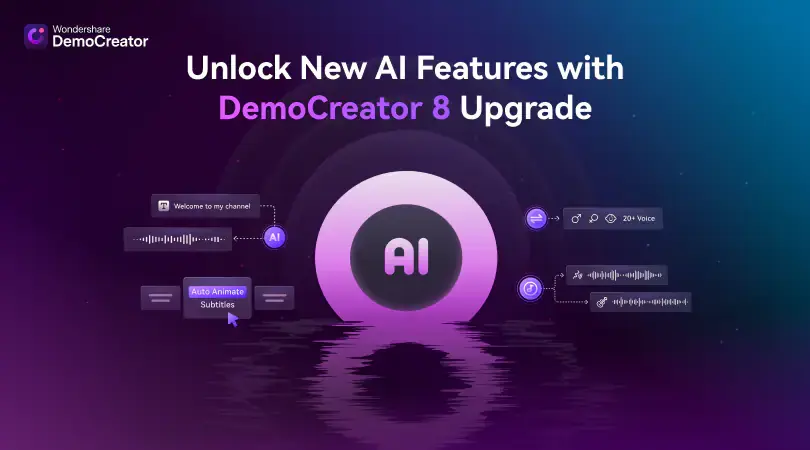
Wondershare DemoCreator is a desktop screen recorder with a built-in video editor for Windows and Mac. It has separate modes for screen, game, camera, audio, virtual-avatar and presentation recording, and keeps the screen, webcam, microphone and system audio on separate tracks for editing. AI tools such as auto subtitles, a teleprompter and text-to-speech are paid for with credits, and an online recorder and a Chrome extension are also offered.
Wondershare DemoCreator is a paid product with a free trial, starting at $29.99 per quarter, $59.99 per year, or $79.99 one-time for a perpetual license. See every plan
Good for
- Teachers and trainers recording lessons, tutorials and presentations
- Gamers who want high-frame-rate gameplay capture
- People who want a recorder and an editor in one desktop app
Worth knowing
- The free trial version watermarks exports and limits each recording to 5 minutes, at 1080p and 30 FPS.
- Auto subtitles, text-to-speech and other AI tools use credits: 500 a month on subscriptions and a one-time 2,000 on the Perpetual Plan.
- The Perpetual Plan covers version 8.x only and keeps the Chrome extension recorder at 10 minutes.
- The Visual Assets effects library is sold separately: a 7-day free trial, then $15.99 a month.
Key features
- Six recording modes
- Screen, game, camera, audio, virtual avatar and video presentation modes. Screen, webcam, microphone and system audio are captured on separate tracks for editing.
- 4K and 120 FPS capture
- Paid plans record and export at up to 4K UHD and 120 FPS, with a dedicated game recorder. The trial version is capped at 1080p and 30 FPS.
- Built-in video editor
- Cut, crop and merge recordings, then add annotations, cursor effects, pan and zoom, layout templates and animated subtitles without leaving the app.
- AI tools paid with credits
- Auto subtitles in over 90 languages, text-based editing, an AI teleprompter, text-to-speech and a clips generator all draw on AI credits. Subscriptions include 500 a month.
- Audio cleanup
- AI Denoise removes background noise, and a vocal remover and speech enhancement are included alongside noise reduction and a voice changer.
- Cloud sharing and online recorder
- Upload to DemoCreator Cloud and share a link with a password and an expiry date. Subscriptions also remove the 10-minute cap on the Chrome extension recorder.
Wondershare DemoCreator pricing
- Starts at
- $29.99 per quarter, $59.99 per year, or $79.99 one-time for a perpetual license
- Free plan
- None
- Free trial
- Free trial version: exports are watermarked and each recording is limited to 5 minutes at 1080p
| Plan | Price | What you get |
|---|---|---|
| Cross-Platform Quarterly Plan | $29.99per quarter, auto-renewing | Watermark-free export, recording at up to 4K and 120 FPS and 500 AI credits a month. Listed on the Windows store page against a crossed-out $49.99. |
| Cross-Platform Yearly Plan | $59.99per year, auto-renewing | The same features billed yearly, with updates and major-version upgrades during the subscription. Shown against a crossed-out $69.99. |
| Perpetual Plan | $79.99one-time payment | Lifetime access to version 8.x with a one-time grant of 2,000 AI credits; later major versions are not included. Shown against a crossed-out $99.99. |
Read from democreator.wondershare.com on Oct 6, 2026. Prices change, so confirm with Wondershare DemoCreator before you buy.
Ways to pay less
- Lifetime licensePerpetual Plan for a one-time $79.99
A one-time payment gives lifetime access to DemoCreator 8.x, shown against a crossed-out $99.99. Upgrades to later major versions are not included.
Stated on democreator.wondershare.com - Annual discountYearly plan costs less than quarterly
The Cross-Platform Yearly Plan is $59.99 a year, against $29.99 a quarter ($119.96 over a year) on the quarterly plan.
Stated on democreator.wondershare.com - EducationAnnual Plan for Students
Students who verify through Student Beans can buy a discounted annual plan for individual, non-commercial use. The price is shown only after verification.
Stated on democreator.wondershare.com
Works with
Wondershare DemoCreator alternatives
- Wondershare DemoCreator vs Camtasia
Free plan · from $39/yr
- Wondershare DemoCreator vs Wondershare Filmora
Free plan · from $49.99/yr
- Wondershare DemoCreator vs Movavi Screen Recorder
Free trial · from $19.99/mo
- Wondershare DemoCreator vs Bandicam
Free plan · from $33.26/yr
- Wondershare DemoCreator vs ScreenPal
Free plan · from $4/mo





Common questions
Is Wondershare DemoCreator free?
No, Wondershare DemoCreator is a paid product, but you can try it first. Free trial version: exports are watermarked and each recording is limited to 5 minutes at 1080p.
How much does Wondershare DemoCreator cost?
Wondershare DemoCreator lists 3 plans. Cross-Platform Quarterly Plan: $29.99 per quarter, auto-renewing. Cross-Platform Yearly Plan: $59.99 per year, auto-renewing. Perpetual Plan: $79.99 one-time payment. Prices were read from democreator.wondershare.com on Oct 6, 2026.
What platforms does Wondershare DemoCreator work on?
Wondershare DemoCreator is available on Windows, macOS and Web. It also has a browser extension.
Does Wondershare DemoCreator offer any discounts?
Wondershare DemoCreator publicly lists the following: Perpetual Plan for a one-time $79.99; Yearly plan costs less than quarterly; Annual Plan for Students.
Does Wondershare DemoCreator have an Android app?
No Android app was listed when its pages were read on Oct 6, 2026. Wondershare DemoCreator is listed for Windows, macOS and Web.
Does Wondershare DemoCreator have an iPhone app?
No iPhone app was listed when its pages were read on Oct 6, 2026. Wondershare DemoCreator is listed for Windows, macOS and Web.
Is Wondershare DemoCreator open source?
Wondershare DemoCreator is not described as open source on its own site, as read on Oct 6, 2026.
What does Wondershare DemoCreator integrate with?
Wondershare DemoCreator's listing names YouTube, Vimeo, TikTok, Instagram, Zoom, Google Meet and Microsoft Teams. A listing names up to eight integrations, so it may connect to more.
Does Wondershare DemoCreator have a student discount?
Annual Plan for Students. Students who verify through Student Beans can buy a discounted annual plan for individual, non-commercial use. The price is shown only after verification.
Who makes Wondershare DemoCreator?
Wondershare DemoCreator is made by Wondershare. It dates from 2003.
What are the alternatives to Wondershare DemoCreator?
The closest alternatives to Wondershare DemoCreator in our directory are Camtasia, Wondershare Filmora, Movavi Screen Recorder, Bandicam and ScreenPal. Each one has a side-by-side comparison with Wondershare DemoCreator.
Sources for this page
The prices, plans, platforms and features above were read from these pages on Oct 6, 2026.