
Final Cut Pro review (2026): is it worth $12.99 a month?
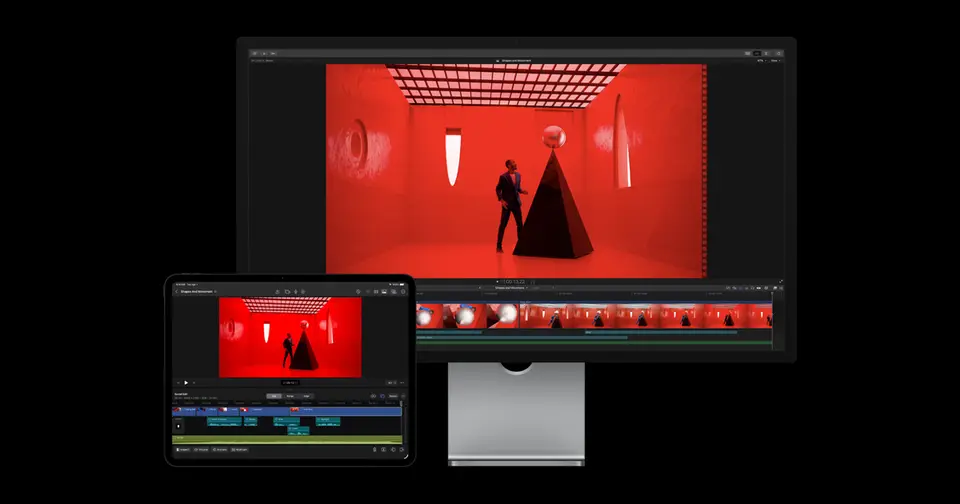
Apple's professional video editor for Mac and iPad
Black Friday: is there a Final Cut Pro sale?
Final Cut Pro report card
Fair · out of 4.0 · graded Oct 10, 2026
Best for professional video editing on a Mac
Final Cut Pro is Apple's video editor for Mac and iPad, with the Magnetic Timeline, color grading, titles, effects, audio and automatic captions. Rent it in Apple Creator Studio at $12.99 a month, or buy the Mac app once for $299.99. The iPad app needs the subscription, lapsed subscribers can't open or edit their projects, and anyone on Windows needs something else.
Who Final Cut Pro is for
- Fits if you edit on a Mac and want an editor built for Apple silicon
- Works for people who'd rather pay $299.99 once for the Mac app than subscribe
Who Final Cut Pro is not for
- Skip it if you're on Windows or Linux, as it's Mac and iPad only
- Not for you if you want the iPad app without subscribing, since it only comes with Creator Studio
- Tight if you stop subscribing, because your projects stay put but won't open or edit without a subscription
- Watch out: the free month renews automatically, the Mac app needs macOS 15.6, and the iPad app needs an M1 or later
- Watch out: Visual and Transcript Search are U.S. English only on Apple silicon, and some content is for subscribers only
Why Final Cut Pro gets a 2.0
Five grades, each with its reason. The GPA is their average: an A is 4 points, an F is none.
- CValue for moneyApple Creator Studio is $12.99 a month or $129 a year, a shade above this category's $10 middle, and it drags Motion, Compressor, Logic Pro, Pixelmator Pro and MainStage along with it. The Mac app bought once is $299.99, which is more than two years of a typical subscription here.
- DFree plan and trialNo free plan. Creator Studio is free for 30 days for new subscribers and then renews automatically, so you're handing over card details to look. A new Mac or iPad stretches that to 3 months.
- BFeaturesThe Magnetic Timeline, Magnetic Mask for lifting people out with no green screen, object tracking, colour wheels, curves and LUTs, automatic captions and Live Multicam from four iPhones. The editing job is covered. The listing's gap: Visual and Transcript Search are U.S. English only and need Apple silicon.
- CEase of useNo store rating on record, and this is a professional editor with a lot in it. The Magnetic Timeline keeps the rest of the edit in sync as you trim, which takes getting used to.
- CPlatforms and integrationsMac and iPad, so one family of devices and nothing else. The Mac app needs macOS 15.6 or later and the iPad app an M1 or later. Everything it connects to, Motion, Compressor, Logic Pro, iMovie, is Apple's too.
What these grades rest on. Graded from this listing, whose facts were read from Apple's own pages on 5 October 2026. Also tested with a demo account on 2026-04-04. How we review and grade.
Make Final Cut Pro? Put this grade on your site

Paste this where you want the badge. It links here and follows the grade if it changes. About badges
<a href="https://toolgpa.com/tools/final-cut-pro#review"><img src="https://toolgpa.com/badge/final-cut-pro.svg" alt="Final Cut Pro: 2.0 GPA on ToolGPA" width="196" height="56"></a>Where Final Cut Pro stands among screen recording and video tools
Final Cut Pro's GPA of 2.0 is higher than 14 of the 133 other screen recording and video tools we grade, and level with 27.
It stands best on features (B, above 78 of 133) and worst on free plan and trial (D, above 14).
Its paid plans start at $10.75 a month when paid by the year for each person, against a middle price of $12.25 for the category: 39 of the 88 others that charge start lower.
On features, ease of use and platforms it scores 2.3 out of 4. 20 tools score higher and cost less.
Each grade against the category
Every bar is all 134 screen recording and video tools we grade, cut by the letter each got. Final Cut Pro’s own letter is outlined.
- CValue for moneyAbove 20 of 133, level with 66
- DFree plan and trialAbove 14 of 133, level with 9
- BFeaturesAbove 78 of 133, level with 53
- CEase of useAbove 2 of 133, level with 84
- CPlatforms and integrationsAbove 17 of 133, level with 49
Price against what you get
Each dot is one of 102 screen recording and video tools. Further left costs less, and higher up scores better on features, ease of use and platforms. Point at a dot to see which tool it is.
Features, ease of use and platforms, averaged
What paid plans start at, a month (each step along is roughly double) →
- The best score at each price
- Has a free plan
- No free plan
Keep Final Cut Pro, or make your own?
Keep it
To replace Final Cut Pro you would be making a video editor. That is not a weekend's work, with an AI app builder or without one.
That makes this kind of software worth paying for, not this one in particular: 92 of the 133 other screen recording and video tools grade higher. It costs $129 a year.
What you could not
- A video editor.
- Speech turned into text you can trust.
- Apps for macOS and iOS that stay in step with each other.
- It is priced for each person, which means accounts and billing for a team.
- It plugs into other products, Motion, Compressor and Final Cut Camera among them.
- AI features, unless you pay a model provider for each request yourself.
- Hooks into the device itself: Apple Pencil.
- The depth: we grade its features B, which means it covers the whole job.
What this rests on. Final Cut Pro’s listing: what it does, where it runs, what it plugs into and what it costs. It is a judgement about the kind of software this is. We have not built a replacement for it, and making your own means looking after it too. How we decide, and every tool’s verdict.
What is Final Cut Pro?
Final Cut Pro is Apple's video editing application for Mac and iPad, built around the Magnetic Timeline and tuned for Apple silicon. It covers editing, color grading, titles, effects and audio, with AI features such as Magnetic Mask, automatic captions and transcript search. It is now part of the Apple Creator Studio subscription, and the Mac app can still be bought once on the App Store.
Worth knowing
- Apple lists it for Mac and iPad: the Mac app needs macOS 15.6 or later, and the iPad app an M1 or later iPad, iPad (A16) or iPad mini (A17 Pro).
- The iPad version comes through the Apple Creator Studio subscription; the $299.99 one-time purchase covers the Mac app.
- After a subscription ends, projects stay on your devices but opening or editing them needs an active subscription.
- Visual Search and Transcript Search are available only in U.S. English and need Apple silicon.
Key features
- Magnetic Timeline
- Move and trim clips while the rest of the edit stays in sync, which makes it quick to try different versions of a story.
- Magnetic Mask and Object Tracker
- Isolate people and objects from the background without a green screen, and track their movement to attach titles and effects.
- Automatic captions and search
- Captions are created from spoken audio. Visual Search finds objects and actions in clips, and Transcript Search finds spoken phrases.
- Color grading and effects
- Color curves, hue and saturation curves, color wheels and LUTs, plus a library of titles, transitions and effects that third-party plug-ins extend.
- Final Cut Pro for iPad
- Touch-first editing with Apple Pencil support, and Live Multicam recording from up to four iPhone or iPad devices. Projects can be exported to the Mac.
- Motion and Compressor
- Companion Mac apps for motion graphics and custom encoding, included in Apple Creator Studio or sold as one-time purchases.
Final Cut Pro pricing
As of Oct 5, 2026, Final Cut Pro is a paid product with a free trial, starting at $12.99 per month or $129 per year for Apple Creator Studio.
- Starts at
- $12.99 per month or $129 per year for Apple Creator Studio
- Free plan
- None
- Free trial
- Apple Creator Studio is free for 30 days for new subscribers, then renews automatically
| Plan | Price | What you get |
|---|---|---|
| Apple Creator Studio | $12.99per month, or $129 per year | Subscription with Final Cut Pro for Mac and iPad, plus Motion, Compressor, Logic Pro, Pixelmator Pro and MainStage. Shareable with Family Sharing. |
| Final Cut Pro for Mac | $299.99one-time purchase on the App Store | The Mac app bought outright. Some premium content is available only to Apple Creator Studio subscribers. |
Read from apple.com on Oct 5, 2026. Prices change, so confirm with Final Cut Pro before you buy.
Ways to pay less
- Annual discountAbout 17% less on the yearly plan
Apple Creator Studio is $129 per year or $12.99 per month. Twelve monthly payments come to $155.88, so the yearly plan costs about 17% less.
Stated on apple.com - EducationStudents and educators: $2.99 a month
Verified college students and educators pay $2.99 per month or $29.99 per year for Apple Creator Studio. Apple calls it a limited-time offer for individual use.
Stated on apple.com - Lifetime licenseOne-time purchase for $299.99
Final Cut Pro for Mac is also sold as a one-time purchase on the App Store for $299.99, with some premium content reserved for subscribers.
Stated on apple.com - Other savings3 months free with a new Mac or iPad
Buyers of an eligible new Mac or iPad can try Apple Creator Studio free for 3 months, claimed within 3 months of activating the device.
Stated on apple.com
Works with
- Motion
- Compressor
- Final Cut Camera
- iMovie
- Logic Pro
- Pixelmator Pro
Jobs at Apple
Any open roles at Apple are on its own careers page. We can’t read a count from there, so have a look.
Applications go to Apple, not to us.
Final Cut Pro alternatives
- Final Cut Pro vs Adobe Premiere
Free plan · from $22.99/mo
- Final Cut Pro vs DaVinci Resolve
Free plan · from $94.99
- Final Cut Pro vs Wondershare Filmora
Free plan · from $49.99/yr
- Final Cut Pro vs CapCut
Free plan · from $9.99/mo





Common questions
Does Final Cut Pro have an Android app?
No Android app was listed when its pages were read on Oct 5, 2026. Final Cut Pro is listed for macOS and iOS.
Does Final Cut Pro have a Windows app?
No Windows app was listed when its pages were read on Oct 5, 2026. Final Cut Pro is listed for macOS and iOS.
Is Final Cut Pro open source?
Final Cut Pro is not described as open source on its own site, as read on Oct 5, 2026.
Sources for this page
The prices, plans, platforms and features above were read from these pages on Oct 5, 2026.