
Vidyard review (2026): is the free plan enough?
Video messaging, AI avatars and video hosting for sales teams
Black Friday: is there a Vidyard sale?
Vidyard report card
Fair · out of 4.0 · graded Oct 10, 2026
Best for video messages for sales teams
Vidyard is video for sales teams. Reps record a screen or camera message, send it by link or from Gmail and Outlook, and see when the prospect watches. But it's $59 per seat a month billed annually, the free plan stops at 5 videos a month with no hosting or analytics, CRM integrations need custom-priced Teams, and unlimited Video Agent costs $24 more a seat.
Who Vidyard is for
- Fits if you're a sales rep sending personalized video messages to prospects
- Works for revenue teams that want video viewing data in the CRM, on the custom-priced Teams plan
Who Vidyard is not for
- Pricey if you're one person who wants a screen recorder, at $59 per seat a month billed annually or $89 monthly
- Tight if you're staying free, because you get 5 recorded videos a month with no hosting or analytics
- Skip it if you need CRM integrations on a small budget, as those start on Teams, which is custom-priced for 5 or more
- Watch out: unlimited Video Agent is an add-on at $24 per seat a month on Starter
- Watch out: the phone apps record with the camera only, and the extension runs only in Chrome and Edge
Why Vidyard gets a 2.4
Five grades, each with its reason. The GPA is their average: an A is 4 points, an F is none.
- DValue for moneyStarter is $59 per seat a month billed annually, $89 by the month, against a $10 middle for this category and a dearest tenth starting at $38. CRM integrations and video hubs then need Teams, which is custom-priced, and unlimited Video Agent is $24 more a seat.
- CFree plan and trialFree gives 5 recorded videos a month of up to 30 minutes, 15 AI videos and some avatars. But its own plan table lists hosting and analytics as not included, which is most of what Vidyard is for.
- BFeaturesScreen and camera recording up to 4K on the desktop app, messages with view notifications, calls to action, AI avatars trained on your own video, ad-free hosting, team analytics and a Video Agent that sends personalized videos. No gap in the core job.
- CEase of useNo store rating on record, and this is a platform you set up rather than just open: CRM and marketing automation connections, branded sharing pages, CTA templates. The recording extension itself is the simple bit.
- APlatforms and integrationsWeb, a Chrome and Edge extension, Mac and Windows apps and both phones, with Salesforce, HubSpot, Marketo, Salesloft, Gong, Gmail, Outlook and Slack. The phone apps record with the camera only.
What these grades rest on. Graded from this listing, whose facts were read from Vidyard's own pages on 6 October 2026. Also tested with a demo account on 2026-05-30. How we review and grade.
Make Vidyard? Put this grade on your site

Paste this where you want the badge. It links here and follows the grade if it changes. About badges
<a href="https://toolgpa.com/tools/vidyard#review"><img src="https://toolgpa.com/badge/vidyard.svg" alt="Vidyard: 2.4 GPA on ToolGPA" width="196" height="56"></a>Where Vidyard stands among screen recording and video tools
Vidyard's GPA of 2.4 is higher than 66 of the 133 other screen recording and video tools we grade, and level with 22.
It stands best on platforms and integrations (A, above 128 of 133) and worst on value for money (D, above 0).
Its paid plans start at $59 a month for each person, against a middle price of $12.25 for the category: 85 of the 88 others that charge start lower.
On features, ease of use and platforms it scores 3.0 out of 4. 5 tools score higher and cost less.
Each grade against the category
Every bar is all 134 screen recording and video tools we grade, cut by the letter each got. Vidyard’s own letter is outlined.
- DValue for moneyAbove 0 of 133, level with 19
- CFree plan and trialAbove 24 of 133, level with 80
- BFeaturesAbove 78 of 133, level with 53
- CEase of useAbove 2 of 133, level with 84
- APlatforms and integrationsAbove 128 of 133, level with 5
Price against what you get
Each dot is one of 102 screen recording and video tools. Further left costs less, and higher up scores better on features, ease of use and platforms. Point at a dot to see which tool it is.
Features, ease of use and platforms, averaged
What paid plans start at, a month (each step along is roughly double) →
- The best score at each price
- Has a free plan
- No free plan
Keep Vidyard, or make your own?
Keep it
To replace Vidyard you would be making a video editor. That is not a weekend's work, with an AI app builder or without one.
It costs $708 a year.
What you could make
- Reports: an app builder makes this well.
What you could not
- A video editor.
- Recording the screen with its sound, and somewhere to keep the video.
- An AI agent on a rented model, with the safeguards you build around it.
- Apps for macOS, Windows, iOS and Android that stay in step with each other.
- It is priced for each person, which means accounts and billing for a team.
- It plugs into other products, Salesforce, HubSpot and Marketo among them, and has an API.
- The depth: we grade its features B, which means it covers the whole job.
What this rests on. Vidyard’s listing: what it does, where it runs, what it plugs into and what it costs. It is a judgement about the kind of software this is. We have not built a replacement for it, and making your own means looking after it too. How we decide, and every tool’s verdict.
What is Vidyard?
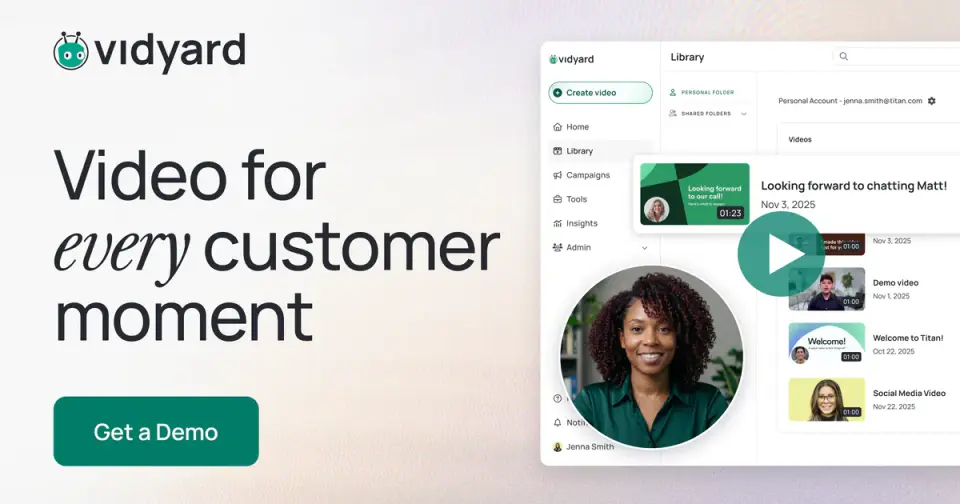
Vidyard is a video platform aimed at sales, marketing and other revenue teams. Reps record screen and camera messages from a browser extension, a desktop app or a phone, share them by link or email, and see who watched. Paid plans add hosting, analytics and branded sharing pages. A Video Agent add-on sends personalized AI-generated videos when buyers take set actions.
Worth knowing
- The Free plan allows 5 recorded videos a month and 15 AI videos, and its plan table lists video hosting and analytics as not included.
- CRM and marketing automation integrations, video hubs and custom CTAs start on Teams, which is custom-priced.
- Unlimited Video Agent use is an add-on: $24 per seat a month billed annually on Starter, custom-priced on Teams and Enterprise.
- The mobile apps record with the camera only, and the browser extension runs only in Chrome and Edge.
Key features
- Screen and camera recording
- The Chrome and Edge extension records the screen, the camera or both at up to 1080p. The Mac and Windows desktop app records in any application at up to 4K.
- Video messages with view tracking
- Share a recording by link or from inside Gmail, Outlook and sales tools, add a call to action, and get a notification when someone watches.
- Video Agent
- Creates and delivers personalized video messages automatically when a buyer takes an action such as downloading content or booking a demo. Unlimited use is a paid add-on.
- AI avatars
- Stock avatars are available on every plan, and custom avatars are trained on a video the user supplies. The AI script generator is included from Starter.
- Hosting and video hubs
- Vidyard Hosting, included from Starter, keeps business videos in one central library. Playback is ad-free with no bandwidth limits, and Video Hubs on a branded page start on Teams.
- Analytics
- Starter adds video analytics, an insights dashboard, reporting and team performance views. Teams and Enterprise can send viewing data to a CRM or marketing automation platform.
Vidyard pricing
As of Oct 6, 2026, Vidyard has a free plan, and paid plans start at $59 per seat / month, billed annually ($89 billed monthly).
- Starts at
- $59 per seat / month, billed annually ($89 billed monthly)
- Free plan
- 5 recorded videos a month of up to 30 minutes each, 15 AI videos, stock avatars and 3 custom AI avatars, with editing and sharing tools. The plan table lists hosting and analytics as not included.
- Free trial
- 14-day trial of the Starter plan
| Plan | Price | What you get |
|---|---|---|
| Free | $0 | 5 recorded videos a month up to 30 minutes each, 15 AI videos, stock and custom AI avatars, and limited integrations. |
| Starter | $59per seat / month, billed annually ($89 billed monthly) | Unlimited recording, video hosting, video and team analytics, a branded sharing page, CTA templates and password protection. Tagged 'now 10% off' with no end date. |
| Teams | Custom | For teams of 5 or more: CRM and marketing automation integrations, customizable CTAs, video hubs and custom team permissions. |
| Enterprise | Custom | Unlimited integrations, single sign-on, API access and custom permissions and security options, billed by invoice. |
Read from vidyard.com on Oct 6, 2026. Prices change, so confirm with Vidyard before you buy.
Ways to pay less
- Annual discountSave 30% with annual billing
Vidyard's pricing page labels annual billing as saving 30%. Starter is $59 per seat a month billed annually against $89 billed monthly.
Stated on vidyard.com
Works with
Jobs at Buildscale, Inc. d/b/a Vidyard
Any open roles at Buildscale, Inc. d/b/a Vidyard are on its own careers page. We can’t read a count from there, so have a look.
Applications go to Buildscale, Inc. d/b/a Vidyard, not to us.
Vidyard alternatives
- Vidyard vs Loom
Free plan · from $18/mo
- Vidyard vs Wistia
Free plan · from $79/mo
- Vidyard vs Vimeo
Free plan · from $12/mo
- Vidyard vs Zight
Free plan · from $9.95/mo
- Vidyard vs HeyGen
Free plan · from $24/mo





Common questions
Does Vidyard have a Linux app?
No Linux app was listed when its pages were read on Oct 6, 2026. Vidyard is listed for Web, macOS, Windows, iOS and Android.
Is Vidyard open source?
Vidyard is not described as open source on its own site, as read on Oct 6, 2026.
Does Vidyard have an API?
Yes. Vidyard offers a public API, according to its own site.
Sources for this page
The prices, plans, platforms and features above were read from these pages on Oct 6, 2026.