
Doodly review (2026): is it worth $41 a month, billed yearly?
Whiteboard doodle video maker for Mac and PC
Black Friday: is there a Doodly sale?
Doodly report card
Weak · out of 4.0 · graded Nov 13, 2026
Best for whiteboard-style doodle videos
Doodly makes whiteboard videos where drawings appear as if a hand sketches them. It is sold as part of Voomly Cloud at $41 a month on yearly billing, a suite price for one small tool, and it runs on Mac and Windows only.
Who Doodly is for
- Fits if you make explainer or course videos in the hand-drawn whiteboard style
- Works for people who already want the rest of the Voomly suite
Who Doodly is not for
- Pricey if you only want Doodly, as it is bundled in a $41 a month suite
- Skip it if you edit on Linux, a phone or in a browser
- Not for you if you want footage editing: this makes animated drawings, not edits of filmed video
- Watch out: Cloud gets the Standard version of Doodly, and Enterprise is on Pro at $66 a month
- Watch out: the homepage shows a $67 promotional price against a stated $468 a year
Why Doodly gets a 1.8
Five grades, each with its reason. The GPA is their average: an A is 4 points, an F is none.
- DValue for moneyVoomly Cloud, the plan that includes Doodly's Standard version, is $41 a month billed yearly ($49 monthly). That is in the dearest tenth of video tools, which start at $40, and the cheaper Plus plan doesn't mention Doodly.
- CFree plan and trial14-day free trial of Voomly Cloud. The pages read don't say whether a card is needed.
- CFeaturesDrag-in drawings, Smart Draw for your own images, voiceover, music and 480p to 1080p export. It does its one job fully, but it is a narrow one, and the Standard version is the one in Cloud.
- CEase of useNo store rating on record. Building a video means placing scenes and timing draws, so expect to learn it.
- CPlatforms and integrationsMac and Windows programs only. No Linux, phone or web version, and no integrations listed.
What these grades rest on. Graded from this listing, whose facts were read from Voomly's own pages on 13 November 2026. Not based on using the product, and shorter than our full reviews. How we review and grade.
Make Doodly? Put this grade on your site

Paste this where you want the badge. It links here and follows the grade if it changes. About badges
<a href="https://toolgpa.com/tools/doodly#review"><img src="https://toolgpa.com/badge/doodly.svg" alt="Doodly: 1.8 GPA on ToolGPA" width="196" height="56"></a>Where Doodly stands among screen recording and video tools
Doodly's GPA of 1.8 is higher than 8 of the 133 other screen recording and video tools we grade, and level with 5.
It stands best on free plan and trial (C, above 24 of 133) and worst on value for money (D, above 0).
Its paid plans start at $41 a month, against a middle price of $12.25 for the category: 81 of the 88 others that charge start lower.
On features, ease of use and platforms it scores 2.0 out of 4. 65 tools score higher and cost less.
Each grade against the category
Every bar is all 134 screen recording and video tools we grade, cut by the letter each got. Doodly’s own letter is outlined.
- DValue for moneyAbove 0 of 133, level with 19
- CFree plan and trialAbove 24 of 133, level with 80
- CFeaturesAbove 0 of 133, level with 77
- CEase of useAbove 2 of 133, level with 84
- CPlatforms and integrationsAbove 17 of 133, level with 49
Price against what you get
Each dot is one of 102 screen recording and video tools. Further left costs less, and higher up scores better on features, ease of use and platforms. Point at a dot to see which tool it is.
Features, ease of use and platforms, averaged
What paid plans start at, a month (each step along is roughly double) →
- The best score at each price
- Has a free plan
- No free plan
Keep Doodly, or make your own?
Keep it
To replace Doodly you would be making a video editor. That is not a weekend's work, with an AI app builder or without one.
That makes this kind of software worth paying for, not this one in particular: 120 of the 133 other screen recording and video tools grade higher. It costs $492 a year.
What you could not
- A video editor.
- A voice model, which you can rent by the minute but not make.
- A real app for macOS and Windows. Something home-made would be a web page.
What this rests on. Doodly’s listing: what it does, where it runs, what it plugs into and what it costs. It is a judgement about the kind of software this is. We have not built a replacement for it, and making your own means looking after it too. How we decide, and every tool’s verdict.
What is Doodly?
Doodly is desktop software for making whiteboard-style doodle videos, where drawings appear as a hand sketches them on a canvas. It ships with drawn characters, props and backgrounds, and lets you add your own images and voiceover. On the vendor's site it is sold as part of the Voomly Cloud suite.
Worth knowing
- Runs on Mac and Windows only; the homepage mentions no Linux or mobile app.
- The pricing page lists Voomly Cloud and Voomly Pro, not Doodly alone; the homepage also shows a $67 promotional price against a stated $468 a year.
- Pro includes the Enterprise versions of the tools; the Cloud plan includes Standard versions.
- Voomly Plus ($16 per month billed annually) is cheaper but its listing does not mention Doodly.
Key features
- Doodle and whiteboard styles
- Make whiteboard, blackboard, glassboard and green-screen animations by dragging drawings onto a canvas, where Doodly draws them on screen.
- Smart Draw for your own images
- Upload your own images and set a custom draw path by pointing and clicking, so imported art is sketched in like the built-in doodles.
- Built-in artwork
- The vendor says the library holds 200 characters with 20 poses each, 20 background scenes and hundreds of props, all drawn by its own artists.
- Voiceover and music
- Record a voiceover inside the editor or import audio, and drag royalty-free music tracks onto the timeline.
- Export options
- Export MP4 files from 480p to 1080p or a custom size, at 24 to 60 frames per second.
Doodly pricing
As of Nov 13, 2026, Doodly is a paid product with a free trial, starting at $41 per month, billed annually ($49 billed monthly).
- Starts at
- $41 per month, billed annually ($49 billed monthly)
- Free plan
- None
- Free trial
- 14-day free trial of Voomly Cloud, which includes Doodly
| Plan | Price | What you get |
|---|---|---|
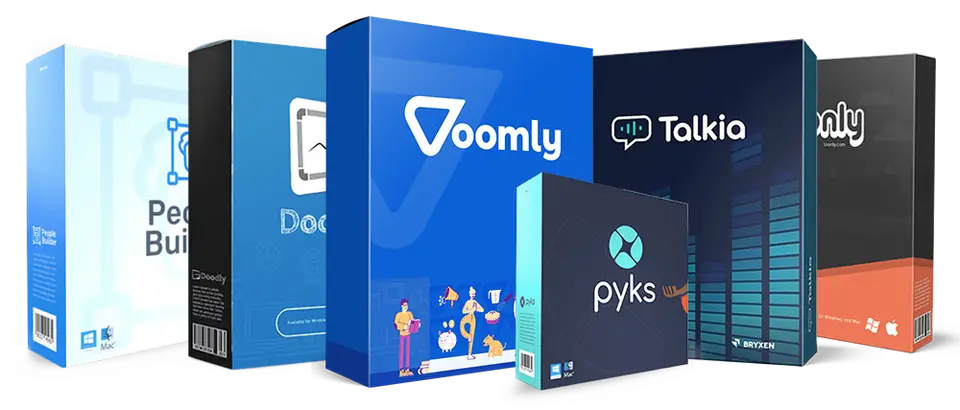
| Voomly Cloud | $41per month, billed annually ($49 billed monthly) | Includes the Standard version of Doodly, plus Toonly, Talkia, People Builder, Pyks, 7TB of storage and unlimited video funnels. |
| Voomly Pro | $66per month, billed annually ($79 billed monthly) | Includes the Enterprise versions of Doodly and the other suite tools, with 10TB of storage. |
Read from voomly.com on Nov 13, 2026. Prices change, so confirm with Doodly before you buy.
Ways to pay less
- Annual discountSave with yearly billing
The Voomly pricing page shows Voomly Cloud at $490 a year (saving $98) and Voomly Pro at $790 a year (saving $158).
Stated on voomly.com
Doodly alternatives
- Doodly vs Vyond
Free trial · from $58/mo
- Doodly vs Animaker
Free plan · from $10/mo
- Doodly vs Biteable
Free trial · from $15/mo
- Doodly vs Renderforest
Free plan · from $8/mo
- Doodly vs Wideo
Free plan · from $19/mo




Common questions
Does Doodly have an Android app?
No Android app was listed when its pages were read on Nov 13, 2026. Doodly is listed for macOS and Windows.
Does Doodly have an iPhone app?
No iPhone app was listed when its pages were read on Nov 13, 2026. Doodly is listed for macOS and Windows.
Is Doodly open source?
Doodly is not described as open source on its own site, as read on Nov 13, 2026.
Sources for this page
The prices, plans, platforms and features above were read from these pages on Nov 13, 2026.