
Screen Studio review (2026): is it worth $9 a month, billed yearly?
Mac screen recorder with automatic zooms and cursor smoothing
Black Friday: is there a Screen Studio sale?
Screen Studio report card
Weak · out of 4.0 · graded Oct 10, 2026
Best for auto-zoomed product demos on a Mac
Screen Studio is a Mac recorder that adds zooms following your cursor, smooths the cursor and puts the capture in a frame. Every feature is in every plan, at $9 a month billed yearly or $29 monthly. The site mentions no free trial, the terms say fees are non-refundable, one-time licenses are no longer sold, and it's macOS only with no Windows plans.
Who Screen Studio is for
- Fits if you record product demos and launch videos on a Mac
- Works for developers showing an iPhone or iPad app inside a device frame
Who Screen Studio is not for
- Skip it if you're on Windows, as the vendor says there are no near-future plans for it
- Not for you if you want to try before you pay, since no trial is mentioned and fees are non-refundable
- Pricey if you pay monthly, at $29 a month against $9 billed yearly
- Watch out: it's subscription only now, as one-time licenses are no longer sold
- Too light for editing other footage on a timeline, and it needs macOS Ventura 13.1 or later
Why Screen Studio gets a 1.6
Five grades, each with its reason. The GPA is their average: an A is 4 points, an F is none.
- CValue for money$9 a month on the year, which lands just under this category's $10 middle and above the $5 where its lowest quarter starts. Everything is included at that price. Pay by the month and it's $29, more than three times as much.
- FFree plan and trialNothing free on record at all. The site mentions no free plan and no trial, the terms say fees are non-refundable, and one-time licences are no longer sold. It's subscribe or nothing.
- CFeaturesIt does the demo job completely: automatic zooms, cursor smoothing, device mockups for iPhone and iPad footage, webcam layouts, captions, transcripts, MP4 or GIF out. But that's one slice of video work, with no timeline editing of other footage.
- BEase of useNo store rating on record, but there's nothing to set up: install it, record, and the zooms and cursor smoothing are applied for you, to edit or switch off afterwards if you'd rather.
- DPlatforms and integrationsOne operating system. It needs macOS Ventura 13.1 or later and the vendor says there are no near-future plans for Windows. It can record an iPhone or iPad screen, but no integrations are listed.
What these grades rest on. Graded from this listing, whose facts were read from Screen Studio's own pages on 4 October 2026. Also tested with a demo account on 2026-07-14. How we review and grade.
Make Screen Studio? Put this grade on your site
Paste this where you want the badge. It links here and follows the grade if it changes. About badges
<a href="https://toolgpa.com/tools/screen-studio#review"><img src="https://toolgpa.com/badge/screen-studio.svg" alt="Screen Studio: 1.6 GPA on ToolGPA" width="196" height="56"></a>Where Screen Studio stands among screen recording and video tools
Screen Studio's GPA of 1.6 is higher than 1 of the 133 other screen recording and video tools we grade, and level with 6.
It stands best on ease of use (B, above 87 of 133) and worst on free plan and trial (F, above 0).
Its paid plans start at $9 a month, against a middle price of $12.25 for the category: 28 of the 88 others that charge start lower.
On features, ease of use and platforms it scores 2.0 out of 4. 30 tools score higher and cost less.
Each grade against the category
Every bar is all 134 screen recording and video tools we grade, cut by the letter each got. Screen Studio’s own letter is outlined.
- CValue for moneyAbove 20 of 133, level with 66
- FFree plan and trialAbove 0 of 133, level with 13
- CFeaturesAbove 0 of 133, level with 77
- BEase of useAbove 87 of 133, level with 39
- DPlatforms and integrationsAbove 0 of 133, level with 16
Price against what you get
Each dot is one of 102 screen recording and video tools. Further left costs less, and higher up scores better on features, ease of use and platforms. Point at a dot to see which tool it is.
Features, ease of use and platforms, averaged
What paid plans start at, a month (each step along is roughly double) →
- The best score at each price
- Has a free plan
- No free plan
Keep Screen Studio, or make your own?
Keep it
To replace Screen Studio you would be making a video editor. That is not a weekend's work, with an AI app builder or without one.
That makes this kind of software worth paying for, not this one in particular: 126 of the 133 other screen recording and video tools grade higher. It costs $108 a year.
What you could not
- A video editor.
- Recording the screen with its sound, and somewhere to keep the video.
- Speech turned into text you can trust.
- A real app for macOS. Something home-made would be a web page.
What this rests on. Screen Studio’s listing: what it does, where it runs, what it plugs into and what it costs. It is a judgement about the kind of software this is. We have not built a replacement for it, and making your own means looking after it too. How we decide, and every tool’s verdict.
What is Screen Studio?
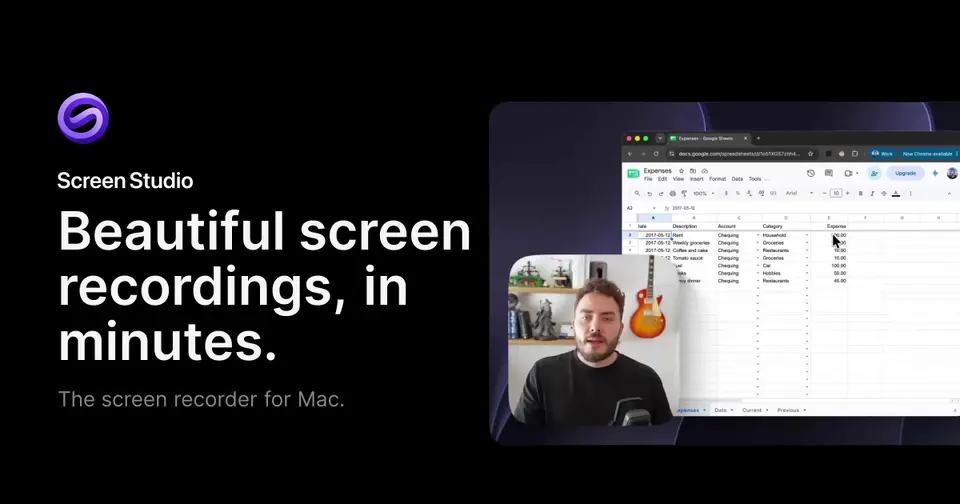
Screen Studio is a Mac screen recorder that automates polish usually added in a video editor: zooms that follow the cursor, smoothed cursor movement, motion blur and framed backgrounds. It can also record an iPhone or iPad, add webcam layouts and captions, and either export MP4 or GIF files or publish a shareable link. It is sold by subscription from a developer based in Kraków, Poland.
Worth knowing
- macOS only, requiring Ventura 13.1 or later. The vendor says there are no near-future plans for Windows.
- Subscription only: one-time licenses are no longer sold, though earlier purchases remain valid.
- Paying monthly costs $29 per month, more than three times the $9 per month yearly rate.
- The site does not mention a free trial, and the terms state that fees are non-refundable.
Key features
- Automatic zoom
- Zooms are added automatically as you record and can be edited, added by hand or turned off afterwards.
- Smooth cursor movement
- Cursor motion is smoothed and given motion blur and click effects, and the cursor can be hidden in chosen sections.
- iPhone and iPad recording
- Record an iPhone or iPad screen and present the footage inside a device mockup.
- Webcam layouts
- Camera footage can appear fullscreen, in a split screen, as an overlay or as a cutout.
- Captions and transcripts
- Generates a transcript of the recording and adds automatic captions.
- Export and shareable links
- Export MP4 at up to 4K and 60 fps or a GIF, or publish a shareable link at 1080p and 60 fps for videos up to 30 minutes.
Screen Studio pricing
As of Oct 4, 2026, Screen Studio is a paid product, starting at $9 per month, billed yearly ($29 billed monthly).
- Starts at
- $9 per month, billed yearly ($29 billed monthly)
- Free plan
- None
- Free trial
- None listed
| Plan | Price | What you get |
|---|---|---|
| Yearly | $9per month, billed yearly | All features: export up to 4K at 60 fps, shareable links, cloud transcript and project sharing. |
| Monthly | $29per month, billed monthly | The same features as the yearly plan, paid month to month. |
Read from screen.studio on Oct 4, 2026. Prices change, so confirm with Screen Studio before you buy.
Ways to pay less
- Annual discountSave 69% with yearly billing
Screen Studio lists the yearly plan at $9 per month, which it labels a 69% saving over the $29 monthly plan.
Stated on screen.studio - Education40% off for students and educators
Students and educators get 40% off by using an email address from an educational institution or sending proof of student status.
Stated on screen.studio
Screen Studio alternatives
- Screen Studio vs CleanShot X
From $35 one-time
- Screen Studio vs Tella
Free trial · from $13/mo
- Screen Studio vs Loom
Free plan · from $18/mo
- Screen Studio vs Descript
Free plan · from $16/mo




Featured in
- The best Loom alternatives in 2026Alternatives
- The best screen recording software in 2026Best of
Common questions
Does Screen Studio have an Android app?
No Android app was listed when its pages were read on Oct 4, 2026. Screen Studio is listed for macOS.
Does Screen Studio have an iPhone app?
No iPhone app was listed when its pages were read on Oct 4, 2026. Screen Studio is listed for macOS.
Is Screen Studio open source?
Screen Studio is not described as open source on its own site, as read on Oct 4, 2026.
Sources for this page
The prices, plans, platforms and features above were read from these pages on Oct 4, 2026.