Gmail review (2026): is the free plan enough?
Google's email service, free for personal use with 15 GB of storage
Black Friday: is there a Gmail sale?
Our verdict
Second of our top three email apps
For: People who keep their calendar and files with Google
Gmail is free with a personal Google Account and comes with 15 GB of storage, shared with Google Drive and Google Photos. Google says it blocks 99.9% of spam, phishing attempts and malware, and it suits people who already rely on Google Calendar, Meet and Drive. Its iPhone and iPad app averages 4.7 from about 2.4 million ratings. It is second because no desktop app is listed: Gmail runs in a browser and as iPhone and Android apps, or through another mail client. Free accounts may show ads, and an address at your own domain needs Google Workspace, from $7 per user a month with a 1-year commitment.
See all three and how we rankGmail review
Very good · out of 4.0 · graded Oct 10, 2026
Best for free email that ties into the rest of Google
Gmail is Google's email service, free with 15 GB of storage and tied into Calendar, Drive and Meet. Free accounts may show ads, the 15 GB is shared with Drive and Photos, there's no Mac or Windows app, and an address at your own domain means buying all of Workspace from $7 a person a month. If you want ad-free mail or a desktop app, look elsewhere.
Who Gmail is for
- Fits if you want a free address with 15 GB and can put up with ads
- Works for people whose calendar, files and video calls are already with Google
Who Gmail is not for
- Skip it if ads in your inbox would bother you, since free accounts may show them
- Not for you if you want a mail app on your Mac or PC, because there isn't one, only a browser tab
- Tight if your phone backs up photos to Google, as they share the 15 GB, and a full account can stop mail
- Pricey if all you want is an address at your own domain, which means a $7 Workspace plan with apps you may not use
- Watch out: Gemini inbox search needs a paid Google AI plan, and the Workspace trial wants billing details first
Why Gmail gets a 3.0
Five grades, each with its reason. The GPA is their average: an A is 4 points, an F is none.
- CValue for moneyBusiness email starts at $7 a person a month on a one-year deal, or $8.40 without one, mid-range for this category, and buys the whole of Workspace whether you want Meet and Docs or not. 30 GB each on that plan, and 2 TB means $14. For the email alone, Zoho Mail starts at $1.
- BFree plan and trialFree for good, with 15 GB, the spam filter, offline mail and both phone apps. What keeps it off the top mark: the 15 GB is shared with Drive and Photos, so it does fill up, and a free account may show ads.
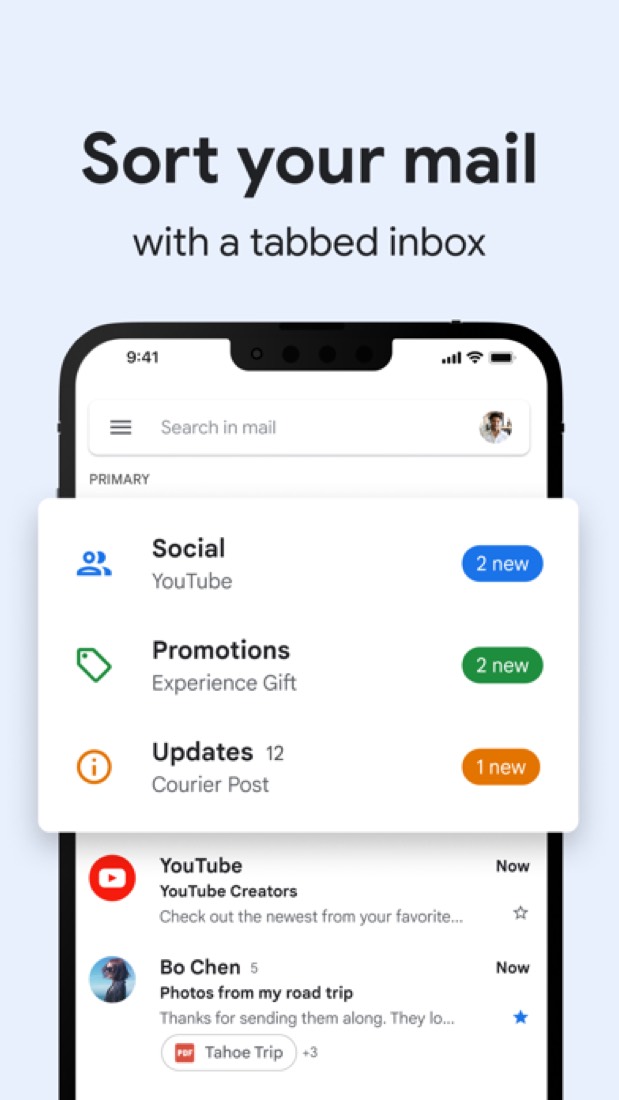
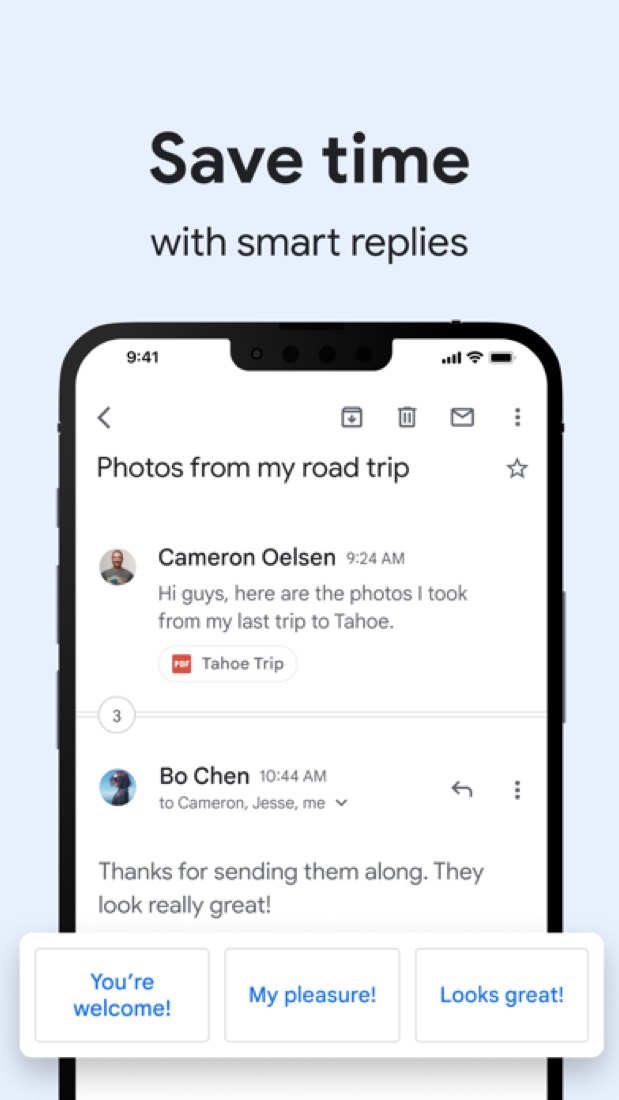
- BFeaturesSpam blocking Google puts at 99.9%, tabs that sort your mail, suggested replies, nudges, undo send, Confidential Mode and offline mail, with Gemini drafting replies and summing up threads. The AI is the held-back bit, as searching a personal inbox with Gemini needs a paid Google AI plan.
- AEase of use4.7 from about 2.4 million App Store ratings. Sign in with a Google Account and the inbox is ready, on the web and on your phone. Long-time users do grumble when an update moves things around.
- BPlatforms and integrationsA browser, iPhone and Android, and that's it for Google's own apps. No Mac or Windows app. It does work inside Outlook, Apple Mail and Thunderbird, though, and there's an API if you like building your own tools.
The good
Why does almost everyone end up with a Gmail address? It's free, and you get 15 GB.
You get an address, that space and apps for iPhone and Android. There's no trial and nothing runs out.
Google says its spam filter blocks 99.9% of spam, phishing attempts and malware. If an email looks dodgy but could be real, Gmail warns you and leaves the call to you.
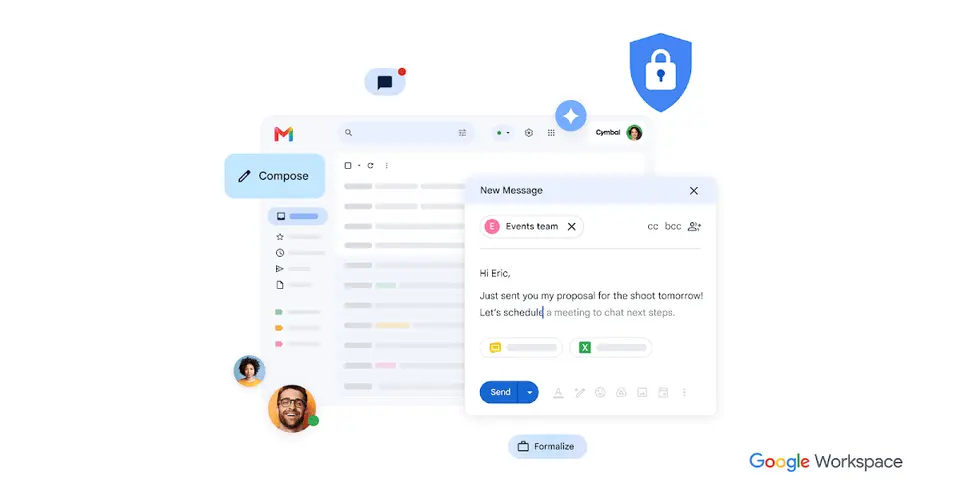
Someone writes "can you do friday at 3?" and there are short replies waiting to tap. Forget to answer and it nudges you.
Meet calls, your calendar, tasks and Chat all open from the inbox.
Gmail also works inside Outlook, Apple Mail and Thunderbird, and it has an offline mode for reading and replying with no signal.
The stuff that'll bug you
Ads. A free Gmail account may show them. Google says it doesn't use what's in your emails to pick them, but they're still ads.
There's no app for your computer. On a Mac or a PC, Gmail is a browser tab, unless you set it up inside Outlook, Apple Mail or Thunderbird.
The 15 GB isn't only for email. Google Drive and Google Photos share it, and your spam and trash folders count as well. If your phone backs up photos to Google, your inbox is filling up too.
A full account causes trouble. Google's help page says that once you're over the limit, sending and receiving email can be affected, and a big clear-out can take 48 to 72 hours to show up. One App Store reviewer says they went days without new mail, even after paying for more space.
The AI has a paywall. On a personal account, asking Gemini to search your inbox needs a Google AI Pro or Ultra plan. And one Hacker News commenter is tired of Gmail offering to write whole chatty replies to friends for them.
For a business, there's no email-only plan, the Business editions stop at 300 users, and client-side encryption is only on selected Workspace plans.
Money
For personal email, the free account has no end date.
Run out of room? Extra storage is a paid add-on. The US App Store listing shows 100 GB at $1.99 and 200 GB at $2.99, and it doesn't say how often you're billed.
Want you@yourcompany.com? That's Google Workspace, and the email isn't sold on its own. Calendar, Drive, Meet and Docs come along whether you need them or not.
Business Starter is $7 a person a month if you commit to a year, or $8.40 if you don't. You get 30 GB each, and Gemini in Gmail.
Business Standard is $14, or $16.80, with 2 TB each and mail merge. Business Plus is $22, or $26.40, with 5 TB and Vault for keeping and searching old mail. Enterprise has no published price.
There's a 14-day trial for up to 10 people, but Google wants billing details first. Prices also change by country, so your page may not match ours. For email alone, Zoho Mail starts at $1.
What actual users say
Gmail has 4.7 on the App Store from about 2.4 million ratings. More than two million of those are five stars.
Most of the written reviews Apple shows are from 2019 to 2023, so some of these gripes may be fixed by now.
What do people complain about? Clearing junk on a phone, mostly. A 2021 reviewer couldn't select everything and delete it in one go. Another blocks spammers and still finds their mail piling up in the spam folder.
A newer one, from January 2026, got stuck in a loop on a new phone. Google asked them to confirm the sign-in from the Gmail app, and the Gmail app asked them to sign in first.
Long-time users grumble when an update moves things around.
On Hacker News, Gmail is the thing people keep trying to leave. One commenter has tried several times and says it just left them with three inboxes to look after.
Others build on it. One made a little tool that deletes their kids' school emails when the school year ends.
What this review rests on. Based on Google's Gmail pages, its Workspace pricing page and FAQ, and its help pages on billing and storage as of 9 October 2026, its App Store listing and reviews, and Hacker News threads about it. Also tested with a demo account on 2026-07-24. How we review and grade.
Make Gmail? Put this grade on your site
Paste this where you want the badge. It links here and follows the grade if it changes. About badges
<a href="https://toolgpa.com/tools/gmail#review"><img src="https://toolgpa.com/badge/gmail.svg" alt="Gmail: 3.0 GPA on ToolGPA" width="196" height="56"></a>Where Gmail stands among email apps
Gmail's GPA of 3.0 is higher than 100 of the 122 other email apps we grade, and level with 15.
It stands best on ease of use (A, above 118 of 122) and worst on value for money (C, above 13).
Its paid plans start at $7 a month for each person, against a middle price of $4.92 for the category: 46 of the 76 others that charge start lower.
On features, ease of use and platforms it scores 3.3 out of 4. 1 tool scores higher and costs less.
Each grade against the category
Every bar is all 123 email apps we grade, cut by the letter each got. Gmail’s own letter is outlined.
- CValue for moneyAbove 13 of 122, level with 53
- BFree plan and trialAbove 69 of 122, level with 27
- BFeaturesAbove 79 of 122, level with 43
- AEase of useAbove 118 of 122, level with 4
- BPlatforms and integrationsAbove 57 of 122, level with 54
Price against what you get
Each dot is one of 107 email apps. Further left costs less, and higher up scores better on features, ease of use and platforms. Point at a dot to see which tool it is.
Features, ease of use and platforms, averaged
What paid plans start at, a month (each step along is roughly double) →
- The best score at each price
- Has a free plan
- No free plan
Keep Gmail, or make your own?
Keep it
To replace Gmail you would be making an email client: sending, receiving, threading and searching years of mail. That is not a weekend's work, with an AI app builder or without one.
It is one of the better ones too: its GPA of 3.0 is higher than 100 of the 122 other email apps we grade. It costs $84 a year.
What you could not
- An email client: sending, receiving, threading and searching years of mail.
- Filters that read every message as it arrives.
- A real app for iOS and Android. Something home-made would be a web page.
- It is priced for each person, which means accounts and billing for a team.
- It plugs into other products, Google Calendar, Google Meet and Google Chat among them, and has an API.
- AI features, unless you pay a model provider for each request yourself.
- The depth: we grade its features B, which means it covers the whole job.
What this rests on. Gmail’s listing: what it does, where it runs, what it plugs into and what it costs. It is a judgement about the kind of software this is. We have not built a replacement for it, and making your own means looking after it too. How we decide, and every tool’s verdict.
What is Gmail?
Gmail is Google's email service, used in a browser and through Android and iOS apps. A personal account costs nothing and comes with 15 GB of storage shared with Google Drive and Google Photos, and it may show ads. The business version is not sold on its own: it is part of Google Workspace, which adds addresses at a company's own domain, pooled storage, admin controls and, depending on the edition, more Gemini features across the Workspace apps.
Worth knowing
- Business email is only sold as part of Google Workspace, which also includes Calendar, Drive, Meet and Docs.
- The free 15 GB is shared with Drive and Photos. More space is a paid add-on: the US App Store listing shows 100 GB at $1.99 and 200 GB at $2.99, with no billing period given.
- Free accounts may show ads, though Google says it does not use Gmail content to personalize them.
- No desktop app is listed: Gmail runs in a browser and as Android and iOS apps, or through another mail client.
Key features
- Spam, phishing and malware blocking
- Google says Gmail automatically blocks 99.9% of spam, phishing attempts and malware, and flags a suspicious message that could still be legitimate.
- Gemini in Gmail
- Drafts and polishes replies and summarizes long threads. Asking Gemini to search a personal inbox needs Google AI Pro or Ultra; Google's AI plans page also lists Gemini in Gmail under the cheaper Google AI Plus.
- Smart Compose, Smart Reply and Nudges
- Suggests replies and sentence completions as you type, and reminds you to answer or follow up on messages you have not dealt with.
- Confidential Mode
- Set an expiry date on a message, require the recipient to verify by text, and remove the options to forward, copy, download or print it.
- Custom domain email and mail merge
- Workspace puts addresses on your own domain, with up to 30 aliases per user. Mail merge, from Business Standard, takes up to 1,500 recipients from a linked spreadsheet.
- Offline mail and other clients
- Gmail offline lets you read, reply to, delete and search messages without a connection. Accounts also work in Microsoft Outlook, Apple Mail and Mozilla Thunderbird.
Gmail tips most people miss
Pay less
Search larger:10M before you pay for more storage
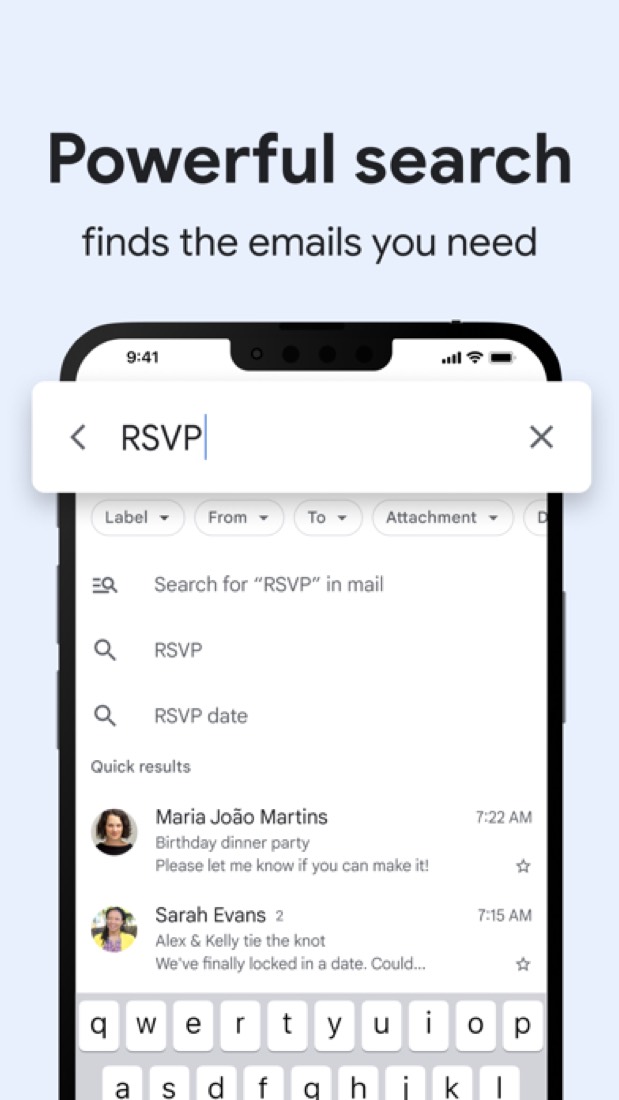
Type larger:10M in the search bar to list every email over 10 MB, add older_than:1y to keep it to ones over a year old, or try has:attachment filename:pdf. Bin what you don't need and empty Trash. A clear-out like that can buy you a lot of the free 15 GB back.
support.google.comShortcut
Switch keyboard shortcuts on, or most of them won't work
Google's help page says the action shortcuts won't work unless shortcuts are turned on: Settings → See all settings, "Keyboard shortcuts on", then save. After that c writes a new email, e archives, r replies, / jumps to search and g then i takes you to the inbox. Press ? for the full list.
support.google.comSetting
Stretch Undo Send to 30 seconds
In Settings → See all settings, next to Undo Send, you can set the cancellation period to 5, 10, 20 or 30 seconds. Gmail holds the email that long before it really goes. Thirty seconds is the one we'd pick if you ever spot the typo just after hitting send.
support.google.comPrivacy
Turning off smart features also turns off your inbox tabs
The "Turn on smart features in Gmail, Chat, and Meet" box in Settings → See all settings → General controls whether Google uses your mail to power those extras. Untick it and you lose the Primary, Social and Promotions tabs, Smart Compose, Smart Reply and the summary cards for trips and parcels.
support.google.comLeaving
Takeout can copy your mail out, and the download link lasts about a week
Google Takeout exports your mail with each message's labels kept in a header. You can have it sent as a link or dropped into Drive, Dropbox, OneDrive or Box. The archive expires in about 7 days and can be downloaded 5 times. You can also set it to export every 2 months for a year.
support.google.comLeaving
A personal account unused for 2 years can be deleted
Google's policy says a personal account with no activity for 2 years may be deleted, mail and all. Reading an email, using Drive or signing in somewhere with Google counts as activity. Google sends warnings first, to the account and to your recovery address, so keep that address up to date.
support.google.comRenewal
On Workspace's yearly plan you can't drop users until it renews
Google's billing help says the Annual/Fixed-Term Plan only lets you reduce licences when the contract renews. Until then you pay for every licence you bought, and cancelling early means paying the rest of the contract with no refund. The Flexible Plan lets you remove users or cancel any time.
knowledge.workspace.google.com
Read on Oct 17, 2026. Read from Google's Gmail Help (search operators, keyboard shortcuts, undo send, smart features), Google Account Help (Takeout, inactive accounts) and Workspace billing help on 17 October 2026. Not tried out: these tips are what its own pages say.
Gmail pricing
As of Nov 16, 2026, Gmail has a free plan, and paid plans start at $7 per user / month with a 1-year commitment (Workspace Business Starter).
- Starts at
- $7 per user / month with a 1-year commitment (Workspace Business Starter)
- Free plan
- Free with a personal Google Account: 15 GB of storage shared across Gmail, Google Drive and Google Photos. Free accounts may show ads, and asking Gemini to search the inbox needs a Google AI Pro or Ultra plan.
- Free trial
- 14-day Google Workspace trial for new customers, limited to 10 users; billing details required
| Plan | Price | What you get |
|---|---|---|
| Personal Google Account | $0 | Gmail for personal use with 15 GB of storage shared with Drive and Photos. No address at your own domain, and the account may show ads. |
| Business Starter | $7per user / month, 1-year commitment ($8.40 flexible) | Google Workspace with email at your own domain, 30 GB of pooled storage per user and the Gemini assistant in Gmail. |
| Business Standard | $14per user / month, 1-year commitment ($16.80 flexible) | 2 TB of pooled storage per user, plus custom email layouts, mail merge and Gemini in Gmail, Docs, Meet and more. |
| Business Plus | $22per user / month, 1-year commitment ($26.40 flexible) | 5 TB of pooled storage per user, with Google Vault for retention and eDiscovery and advanced endpoint management. |
| Enterprise | Custom | No user limit, where the Business editions stop at 300. Adds S/MIME encryption and data loss prevention; priced through Google sales. |
Read from workspace.google.com on Nov 16, 2026. Prices change, so confirm with Gmail before you buy.
3 price changes on recordWhat the app costs in other countries
Ways to pay less
- Annual discountLower rate with a 1-year commitment
Business Starter costs $7 per user per month on the Annual/Fixed-Term Plan versus $8.40 on the Flexible Plan. Standard drops from $16.80 to $14 and Plus from $26.40 to $22.
Stated on knowledge.workspace.google.com - Other savingsIntroductory discount for the first 3 months
The US pricing page gives new Workspace customers up to 50% off their first 3 months, for up to 20 users. On 16 November 2026 it showed 50% off all three Business plans; on 10 October, 30% off Starter and Standard.
Stated on workspace.google.com - By countryLower price shown to buyers in India
On 10 October 2026 the pricing page showed Starter at ₹270 per user a month to a reader in India, against $7 on the US page. Google's help center says it sometimes offers country-based discounts.
Stated on workspace.google.com - NonprofitGoogle Workspace for Nonprofits at $0
Eligible nonprofits get Google Workspace for Nonprofits at $0 per user, or Business Standard at $3.50 and Business Plus at $6.16 per user per month on a 1-year commitment.
Stated on google.com - EducationEducation Fundamentals at no charge
Google Workspace for Education Fundamentals is available at no charge to qualifying institutions. Education Plus is a paid edition.
Stated on edu.google.com
Gmail refunds and cancellation
Good · checked Oct 18, 2026
Gmail on a personal account is free; paying for it means paying for Google Workspace, so Google's account-wide billing rules apply. On the monthly Flexible Plan this is a fair deal: cancel at any time without penalty, pay only for the days you used, leftover credit refunded to your card. Take the cheaper 1-year commitment and the opposite is true: cancel early and you still owe the rest of the contract, with no refunds. Good on one plan, nothing on the other, so a B.
- Refund window
- No set window
- How you cancel
- Yourself, in settings
- Getting your money back
Google's Workspace billing help says it prorates the account and refunds unused credit, and that a credit balance left after you cancel everything is refunded automatically to the original payment method. On the Annual/Fixed-Term Plan you commit to the end of the term and payments through it are not refunded: the plan comparison page says cancelling early means paying the remaining balance, with no refunds.
Stated on knowledge.workspace.google.com- How to cancel Gmail
A Workspace subscription is cancelled by an administrator in the Google Admin console, under Billing and then Subscriptions, which needs the Billing management privilege. Google's page says to export user data first, and points Business editions signed up with a Gmail address to a separate article. A subscription bought through Google Play or the iPhone Settings app is cancelled in that store.
- Export anything you want to keep with the Data Export tool first
- Sign in to the Google Admin console and open Billing, then Subscriptions
- Click the subscription, then More, then Cancel Subscription
- Pick a reason for cancelling and click Continue to cancel
- Read the alternatives offered and click Continue to cancel again
- Tick the confirmation box, enter your email address and click Cancel My Subscription
- What you keep afterwards
Google's page says you lose access to the core Workspace services, Gmail among them, and that user Workspace data is deleted after cancellation and cannot be restored, so it tells you to download Gmail messages and the rest first with the Data Export tool. Cancelling does not by itself remove user accounts or groups. On an email-verified subscription you choose whether users keep their data as consumer accounts.
Stated on knowledge.workspace.google.com- Renewals
Google says an Annual/Fixed-Term contract renews automatically for another year if you do nothing, and that you are notified 30 days and 3 days before the renewal date. Auto-renewal can be switched off in the Admin console, in which case the service is suspended at the end of the term and can be restored by turning it back on. The Flexible Plan simply bills each month until it is cancelled.
Stated on knowledge.workspace.google.com
In your favour
- On the monthly Flexible Plan you cancel at any time without penalty and pay only for the days you used.
- Leftover credit is refunded to the card you paid with, automatically once everything is cancelled.
- Google warns you 30 days and again 3 days before a yearly contract renews, which few rivals do.
- An admin cancels the whole subscription in the Admin console, with nobody to phone or email.
Watch out for
- The $7 Business Starter price needs a 1-year commitment, and cancelling early still costs you the rest of the contract.
- On that annual plan you cannot cut licences mid-term either: you pay for all of them until renewal.
- Cancel and you lose Gmail itself, and the mail is deleted and cannot be restored, so export it first.
- A personal Google Account is free, so Gmail on one costs nothing and there is nothing to refund.
Gmail customer support
Excellent · checked Oct 18, 2026
Pay for Workspace and you can reach a real person: an admin opens the console, types Contact support and is queued for a live agent, or sends email instead. Google states the hours, 24 hours a day in English in every country it serves, and a target of an initial reply within one business day. Add a huge help centre and a public community and that is an A. The catch is who it is for: the admin, and not free users at all.
Ways to get help
Live chat
A Workspace administrator clicks Get help in the Admin console, describes the problem, types Contact support and chooses Chat, then waits in a queue to be connected to a Google support representative. It needs the Support administrator privilege.
Stated on knowledge.workspace.google.comEmail
The same Get help flow in the Admin console offers Email instead of chat, which opens a support case with Google. It is for administrators with the Support administrator privilege, not for ordinary users.
Stated on knowledge.workspace.google.comHelp centre
The Gmail Help Center has written articles on setting up, sending, searching, filtering and troubleshooting Gmail on the web, Android and iPhone, open to anyone without signing in.
Stated on support.google.comCommunity or forum
The Gmail Community is a public forum where users and Google product experts answer questions. Administrators have a separate Workspace Admin community.
Stated on support.google.com
Not listed on Gmail’s pages: phone.
- When people answer
Google's support languages table gives English support as 24/7 for all countries, with local-language support 24/7 in many of them. A few languages are business hours only: German in Austria and Dutch and French in Belgium are listed as 9:00 to 18:00, Monday to Friday, UTC+1.
Stated on knowledge.workspace.google.com- How fast it says it replies
Google says it investigates by priority level and time of submission, and that you can expect an initial response within 1 business day or less. It sets out four priority levels, from a critical outage affecting several users down to a cosmetic fault, but states no resolution time, saying that varies with the complexity of the issue.
Stated on knowledge.workspace.google.com- What depends on your plan
Standard Support comes with every Workspace edition. Enhanced Support, a paid upgrade on Business Standard and Plus and included in Enterprise, states a one-hour response time for the most critical cases and 24/7 cover for the top two priorities. Premium Support, a paid upgrade on Enterprise, states 15 minutes for the most critical cases and 24/7 cover for the top three.
Stated on workspace.google.com
In your favour
- Live chat with a Google agent is there on every paid edition, not just the expensive ones.
- English support is stated as running 24 hours a day, every day, in every country Google serves.
- Google states a target of an initial reply within one business day or less.
- The help centre and the public community are open to free users as well as paying ones.
Watch out for
- Only an administrator with the right privilege can contact support, so an ordinary user has to go through them.
- On a free personal Google Account there is no way to reach a person at all: articles and the forum only.
- Google states a first-reply target but no time by which anything will actually be fixed.
- The one-hour and 15-minute response targets cost extra on Business plans.
What these two grades rest on. Read on 18 October 2026: Google's Workspace admin help on cancelling, refunding remaining credit, renewing an annual contract and comparing payment plans, its pages on contacting Workspace support and on support hours, the Customer Care page, and the Gmail Help Center and community. These are account-wide Workspace policies, not rules for Gmail. Nobody here cancelled a plan or contacted support. They are graded apart from the five that make the GPA. How we grade refunds and support.
How people rate the Gmail app
4.7
out of 5 for the iPhone and iPad app
- 5 stars86%
- 4 stars7%
- 3 stars3%
- 2 stars1%
- 1 star3%
2,442,987 ratings on the App Store in the United States, read Oct 7, 2026. It rates the app, not everything the product does. See the listing
Works with
Jobs at Google
Any open roles at Google are on its own careers page. We can’t read a count from there, so have a look.
Applications go to Google, not to us.
Gmail alternatives
- Gmail vs Microsoft Outlook
Free plan · from $1.99/mo
- Gmail vs Proton Mail
Free plan · from $3.99/mo
- Gmail vs Yahoo Mail
Free plan · from $5/mo
- Gmail vs Fastmail
Free trial · from $3/mo
- Gmail vs Zoho Mail
Free plan · from $1/mo





Common questions
Does Gmail have a Windows app?
No Windows app was listed when its pages were read on Nov 16, 2026. Gmail is listed for Web, iOS and Android.
Does Gmail have a macOS app?
No macOS app was listed when its pages were read on Nov 16, 2026. Gmail is listed for Web, iOS and Android.
Is Gmail open source?
Gmail is not described as open source on its own site, as read on Nov 16, 2026.
Does Gmail work offline?
Yes, according to its own site. What works without a connection differs by plan and platform, so check the vendor's page for the detail.
Does Gmail have an API?
Yes. Gmail offers a public API, according to its own site.
Sources for this page
The prices, plans, platforms and features above were read from these pages on Nov 16, 2026. What people say is linked where it appears.
- workspace.google.com/products/gmail/
- workspace.google.com/gmail/
- knowledge.workspace.google.com/admin/billing/compare-flexible-and-annual-fixed-term-payment-plans
- knowledge.workspace.google.com/admin/getting-started/editions/business-editions
- workspace.google.com/pricing.html
- workspace.google.com/pricing
- web.archive.org/web/20261004021507/https://workspace.google.com/pricing/
- web.archive.org/web/20261007092156/https://workspace.google.com/pricing
- gemini.google/us/subscriptions/?hl=en
- workspace.google.com/faq/
- support.google.com/mail/answer/9312312?hl=en
- apps.apple.com/us/app/gmail-email-by-google/id422689480
- play.google.com/store/apps/details?id=com.google.android.gm&hl=en_US&gl=US
- developers.google.com/workspace/gmail/api/guides
- google.com/nonprofits/offerings/workspace/
- edu.google.com/workspace-for-education/editions/compare-editions/