
Unroll.Me review (2026): is it any good?
Free tool to block or roll up subscription emails
Unroll.Me report card
Very good · out of 4.0 · graded Oct 10, 2026
Best for clearing out newsletters for free
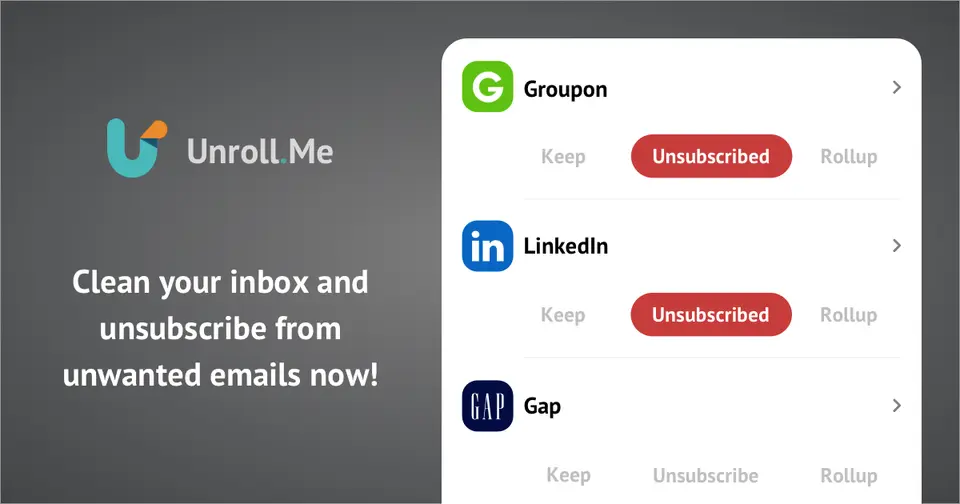
Unroll.Me lists the newsletters and promo lists in your inbox and lets you keep, block or roll each into one daily digest, free. That's the whole product: no rules, snoozing or other inbox tools. Its owner, NielsenIQ, uses data from your commercial emails, like receipts and subscriptions, in market research, and only Gmail, iCloud, Yahoo, AOL and Outlook accounts work, with no desktop app.
Who Unroll.Me is for
- Fits if you're buried in newsletters and promo emails and want them sorted in one sitting
- Works for people who'd rather read subscriptions in one daily digest
Who Unroll.Me is not for
- Skip it if you don't want a market research company using data from your commercial emails
- Not for you if your mail isn't with Gmail, Google Apps, iCloud, Yahoo, AOL or Outlook
- Too light for anyone after rules or snoozing, as it only handles subscription emails
- Watch out: there's no desktop app, only the browser and the iPhone and Android apps
Why Unroll.Me gets a 3.2
Five grades, each with its reason. The GPA is their average: an A is 4 points, an F is none.
- AValue for moneyFree, with no paid tier listed at all, in a category whose paid plans start around $4 a month. The money comes from somewhere else: NielsenIQ uses information from your commercial emails in its market research. Decide if that's a price you'll pay.
- AFree plan and trialFree outright on the web, iPhone and Android, across as many email accounts as you want to add. There is no cap to run into and nothing held back, because there is no paid plan to hold it for.
- CFeaturesIt does its one job: list the subscriptions in your inbox, then Keep, Block or Rollup each sender, singly or in bulk, with the Rollup landing as one daily email. But that one job is a small slice of what an email tool does, and the listing says plainly there's nothing else here.
- BEase of use4.66 from about 132,000 App Store ratings, high but not the top of this category. Connect an account, run down the list, pick one of three choices per sender, and change your mind later from the Subscriptions tab.
- BPlatforms and integrationsWeb, iPhone and Android, hooked to Gmail, Google Apps, iCloud, Yahoo, AOL and Outlook accounts. No desktop app is listed, and a mailbox at any other provider isn't on the list.
What these grades rest on. Graded from this listing, whose facts were read from Unroll.Me's own pages on 5 October 2026, and its App Store rating. Also tested with a demo account on 2026-09-26. How we review and grade.
Make Unroll.Me? Put this grade on your site

Paste this where you want the badge. It links here and follows the grade if it changes. About badges
<a href="https://toolgpa.com/tools/unroll-me#review"><img src="https://toolgpa.com/badge/unroll-me.svg" alt="Unroll.Me: 3.2 GPA on ToolGPA" width="196" height="56"></a>Where Unroll.Me stands among email apps
Unroll.Me's GPA of 3.2 is higher than 116 of the 122 other email apps we grade, and level with 5.
It stands best on free plan and trial (A, above 97 of 122) and worst on features (C, above 1).
Unroll.Me has no paid plan.
On features, ease of use and platforms it scores 2.7 out of 4, and no tool on the category's chart scores higher without costing more.
Each grade against the category
Every bar is all 123 email apps we grade, cut by the letter each got. Unroll.Me’s own letter is outlined.
- AValue for moneyAbove 88 of 122, level with 34
- AFree plan and trialAbove 97 of 122, level with 25
- CFeaturesAbove 1 of 122, level with 77
- BEase of useAbove 94 of 122, level with 23
- BPlatforms and integrationsAbove 57 of 122, level with 54
Price against what you get
Each dot is one of 107 email apps. Further left costs less, and higher up scores better on features, ease of use and platforms. Point at a dot to see which tool it is.
Features, ease of use and platforms, averaged
What paid plans start at, a month (each step along is roughly double) →
- The best score at each price
- Has a free plan
- No free plan
Keep Unroll.Me, or make your own?
Keep it
To replace Unroll.Me you would be making connections to other products, each kept working as those products change. That is not a weekend's work, with an AI app builder or without one.
It is one of the better ones too: its GPA of 3.2 is higher than 116 of the 122 other email apps we grade.
What you could not
- Connections to other products, each kept working as those products change.
- Filters that read every message as it arrives.
- A real app for iOS and Android. Something home-made would be a web page.
What this rests on. Unroll.Me’s listing: what it does, where it runs, what it plugs into and what it costs. It is a judgement about the kind of software this is. We have not built a replacement for it, and making your own means looking after it too. How we decide, and every tool’s verdict.
What is Unroll.Me?
Unroll.Me is a free service for managing subscription emails. After you connect an email account it lists the subscriptions it finds and lets you keep each one, block it, or add it to the Rollup, a daily digest that gathers the chosen senders into a single email. It is owned by NielsenIQ, which pays for the service by using data from users' commercial emails, such as receipts and subscriptions, in its market research products.
Worth knowing
- Unroll.Me is owned by NielsenIQ, which accesses your commercial emails and shares information from them with clients for market analysis.
- It handles subscription emails only: each one is kept, blocked or rolled up. The site describes no other inbox tools.
- Supported providers are Gmail, Google Apps, iCloud, Yahoo, AOL and Outlook; other providers are not listed.
- No desktop app is listed; it runs in a browser and as iOS and Android apps.
Key features
- Subscription list
- Shows the subscription emails found in a connected inbox and updates as new ones are detected, with search to find a particular sender.
- Block
- Blocks unwanted subscription emails, either one at a time or by selecting several, or all of them, in bulk.
- Rollup
- Takes chosen subscriptions out of the inbox and gathers their new mail into one daily digest email.
- Keep and edit
- Subscriptions marked Keep stay in the inbox as normal. Any choice can be changed later from the Subscriptions tab.
- Multiple email accounts
- Several email accounts can be added and managed together. The App Store listing names Gmail, Google Apps, iCloud, Yahoo, AOL and Outlook as supported.
Unroll.Me pricing
As of Oct 5, 2026, Unroll.Me is free to use.
- Starts at
- Free
- Free plan
- The whole service is free on the web, iOS and Android, and no paid tier is listed. It is funded by owner NielsenIQ, which uses data from your commercial emails for market research.
- Free trial
- None listed
| Plan | Price | What you get |
|---|---|---|
| Free | $0 | Keep, Block and Rollup for subscription emails across multiple connected email accounts. |
Read from unroll.me on Oct 5, 2026. Prices change, so confirm with Unroll.Me before you buy.
Leaving Unroll.Me
Not graded · checked Oct 18, 2026
Unroll.Me has no paid plan, so there is no money to get back and no subscription to stop. What you can end is the account, and that part is handled well: three ways to delete it, including one for people locked out of the app, and your actual emails never leave your mailbox because Unroll.Me says it doesn't store them. What it doesn't clear up for you are the labels it left behind.
- Closing your account
There is no subscription to end. The account is deleted on the website by clicking your email address at the top right, opening Settings and choosing Delete My Account, or in the mobile app under the profile picture, then Mailboxes, the account, My Account and Delete Account. Anyone locked out can use the Delete My Account page and confirm with a six-digit code sent to the address.
- Log in to the Unroll.Me website
- Click your email account in the upper right corner and select Settings
- Select Delete My Account at the bottom of the page
- What you keep afterwards
Unroll.Me says your emails stay safely in your email client because it does not store them on its servers. The Unroll.Me and Unroll.Me/Unsubscribed labels stay in your mailbox after deletion, with the rolled-up and blocked messages in them, and removing a label only hides it rather than deleting messages. The privacy notice says personal information is kept as long as reasonably necessary, with no period named.
Stated on support.unroll.me
In your favour
- Nothing to pay, so there is nothing to cancel and nothing to claim back.
- You delete the account yourself, on the website or in the app, in three steps.
- Locked out? There's a page that deletes the account after a code sent to your email address.
- Your messages stay in your mailbox, because Unroll.Me says it never stores them on its servers.
Watch out for
- Deleting the account leaves the Unroll.Me labels and folders in your mailbox for you to clear up.
- Removing one of those labels only hides it; the messages it was on stay where they are.
- The privacy notice gives no fixed retention period, only as long as reasonably necessary.
- Nothing we read says how long deletion takes or whether it is confirmed to you.
Unroll.Me customer support
Ordinary · checked Oct 18, 2026
A written help centre and a ticket form, and that is the whole offer. The articles are short but they do cover the questions that matter, including deleting your account and what happens to your emails afterwards. Nothing states when anyone is working or how long a reply takes, and there is no chat and no phone. For a product that costs nothing, that is the ordinary deal, so a C.
Ways to get help
Email
The help article on deleting an account gives a support email address to write to for additional assistance. No separate page sets out what that mailbox covers.
Stated on support.unroll.meContact form or ticket
A Submit a request form in the help centre, which asks you to pick an issue type and opens a ticket. It is linked as Contact Us from the website and from the foot of every help article.
Stated on support.unroll.meHelp centre
A public help centre with categories for General, My Account, Signing Up, Editing Your Subscriptions, The Rollup, Settings, Data & Privacy and Security. It is open without logging in.
Stated on support.unroll.me
Not listed on Unroll.Me’s pages: live chat, phone.
- When people answer
Its pages do not say.
- How fast it says it replies
Its pages do not say.
- What depends on your plan
Its pages do not say.
In your favour
- The help centre is public and free, and so is opening a ticket.
- There are articles on deleting your account and on what becomes of your emails afterwards.
- Help articles carry a vote and a comment count, so you can see which ones people found useful.
Watch out for
- No hours and no reply time are stated on any page we read.
- There is no live chat and no phone line: it's a ticket or an email, and then you wait.
- Several articles are years old, and the help centre shows how long ago each was updated.
- The help centre sits behind a bot check, so it can be awkward to reach from some connections.
What these two grades rest on. Read on 18 October 2026: Unroll.Me's terms and conditions, its privacy notice and its Your Data page, the help-centre articles on deleting an account and on what happens to previously processed emails, the help centre's front page and its Submit a request form. Nobody here closed an account or contacted its support. They are graded apart from the five that make the GPA. How we grade refunds and support.
How people rate the Unroll.Me app
4.7
out of 5 for the iPhone and iPad app
- 5 stars83%
- 4 stars9%
- 3 stars3%
- 2 stars1%
- 1 star4%
131,857 ratings on the App Store in the United States, read Oct 5, 2026. It rates the app, not everything the product does. See the listing
Works with
Unroll.Me alternatives
- Unroll.Me vs Clean Email
Free plan · from $9.99/mo
- Unroll.Me vs Leave Me Alone
Free trial · from $12.50/mo
- Unroll.Me vs Mailstrom
Free trial · from $9/mo
- Unroll.Me vs SaneBox
Free trial · from $6.99/mo




Common questions
Does Unroll.Me have a Windows app?
No Windows app was listed when its pages were read on Oct 5, 2026. Unroll.Me is listed for Web, iOS and Android.
Does Unroll.Me have a macOS app?
No macOS app was listed when its pages were read on Oct 5, 2026. Unroll.Me is listed for Web, iOS and Android.
Is Unroll.Me open source?
Unroll.Me is not described as open source on its own site, as read on Oct 5, 2026.
Sources for this page
The prices, plans, platforms and features above were read from these pages on Oct 5, 2026. What people say is linked where it appears.