
Superhuman Mail
Keyboard-driven email client for Gmail and Outlook with built-in AI

Superhuman Mail review
Fair · out of 4.0 · graded Oct 8, 2026
Best for people who live in their inbox
Superhuman is the email app for people who get a silly amount of email and want to fly through it. Split Inbox and the keyboard shortcuts are why people stay. It's also one of the priciest around, at $25 a month with no free plan, so it only makes sense if email eats your day.
Who Superhuman Mail is for
- Great if you get piles of email on Gmail or Outlook and want to clear it fast
- Handy when your team shares threads and comments instead of forwarding
- Good for sales teams on HubSpot, Salesforce or Pipedrive (on Business)
- A treat if you like doing everything from the keyboard
Who Superhuman Mail is not for
- Skip it if you get twenty emails a day, because Gmail is free and fine
- Pricey if you mainly want AI drafts, since Auto Drafts needs Business at $33
- Not for you if your email isn't on Gmail or Outlook
- Tight if you want to try before you buy, as there's no free plan
Why Superhuman Mail gets a 2.4
Five grades, each with its reason. The GPA is their average: an A is 4 points, an F is none.
- CValue for money$25 a month for an email app is a lot when Gmail is free. It can pay for itself if email is your job. For most people it won't.
- FFree plan and trialThere isn't one. No free plan, and the pricing page doesn't mention a trial, so you pay to find out.
- AFeaturesSplit Inbox, a shortcut for everything, reminders, AI writing and summaries, shared threads and a built-in calendar. It's a lot of email app.
- BEase of useQuick once the shortcuts sink in, and one reviewer says ten minutes did it. You do have to learn its way of doing things.
- BPlatforms and integrationsMac, Windows, iPhone, Android and a Chrome extension for the web. Only for Gmail and Outlook accounts, though.
The good
So what do you get for the money? Speed, mostly. Superhuman sits on top of your Gmail or Outlook and makes getting through email quicker.
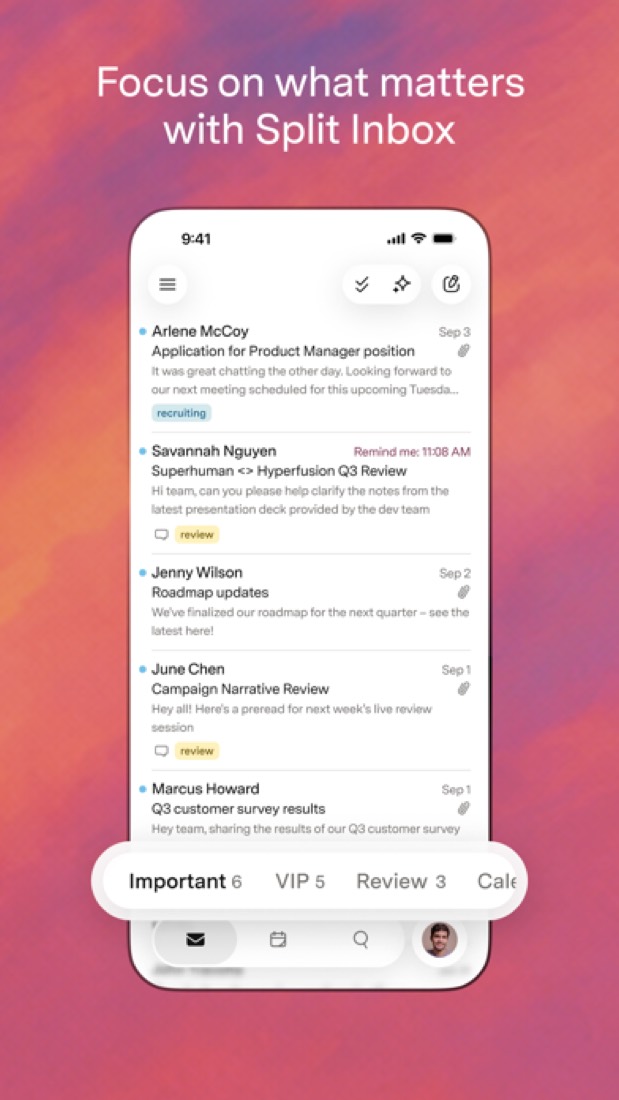
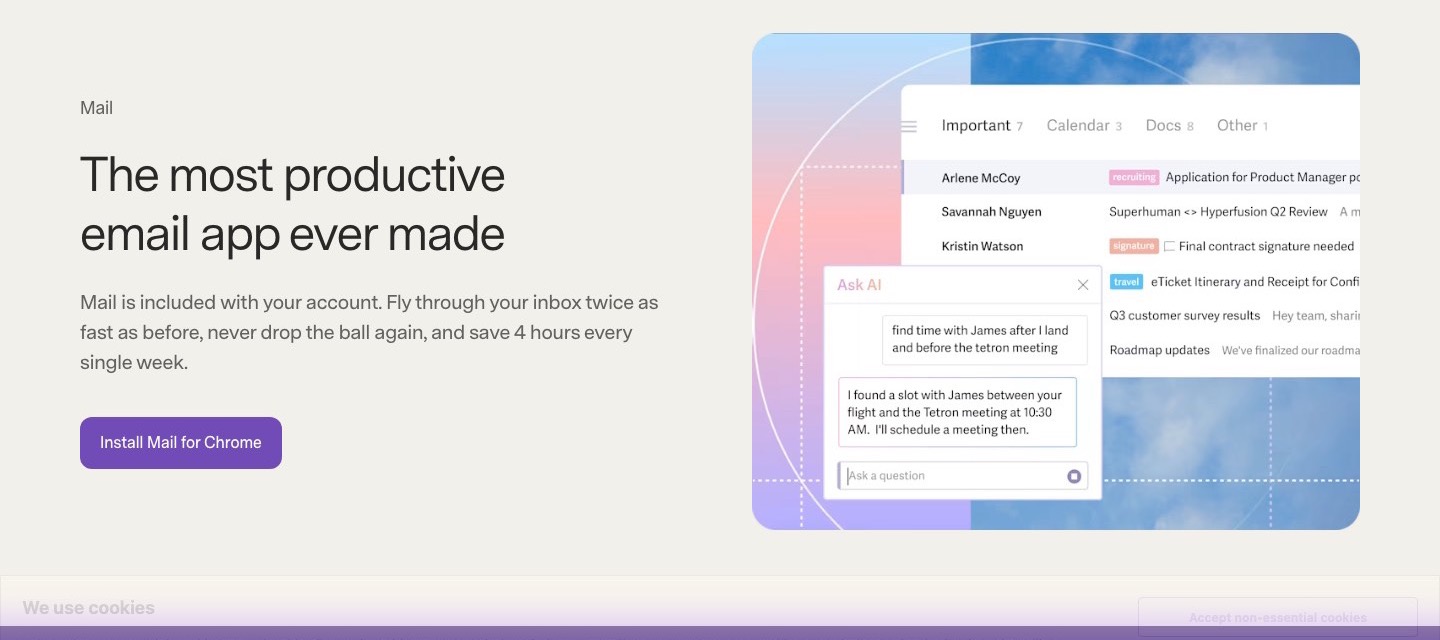
Split Inbox is the big one. Instead of one long list, your mail is split into tabs. One for your team, one for VIPs, one for all those Google Docs and Notion notifications. You deal with what matters and leave the rest for later.
Then there are the shortcuts. Pretty much everything has a key. Reviewers who stick with it say this is the bit they can't give up.
It nags you nicely, too. Send something, set a reminder, and if nobody's replied by Thursday it pops back up.
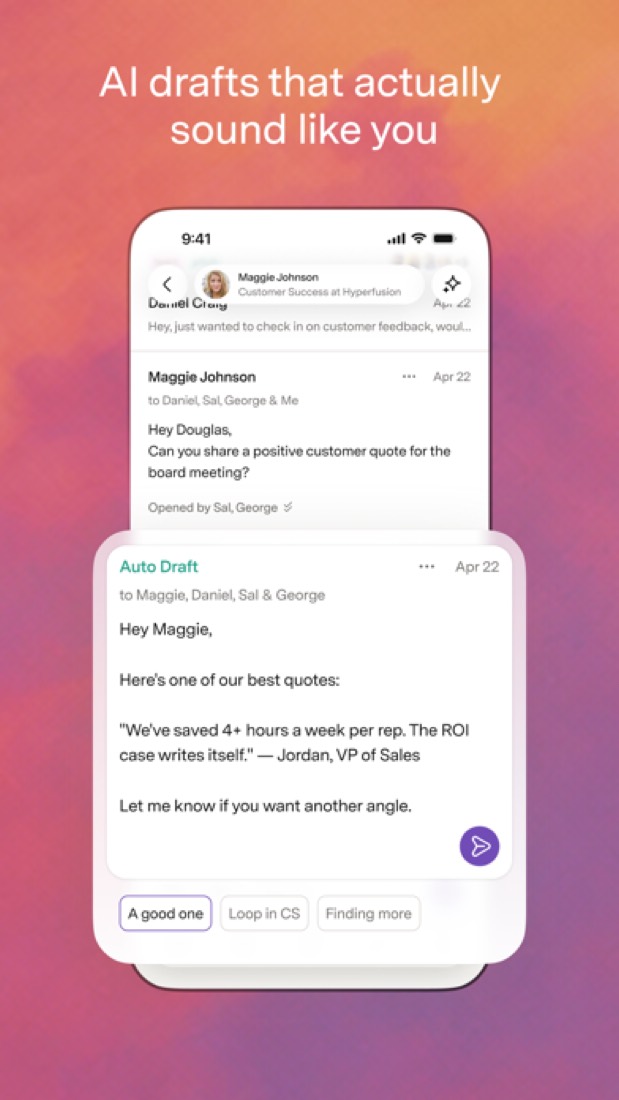
The AI bits are decent. Writing help, instant replies, summaries and auto labels are on every plan. And for teams, you can share a live thread and comment on it instead of forwarding it around.
The stuff that'll bug you
The price. There's no way round it. It's $25 a month on yearly billing, or $30 month to month, for an email app. Gmail is free.
There's no free plan, and the pricing page doesn't mention a trial. So you're paying to find out if you like it.
The best AI features are held back as well. Auto Drafts and Ask AI need the Business plan at $33.
It only works with Gmail and Outlook accounts. Anything else and you're out of luck.
And the billing has confused at least one person. Superhuman is now a bundle with Grammarly and other apps, and one App Store reviewer said they paid for a plan thinking it included Mail when it didn't. So check exactly which plan you're buying.
Older reviews also grumble about the iPad app. Those are from a few years back, so it may well be better now.
Money
Starter is $25 a person a month on yearly billing, or $30 if you pay monthly. You get Split Inbox, snippets, the core AI writing and summaries, the calendar and team sharing.
Business is $33 on yearly billing, $40 monthly. That adds Auto Drafts, Ask AI and the CRM hook-ups for HubSpot, Salesforce and Pipedrive.
Paying yearly saves 17%, going by their pricing page. Both plans stop at 25 seats, and past that it's Enterprise.
Is it worth it? Do the sum on your own time. Superhuman says it saves four hours a week. If email is half your job, even one hour back pays for it. If you clear your inbox in ten minutes, it doesn't.
What actual users say
Superhuman Mail has 4.6 on the App Store from about 3,700 ratings.
The funniest pattern in the reviews? People who leave because of the price and then come back. One says they keep trying the others to save money and always end up here again, because it saves them time every day.
Another called it "overpowered and overpriced", which sums it up nicely.
Not everyone's sold. One reviewer who has been through it four times says what it does, it does well, but it's missing things like a shared inbox across accounts.
And a few say the AI features are useful but nothing to write home about.
What this review rests on. Based on Superhuman's Mail, plans and apps pages as of 8 October 2026, its App Store reviews and Hacker News threads about it. Not based on using the product: this is a read of everything that's public, not a test. How we review and grade.
What is Superhuman Mail?
Superhuman Mail is an email client that sits on top of an existing Gmail or Outlook account. It splits the inbox into focused tabs, leans on keyboard shortcuts and adds AI drafting, summaries and labels, plus team features such as shared threads and comments. It is now one product in the wider Superhuman suite, which also includes Grammarly, Docs and the Go assistant. Mail is sold on its own per-member plans and is also part of the suite's Business plan.
Superhuman Mail is a paid product, starting at $25 per member / month, billed annually ($30 billed monthly). See every plan
Good for
- People on Gmail or Outlook who work through a high volume of email
- Teams that want to share and comment on threads instead of forwarding them
- Sales teams on HubSpot, Salesforce or Pipedrive (Business plan and up)
Worth knowing
- There is no free plan, and the pricing page does not mention a free trial.
- Built for Gmail and Outlook accounts; the vendor lists no other email providers.
- Auto Drafts, Ask AI and the HubSpot, Salesforce and Pipedrive integrations are not included in Starter.
- Starter and Business stop at 25 seats; single sign-on and SCIM are Enterprise only.
Key features
- Split Inbox
- Divides the inbox into separate tabs, for example mail from teammates, VIPs or specific tools, so each stream can be worked through on its own.
- Keyboard shortcuts and Snippets
- Most actions have a keyboard shortcut, and Snippets insert saved phrases, paragraphs or whole emails as you type.
- Superhuman AI
- Write with AI, Instant Reply, Auto Summarize and Auto Labels are on every plan. Auto Drafts, Ask AI and the Mail MCP server need Business or Enterprise.
- Reminders, snooze and send later
- Set a follow-up reminder that fires if nobody replies by a chosen time, snooze threads until they are needed and schedule when a message is sent.
- Shared conversations and comments
- Share a live view of a thread with teammates, comment on it, work on shared drafts and see when a colleague is already replying.
- Calendar and scheduling
- See the day's or week's calendar next to an email, create events, share availability and send booking links, with Zoom, Google Meet and Microsoft Teams links.
Superhuman Mail pricing
- Starts at
- $25 per member / month, billed annually ($30 billed monthly)
- Free plan
- None
- Free trial
- None listed
| Plan | Price | What you get |
|---|---|---|
| Starter | $25per member / month, billed annually ($30 billed monthly) | Split Inbox, Snippets, core AI writing and summaries, calendar and booking links, and team sharing. Up to 25 seats. |
| Business | $33per member / month, billed annually ($40 billed monthly) | Everything in Starter, plus Auto Drafts, Ask AI, the Mail MCP server, CRM integrations and Recent Opens. Up to 25 seats. |
| Enterprise | Custom | Everything in Business, plus single sign-on, SCIM provisioning, audit logs, team analytics and unlimited seats. |
Read from superhuman.com on Oct 4, 2026. Prices change, so confirm with Superhuman Mail before you buy.
Ways to pay less
- Annual discount17% off with annual billing
The pricing page shows 17% off for annual billing: Starter is $25 per member a month billed annually against $30 billed monthly, and Business is $33 against $40.
Stated on superhuman.com
How people rate the Superhuman Mail app
4.6
out of 5 for the iPhone and iPad app
3,689 ratings on the App Store in the United States, read Oct 6, 2026. It rates the app, not everything the product does. See the listing
Works with
Superhuman Mail alternatives
- Superhuman Mail vs Shortwave
Free plan · from $18/mo
- Superhuman Mail vs Spark Mail
Free plan · from $8.25/mo
- Superhuman Mail vs Missive
Free trial · from $14/mo
- Superhuman Mail vs HEY
Free trial · from $99/yr
- Superhuman Mail vs Mimestream
Free trial · from $49.99/yr





Featured in
- The best Superhuman Mail alternatives in 2026Alternatives
- The best email apps in 2026Best of
Common questions
Is Superhuman Mail free?
No. Superhuman Mail is a paid product, starting at $25 per member / month, billed annually ($30 billed monthly).
How much does Superhuman Mail cost?
Superhuman Mail lists 3 plans. Starter: $25 per member / month, billed annually ($30 billed monthly). Business: $33 per member / month, billed annually ($40 billed monthly). Enterprise: custom pricing. Prices were read from superhuman.com on Oct 4, 2026.
What platforms does Superhuman Mail work on?
Superhuman Mail is available on Web, macOS, Windows, iOS and Android. It also has a browser extension.
Does Superhuman Mail offer any discounts?
Superhuman Mail publicly lists the following: 17% off with annual billing.
How is Superhuman Mail rated?
Superhuman Mail's iPhone and iPad app averages 4.6 out of 5 from 3,689 ratings on the App Store in the United States, as read on Oct 6, 2026. That is the store's rating of the app, not a score from us.
Does Superhuman Mail have a Linux app?
No Linux app was listed when its pages were read on Oct 4, 2026. Superhuman Mail is listed for Web, macOS, Windows, iOS and Android.
Is Superhuman Mail open source?
Superhuman Mail is not described as open source on its own site, as read on Oct 4, 2026.
Does Superhuman Mail work offline?
Yes, according to its own site. What works without a connection differs by plan and platform, so check the vendor's page for the detail.
What does Superhuman Mail integrate with?
Superhuman Mail's listing names Gmail, Outlook, HubSpot, Salesforce, Pipedrive, Zoom, Google Meet and Microsoft Teams. A listing names up to eight integrations, so it may connect to more.
Who makes Superhuman Mail?
Superhuman Mail is made by Superhuman Platform Inc.
What are the alternatives to Superhuman Mail?
The closest alternatives to Superhuman Mail in our directory are Shortwave, Spark Mail, Missive, HEY and Mimestream. Each one has a side-by-side comparison with Superhuman Mail.
Sources for this page
The prices, plans, platforms and features above were read from these pages on Oct 4, 2026. What people say is linked where it appears.