
OnTheClock review (2026): is it worth $4 a month?
Online time clock with scheduling, PTO and optional payroll
Black Friday: is there a OnTheClock sale?
OnTheClock report card
Good · out of 4.0 · graded Nov 12, 2026
Best for a simple time clock with scheduling for small crews
OnTheClock gives hourly staff a web and phone time clock with scheduling, GPS and overtime in one plan. The $5 monthly base fee comes on top of each employee, and payroll costs extra.
Who OnTheClock is for
- Fits if you run hourly staff and want clock-in and schedules together
- Works for businesses under 100 employees
Who OnTheClock is not for
- Watch out: a $5 base fee is charged every month on top of the per-employee price
- Pricey if you want payroll, at $6 per paid employee plus a $40 base and a $250 migration fee
- Too light for large firms, as plans are for under 100 employees and bigger ones are quoted
- Skip it if you want a free plan, as it bills monthly after the 30-day trial
Why OnTheClock gets a 2.6
Five grades, each with its reason. The GPA is their average: an A is 4 points, an F is none.
- CValue for money$4 per employee a month plus a $5 monthly base fee, so $5 a head for five, between the cheaper quarter at $4.50 and the middle at $6.67.
- CFree plan and trial30-day free trial with no card needed, and no free plan.
- BFeaturesTime clock, GPS and punch controls, scheduling, time off and overtime in one plan; the listing names no gap in the core job.
- CEase of useNo store rating on record. Employees, pay rules and schedules have to be set up first.
- APlatforms and integrationsWeb, Windows, Mac, iPhone and Android with 8 integrations on record.
What these grades rest on. Graded from this listing, whose facts were read from OnTheClock's own pages on 12 November 2026. Not based on using the product, and shorter than our full reviews. How we review and grade.
Make OnTheClock? Put this grade on your site

Paste this where you want the badge. It links here and follows the grade if it changes. About badges
<a href="https://toolgpa.com/tools/ontheclock#review"><img src="https://toolgpa.com/badge/ontheclock.svg" alt="OnTheClock: 2.6 GPA on ToolGPA" width="196" height="56"></a>Where OnTheClock stands among time tracking apps
OnTheClock's GPA of 2.6 is higher than 42 of the 69 other time tracking apps we grade, and level with 11.
It stands best on platforms and integrations (A, above 47 of 69) and worst on ease of use (C, above 2).
Its paid plans start at $4 a month for each person, against a middle price of $6.70 for the category: 11 of the 58 others that charge start lower.
On features, ease of use and platforms it scores 3.0 out of 4. 1 tool scores higher and costs less.
Each grade against the category
Every bar is all 70 time tracking apps we grade, cut by the letter each got. OnTheClock’s own letter is outlined.
- CValue for moneyAbove 14 of 69, level with 32
- CFree plan and trialAbove 10 of 69, level with 40
- BFeaturesAbove 42 of 69, level with 27
- CEase of useAbove 2 of 69, level with 47
- APlatforms and integrationsAbove 47 of 69, level with 22
Price against what you get
Each dot is one of 64 time tracking apps. Further left costs less, and higher up scores better on features, ease of use and platforms. Point at a dot to see which tool it is.
Features, ease of use and platforms, averaged
What paid plans start at, a month (each step along is roughly double) →
- The best score at each price
- Has a free plan
- No free plan
Keep OnTheClock, or make your own?
Keep it
To replace OnTheClock you would be making payroll taxes worked out and filed with the government for you. That is not a weekend's work, with an AI app builder or without one.
It costs $48 a year.
What you could make
- Time tracking, time off and reports: an app builder makes these well.
What you could not
- Payroll taxes worked out and filed with the government for you.
- Clocking in from a phone, checked against where and when.
- A rota the whole staff sees on their phones, with swaps and alerts.
- Apps for macOS, Windows, iOS and Android that stay in step with each other.
- It is priced for each person, which means accounts and billing for a team.
- It plugs into other products, QuickBooks, Gusto and ADP among them.
- The depth: we grade its features B, which means it covers the whole job.
What this rests on. OnTheClock’s listing: what it does, where it runs, what it plugs into and what it costs. It is a judgement about the kind of software this is. We have not built a replacement for it, and making your own means looking after it too. How we decide, and every tool’s verdict.
What is OnTheClock?
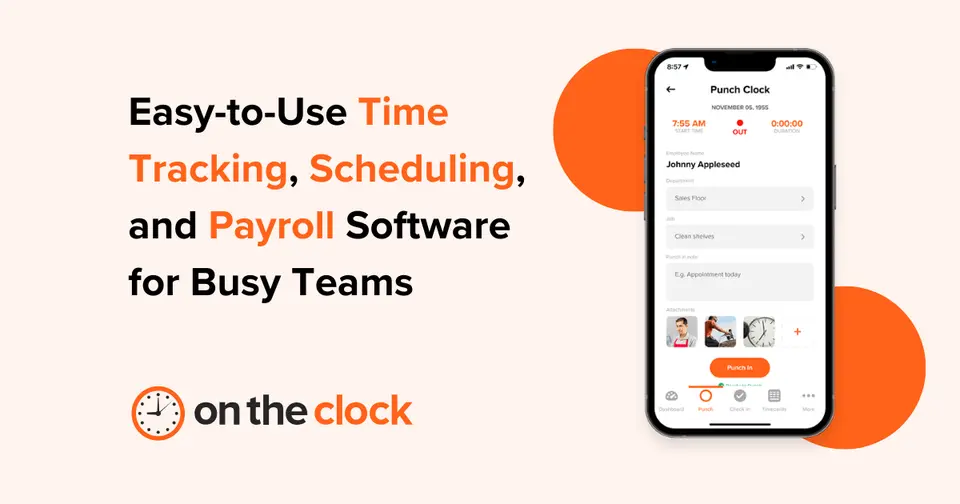
OnTheClock is an employee time clock for small and mid-sized businesses. Staff clock in from a browser, desktop, kiosk or mobile app, and managers get timesheets, overtime calculations, scheduling, time-off tracking and GPS controls in a single per-employee plan. Payroll with tax filing is sold as an add-on.
Worth knowing
- Standard plans are designed for under 100 employees; larger organizations are quoted under Enterprise.
- Billing is monthly, and a $5 monthly base fee is charged on top of the per-employee price.
- Payroll costs extra ($6 per paid employee plus a $40 monthly base) and has a one-time $250 migration fee.
- Discounts for education, government and churches or nonprofits are by request.
Key features
- Online and mobile time clock
- Employees clock in from a browser, desktop, kiosk or mobile app, with timesheet editing, approvals, rounding rules and automatic break tracking.
- GPS and punch controls
- Location maps, GPS breadcrumb trails, geofencing, IP and Wi-Fi restrictions and biometric fingerprint clocks help verify where employees start work.
- Scheduling
- Drag-and-drop schedules by employee, location or department, an hours estimator, and schedules shared by email, web, PDF or Excel.
- Time off and overtime
- Tracks paid time off balances, overtime calculations, salaried employee time, and tips, bonuses, commissions and mileage.
- Payroll
- An optional add-on runs payroll with direct deposit, state and federal tax compliance, benefit withholdings and year-end forms.
- Payroll integrations
- One-click exports for QuickBooks, Gusto, ADP, Paychex, Square Payroll and others, plus CSV and PDF export.
OnTheClock pricing
As of Nov 12, 2026, OnTheClock is a paid product with a free trial, starting at $4 per employee / month plus a $5 monthly base fee, billed monthly.
- Starts at
- $4 per employee / month plus a $5 monthly base fee, billed monthly
- Free plan
- None
- Free trial
- 30-day free trial, no credit card required
| Plan | Price | What you get |
|---|---|---|
| Time and scheduling | $4per employee / month, plus $5 base fee a month, billed monthly | One plan with everything: time clock, scheduling, time off, GPS and geofencing, overtime, payroll integrations and support. |
| Payroll add-on | $6per paid employee / month, plus $40 base fee a month | Unlimited payroll runs, direct deposit, tax filing, W-2s and 1099s. A one-time $250 migration and onboarding fee applies. |
| Enterprise | Custom | For businesses with more than 100 employees. Contact sales for pricing. |
Read from ontheclock.com on Nov 12, 2026. Prices change, so confirm with OnTheClock before you buy.
Ways to pay less
- EducationDiscounts for education, government and nonprofits
The pricing page lists education, government, and churches and nonprofits as eligible for a discount, which is given on request.
Stated on ontheclock.com
Works with
- QuickBooks
- Gusto
- ADP
- Paychex
- Square Payroll
- Thomson Reuters
- Sage
- Paylocity
OnTheClock alternatives
- OnTheClock vs Buddy Punch
Free trial · from $4.99/mo
- OnTheClock vs Timeero
Free trial · from $5/mo
- OnTheClock vs QuickBooks Time
Free trial · from $20/mo
- OnTheClock vs Jibble
Free plan




Common questions
Does OnTheClock have a Linux app?
No Linux app was listed when its pages were read on Nov 12, 2026. OnTheClock is listed for Web, Windows, macOS, iOS and Android.
Is OnTheClock open source?
OnTheClock is not described as open source on its own site, as read on Nov 12, 2026.
Sources for this page
The prices, plans, platforms and features above were read from these pages on Nov 12, 2026.