DeskTime
Automatic time tracking and productivity monitoring for teams
What is DeskTime?
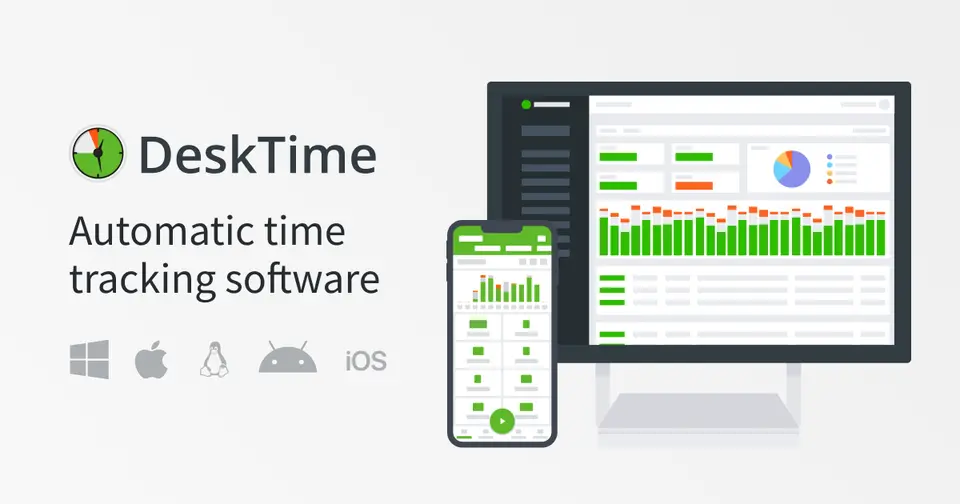
DeskTime is an automatic time tracker and employee monitoring tool for on-site, remote and hybrid teams. Its desktop app records working time, apps, websites and document titles without timers, and turns the data into productivity figures, reports and AI-written daily summaries. Higher plans add screenshots, integrations, an API and shift scheduling, and employees can switch on private time when they use the computer off the clock.
DeskTime is a paid product with a free trial, starting at $6.42 per user / month, billed annually ($7 billed monthly). See every plan
Good for
- Employers who want hours and productivity recorded automatically
- Hybrid teams that need to see who is working from the office or remotely
- Shift-based teams that need scheduling and an absence calendar
Worth knowing
- No free plan is listed; a subscription is needed after the 14-day trial.
- Screenshots, integrations and API access, and shift scheduling are listed under Premium rather than Pro.
- The mobile app is described as a companion to the desktop app rather than a full tracker.
- Enterprise is aimed at teams of 200 or more users and priced on request.
Key features
- Automatic time tracking
- The desktop app for Windows, macOS and Linux tracks working time without timers or manual timesheets. A web timer and offline time entries cover work away from the computer.
- URL, app and document tracking
- Managers see which sites and apps were used, along with document names, email subjects and app titles, and the data feeds a productivity calculation for each person.
- Screenshots
- Screenshots of employees' screens can be captured as proof of work. The pricing page lists them as a Premium feature.
- Project tracking
- Tracked time can be assigned to projects and tasks to follow the hours and progress of specific pieces of work.
- Shift scheduling and absences
- Plan and manage employee shifts in one place, and use the absence calendar to see who is sick, on vacation or out of office.
- Private time and AI summaries
- Employees can turn on private time for off-the-clock computer use. An AI summary describes each day's work activity in text.
DeskTime pricing
- Starts at
- $6.42 per user / month, billed annually ($7 billed monthly)
- Free plan
- None
- Free trial
- 14-day free trial, no credit card required
| Plan | Price | What you get |
|---|---|---|
| Pro | $6.42per user / month, billed annually ($7 billed monthly) | For small teams and startups. Highlights include document title tracking, productivity calculations and calendar integrations. |
| Premium | $9.17per user / month, billed annually ($10 billed monthly) | For hybrid and growing teams. Highlights include screenshots, integrations and API access, and shift scheduling. |
| Enterprise | Custom | For organizations of 200 or more users. Everything in Premium plus custom API work on request, an account manager and employee training. |
Read from desktime.com on Oct 9, 2026. Prices change, so confirm with DeskTime before you buy.
Ways to pay less
- Annual discountLower rate with annual billing
DeskTime lists Pro at $6.42 per user a month with annual payment against $7 monthly, and Premium at $9.17 against $10, which is about 8% less.
Stated on desktime.com - By countryLower price shown to buyers in India
On 9 October 2026 the pricing page showed Pro at ₹366.67 per user a month, billed annually, to a reader in India, or $4.58 in dollars. A copy of the page from 8 September lists Pro at $6.42.
Stated on desktime.com
Works with
DeskTime alternatives
- DeskTime vs Hubstaff
Free trial · from $4.99/mo
- DeskTime vs Time Doctor
Free trial · from $6.67/mo
- DeskTime vs TimeCamp
Free plan · from $3.99/mo
- DeskTime vs WebWork
Free trial · from $3.99/mo
- DeskTime vs Apploye
Free plan · from $4.50/mo





Common questions
Is DeskTime free?
No, DeskTime is a paid product, but you can try it first. 14-day free trial, no credit card required.
How much does DeskTime cost?
DeskTime lists 3 plans. Pro: $6.42 per user / month, billed annually ($7 billed monthly). Premium: $9.17 per user / month, billed annually ($10 billed monthly). Enterprise: custom pricing. Prices were read from desktime.com on Oct 9, 2026.
What platforms does DeskTime work on?
DeskTime is available on Web, macOS, Windows, Linux, iOS and Android.
Does DeskTime offer any discounts?
DeskTime publicly lists the following: Lower rate with annual billing; Lower price shown to buyers in India.
Is DeskTime open source?
DeskTime is not described as open source on its own site, as read on Oct 9, 2026.
Does DeskTime have an API?
Yes. DeskTime offers a public API, according to its own site.
What does DeskTime integrate with?
DeskTime's listing names Jira, Asana, Trello, GitLab, Google Calendar, Outlook and Zapier. A listing names up to eight integrations, so it may connect to more.
Who makes DeskTime?
DeskTime is made by Draugiem Group. It dates from 2011.
What are the alternatives to DeskTime?
The closest alternatives to DeskTime in our directory are Hubstaff, Time Doctor, TimeCamp, WebWork and Apploye. Each one has a side-by-side comparison with DeskTime.
Sources for this page
The prices, plans, platforms and features above were read from these pages on Oct 9, 2026.