Timesheet review (2026): is the free plan enough?
Mobile-first time tracking with invoices and HR rules
Black Friday: is there a Timesheet sale?
Timesheet report card
Very good · out of 4.0 · graded Nov 9, 2026
Best for phone-first tracking that starts by itself
Timesheet is a phone-first time tracker whose timers can start when you arrive somewhere, join a Wi-Fi network or tap an NFC tag, all on the free plan for one person. But Basic has no sync, Plus at $59.99 a year adds only sync, and the web app, invoices, teams and API need Pro at $99.99 a user a year. HR rules mean Business at $179.99 a user a year, VAT is extra, and teams over 50 must move to Enterprise at $309.99.
Who Timesheet is for
- Fits if you track on your phone and want the clock to start by location, Wi-Fi or an NFC tag
- Works for employers who record hours, breaks and overtime against contracts, on Business
Who Timesheet is not for
- Tight if you stay on Basic with two devices, because there's no cloud sync, and Plus at $59.99 a year adds only that
- Pricey if you need the HR rules, at $179.99 a user a year on Business ($21.99 by the month), plus VAT
- Not for you if you want to work in a browser for free, as web access starts on Pro at $99.99 a user a year
- Watch out: Pro and Business stop at 50 users, and single sign-on is only on Enterprise, at $309.99 a user a year
- Skip it if you want invoices or the API on a one-person plan, since both start on Pro
Why Timesheet gets a 3.0
Five grades, each with its reason. The GPA is their average: an A is 4 points, an F is none.
- CValue for moneyPlus is $59.99 a year, $5 a month, or $6.99 month to month, for one person, and all it adds is cloud backup and sync. Anything you'd really want, the web app, PDF invoices, teams and the API, is Pro at $99.99 a user a year ($8.33 a month), and the HR rules are Business at $179.99. VAT goes on top.
- BFree plan and trialBasic is free for one person on the mobile app, with unlimited time tracking and projects, breaks, expenses, tags, Excel and CSV export, and the geofence, Wi-Fi and NFC automation included. A solo freelancer could live there, as long as one phone is enough: there's no cloud sync.
- BFeaturesTimers on phone, watch and browser, starting and stopping by location, Wi-Fi or NFC tag, with reports by project, task and client. From Pro, PDF invoices tracked by payment status and an assistant that logs time from chat; Business adds contracts, working-time limits, absences and overtime.
- BEase of useNo store rating on record, but there's little to set up: one tap starts a timer and it keeps running in the background. Set a location or Wi-Fi rule once and you don't even need the tap.
- APlatforms and integrationsAndroid, iOS, a Mac app that records app usage, a browser extension and a web app. Google Calendar, Zapier, QuickBooks, Basecamp and Telegram connect, and there's an API. The web app and the API both wait for Pro, mind.
What these grades rest on. Graded from this listing, whose facts were read from Timesheet's own pages on 9 November 2026. Not based on using the product, and shorter than our full reviews. How we review and grade.
Make Timesheet? Put this grade on your site

Paste this where you want the badge. It links here and follows the grade if it changes. About badges
<a href="https://toolgpa.com/tools/timesheet#review"><img src="https://toolgpa.com/badge/timesheet.svg" alt="Timesheet: 3.0 GPA on ToolGPA" width="196" height="56"></a>Where Timesheet stands among time tracking apps
Timesheet's GPA of 3.0 is higher than 89 of the 98 other time tracking apps we grade, and level with 4.
It stands best on platforms and integrations (A, above 72 of 98) and worst on value for money (C, above 16).
Its paid plans start at $5 a month, against a middle price of $6.99 for the category: 24 of the 80 others that charge start lower.
On features, ease of use and platforms it scores 3.3 out of 4. Nothing scores higher for less, though at least one tool matches that score at a lower price.
Each grade against the category
Every bar is all 99 time tracking apps we grade, cut by the letter each got. Timesheet’s own letter is outlined.
- CValue for moneyAbove 16 of 98, level with 50
- BFree plan and trialAbove 74 of 98, level with 16
- BFeaturesAbove 65 of 98, level with 33
- BEase of useAbove 79 of 98, level with 17
- APlatforms and integrationsAbove 72 of 98, level with 26
Price against what you get
Each dot is one of 87 time tracking apps. Further left costs less, and higher up scores better on features, ease of use and platforms. Point at a dot to see which tool it is.
Features, ease of use and platforms, averaged
What paid plans start at, a month (each step along is roughly double) →
- The best score at each price
- Has a free plan
- No free plan
Keep Timesheet, or make your own?
You could make this
A time tracker at its plainest is a start button, a stop button and a table of hours.
What Timesheet does at its core is time tracking, invoicing and reports, and that is the kind of thing an AI app builder makes well. You would give up 4 things, listed below, and little else. It costs $60 a year. An AI app builder starts at about $20 a month on our listings, and you only need it while you build.
What you could make
- Time tracking, invoicing and reports: an app builder makes these well.
What you could not
- Apps for macOS, iOS and Android that stay in step with each other.
- It plugs into other products, Google Calendar, Zapier and QuickBooks among them, and has an API.
- AI features, unless you pay a model provider for each request yourself.
- The depth: we grade its features B, which means it covers the whole job.
What this rests on. Timesheet’s listing: what it does, where it runs, what it plugs into and what it costs. It is a judgement about the kind of software this is. We have not built a replacement for it, and making your own means looking after it too. How we decide, and every tool’s verdict.
What is Timesheet?
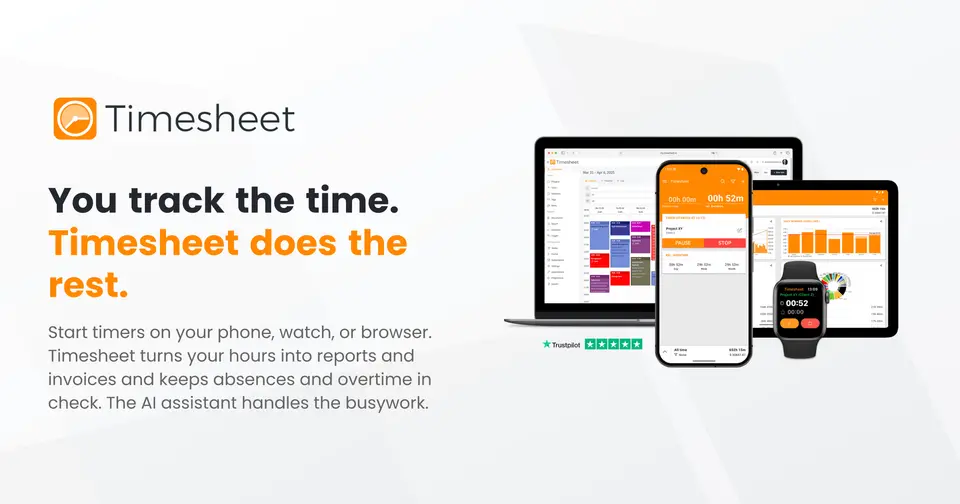
Timesheet is time tracking software from a small Vienna company that began as an Android app. Timers start on a phone, watch or browser, or automatically from a location, a Wi-Fi network or an NFC tag, and the hours feed reports, exports and PDF invoices. Paid team plans add a web app, an AI assistant that logs time from chat, and HR rules for contracts, working-time limits, absences and overtime.
Worth knowing
- Basic and Plus are for one person; Basic has no cloud sync or multi-device support, and web app access starts on Pro.
- Invoices, team features, API access and the AI assistant need Pro at $99.99 per user a year ($11.99 billed monthly).
- Pro and Business are limited to 50 users; Enterprise has no user limit and is the only plan with single sign-on.
- Prices are net: the pricing page says applicable VAT is added at purchase.
Key features
- Timers on phone, watch and browser
- Android and iOS apps start a timer in one tap and keep it running in the background, with breaks, expenses, tags and custom rates on every plan. A browser extension is also offered.
- Location, Wi-Fi and NFC automation
- Timers can start and stop from geofence rules, a detected Wi-Fi network or an NFC tag, for when a manual timer is easy to forget. All three are included in the free plan.
- Reports and exports
- Daily, weekly and monthly reports break time down by project, task, client and income. Data exports to Excel and CSV on every plan, with PDF reports alongside.
- Invoices from tracked time
- From Pro, invoices are generated from time entries with expenses and notes added, exported as PDF, and tracked by payment status.
- HR and working-time rules
- Business adds contracts and employment models, daily, weekly and monthly working-time limits, rest period and break enforcement, absence requests and leave and overtime balances.
- Chronis AI and Activity Tracker
- From Pro, the Chronis assistant logs time and controls the timer from chat in the web app or Telegram, and a Mac app records app usage and turns it into tasks you confirm.
Timesheet pricing
As of Nov 9, 2026, Timesheet has a free plan, and paid plans start at $5 per month, billed yearly at $59.99 ($6.99 billed monthly; Plus, single user).
- Starts at
- $5 per month, billed yearly at $59.99 ($6.99 billed monthly; Plus, single user)
- Free plan
- Basic plan for one person: the mobile app with unlimited time tracking and projects, breaks, expenses, tags, basic statistics and Excel or CSV export. No cloud sync, web app or team features.
- Free trial
- 30-day free trial of the Plus and Pro plans, no credit card required
| Plan | Price | What you get |
|---|---|---|
| Basic | $0 | One person on the mobile app: unlimited time tracking and projects, basic statistics, Excel and CSV export, and geofence, Wi-Fi and NFC automation. |
| Plus | $5per month, billed yearly at $59.99 ($6.99 billed monthly), plus VAT | One person: adds cloud backup, real-time sync between devices and unlimited storage. No web app or team access. |
| Pro | $8.33per user / month, billed yearly at $99.99 ($11.99 billed monthly) | Adds web access, PDF invoices, team features for up to 50 users, API access, the Chronis AI assistant and the MCP server. |
| Business | $15per user / month, billed yearly at $179.99 ($21.99 billed monthly) | Adds contracts and employment models, working-time limits, absence requests, leave and overtime balances, approval workflows and audit logs. |
| Enterprise | $25.83per user / month, billed yearly at $309.99 ($36.99 billed monthly) | Everything in Business with unlimited team members, single sign-on (SAML, OIDC), 24/7 priority support, EU hosting and payment by invoice. Sold through sales. |
Read from timesheet.io on Nov 9, 2026. Prices change, so confirm with Timesheet before you buy.
7 price changes on recordWhat the app costs in other countries
Ways to pay less
- Annual discountSave up to 32% with annual billing
The pricing page says yearly billing saves up to 32%: Plus is $59.99 a year against $6.99 a month, Pro $99.99 per user a year against $11.99 and Business $179.99 against $21.99.
Stated on timesheet.io - Nonprofit50% off for nonprofits and education
The pricing page gives NGOs, nonprofits, schools and universities 50% off all prices; they write to Timesheet to receive the discount.
Stated on timesheet.io
Works with
Timesheet alternatives
- Timesheet vs Toggl
Free plan · from $9/mo
- Timesheet vs Clockify
Free plan · from $3.99/mo
- Timesheet vs Harvest
Free plan · from $9/mo
- Timesheet vs Jibble
Free plan
- Timesheet vs My Hours
Free plan · from $4/mo





Common questions
Does Timesheet have a Windows app?
No Windows app was listed when its pages were read on Nov 9, 2026. Timesheet is listed for Android, iOS, Web and macOS.
Does Timesheet have a Linux app?
No Linux app was listed when its pages were read on Nov 9, 2026. Timesheet is listed for Android, iOS, Web and macOS.
Is Timesheet open source?
Timesheet is not described as open source on its own site, as read on Nov 9, 2026.
Does Timesheet work offline?
Yes, according to its own site. What works without a connection differs by plan and platform, so check the vendor's page for the detail.
Does Timesheet have an API?
Yes. Timesheet offers a public API, according to its own site.
Sources for this page
The prices, plans, platforms and features above were read from these pages on Nov 9, 2026.