InvoiceBerry review (2026): is it worth $15 a month?
Online invoicing for freelancers and small businesses
Black Friday: is there a InvoiceBerry sale?
InvoiceBerry report card
Fair · out of 4.0 · graded Nov 13, 2026
Best for browser invoicing with unlimited invoices
InvoiceBerry makes invoices, quotes and recurring invoices in a browser, with expenses and payments on invoices. But Solo is capped at 35 clients, SMS sending needs the $45 plan, and no phone app is listed.
Who InvoiceBerry is for
- Fits if you invoice up to 35 clients and want it in a browser
- Works for small teams that want 2 to 5 people on one account
Who InvoiceBerry is not for
- Tight if you have more than 35 clients, because unlimited clients start at $30
- Skip it if you want invoices sent as SMS, since that is on the $45 Ultra plan
- Not for you if you invoice from a phone, as no app is listed
- Watch out: the page doesn't say whether prices exclude tax or whether yearly billing exists
Why InvoiceBerry gets a 2.2
Five grades, each with its reason. The GPA is their average: an A is 4 points, an F is none.
- CValue for money$15 a month for up to 35 clients and 2 users, between the category's cheaper quarter and middle. Unlimited clients cost $30.
- CFree plan and trialA 14-day free trial with no card. There is no free plan.
- CFeaturesInvoices, credit notes, quotes, recurring invoices, payments and expenses. It does invoicing fully, which is a smaller job than accounting: no ledger.
- CEase of useNo store rating on record, and you set up your templates and client list first.
- BPlatforms and integrationsWeb only, with Zapier, Slack, Trello, ClickUp and Klaviyo connections. No phone or desktop app is listed.
What these grades rest on. Graded from this listing, whose facts were read from InvoiceBerry's own pages on 13 November 2026. Not based on using the product, and shorter than our full reviews. How we review and grade.
Make InvoiceBerry? Put this grade on your site

Paste this where you want the badge. It links here and follows the grade if it changes. About badges
<a href="https://toolgpa.com/tools/invoiceberry#review"><img src="https://toolgpa.com/badge/invoiceberry.svg" alt="InvoiceBerry: 2.2 GPA on ToolGPA" width="196" height="56"></a>Where InvoiceBerry stands among accounting and invoicing tools
InvoiceBerry's GPA of 2.2 is higher than 43 of the 127 other accounting and invoicing tools we grade, and level with 30.
It stands best on platforms and integrations (B, above 28 of 127) and worst on ease of use (C, above 6).
Its paid plans start at $15 a month, against a middle price of $18.09 for the category: 39 of the 90 others that charge start lower.
On features, ease of use and platforms it scores 2.3 out of 4. 14 tools score higher and cost less.
Each grade against the category
Every bar is all 128 accounting and invoicing tools we grade, cut by the letter each got. InvoiceBerry’s own letter is outlined.
- CValue for moneyAbove 19 of 127, level with 69
- CFree plan and trialAbove 35 of 127, level with 57
- CFeaturesAbove 7 of 127, level with 78
- CEase of useAbove 6 of 127, level with 109
- BPlatforms and integrationsAbove 28 of 127, level with 92
Price against what you get
Each dot is one of 101 accounting and invoicing tools. Further left costs less, and higher up scores better on features, ease of use and platforms. Point at a dot to see which tool it is.
Features, ease of use and platforms, averaged
What paid plans start at, a month (each step along is roughly double) →
- The best score at each price
- Has a free plan
- No free plan
Keep InvoiceBerry, or make your own?
Keep it
The plain part of InvoiceBerry you could make: invoicing, quotes and estimates, expense tracking, reports and templates. What surrounds it you could not. The 1 things listed below take a company, not a weekend.
It costs $180 a year.
What you could make
- Invoicing, quotes and estimates, expense tracking, reports and templates: an app builder makes these well.
What you could not
- It plugs into other products, Zapier, Slack and Trello among them.
What this rests on. InvoiceBerry’s listing: what it does, where it runs, what it plugs into and what it costs. It is a judgement about the kind of software this is. We have not built a replacement for it, and making your own means looking after it too. How we decide, and every tool’s verdict.
What is InvoiceBerry?
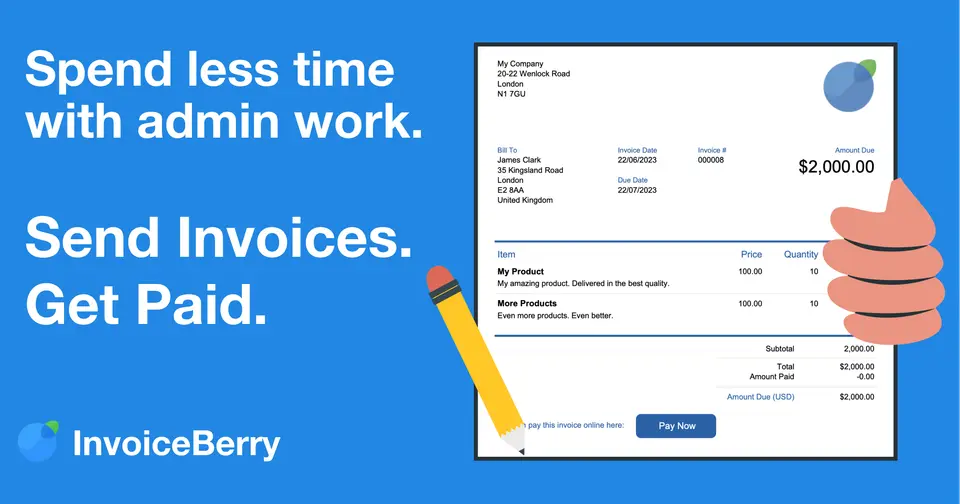
InvoiceBerry is a browser-based invoicing app from a London company. It makes branded invoices and quotes, takes payments on invoices, tracks expenses and runs recurring invoices. Three plans allow unlimited invoices and differ by client count, number of users and SMS delivery.
Worth knowing
- The Solo plan is capped at 35 clients; unlimited clients start at the $30 Pro plan.
- Sending invoices as SMS is only on the $45 Ultra plan.
- The pricing page does not say whether annual billing is available or whether the monthly prices exclude tax.
- The pages read list no mobile apps, so it is recorded as a browser app.
Key features
- Invoices and credit notes
- Branded invoices and credit notes with your logo and colors, multiple languages, 15 templates and optional taxes.
- Quotes
- Create and send quotes by email or post, then convert an agreed quote into an invoice with one click.
- Recurring invoices
- Schedule an invoice to be sent at a fixed date so a regular client is set up once.
- Payments on invoices
- Record payments, deposits and installments against an invoice, and accept customer payments directly on it.
- Expenses and reports
- Keep track of expenses, with a dashboard and reports for the account.
- Multiple users
- Two, five or twenty-five users depending on the plan, for a team that shares invoicing.
InvoiceBerry pricing
As of Nov 13, 2026, InvoiceBerry is a paid product with a free trial, starting at $15 per month for up to 35 clients and 2 users.
- Starts at
- $15 per month for up to 35 clients and 2 users
- Free plan
- None
- Free trial
- 14-day free trial, no card required
| Plan | Price | What you get |
|---|---|---|
| Solo | $15per month for up to 35 clients and 2 users | Unlimited invoices for up to 35 clients and 2 users. |
| Pro | $30per month for 5 users | Unlimited invoices, unlimited clients and 5 users. |
| Ultra | $45per month for 25 users | Unlimited invoices and clients, 25 users, and invoices that can be sent as SMS. |
Read from invoiceberry.com on Nov 13, 2026. Prices change, so confirm with InvoiceBerry before you buy.
Works with
InvoiceBerry alternatives
- InvoiceBerry vs Invoice Simple
Free trial · from $6.99/mo
- InvoiceBerry vs Invoicely
Free plan · from $7.99/mo
- InvoiceBerry vs FreeAgent
Free trial · from $27/mo
- InvoiceBerry vs Billdu
Free trial · from $4.99/mo





Common questions
Does InvoiceBerry have an Android app?
No Android app was listed when its pages were read on Nov 13, 2026. InvoiceBerry is listed for Web.
Does InvoiceBerry have an iPhone app?
No iPhone app was listed when its pages were read on Nov 13, 2026. InvoiceBerry is listed for Web.
Is InvoiceBerry open source?
InvoiceBerry is not described as open source on its own site, as read on Nov 13, 2026.
Sources for this page
The prices, plans, platforms and features above were read from these pages on Nov 13, 2026.