
Spinach AI review (2026): is the free plan enough?
AI meeting notetaker with per-seat or pay-per-hour pricing
Black Friday: is there a Spinach AI sale?
Spinach AI report card
Fair · out of 4.0 · graded Oct 10, 2026
Best for turning action items into tickets
Spinach sends a notetaker into Zoom, Meet, Teams and Webex calls and turns action items into Jira or Linear tickets and CRM updates. It costs real money for anyone in meetings all week: Business is $19 a user a month on the yearly plan, and pay-by-the-hour Pro passes $10 after three and a half hours of calls. Free recordings vanish after 7 days, meetings over 3 hours get no summary, and there's no phone or desktop app.
Who Spinach AI is for
- Fits if your company would rather pay by the meeting hour, at $2.90, than per seat
- Works for product or engineering teams that want action items filed as Jira or Linear tickets
Who Spinach AI is not for
- Pricey if you're one person in meetings all week, at $19 a month on the yearly plan, $29 monthly, or $2.90 an hour
- Tight if you stay on Starter: recordings last 7 days, summaries are basic, meetings have an unstated cap and there are no CRM or ticket links
- Skip it if you want notes on your phone or desktop, as it's a bot in the call and a browser dashboard
- Watch out: meetings over 3 hours get no summary, and Pro won't take a Gmail or other public address
- Not for you if you need SSO, SCIM or the API on a small team, since Enterprise has a 50-seat minimum
Why Spinach AI gets a 2.2
Five grades, each with its reason. The GPA is their average: an A is 4 points, an F is none.
- DValue for moneyBusiness is $19 a user a month on the yearly plan, $29 monthly, which is the priciest tenth of this category. The other way is Pro at $2.90 per meeting hour with unlimited users, and a quiet month costs nothing — but you pass the category's usual $10 after three and a half hours of calls.
- CFree plan and trialStarter is free with recordings, transcripts and basic summaries in 100+ languages. But recordings vanish after 7 days, the help docs say meetings a month are capped without saying by how much, and the good summaries are paid. New accounts get 14 days of the paid features, no card.
- BFeaturesIt covers the whole job. A notetaker joins Zoom, Meet, Teams and Webex, Quick Record handles a chat in a room, and the summary with action items lands minutes later. Those items then become Jira or Linear tickets and update HubSpot or Salesforce. One gap the listing owns: meetings over 3 hours get no summary.
- CEase of useNo rating on record, so we go on the listing: a Google or Microsoft calendar to connect before anything happens, a browser dashboard to live in, and the ticket and CRM hook-ups to wire up if you want action items filed. Pro also wants a work email domain, so no Gmail.
- BPlatforms and integrationsA bot in the call and a dashboard in the browser — no phone or desktop app is listed. What it does have is a long list of hook-ups: Slack, Jira, Linear, Asana, HubSpot, Salesforce, Notion and Confluence, plus MCP connectors. The API needs Enterprise, which has a 50-seat minimum.
What these grades rest on. Graded from this listing, whose facts were read from Spinach's own pages on 5 October 2026. Also tested with a demo account on 2026-06-14. How we review and grade.
Make Spinach AI? Put this grade on your site

Paste this where you want the badge. It links here and follows the grade if it changes. About badges
<a href="https://toolgpa.com/tools/spinach-ai#review"><img src="https://toolgpa.com/badge/spinach-ai.svg" alt="Spinach AI: 2.2 GPA on ToolGPA" width="196" height="56"></a>Where Spinach AI stands among AI meeting note takers
Spinach AI's GPA of 2.2 is higher than 20 of the 89 other AI meeting note takers we grade, and level with 27.
It stands best on features (B, above 47 of 89) and worst on value for money (D, above 1).
Its paid plans start at $19 a month for each person, against a middle price of $12 for the category: 55 of the 76 others that charge start lower.
On features, ease of use and platforms it scores 2.7 out of 4. 25 tools score higher and cost less.
Each grade against the category
Every bar is all 90 AI meeting note takers we grade, cut by the letter each got. Spinach AI’s own letter is outlined.
- DValue for moneyAbove 1 of 89, level with 19
- CFree plan and trialAbove 19 of 89, level with 59
- BFeaturesAbove 47 of 89, level with 34
- CEase of useAbove 1 of 89, level with 54
- BPlatforms and integrationsAbove 16 of 89, level with 50
Price against what you get
Each dot is one of 77 AI meeting note takers. Further left costs less, and higher up scores better on features, ease of use and platforms. Point at a dot to see which tool it is.
Features, ease of use and platforms, averaged
What paid plans start at, a month (each step along is roughly double) →
- The best score at each price
- Has a free plan
- No free plan
Keep Spinach AI, or make your own?
Keep it
To replace Spinach AI you would be making a bot that joins your calls and turns the talk into notes. That is not a weekend's work, with an AI app builder or without one.
That makes this kind of software worth paying for, not this one in particular: 42 of the 89 other AI meeting note takers grade higher. It costs $228 a year.
What you could make
- Templates: an app builder makes this well.
What you could not
- A bot that joins your calls and turns the talk into notes.
- Speech turned into text you can trust.
- An AI model, which you rent by the request and build your app around.
- It is priced for each person, which means accounts and billing for a team.
- It plugs into other products, Slack, Jira and Linear among them.
- The depth: we grade its features B, which means it covers the whole job.
What this rests on. Spinach AI’s listing: what it does, where it runs, what it plugs into and what it costs. It is a judgement about the kind of software this is. We have not built a replacement for it, and making your own means looking after it too. How we decide, and every tool’s verdict.
What is Spinach AI?
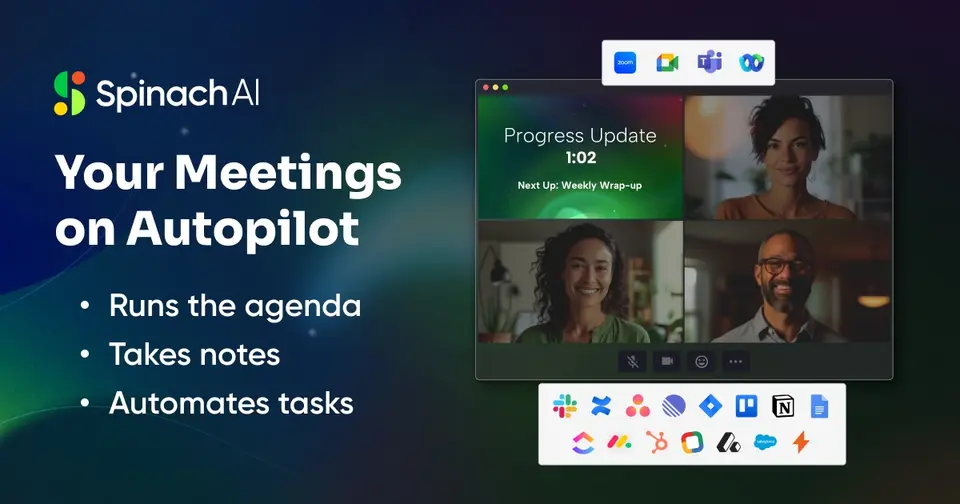
Spinach sends a notetaker into Zoom, Google Meet, Microsoft Teams and Webex calls to record, transcribe and summarize them in more than 100 languages. Paid plans add an AI chat over past meetings and integrations that create tickets and update CRMs from action items. Alongside a per-user plan, it sells a company-wide plan billed by the meeting hour with unlimited users.
Worth knowing
- Starter keeps recordings for only 7 days, has basic summaries and lacks the CRM, ticketing and knowledge-base integrations.
- The Pro plan requires a work email domain; public addresses such as Gmail are not eligible.
- Meetings longer than 3 hours do not receive a summary, according to Spinach's FAQ.
- Spinach runs as a bot in the call plus a browser dashboard. SSO, SCIM and the API need Enterprise, which has a 50-seat minimum.
Key features
- Notetaker for video calls
- Spinach joins Zoom, Google Meet, Microsoft Teams and Webex meetings from a connected Google or Microsoft calendar and records them. Slack Huddles support is in beta.
- Summaries and templates
- Sends a summary with action items and decisions a few minutes after the meeting, using meeting templates. Starter gets basic summaries; paid plans get advanced ones.
- Ask Spinach
- An AI chat that answers questions from meeting data. It is limited on Starter and included in full on Pro, Business and Enterprise.
- Tickets and CRM updates
- Paid plans connect to Jira, Linear, Asana, ClickUp, Trello and Monday for tickets, to HubSpot, Salesforce, Attio and Zoho, and to Confluence, Google Docs and Notion.
- Pay-as-you-go Pro plan
- Pro charges $2.90 per meeting hour for an unlimited number of users, billed on actual usage. A month with no meetings costs nothing.
- Quick Record and uploads
- Quick Record captures in-person conversations from the browser, and existing recordings can be uploaded for a summary on paid plans.
Spinach AI pricing
As of Oct 5, 2026, Spinach AI has a free plan, and paid plans start at $2.90 per meeting hour (Pro), or $19 per user / month billed annually (Business).
- Starts at
- $2.90 per meeting hour (Pro), or $19 per user / month billed annually (Business)
- Free plan
- Starter plan: recordings, transcripts and basic AI summaries with calendar and Slack integration. Recordings are kept 7 days, and help docs say meetings per month are limited.
- Free trial
- 14-day free trial, no credit card required; the account reverts to the free plan afterward
| Plan | Price | What you get |
|---|---|---|
| Starter | $0 | Recordings, transcripts and basic AI summaries in 100+ languages, with calendar and Slack integration and 7-day recording retention. |
| Pro | $2.90per meeting hour, pay as you go, unlimited users | Company-wide account: advanced AI summaries, Ask Spinach, MCP connectors, CRM and task-tool integrations. Requires a work email domain. |
| Business | $19per user / month, billed annually ($29 billed monthly) | No seat minimum: unlimited meetings, advanced AI summaries, Ask Spinach, MCP connectors, CRM and task-tool integrations, and custom branding. |
| Enterprise | Custom | 50-seat minimum: SAML SSO and SCIM, admin settings and reporting, API, custom data retention, compliance agents and a HIPAA BAA. |
Read from spinach.ai on Oct 5, 2026. Prices change, so confirm with Spinach AI before you buy.
Ways to pay less
- Annual discountSave $120 a year per user on annual billing
The pricing page shows a $120 yearly saving on the Business plan with annual billing: $19 per user a month instead of $29 on monthly billing.
Stated on spinach.ai
Works with
Jobs at StayIn
Any open roles at StayIn are on its own careers page. We can’t read a count from there, so have a look.
Applications go to StayIn, not to us.
Spinach AI alternatives
- Spinach AI vs Fireflies.ai
Free plan · from $10/mo
- Spinach AI vs Otter.ai
Free plan · from $8.33/mo
- Spinach AI vs Fathom
Free plan · from $15/mo
- Spinach AI vs Fellow
Free plan · from $7/mo
- Spinach AI vs tl;dv
Free plan · from $18/mo




Common questions
Does Spinach AI have an Android app?
No Android app was listed when its pages were read on Oct 5, 2026. Spinach AI is listed for Web.
Does Spinach AI have an iPhone app?
No iPhone app was listed when its pages were read on Oct 5, 2026. Spinach AI is listed for Web.
Is Spinach AI open source?
Spinach AI is not described as open source on its own site, as read on Oct 5, 2026.
Sources for this page
The prices, plans, platforms and features above were read from these pages on Oct 5, 2026.