
JotMe review (2026): is the free plan enough?
Live translation, transcription and notes for multilingual meetings
Black Friday: is there a JotMe sale?
JotMe report card
Fair · out of 4.0 · graded Nov 9, 2026
Best for live translation in multilingual meetings
JotMe puts translated captions on screen as people talk, in 200-plus languages, shares them by link or QR code and writes notes in each reader's language, with no bot in the call. Pro is $10 a month on the yearly plan. Everything is metered in minutes, Pro's 200 minutes of live translation a month run out fast, notes go nowhere below Enterprise, and subscriptions aren't refunded.
Who JotMe is for
- Fits if your meetings mix languages and people need captions in their own
- Works for events or webinars where the audience follows along by QR code
Who JotMe is not for
- Skip it if all your meetings are in one language, because translation is the point of this one
- Tight if you translate a lot: 200 minutes a month on Pro and 500 on Premium, and Pro keeps only your last 20 recordings
- Pricey if you pay monthly, at $20 for Pro against $10 a month on the yearly plan
- Not for you if you might want a refund, as subscriptions aren't refunded and yearly plans are charged in one payment
- Too light for teams that want notes sent to Google Docs, email or Slack, which come only with Enterprise through sales
Why JotMe gets a 2.4
Five grades, each with its reason. The GPA is their average: an A is 4 points, an F is none.
- CValue for moneyPro is $10 a user a month on the yearly plan, exactly the middle of this category, and $20 if you pay monthly. It's metered either way: 200 minutes of live translation and 500 of transcription a month, with a one-time $50 buying 500 more for a month.
- CFree plan and trialTwenty minutes of live translation and 50 of transcription a month, 5 AI credits, and only your last 5 recordings stay open. That's enough to watch it work in one short call.
- CFeaturesThe translation half: captions translated as people talk, 200-plus languages, shared by link or QR code, notes in each reader's language, no bot in the call. After the meeting it thins out: the Google Docs, email and Slack hook-ups are Enterprise only, so a note has nowhere to go.
- BEase of useNo rating on record, but nothing to set up: the desktop app listens to your computer's audio, so nobody else installs anything and there's no bot to let in.
- BPlatforms and integrationsWeb, Mac, Windows, iPhone, Android and a Chrome extension for Google Meet, and it hears Zoom, Teams and Webex because it listens to the computer. What it connects to is thin, though: Google Docs, email and Slack come with Enterprise, arranged through sales.
What these grades rest on. Graded from this listing, whose facts were read from JotMe's own pages on 9 November 2026. Not based on using the product, and shorter than our full reviews. How we review and grade.
Make JotMe? Put this grade on your site

Paste this where you want the badge. It links here and follows the grade if it changes. About badges
<a href="https://toolgpa.com/tools/jotme#review"><img src="https://toolgpa.com/badge/jotme.svg" alt="JotMe: 2.4 GPA on ToolGPA" width="196" height="56"></a>Where JotMe stands among AI meeting note takers
JotMe's GPA of 2.4 is higher than 48 of the 89 other AI meeting note takers we grade, and level with 11.
It stands best on ease of use (B, above 56 of 89) and worst on features (C, above 1).
Its paid plans start at $10 a month for each person, against a middle price of $12 for the category: 28 of the 76 others that charge start lower.
On features, ease of use and platforms it scores 2.7 out of 4. 14 tools score higher and cost less.
Each grade against the category
Every bar is all 90 AI meeting note takers we grade, cut by the letter each got. JotMe’s own letter is outlined.
- CValue for moneyAbove 21 of 89, level with 57
- CFree plan and trialAbove 19 of 89, level with 59
- CFeaturesAbove 1 of 89, level with 45
- BEase of useAbove 56 of 89, level with 24
- BPlatforms and integrationsAbove 16 of 89, level with 50
Price against what you get
Each dot is one of 77 AI meeting note takers. Further left costs less, and higher up scores better on features, ease of use and platforms. Point at a dot to see which tool it is.
Features, ease of use and platforms, averaged
What paid plans start at, a month (each step along is roughly double) →
- The best score at each price
- Has a free plan
- No free plan
Keep JotMe, or make your own?
Keep it
To replace JotMe you would be making a bot that joins your calls and turns the talk into notes. That is not a weekend's work, with an AI app builder or without one.
It costs $120 a year.
What you could not
- A bot that joins your calls and turns the talk into notes.
- Speech turned into text you can trust.
- An AI model, which you rent by the request and build your app around.
- Apps for macOS, Windows, iOS and Android that stay in step with each other.
- It is priced for each person, which means accounts and billing for a team.
- It plugs into other products, Zoom, Google Meet and Microsoft Teams among them.
What this rests on. JotMe’s listing: what it does, where it runs, what it plugs into and what it costs. It is a judgement about the kind of software this is. We have not built a replacement for it, and making your own means looking after it too. How we decide, and every tool’s verdict.
What is JotMe?
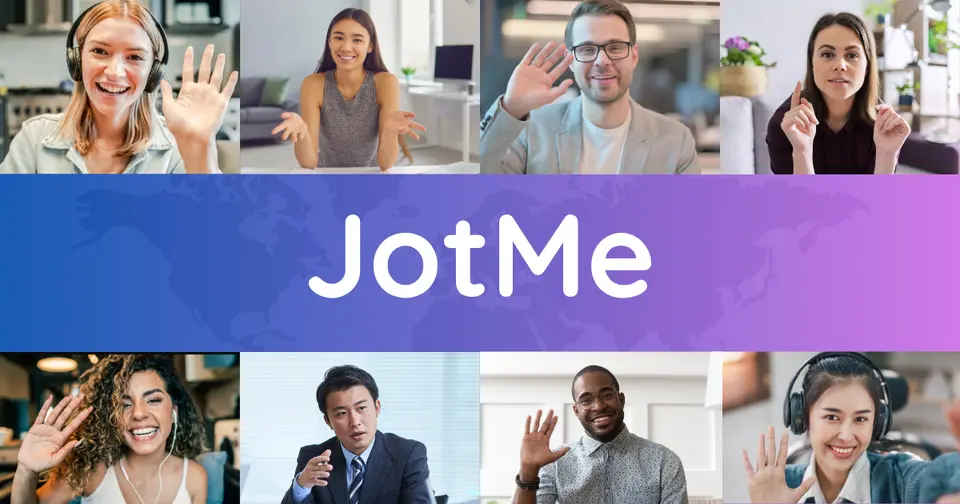
JotMe adds live translated captions, transcription and AI meeting notes to meetings and events, with more than 200 languages offered as translation targets. Its desktop apps listen to the computer's audio, so they work with Zoom, Google Meet, Teams, Webex or an in-person conversation without a bot joining the call. Translations can be shared with other people by link or QR code, and an assistant answers questions about a meeting in the user's own language.
Worth knowing
- The Free plan allows 20 minutes of live translation and 50 minutes of transcription a month and keeps only the last 5 recordings accessible.
- Paid plans meter live translation too: 200 minutes a month on Pro and 500 on Premium. A one-time $50 purchase adds 500 minutes for one month.
- The Chrome extension is for Google Meet; other platforms are covered by the desktop and mobile apps.
- Subscriptions are non-refundable once purchased, and annual plans are charged as a single payment for the year.
Key features
- Live translated captions
- Speech is translated into captions while people talk, with background AI agents refining meaning as the conversation develops. Fast mode currently offers 13 target languages; other modes offer 200+.
- No bot in the call
- The Mac and Windows apps capture audio on the computer, so nothing joins the meeting and other participants install nothing. It works with any meeting platform or in person.
- Shared live translation
- A host can share the running translation by URL or QR code, or show it as subtitles on camera, so teammates, clients or an audience follow in their own language.
- Speaker-labeled transcription
- Transcripts carry speaker labels and can cover several spoken languages at once. Audio and video files can be uploaded for the same transcript, translation and notes.
- AI meeting notes and summaries
- After a meeting the transcript, notes, summary, decisions and action items are saved to the dashboard, and notes can be generated in each reader's language.
- Ask JotMe
- Questions asked during or after a meeting are answered in the user's own language from what was said. Each use draws on the plan's monthly AI credits.
JotMe pricing
As of Nov 9, 2026, JotMe has a free plan, and paid plans start at $10 per user / month, billed annually ($120); $20 billed monthly.
- Starts at
- $10 per user / month, billed annually ($120); $20 billed monthly
- Free plan
- 20 minutes of live translation or real-time summary and 50 minutes of transcription a month, 5 AI credits, 5 custom terms and access to the last 5 meeting recordings.
- Free trial
- None listed
| Plan | Price | What you get |
|---|---|---|
| Free | $0 | 20 minutes of live translation or real-time summary and 50 minutes of transcription a month, 5 AI credits and the last 5 recordings. |
| Pro | $10per user / month, billed annually ($120); $20 billed monthly | 200 minutes of live translation and 500 minutes of desktop transcription a month, 20 AI credits, 20 custom terms and the last 20 recordings. |
| Premium | $15per user / month, billed annually ($180); $30 billed monthly | 500 minutes of live translation and 2,000 minutes of transcription a month, 50 AI credits, unlimited recordings and shared translation minutes. |
| Teams | $900per year for 5 users and 1,000 minutes, billed annually | From 2 users. The docs price it at $10 per user plus $100 per 1,000 pooled live translation minutes a month, halved on annual billing. The homepage now shows it as Custom. |
| Enterprise | Custom | For large organizations: more monthly usage, an admin dashboard and integrations with Google Docs, email and Slack, arranged with sales. |
Read from jotme.io on Nov 9, 2026. Prices change, so confirm with JotMe before you buy.
Ways to pay less
- Annual discount50% off with annual billing
Paid annually, Pro costs $120 a year ($10 a month) instead of $20 a month, and Premium $180 a year ($15 a month) instead of $30. Team plans are also 50% off on annual billing.
Stated on jotme.io
Works with
JotMe alternatives
- JotMe vs Tiro
Free trial · from $7/mo
- JotMe vs Notta
Free plan · from $8.17/mo
- JotMe vs Otter.ai
Free plan · from $8.33/mo
- JotMe vs Tactiq
Free plan · from $8/mo
- JotMe vs Transkriptor
Free trial · from $8.33/mo



Common questions
Does JotMe have a Linux app?
No Linux app was listed when its pages were read on Nov 9, 2026. JotMe is listed for Web, macOS, Windows, iOS and Android.
Is JotMe open source?
JotMe is not described as open source on its own site, as read on Nov 9, 2026.
Sources for this page
The prices, plans, platforms and features above were read from these pages on Nov 9, 2026.