
Wave AI review (2026): is the free plan enough?
AI note taker and recorder for meetings, calls and lectures
Black Friday: is there a Wave AI sale?
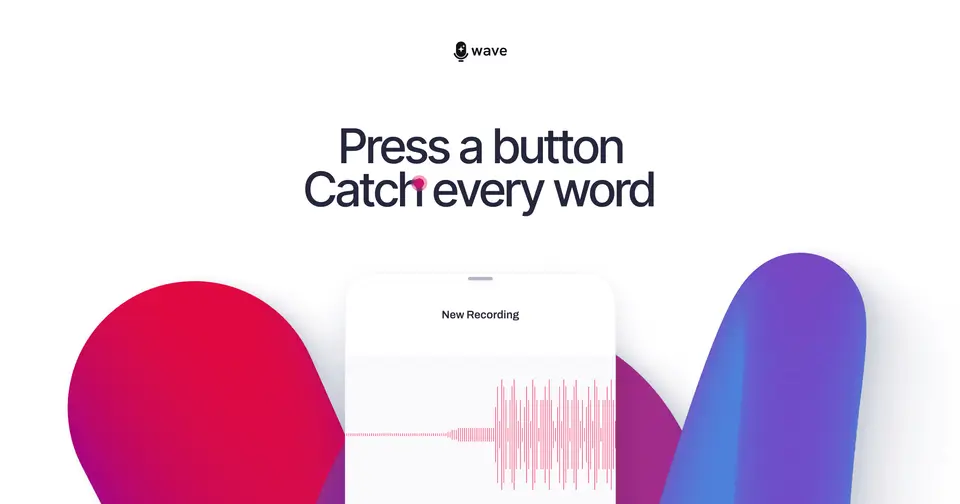
Wave AI review
Very good · out of 4.0 · graded Oct 10, 2026
Best for recording in-person chats and phone calls
Wave AI records and summarizes conversations from your phone, watch or laptop, including both sides of a phone call. The free plan is 30 minutes a month across everything, Pro is $80 a year on the web but $100 through the app stores or $15 paid monthly, and recent reviews report exports losing formatting and recordings that don't process. If you need more than one short meeting a month for free, look elsewhere.
Who Wave AI is for
- Fits if most of your meetings happen in person, with a phone on the table or a watch on your wrist
- Works for writing up phone calls, since it records both sides from your own number
Who Wave AI is not for
- Skip it if you want to pay nothing: 30 minutes a month is one short meeting, and imports, calls and bot meetings use it too
- Pricey if you pay monthly or in the app: $15 a month, or $100 a year through Apple or Google against $80 on the web
- Tight if there are fewer than five of you and you want one bill: Teams needs 5 seats, and $7.50 only applies from 20
- Watch out: browser recording is mic-only and stops at 3 hours, and offline recordings wait for a connection to transcribe
- Watch out: recent reviews report lost export formatting, recordings that don't process and no playback speed control
Why Wave AI gets a 3.4
Five grades, each with its reason. The GPA is their average: an A is 4 points, an F is none.
- BValue for moneyPro is $80 a year on the web, or $6.67 a month, for unlimited recording, transcripts and summaries on every device. That's a little under where meeting notetakers usually start, and the same year costs $100 bought through the app stores.
- CFree plan and trial30 minutes a month, and recordings, imports, phone calls and bot meetings all come out of the one pool. That's a single short meeting, so it's a cap you'll hit on day one. Earlier recordings stay, and unused minutes don't roll over.
- AFeaturesRecording from a phone, a watch, a browser or a desktop app, with a bot or without one, speaker names in 76 languages, your own summary templates and a chat across every recording. It also records phone calls, both sides, from your own number.
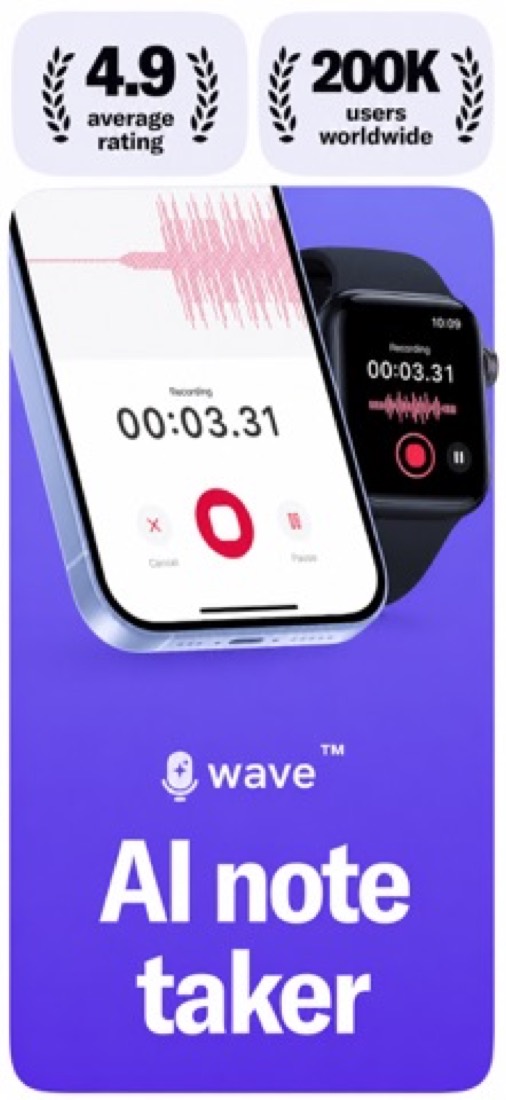
- AEase of use4.9 from about 12,100 App Store ratings. You press one red button and talk, and it keeps recording with the screen locked.
- APlatforms and integrationsiPhone, Android, Mac, Windows, Linux (in beta), the web, a Chrome extension, Apple Watch and Wear OS. It sends notes to Notion, Google Docs and OneNote, and there's an API, Zapier and a connector for Claude and ChatGPT.
The good
So what makes Wave different from the note-takers that sit in your Zoom call? It goes where you go.
Most people use it on their phone, going by Wave's own help page. Put it on the table at a client lunch, press the red button, and you get a transcript and a summary afterwards. It keeps recording with the screen locked. There are Apple Watch and Wear OS apps too.
Phone calls work as well. Dial from Wave's keypad and both sides get recorded and written up. The other person sees your normal number.
For online meetings you get a choice. Send a bot into Zoom, Meet or Teams, or run the desktop app, which listens to your computer's sound so nobody sees a bot join.
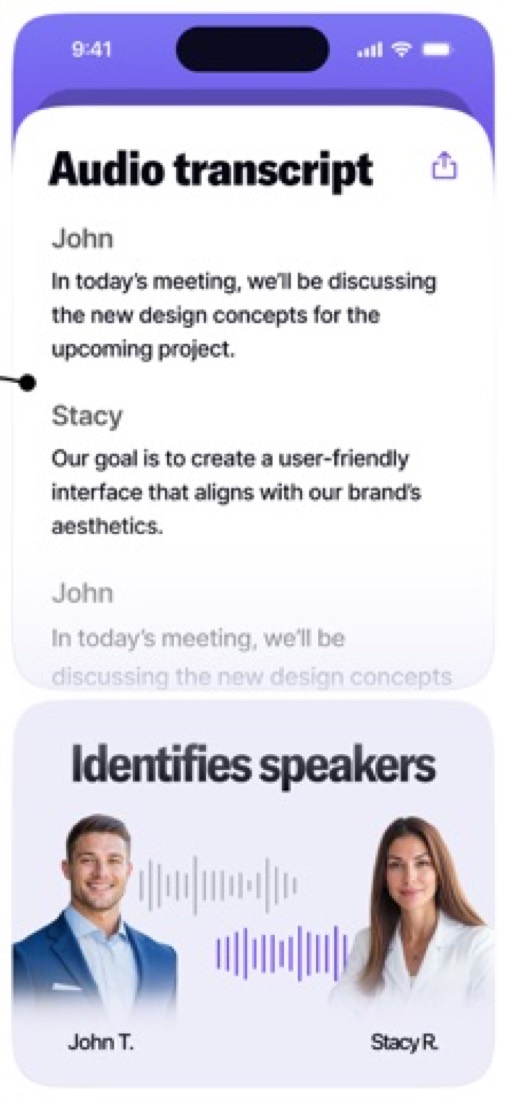
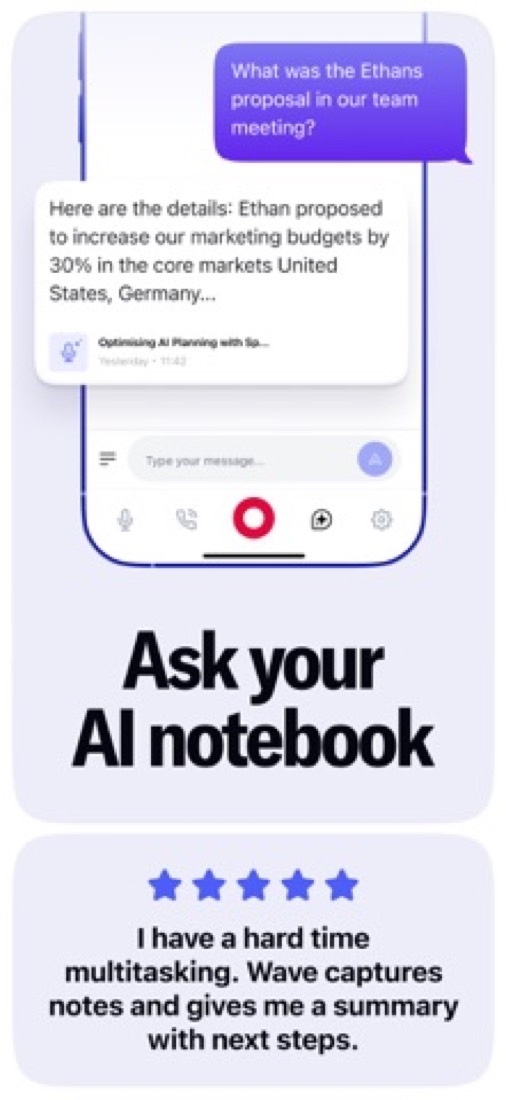
You can ask it things, like "what did we agree on the price?", and it goes through your recordings. Name a speaker once and Voice ID labels them in later recordings.
The stuff that'll bug you
The free plan is tiny. 30 minutes a month, and it's one pool: a recording, an imported file, a phone call and a bot meeting all eat into it. One half-hour catch-up and you're done until the 1st. Unused minutes don't roll over.
Where you buy matters, which is odd. Pro is $80 a year on Wave's website and $100 through the App Store or Google Play. Same plan! Wave also says prices vary by country.
The browser version only records your mic and stops at 3 hours. Record offline and nothing gets transcribed until you're back online. The Linux app is still in beta.
Some App Store reviews from the last year are about rough edges. One long-time daily user says exports to OneNote lost their formatting and some recordings stopped processing. Another couldn't get the app to stop recording after an update. A third wants proper playback, with speed control and an easy way to skip back.
Names go wrong now and then, too. Check who said what before you pass a summary on.
And telling people you're recording is your job. The desktop app doesn't announce itself, and Wave's help pages say following the law on that is down to you.
Money
Try the free plan first. 30 minutes is enough for one real conversation, and that'll tell you if the summaries are any use to you.
Pro is the only paid plan for one person. On the web it's $80 a year, which Wave shows as $6.67 a month, or $15 if you pay monthly. Recording, transcripts and summaries are all unlimited.
Buy it on the website. The same year costs $100 through the App Store or Google Play.
There's one reason to pay Apple anyway. An App Store subscription covers everyone in your Family Sharing group, each with their own private account.
Teams is for five or more. It's $8.33 a user a month for 5 to 9 seats, $8 for 10 to 19 and $7.50 from 20, all billed yearly. You get what's in Pro plus one bill and an admin dashboard.
The pricing page offers a free trial of Pro but doesn't say how long it lasts. And Wave says prices vary by country, so yours may not match ours.
What actual users say
Wave has 4.9 on the App Store from about 12,100 ratings. More than nine in ten are five stars.
Who's writing those? People who can't listen and write at the same time. One reviewer has ADHD and a job that's mostly taking notes, and says it saved their job. A tech lead says it caught two long design sessions better than the junior colleagues who used to take the notes.
It isn't only for work. Reviewers record violin lessons, rehearsals, doctor's appointments and sermons. One talks a journal into it every night.
Another works with an offshore team and says it follows accents they struggle with themselves.
The newer reviews are more mixed. The three-star ones from 2026 come from long-time users who've hit bugs: exports that lost their formatting, recordings that didn't process, trouble when the phone hops between Wi-Fi and mobile data.
Hacker News hasn't picked it up. We found one comment in two years, from someone asking a rival's maker why they should switch from Wave.
What this review rests on. Based on Wave's home, pricing, about, updates and Teams pages and five help centre articles as of 9 October 2026, its App Store reviews and the one Hacker News comment about it. Also tested with a demo account on 2026-02-18. How we review and grade.
Make Wave AI? Put this grade on your site

Paste this where you want the badge. It links here and follows the grade if it changes. About badges
<a href="https://toolgpa.com/tools/wave-ai#review"><img src="https://toolgpa.com/badge/wave-ai.svg" alt="Wave AI: 3.4 GPA on ToolGPA" width="196" height="56"></a>Where Wave AI stands among AI meeting note takers
Wave AI's GPA of 3.4 is higher than 88 of the 89 other AI meeting note takers we grade, and level with 1.
It stands best on features (A, above 82 of 89) and worst on free plan and trial (C, above 19).
Its paid plans start at $6.67 a month, against a middle price of $12 for the category: 2 of the 76 others that charge start lower.
On features, ease of use and platforms it scores 4.0 out of 4. Nothing scores higher for less, though at least one tool matches that score at a lower price.
Each grade against the category
Every bar is all 90 AI meeting note takers we grade, cut by the letter each got. Wave AI’s own letter is outlined.
- BValue for moneyAbove 79 of 89, level with 10
- CFree plan and trialAbove 19 of 89, level with 59
- AFeaturesAbove 82 of 89, level with 7
- AEase of useAbove 81 of 89, level with 8
- APlatforms and integrationsAbove 67 of 89, level with 22
Price against what you get
Each dot is one of 77 AI meeting note takers. Further left costs less, and higher up scores better on features, ease of use and platforms. Point at a dot to see which tool it is.
Features, ease of use and platforms, averaged
What paid plans start at, a month (each step along is roughly double) →
- The best score at each price
- Has a free plan
- No free plan
Keep Wave AI, or make your own?
Keep it
To replace Wave AI you would be making a bot that joins your calls and turns the talk into notes. That is not a weekend's work, with an AI app builder or without one.
It is one of the better ones too: its GPA of 3.4 is higher than 88 of the 89 other AI meeting note takers we grade. It costs $80.04 a year.
What you could make
- Templates: an app builder makes this well.
What you could not
- A bot that joins your calls and turns the talk into notes.
- Speech turned into text you can trust.
- An AI model, which you rent by the request and build your app around.
- Apps for macOS, Windows, Linux, iOS and Android that stay in step with each other.
- It plugs into other products, Zoom, Google Meet and Microsoft Teams among them, and has an API.
- Hooks into the device itself: an Apple Watch app and a Wear OS app.
- The depth: we grade its features A, which means it covers the whole job.
What this rests on. Wave AI’s listing: what it does, where it runs, what it plugs into and what it costs. It is a judgement about the kind of software this is. We have not built a replacement for it, and making your own means looking after it too. How we decide, and every tool’s verdict.
What is Wave AI?
Wave AI records, transcribes and summarizes meetings, phone calls, lectures and in-person conversations across phones, watches, computers and the browser. Online meetings are captured either by a bot that joins Zoom, Google Meet or Teams calls or by a desktop app that records system audio without one. Summaries follow built-in or custom templates, and an assistant searches and answers questions across the whole recording history.
Worth knowing
- The Free plan is a pool of 30 minutes a month, and imported files, phone calls and bot-recorded meetings all count toward it.
- Prices depend on where you buy: Pro is $80 a year on the web but $100 through the App Store or Google Play, and the vendor says prices vary by country.
- Teams needs at least 5 seats, and the $7.50 rate applies only from 20 seats; smaller teams pay $8 to $8.33 per user a month.
- Browser recording is microphone-only and capped at 3 hours a session, and offline recordings are transcribed only once the device is back online.
Key features
- Recording on every device
- Record from a phone, an Apple Watch or Wear OS watch, the desktop app, a browser or the Chrome extension. Phone recording continues in the background and with the screen locked.
- Meeting bot or bot-free capture
- A bot can join Zoom, Google Meet and Teams calls from a connected calendar or a pasted link. The desktop app instead records the microphone and system audio with no bot in the call.
- Phone call recording
- Calls dialed from Wave's keypad, or bridged in while already in progress, are recorded on both sides, transcribed and summarized, with your own number shown as caller ID.
- Transcripts and custom summaries
- Transcripts carry speaker labels in 76 languages, and Voice ID remembers a named speaker for later recordings. Summaries use built-in templates or ones you save yourself.
- Wave Assistant
- The assistant searches and chats across the whole recording history, answering questions such as what was decided in a series of meetings from the relevant sessions.
- Sharing, exports and API
- Sessions export to Notion, Google Docs, OneNote, Evernote, PDF or DOCX, or go out as a public link. A developer API, an MCP server for Claude and ChatGPT, and Zapier are available.
Wave AI pricing
As of Oct 10, 2026, Wave AI has a free plan, and paid plans start at $6.67 per month, billed annually ($80 per year); $15 billed monthly.
- Starts at
- $6.67 per month, billed annually ($80 per year); $15 billed monthly
- Free plan
- 30 minutes of audio per calendar month across recordings, imports, phone calls and bot meetings, with AI transcription and summaries. Unused minutes do not roll over.
- Free trial
- Free trial of Pro offered on the pricing page; its length is not stated
| Plan | Price | What you get |
|---|---|---|
| Free | $0 | 30 minutes of recording a month with AI transcription and summaries, on iOS, Android and the web. Earlier recordings stay in the library. |
| Pro | $6.67per month, billed annually ($80); $15 billed monthly | Unlimited recording, transcription, summaries and action items on every device, with exports to PDF, OneNote and email. $100 a year if bought in the app stores. |
| Teams | $7.50per user / month, billed annually ($90), at 20+ seats | 5-seat minimum: $8.33 per user a month for 5 to 9 seats and $8 for 10 to 19. Everything in Pro, plus centralized billing and an admin dashboard. |
Read from wave.co on Oct 10, 2026. Prices change, so confirm with Wave AI before you buy.
1 price change on recordWhat the app costs in other countries
Ways to pay less
- Annual discount$80 a year instead of $15 a month
On the web, Pro costs $80 billed annually, which the pricing page shows as $6.67 a month, against $15 a month on monthly billing.
Stated on wave.co - Other savings20% less on the web than in app stores
The pricing page lists annual Pro at $80 on the web and $100 through the App Store or Google Play, and labels the web price 20% less.
Stated on wave.co - Other savingsFamily Sharing on App Store subscriptions
A Wave Pro subscription bought through the App Store extends to everyone in an Apple Family Sharing group at no extra cost, each with a private account.
Stated on help.wave.co
How people rate the Wave AI app
4.9
out of 5 for the iPhone and iPad app
- 5 stars92%
- 4 stars5%
- 3 stars2%
- 2 stars<1%
- 1 star1%
12,112 ratings on the App Store in the United States, read Oct 6, 2026. It rates the app, not everything the product does. See the listing
Works with
Who makes Wave AI
Mohrer Associates LLC makes Wave, an AI note taker that records, transcribes and summarises meetings and calls on phones, watches, desktop and the web. It earns from paid personal subscriptions and a Wave Teams plan on top of a free tier.
- Based
- New York, NYwave.co
- Team
- "A small team in New York", its About page says, without giving a number.wave.co
- Founders and leaders
- Josh Mohrer, Founderwave.co
- Referral program
- Anyone with a Wave account gets a referral link and earns 30% of a referred paid subscriber's revenue for 12 months, including renewals in that window, with a 90-day cookie window and no cap. Payouts run through Dub Partners in 100+ countries.wave.co
- Partner program
- The invite-only Creator Program offers sponsored placements at guaranteed CPM rates, tiered bonuses for views, bonuses per converted subscriber, and a free Wave Pro account while the creator is active. It stacks with the referral program.wave.co
- Lately
- Wave Is Now Native in Claude and ChatGPT · Aug 30, 2026
- Wave Comes to Wear OS: Record From Your Watch · Jul 21, 2026
- Just Ask Claude About Your Wave Meetings · Jul 15, 2026
- Get Paid to Recommend the Tool You Already Love · May 1, 2026
Read on Oct 18, 2026 from the company’s own pages and from news reports. What is not stated there is left out.
Wave AI alternatives
- Wave AI vs Otter.ai
Free plan · from $8.33/mo
- Wave AI vs Fireflies.ai
Free plan · from $10/mo
- Wave AI vs Fathom
Free plan · from $15/mo
- Wave AI vs Granola
Free plan · from $14/mo
- Wave AI vs TwinMind
Free plan · from $11.99/mo




Common questions
Is Wave AI open source?
Wave AI is not described as open source on its own site, as read on Oct 10, 2026.
Does Wave AI have an API?
Yes. Wave AI offers a public API, according to its own site.
Sources for this page
The prices, plans, platforms and features above were read from these pages on Oct 10, 2026. What people say is linked where it appears.