
In Your Face review (2026): is it worth $3.99 a month?
Full-screen meeting reminders for Mac, Windows, iPhone and iPad
Black Friday: is there a In Your Face sale?
In Your Face report card
Good · out of 4.0 · graded Oct 10, 2026
Best for meeting reminders you can't miss
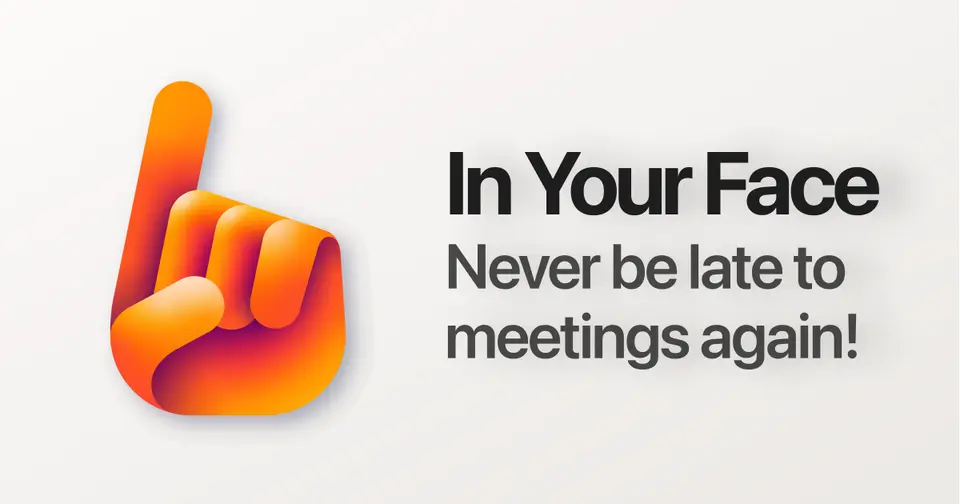
In Your Face covers your whole screen before each calendar event, with a button to join the call, on Mac, Windows, iPhone and iPad. That's all it does, and there's no free plan: once the trial's alerts are used up it shows none until you pay $24.99 a year or $3.99 a month. It can't read Outlook, Fantastical or BusyCal calendars, there's no Android or web version, and the iPhone app needs iOS 26.
Who In Your Face is for
- Fits if banner notifications slide past you and meetings start without you
- Works for people on video calls all day who want to join straight from the reminder
Who In Your Face is not for
- Skip it if you want something free, as alerts stop once the trial's are used up
- Not for you if your calendars live in Outlook, Fantastical or BusyCal, which it can't read
- Pricey if you want the one-time license: $69 for the desktop version only, and major new versions cost extra
- Skip it if you're on Android or want a web version, and note the iPhone app needs iOS 26 or later
- Watch out: on Mac, website license keys only work with the direct download, not the App Store version
Why In Your Face gets a 2.8
Five grades, each with its reason. The GPA is their average: an A is 4 points, an F is none.
- AValue for money$24.99 a year works out at $2.08 a month, under 60% of this category's lowest quarter, and one subscription covers Mac, Windows, iPhone and iPad. Paying monthly at $3.99 or taking the $69 one-time license are the dearer routes.
- CFree plan and trialNo free plan. The trial hands you a limited number of alerts rather than a number of days, and when they're gone the app shows none at all until you pay. The listing doesn't say whether a card is needed to start.
- CFeaturesOne job: full-screen alerts, a join button for 60-plus video services, calendar filters, per-event overrides, a pause while you share your screen. It's a small slice of what a calendar does, and it can't read calendars held in Outlook, Fantastical or BusyCal.
- BEase of useNo rating on record, but there's nothing much to set up: install it, point it at your calendars, and it shouts a minute before each event by default.
- BPlatforms and integrationsMac, Windows, iPhone and iPad, with alerts on an Apple Watch, connecting straight to Google and Microsoft accounts. No Android and no web version, and the iPhone app needs iOS 26 or later.
What these grades rest on. Graded from this listing, whose facts were read from In Your Face's own pages on 9 October 2026. Also tested with a demo account on 2026-04-05. How we review and grade.
Make In Your Face? Put this grade on your site

Paste this where you want the badge. It links here and follows the grade if it changes. About badges
<a href="https://toolgpa.com/tools/in-your-face#review"><img src="https://toolgpa.com/badge/in-your-face.svg" alt="In Your Face: 2.8 GPA on ToolGPA" width="196" height="56"></a>Where In Your Face stands among calendar and scheduling apps
In Your Face's GPA of 2.8 is higher than 78 of the 114 other calendar and scheduling apps we grade, and level with 16.
It stands best on value for money (A, above 79 of 114) and worst on features (C, above 6).
Its paid plans start at $2.08 a month when paid by the year, against a middle price of $8 for the category: 8 of the 85 others that charge start lower.
On features, ease of use and platforms it scores 2.7 out of 4. 3 tools score higher and cost less.
Each grade against the category
Every bar is all 115 calendar and scheduling apps we grade, cut by the letter each got. In Your Face’s own letter is outlined.
- AValue for moneyAbove 79 of 114, level with 35
- CFree plan and trialAbove 16 of 114, level with 50
- CFeaturesAbove 6 of 114, level with 71
- BEase of useAbove 68 of 114, level with 33
- BPlatforms and integrationsAbove 34 of 114, level with 75
Price against what you get
Each dot is one of 100 calendar and scheduling apps. Further left costs less, and higher up scores better on features, ease of use and platforms. Point at a dot to see which tool it is.
Features, ease of use and platforms, averaged
What paid plans start at, a month (each step along is roughly double) →
- The best score at each price
- Has a free plan
- No free plan
Keep In Your Face, or make your own?
You could make this
A calendar at its plainest is events on a grid.
What In Your Face does at its core is calendar, and that is the kind of thing an AI app builder makes well. You would give up 4 things, listed below, and little else. It costs $24.99 a year. An AI app builder starts at about $20 a month on our listings, and you only need it while you build.
What you could make
- Calendar: an app builder makes this well.
What you could not
- A native app living in the menu bar.
- Apps for macOS, Windows and iOS that stay in step with each other.
- It plugs into other products, Google Calendar, Microsoft 365 and Apple Calendar among them.
- Hooks into the device itself: an Apple Watch app and widgets.
What this rests on. In Your Face’s listing: what it does, where it runs, what it plugs into and what it costs. It is a judgement about the kind of software this is. We have not built a replacement for it, and making your own means looking after it too. How we decide, and every tool’s verdict.
What is In Your Face?
In Your Face is a meeting reminder app that covers the whole screen shortly before a calendar event, so the alert is hard to overlook. It reads the calendars already on your device or Google and Microsoft accounts you connect, detects video call links in events and lets you join from the alert. It runs on Mac, Windows, iPhone and iPad, with alerts on Apple Watch, and after a free trial it is sold as a monthly or yearly subscription or a one-time desktop license.
Worth knowing
- There is no free plan: once the trial's free alerts are used, the app shows no alerts until you subscribe or buy a license.
- On Mac, website license keys work only with the direct-download version; App Store versions use Apple's in-app purchases.
- It cannot read calendars held in Microsoft Outlook, Fantastical or BusyCal; Google and Microsoft accounts are connected directly instead.
- The site lists Mac, Windows, iPhone, iPad and Apple Watch only, and the iPhone and iPad app requires iOS 26 or later.
Key features
- Full-screen alerts
- An alert takes over the screen before each event, one minute ahead by default or at a time you set. Alerts can also adjust for travel time when the event includes it.
- Join calls from the alert
- The app detects video conference links in calendar events for more than 60 services, including Zoom, Teams and Meet, and opens the call from the alert or the event list.
- Calendar accounts and filters
- On Mac and Windows it connects directly to Google and Microsoft accounts; on Apple devices it also uses the calendars in Apple Calendar. Filters limit alerts to the calendars and events you choose.
- Custom reminders
- Set a reminder for something that has no calendar event, and get the same full-screen alert for time-critical Apple Reminders.
- Per-event settings, pausing and themes
- Override the default alert for an individual event, pause alerts while sharing your screen, pick alert sounds and change how alerts look with themes.
- Menu bar, widgets and Apple Watch
- The Mac app lives in the menu bar with upcoming events and has desktop widgets, the Windows app sits in the tray, and the iPhone app can send alerts to an Apple Watch.
In Your Face pricing
As of Oct 9, 2026, In Your Face is a paid product with a free trial, starting at $3.99 per month, or $24.99 per year.
- Starts at
- $3.99 per month, or $24.99 per year
- Free plan
- None
- Free trial
- Free trial with a limited number of alerts; when they are used up, the app stops showing alerts
| Plan | Price | What you get |
|---|---|---|
| Monthly Subscription | $3.99per month | Unlimited full-screen reminders across Mac, Windows, iPhone and iPad, bought on the website or in the App Store. |
| Yearly Subscription | $24.99per year | The same access billed once a year. The pricing page labels it the best value. |
| One-time License | $69one-time purchase | A perpetual license for the direct-download desktop version, including bug fixes and small feature updates. |
| Enterprise | Custom | Volume licensing, arranged by contacting the developer. |
Read from inyourface.app on Oct 9, 2026. Prices change, so confirm with In Your Face before you buy.
Ways to pay less
- Annual discountYearly subscription costs about 48% less
The pricing page lists $24.99 per year against $3.99 per month, which is $47.88 over twelve months. It labels the yearly subscription the best value.
Stated on inyourface.app - Lifetime license$69 one-time license
A perpetual license for the direct-download desktop version costs $69 once. The pricing FAQ says it includes bug fixes and small feature updates, with any major new version an optional paid upgrade.
Stated on inyourface.app
Works with
In Your Face alternatives
- In Your Face vs Dato
Free trial · from $18 one-time
- In Your Face vs Fantastical
Free plan · from $4.75/mo




Common questions
Does In Your Face have an Android app?
No Android app was listed when its pages were read on Oct 9, 2026. In Your Face is listed for macOS, Windows and iOS.
Does In Your Face have a Linux app?
No Linux app was listed when its pages were read on Oct 9, 2026. In Your Face is listed for macOS, Windows and iOS.
Is In Your Face open source?
In Your Face is not described as open source on its own site, as read on Oct 9, 2026.
Sources for this page
The prices, plans, platforms and features above were read from these pages on Oct 9, 2026.
- inyourface.app/pricing/
- inyourface.app/
- inyourface.app/mac/
- inyourface.app/windows/
- inyourface.app/ios/
- inyourface.app/press/
- inyourface.app/about/
- inyourface.app/imprint/
- inyourface.app/help/how_iyf_works.html
- inyourface.app/help/manage-activations.html
- inyourface.app/help/third_party_calendar_apps.html
- apps.apple.com/us/app/meeting-reminder-in-your-face/id1476964367