
Daybridge
One calendar for work and personal plans across accounts
What is Daybridge?
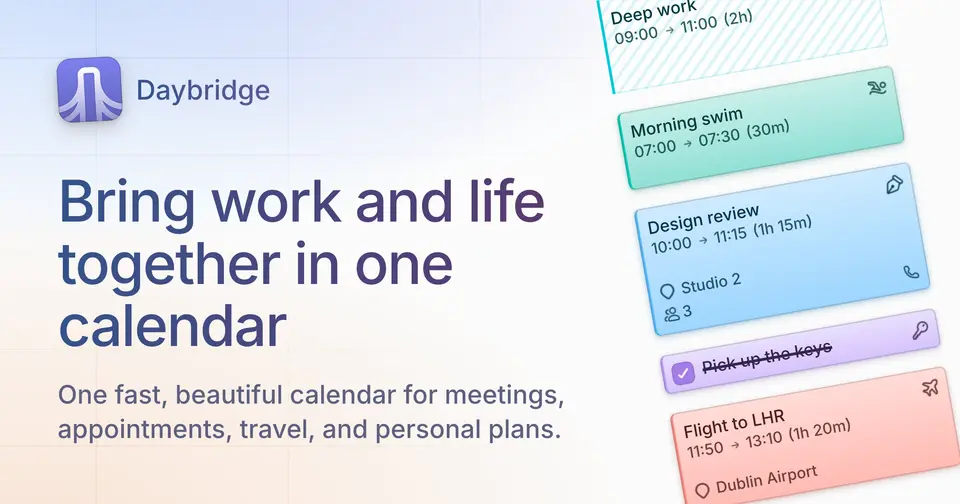
Daybridge is a calendar app from Daybridge Software Limited in London that puts work and personal calendars in one view. It syncs with Google, iCloud, Outlook and Fastmail, and can also serve as a calendar provider of its own, with shared calendars for trips and groups. Items are split into events, tasks, blocks and markers and grouped into Areas such as Work or Family. The iPhone and Android apps are free, while the web and Mac apps need a subscription.
Daybridge has a free plan. Paid plans start at $5.83 per month, billed annually at $69.99 ($6.99 billed monthly). See every plan
Good for
- People who keep work and personal events in several calendar accounts
- Frequent travelers who plan across time zones
- Keyboard users who want to add and find events without the mouse
Worth knowing
- The free plan runs only on iPhone and Android and cannot connect Google, iCloud, Outlook or Fastmail calendars.
- The web and Mac apps, Tabs, Quick Add and the command palette need the paid subscription.
- No Windows or Linux app is listed; on the desktop Daybridge runs in the browser or as a Mac app.
- Quick Add needs an internet connection, although the rest of the calendar works offline.
Key features
- Connects existing calendars
- Subscribers connect Google, iCloud, Outlook and Fastmail accounts. Their events appear in Daybridge, and changes made there sync back.
- Areas
- Every event belongs to an Area such as Work, Fitness or Family, so events from different accounts can be grouped and color-coded together.
- Events, tasks, blocks and markers
- Four kinds of item are drawn differently: events to attend, tasks placed at a time, blocks that reserve time, and markers that add context without taking time.
- Tabs
- Saved views for work, personal plans or a trip, each with its own Areas, calendars, layout and time zone. Tabs are part of the paid plan.
- Quick Add and command palette
- Quick Add turns a typed phrase into an event in seven languages, and a keyboard command palette creates events, jumps to dates, searches and switches tabs.
- Time zones and offline use
- Several time zones can sit side by side, and the app switches to local time when you travel. The calendar is stored on the device and can be edited offline.
Daybridge pricing
- Starts at
- $5.83 per month, billed annually at $69.99 ($6.99 billed monthly)
- Free plan
- Daybridge Free on iPhone and Android: Daybridge calendars, events, tasks, blocks, markers and Areas. No web or Mac access and no syncing with outside calendar accounts.
- Free trial
- 7 days free on monthly billing, 14 days free on annual; cancel any time
| Plan | Price | What you get |
|---|---|---|
| Daybridge Free | $0 | iPhone and Android apps only: Daybridge calendars, events, tasks, blocks, markers, Areas, time zones and offline use. No card required. |
| Daybridge | $5.83per month, billed annually at $69.99 ($6.99 billed monthly) | Adds the web and Mac apps, syncing with Google, iCloud, Outlook and Fastmail, Tabs, Quick Add and the command palette. |
Read from daybridge.com on Oct 6, 2026. Prices change, so confirm with Daybridge before you buy.
Ways to pay less
- Annual discountSave 17% with annual billing
The annual plan is $69.99 a year, shown as $5.83 a month, against $6.99 billed monthly. Daybridge labels this a 17% saving, and the annual plan has a 14-day trial.
Stated on daybridge.com
Works with
Daybridge alternatives
- Daybridge vs Fantastical
Free plan · from $4.75/mo
- Daybridge vs Vimcal
Free plan · from $25/mo
- Daybridge vs Google Calendar
Free plan · from $7/mo
- Daybridge vs Amie
Free trial · from $20/mo





Common questions
Is Daybridge free?
Daybridge has a free plan. Daybridge Free on iPhone and Android: Daybridge calendars, events, tasks, blocks, markers and Areas. No web or Mac access and no syncing with outside calendar accounts. Paid plans start at $5.83 per month, billed annually at $69.99 ($6.99 billed monthly).
How much does Daybridge cost?
Daybridge lists 2 plans. Daybridge Free: $0. Daybridge: $5.83 per month, billed annually at $69.99 ($6.99 billed monthly). Prices were read from daybridge.com on Oct 6, 2026.
What platforms does Daybridge work on?
Daybridge is available on Web, macOS, iOS and Android.
Does Daybridge offer any discounts?
Daybridge publicly lists the following: Save 17% with annual billing.
Does Daybridge have a Windows app?
No Windows app was listed when its pages were read on Oct 6, 2026. Daybridge is listed for Web, macOS, iOS and Android.
Does Daybridge have a Linux app?
No Linux app was listed when its pages were read on Oct 6, 2026. Daybridge is listed for Web, macOS, iOS and Android.
Is Daybridge open source?
Daybridge is not described as open source on its own site, as read on Oct 6, 2026.
Does Daybridge work offline?
Yes, according to its own site. What works without a connection differs by plan and platform, so check the vendor's page for the detail.
What does Daybridge integrate with?
Daybridge's listing names Google Calendar, iCloud, Outlook and Fastmail. A listing names up to eight integrations, so it may connect to more.
Does Daybridge have a free trial?
Yes. 7 days free on monthly billing, 14 days free on annual; cancel any time.
Who makes Daybridge?
Daybridge is made by Daybridge Software Limited.
What are the alternatives to Daybridge?
The closest alternatives to Daybridge in our directory are Fantastical, Notion Calendar, Vimcal, Google Calendar and Amie. Each one has a side-by-side comparison with Daybridge.
Sources for this page
The prices, plans, platforms and features above were read from these pages on Oct 6, 2026.