Fantastical review (2026): is the free plan enough?
Calendar and tasks app for Apple devices, Windows and Googlebook
Black Friday: is there a Fantastical sale?
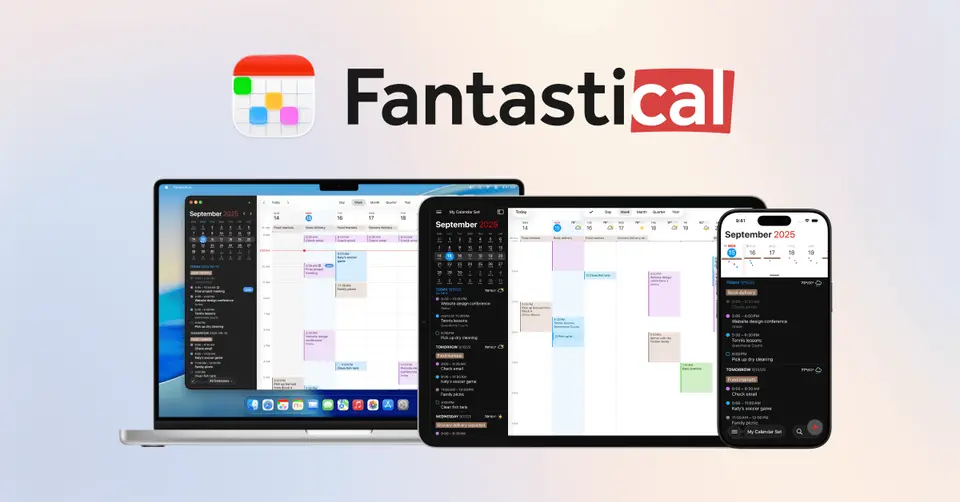
Fantastical review
Fair · out of 4.0 · graded Oct 10, 2026
Best for juggling several calendars on a Mac and iPhone
Fantastical is a calendar app that puts Google, iCloud and Microsoft 365 calendars in one view, and you add events by typing "lunch with Sam friday 1pm". There's no Android phone app until 2027 and no web version, the free plan allows 1 invitee per event, and the Watch app, travel time and the Join button need Premium at $4.75 a month yearly or $6.99 monthly. If Google's or Apple's free calendar covers you, stay there.
Who Fantastical is for
- Fits if you've got Google, iCloud and Microsoft calendars and want one view
- Works for families on Apple devices, since one plan at $7.50 a month covers up to 5 people
Who Fantastical is not for
- Not for you if your phone is Android, as that app isn't due until 2027, and there's no web version either
- Tight if you set up meetings for free, with 1 invitee per event, 1 calendar set and a 3-day forecast
- Pricey if you want the Watch app, travel time or the Join button: they need Premium at $4.75 a month yearly or $6.99 monthly
- Skip it if Google Calendar already does all you need, since that one's free
- Watch out: single sign-on and booking links with several hosts are Team-only, and typed-in events can land on the wrong date
Why Fantastical gets a 2.4
Five grades, each with its reason. The GPA is their average: an A is 4 points, an F is none.
- CValue for money$4.75 a month on yearly billing, $6.99 monthly, which sits in the middle of this category rather than under it. And Google's and Apple's calendars cost nothing, so you have to actually want the extras. The family plan is $7.50 a month for up to five.
- CFree plan and trialFree with no end date: every view, typed-in events and your tasks. The cap that pinches is 1 invitee per event, so any meeting with two colleagues is out, and it's 1 calendar set and a 3-day forecast.
- BFeaturesTyped-in events, day to year views, tasks from Reminders, Todoist or Google Tasks, calendar sets that switch by time or place, booking links, meeting polls and a Join button for video calls. The Watch app, travel time and the Join button need Premium.
- CEase of use4.2 from about 24,500 App Store ratings, below Google Calendar's 4.5 and held down by the 2020 move to a subscription. Typing an event in is quick, but its guesses catch people out.
- BPlatforms and integrationsMac, Windows and iPhone, plus iPad, Apple Watch, Vision Pro and Googlebook, with Google, iCloud, Microsoft 365, Exchange, Todoist and Zapier connected. No Android phone app until 2027, and no web version at all.
The good
So why pay for a calendar when your phone came with one? Two reasons, mostly.
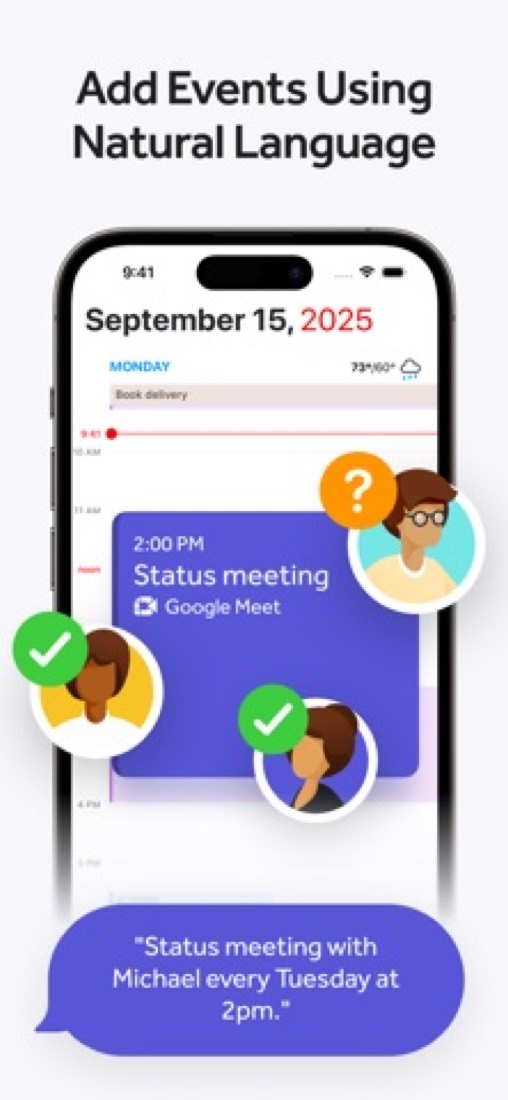
The first is typing. You write "lunch with Priya friday 1pm" and Fantastical works out the day and the time, and the event's made. Start with "todo" and it becomes a task instead.
The second is seeing everything at once. It pulls in Google, iCloud, Microsoft 365 and Exchange calendars, so work and home sit in one view. Your Todoist and Reminders tasks show up alongside.
Then there are calendar sets. Put your work calendars in one set and the family ones in another, then flip between them. Free gives you 1 set. Premium gives you as many as you like.
Premium also adds booking links (they call them Openings), polls for finding a time, and a Join button that spots the Zoom or Teams link in an invite.
The stuff that'll bug you
No Android phone app. If that's your phone you can stop here, because a calendar you can't check on your phone isn't much use.
Flexibits' site says Android phones and tablets are due in 2027, and this month it posted a job ad on Hacker News for an Android engineer. The Googlebook app that launched in October 2026 doesn't run on Android phones or tablets. There's no web version either.
The free version has one limit that really pinches: 1 invitee per event. Fine for your own diary. Not fine if you set up meetings with three colleagues. You also get 1 calendar set and a 3-day forecast.
A lot of the extras are Premium only, too. Apple Watch, push sync, travel time, templates and that Join button all sit behind the subscription. Single sign-on and booking links with several hosts need the Team plan.
And the typing guesses wrong sometimes. One App Store reviewer found that putting a number in an event's title quietly changed its date. Worth a glance before you save.
Then there's the 2020 switch from a one-off purchase to a subscription, which still drags its App Store rating down.
Money
The free version costs nothing and doesn't expire. If you only run your own diary, you may never need more.
Premium for one person is $4.75 a month on yearly billing, or $6.99 month to month. It covers Cardhop, their contacts app, as well.
The family plan is $7.50 a month on yearly billing, $10.49 monthly, for up to 5 people. With just two of you it already costs less than two single plans.
Teams pay the same $4.75 a person, and get single sign-on on top.
There's a 14-day free trial of Premium. And paying yearly works out about 32% cheaper than monthly, which is a bigger gap than most apps have.
What actual users say
Fantastical has 4.2 on the App Store from about 24,500 ratings. That's lower than you'd expect, and there's a story behind it.
In 2020 it switched from a one-off purchase to a subscription, and long-time users were furious. About 3,300 of the ratings are one star, and the reviews from that year are full of it.
Some came back. One reviewer left over the price, then returned when the family plan appeared.
What do the people who stay mention? Typing events in, mostly. And having four or five calendars, color-coded, in one place.
On Hacker News it turns up in lists of must-have Mac apps. It also turns up in a thread about subscriptions worth paying for, filed under cancelled, by someone who'd gone back to Google Calendar.
Which sounds about right to us. People who juggle a lot of calendars pay for it. People who don't are fine with the free ones.
What this review rests on. Based on Flexibits' Fantastical, pricing, help and Android pages and its blog posts on recent releases as of 9 October 2026, its App Store reviews and Hacker News threads about it. Also tested with a demo account on 2026-05-09. How we review and grade.
Make Fantastical? Put this grade on your site

Paste this where you want the badge. It links here and follows the grade if it changes. About badges
<a href="https://toolgpa.com/tools/fantastical#review"><img src="https://toolgpa.com/badge/fantastical.svg" alt="Fantastical: 2.4 GPA on ToolGPA" width="196" height="56"></a>Where Fantastical stands among calendar and scheduling apps
Fantastical's GPA of 2.4 is higher than 46 of the 114 other calendar and scheduling apps we grade, and level with 15.
It stands best on features (B, above 78 of 114) and worst on ease of use (C, above 3).
Its paid plans start at $4.75 a month, against a middle price of $8 for the category: 23 of the 85 others that charge start lower.
On features, ease of use and platforms it scores 2.7 out of 4. 8 tools score higher and cost less.
Each grade against the category
Every bar is all 115 calendar and scheduling apps we grade, cut by the letter each got. Fantastical’s own letter is outlined.
- CValue for moneyAbove 19 of 114, level with 50
- CFree plan and trialAbove 16 of 114, level with 50
- BFeaturesAbove 78 of 114, level with 36
- CEase of useAbove 3 of 114, level with 64
- BPlatforms and integrationsAbove 34 of 114, level with 75
Price against what you get
Each dot is one of 100 calendar and scheduling apps. Further left costs less, and higher up scores better on features, ease of use and platforms. Point at a dot to see which tool it is.
Features, ease of use and platforms, averaged
What paid plans start at, a month (each step along is roughly double) →
- The best score at each price
- Has a free plan
- No free plan
Keep Fantastical, or make your own?
You could make this
A calendar at its plainest is events on a grid.
What Fantastical does at its core is calendar, natural-language input, tasks and templates, and that is the kind of thing an AI app builder makes well. You would give up 4 things, listed below, and little else. It costs $57 a year. An AI app builder starts at about $20 a month on our listings, and you only need it while you build.
What you could make
- Calendar, natural-language input, tasks and templates: an app builder makes these well.
What you could not
- Booking pages that read and write other people's calendars and send the emails.
- Apps for macOS, Windows and iOS that stay in step with each other.
- It plugs into other products, Google Calendar, iCloud and Microsoft 365 among them.
- The depth: we grade its features B, which means it covers the whole job.
What this rests on. Fantastical’s listing: what it does, where it runs, what it plugs into and what it costs. It is a judgement about the kind of software this is. We have not built a replacement for it, and making your own means looking after it too. How we decide, and every tool’s verdict.
What is Fantastical?
Fantastical is a calendar and tasks app from Flexibits for Apple devices, Windows and, since October 2026, Googlebook laptops. It pulls Google Calendar, iCloud, Microsoft 365, Exchange and CalDAV accounts into one view and creates events from a typed sentence. The free version covers basic events and tasks; a Flexibits Premium subscription adds scheduling links, meeting polls, conference-call detection and unlimited calendar sets.
Worth knowing
- No web version, and the Googlebook app launched in October 2026 does not run on Android phones or tablets; Flexibits says Android support is coming in 2027.
- The free version allows 1 invitee per event, 1 calendar set and a 3-day weather forecast.
- Apple Watch support, push sync, travel time, templates and conference-call detection all need Flexibits Premium.
- Single sign-on and Openings with multiple hosts are limited to the Team plan.
Key features
- Natural-language event entry
- Create events and tasks by typing a plain-language sentence instead of filling in a form field by field.
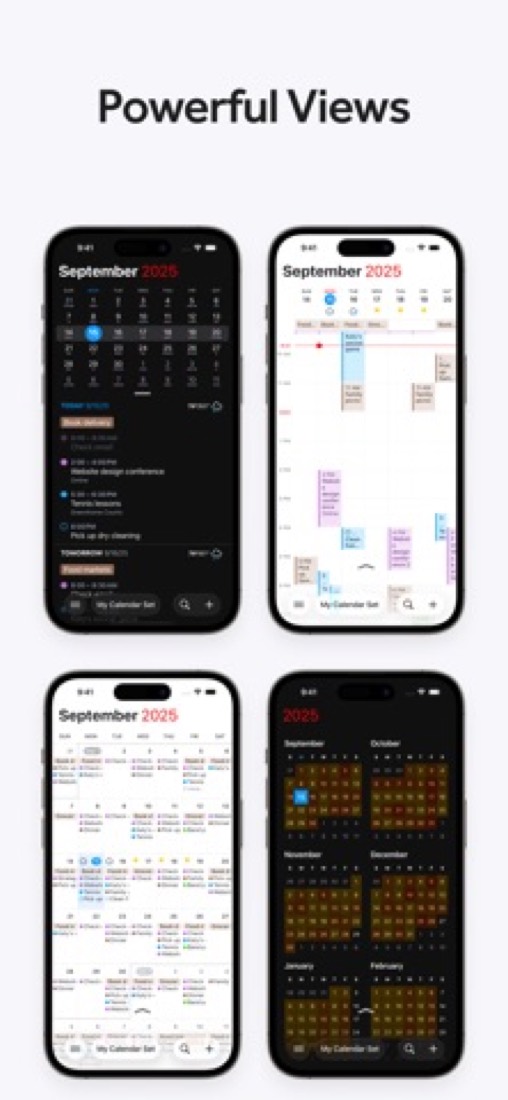
- Day, week, month, quarter and year views
- Full-screen views at every scale plus the DayTicker strip, all included in the free version.
- Tasks next to events
- Tasks from iCloud Reminders, Todoist and Google Tasks appear alongside calendar events on both free and paid tiers.
- Openings and Proposals
- Premium adds Openings, which let others book a slot from your availability, and Proposals, which poll invitees on meeting times.
- Conference call detection
- Premium detects Zoom, Google Meet, Microsoft Teams and Webex links in events and adds a single-click Join button.
- Calendar sets
- Group calendars into sets. Free allows 1 set; Premium allows unlimited sets, syncs them and can switch sets automatically by time or location.
Fantastical pricing
As of Oct 9, 2026, Fantastical has a free plan, and paid plans start at $4.75 per month, billed annually ($6.99 billed monthly).
- Starts at
- $4.75 per month, billed annually ($6.99 billed monthly)
- Free plan
- Add accounts, events and tasks, with day-to-year views and home screen widgets. Limited to 1 calendar set, 1 invitee per event and a 3-day weather forecast.
- Free trial
- 14-day free trial of Flexibits Premium
| Plan | Price | What you get |
|---|---|---|
| Free | $0 | Basic calendar and tasks with full-screen views; 1 calendar set, 1 invitee per event and a 3-day forecast. |
| Individual | $4.75per month, billed annually ($6.99 billed monthly) | All Premium features for one person, including Openings, Proposals, call detection and Apple Watch support. |
| Family | $7.50per month, billed annually ($10.49 billed monthly) | Flexibits Premium shared by up to 5 family members. |
| Team | $4.75per user / month, billed annually ($6.99 billed monthly) | Premium for each member, plus single sign-on, team roles and Openings with multiple hosts. |
Read from flexibits.com on Oct 9, 2026. Prices change, so confirm with Fantastical before you buy.
Ways to pay less
- Annual discountAbout 32% less with yearly billing
Flexibits' pricing page lists the Individual plan at $4.75 a month billed annually, against $6.99 billed monthly, which works out about 32% lower.
Stated on flexibits.com - EducationEducational and military discount
Flexibits says it offers an educational or military discount on request. Contact the company with proof of your institution, student status or military service.
Stated on flexibits.com - Other savingsFamily plan for up to 5 members
The Family plan shares Flexibits Premium among up to 5 members at a reduced price compared with separate Individual subscriptions.
Stated on flexibits.com
Fantastical refunds and cancellation
Ordinary · checked Oct 18, 2026
Flexibits is blunt about it: once a subscription charge has been billed, it is non-refundable. What you get instead is a 14-day trial to make your mind up, a cancel button in your own account, and the paid features until the next billing date. That is the ordinary bargain for a calendar app, neither generous nor mean, and a C.
- Refund window
- No set window
- How you cancel
- Yourself, in settings
- Getting your money back
Flexibits' cancellation and refund policy says that once a subscription charge has been billed it is non-refundable, and that if you are on a plan that has been billed you are responsible for those charges. You can stop future billing at any time. The terms of service point to this same policy and add nothing else about refunds.
Stated on flexibits.com- How to cancel Fantastical
Where you cancel depends on where you bought it. A subscription taken out directly with Flexibits is cancelled by signing in to your Flexibits account and choosing Cancel Subscription on the Billing tab. One bought through the App Store has to be cancelled in the App Store. On a trial, Flexibits says to cancel at least 24 hours before it ends.
- Sign in to your Flexibits account on the Flexibits hub
- Open the Billing tab
- Select Cancel Subscription
- What you keep afterwards
Flexibits says that if you cancel you can keep using the subscription until the next billing date. Its account FAQ warns separately that deleting your Flexibits account is different: that ends an active subscription immediately, wipes all data held with the account, cannot be undone, and means buying again if you want the paid features back.
Stated on flexibits.com- Renewals
The same policy says subscriptions renew automatically unless you cancel them, and that a 14-day trial should be cancelled at least 24 hours before it ends if you do not want it to roll into a paid plan. No reminder before a renewal is mentioned, and nothing is offered back after one.
Stated on flexibits.com
In your favour
- A 14-day free trial means you can see the paid features before any money changes hands.
- You cancel yourself on the Billing tab of your Flexibits account, with nobody to email.
- Cancel and you keep the paid features until the next billing date rather than losing them at once.
- There is a genuinely usable free tier to fall back on when the subscription ends.
Watch out for
- Once a charge has been billed it is non-refundable, and Flexibits says so plainly.
- A yearly plan renews by itself with no reminder promised, so a forgotten renewal is a full year gone.
- Bought it in the App Store? You have to cancel there, and refunds are Apple's call.
- Deleting your Flexibits account kills an active subscription on the spot and cannot be undone.
Fantastical customer support
Ordinary · checked Oct 18, 2026
One route in, and it is open to everybody: a contact form, backed by FAQs and a help book for each app. Paying moves you up the queue rather than opening a new door, which Flexibits calls priority email support. No chat, no phone, no stated hours and no reply time, so there is no telling how long you will wait. A C.
Ways to get help
Contact form or ticket
The Contact Flexibits page ends in a support form for anyone who could not find the answer in the FAQs. The same page points privacy requests to the legal page and IT questions to the security starter kit.
Stated on flexibits.comHelp centre
The Support and Help page gathers an FAQ, a help book, tutorial videos, release notes and tips for Fantastical, with the same set for Cardhop and a separate FAQ and help book for the Flexibits account and billing. All of it is free to read.
Stated on flexibits.com
Not listed on Fantastical’s pages: live chat, phone.
- When people answer
Its pages do not say.
- How fast it says it replies
Its pages do not say.
- What depends on your plan
The plan comparison table gives email support as Standard on the free tier and Priority on Flexibits Premium. The table's own note explains priority email support as being one of the first to get a reply from the support team. No hours, queue length or reply target is given for either.
Stated on flexibits.com
In your favour
- Free users get email support too, not just people who pay.
- Paying buys a place nearer the front of the queue, which Flexibits calls priority email support.
- The help book, FAQs and tutorial videos are open to everyone, and billing has its own FAQ.
Watch out for
- No hours and no reply time are stated anywhere, on either tier.
- There is no live chat and no phone line: the contact form is the only way in.
- Priority is described only as being one of the first to get a reply, with no target attached.
What these two grades rest on. Read on 18 October 2026: Flexibits' terms of service, its subscription cancellation and refund policy, the Flexibits Account FAQ covering cancelling, trials and deleting an account, the Support and Help index, the Contact Flexibits page and the plan comparison table on the pricing page. Nobody here cancelled a plan, asked for a refund or contacted its support. They are graded apart from the five that make the GPA. How we grade refunds and support.
How people rate the Fantastical app
4.2
out of 5 for the iPhone and iPad app
- 5 stars72%
- 4 stars8%
- 3 stars3%
- 2 stars3%
- 1 star14%
24,423 ratings on the App Store in the United States, read Oct 5, 2026. It rates the app, not everything the product does. See the listing
Works with
Jobs at Flexibits
Any open roles at Flexibits are on its own careers page. We can’t read a count from there, so have a look.
Applications go to Flexibits, not to us.
Fantastical alternatives
- Fantastical vs Google Calendar
Free plan · from $7/mo
- Fantastical vs Vimcal
Free plan · from $25/mo
- Fantastical vs Morgen
Free trial · from $15/mo
- Fantastical vs Amie
Free trial · from $20/mo





Featured in
- The best Calendly alternatives in 2026Alternatives
- The best calendar apps in 2026Best of
Common questions
Does Fantastical have an Android app?
No Android app was listed when its pages were read on Oct 9, 2026. Fantastical is listed for macOS, Windows and iOS.
Does Fantastical have a Linux app?
No Linux app was listed when its pages were read on Oct 9, 2026. Fantastical is listed for macOS, Windows and iOS.
Is Fantastical open source?
Fantastical is not described as open source on its own site, as read on Oct 9, 2026.
Sources for this page
The prices, plans, platforms and features above were read from these pages on Oct 9, 2026. What people say is linked where it appears.
- flexibits.com/fantastical
- flexibits.com/pricing
- apps.apple.com/us/app/fantastical-calendar/id718043190
- morgen.so/blog-posts/fantastical-pricing
- flexibits.com/blog/2025/06/flexibits-premium-for-teams-exclusive-feature-roundup/
- flexibits.com/about
- flexibits.com/blog/2026/10/your-googlebook-just-got-a-whole-lot-more-fantastical/
- flexibits.com/android