
Calendar.com
Unified calendar with booking links, workflows and time analytics
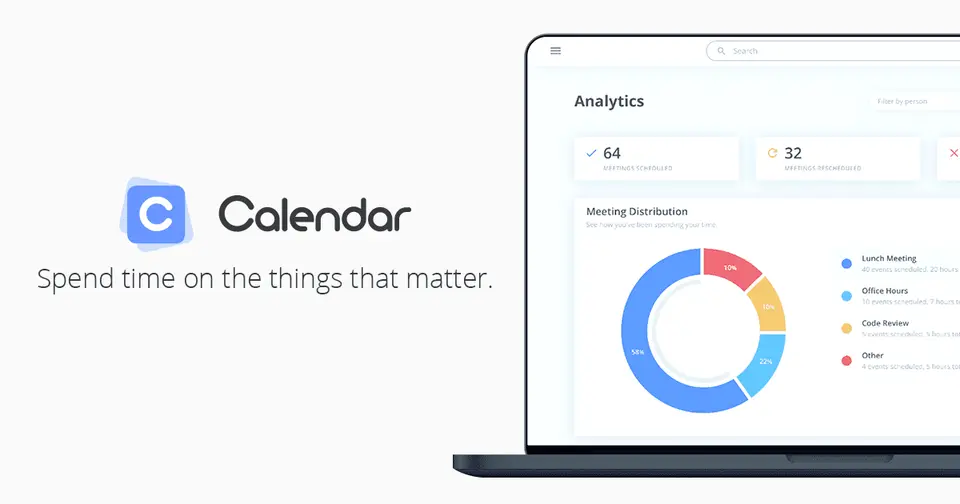
Calendar.com report card
Very good · out of 4.0 · graded Oct 9, 2026
Best for a calendar and booking links in one app
Calendar.com is two tools in one: a calendar that pulls Google, Outlook and iCloud into one colour-coded view, and booking links with round robin and routing on top. It even counts up where your time goes. So why would you look elsewhere? There's no free version, and it's $192 a user a year, well above what most calendars or booking tools charge.
Who Calendar.com is for
- Great if you juggle work and personal calendars across Google, Outlook and iCloud
- Handy when a small team needs round robin and routing rules without a second tool
- Good for qualifying charities, which can apply for free Pro accounts
Who Calendar.com is not for
- Skip it if you want a free plan, because there isn't one after the 14-day trial
- Pricey if you only need a booking link, at $192 a user a year
- Tight if your team is growing, as Standard stops at 10 users and Pro at 30
Why Calendar.com gets a 3.0
Five grades, each with its reason. The GPA is their average: an A is 4 points, an F is none.
- CValue for moneyStandard is $192 per user a year, or $20 a month billed monthly. That's $16 a month against about $10 at the dear end of this category. To be fair, Standard isn't stripped: every event type, workflows, payments and analytics are in.
- CFree plan and trialNo free version. There's a 14-day trial on all paid plans, and the listing doesn't say whether it needs a card. The site says the account is downgraded when the trial ends and deleted 6 months later.
- AFeaturesOne view for Google, Outlook, iCloud, Exchange and CalDAV, plus one-on-one, group and round robin links, meeting polls, workflows, routing rules, a contact list with meeting history, payments, SMS reminders and time analytics. That's a lot of job covered.
- BEase of useWe have no App Store rating on record, so a B is the most we'll give. Having the calendar and the booking links in one place does save you wiring two tools together.
- APlatforms and integrationsWeb, iPhone, Android and a browser extension, with Zoom, Google Meet and Microsoft Teams connected. Salesforce and HubSpot need Pro, and custom integrations through the API are Enterprise.
What these grades rest on. Graded from this listing, whose facts were read from Calendar.com's own pages on 5 October 2026. Not based on using the product, and shorter than our full reviews. How we review and grade.
Make Calendar.com? Put this grade on your site

Paste this where you want the badge. It links here and follows the grade if it changes. About badges
<a href="https://toolgpa.com/tools/calendar-com#review"><img src="https://toolgpa.com/badge/calendar-com.svg" alt="Calendar.com: 3.0 GPA on ToolGPA" width="196" height="56"></a>What is Calendar.com?
Calendar.com combines a calendar app with scheduling links. It pulls Google, Outlook, iCloud, Exchange and CalDAV calendars into one color-coded view and adds booking pages, round-robin team scheduling, a contact list, workflows and analytics on where time goes. There is no free version: plans are priced per user and start with a 14-day free trial.
Calendar.com is a paid product with a free trial, starting at $192 per user / year, billed annually ($20 per user / month billed monthly). See every plan
Good for
- People juggling work and personal calendars across several providers
- Small teams that need round-robin booking and routing rules
- Qualifying charities, which can apply for free Pro accounts
Worth knowing
- There is no free version. The site says an account is downgraded when the 14-day trial ends and deleted 6 months later.
- A Standard workspace is capped at 10 users and a Pro workspace at 30; larger teams need Enterprise.
- Salesforce and HubSpot integrations and white-label embeds need Pro. SSO is a paid add-on on Pro and included in Enterprise.
- Task Management and Bundle Payments are labeled beta on the site.
Key features
- Unified calendars
- Sync Google, Outlook, iCloud, Exchange and CalDAV calendars into one view, color-coded by source, or create a native calendar. Private events block time without showing details.
- Scheduling links
- One-on-one, group, round robin and multiple-host event types, single-use links and meeting polls are included on every plan, with custom booking forms and web embedding.
- Workflows and routing
- Workflows chain triggers, conditions and actions around a booking. Routing rules send each booking to a team member by even, weighted or priority-based distribution.
- Contacts
- A contact list for the people you meet with, including notes, tags, meeting history and CSV import and export.
- Analytics
- Individual and team analytics on scheduling activity come with every plan. Expanded analytics through Google or Microsoft integrations start on Pro.
- Payments and reminders
- Collect payment when someone books, redirect to a custom URL after confirmation, and send automated email and SMS reminders.
Calendar.com pricing
- Starts at
- $192 per user / year, billed annually ($20 per user / month billed monthly)
- Free plan
- None
- Free trial
- 14-day free trial on all paid plans, cancel at any time
| Plan | Price | What you get |
|---|---|---|
| Standard | $192per user / year ($20 per user / month billed monthly) | Up to 10 users and 3 teams per workspace, every event type, workflows, routing rules, payments, branding removal, and individual and team analytics. |
| Pro | $288per user / year ($30 per user / month billed monthly) | Up to 30 users and 10 teams, Salesforce and HubSpot integrations, expanded analytics, white-label embeds, expedited support and an optional SSO add-on. |
| Enterprise | Custom | Unlimited users, SSO and SCIM provisioning, domain control, custom integrations through the API, and a dedicated account partner. |
Read from calendar.com on Oct 5, 2026. Prices change, so confirm with Calendar.com before you buy.
Ways to pay less
- Annual discountSave 20% with annual billing
The pricing page lists a 20% saving on annual billing: Standard is $192 per user a year instead of $240, and Pro is $288 instead of $360.
Stated on calendar.com - NonprofitFree Pro accounts for qualifying charities
Calendar offers free Pro accounts to qualifying charities. Staff who sign up with the organization's email domain are upgraded automatically.
Stated on calendar.com
Works with
Calendar.com alternatives
- Calendar.com vs Calendly
Free plan · from $10/mo
- Calendar.com vs Reclaim.ai
Free plan · from $10/mo
- Calendar.com vs Vimcal
Free plan · from $25/mo
- Calendar.com vs Cal.com
Free plan · from $12/mo




Common questions
Is Calendar.com free?
No, Calendar.com is a paid product, but you can try it first. 14-day free trial on all paid plans, cancel at any time.
How much does Calendar.com cost?
Calendar.com lists 3 plans. Standard: $192 per user / year ($20 per user / month billed monthly). Pro: $288 per user / year ($30 per user / month billed monthly). Enterprise: custom pricing. Prices were read from calendar.com on Oct 5, 2026.
What platforms does Calendar.com work on?
Calendar.com is available on Web, iOS and Android. It also has a browser extension.
Does Calendar.com offer any discounts?
Calendar.com publicly lists the following: Save 20% with annual billing; Free Pro accounts for qualifying charities.
Does Calendar.com have a Windows app?
No Windows app was listed when its pages were read on Oct 5, 2026. Calendar.com is listed for Web, iOS and Android.
Does Calendar.com have a macOS app?
No macOS app was listed when its pages were read on Oct 5, 2026. Calendar.com is listed for Web, iOS and Android.
Is Calendar.com open source?
Calendar.com is not described as open source on its own site, as read on Oct 5, 2026.
What does Calendar.com integrate with?
Calendar.com's listing names Google Calendar, Microsoft 365, iCloud, Zoom, Google Meet, Microsoft Teams, Salesforce and HubSpot. A listing names up to eight integrations, so it may connect to more.
Who makes Calendar.com?
Calendar.com is made by Calendar, Inc. It dates from 2018.
What are the alternatives to Calendar.com?
The closest alternatives to Calendar.com in our directory are Calendly, Reclaim.ai, Vimcal, Notion Calendar and Cal.com. Each one has a side-by-side comparison with Calendar.com.
Sources for this page
The prices, plans, platforms and features above were read from these pages on Oct 5, 2026.