
LettuceMeet review (2026): is it any good?
Free availability poll for finding a time a group can meet
LettuceMeet report card
Very good · out of 4.0 · graded Oct 10, 2026
Best for a free poll to find when a group can meet
LettuceMeet is a free web page where everyone marks when they're free and the slot that suits most people shows up, and guests don't need an account. It only polls a group for a time, it's web only, and the cookie notice says marketing cookies are used for ads. Guests can't edit a meeting, the One on One type is still beta, and the privacy policy was last updated in 2018.
Who LettuceMeet is for
- Fits if you're steering a study group, club or team towards one meeting time
- Works for organizers whose invitees shouldn't have to make an account just to answer
Who LettuceMeet is not for
- Skip it if you want a booking page for clients, as this only polls a group for a time
- Not for you if ad cookies bother you, since the cookie notice says they're used
- Too light for anyone who wants a phone app, because it's web only
- Watch out: only registered users can edit a meeting, and the One on One type is still labeled beta
- Watch out: the privacy policy in the app was last updated on April 24, 2018
Why LettuceMeet gets a 3.0
Five grades, each with its reason. The GPA is their average: an A is 4 points, an F is none.
- AValue for moneyFree, in a category where the middle plan is $6 a month. The site calls itself 100% free and lists no paid plan at all, so there's no upsell waiting.
- AFree plan and trialAll of it is free and guests can answer without an account, so nothing caps a normal group poll. An account adds a Google or Outlook connection, editing and notifications. The price is ads: the cookie notice says marketing cookies are used for them.
- CFeaturesOne job, finding a slot: pick dates and hours, share a link, see everyone's availability overlaid, cap the meeting length, glance at your own calendar under the grid. It's a small slice of calendaring, and the One on One type is still beta.
- BEase of useNo rating on record, but there's nothing to install or connect, and your guests don't sign up to answer.
- CPlatforms and integrationsWeb only. There's no phone app and no desktop app, and the only connections are Google Calendar and Outlook, for seeing your own events while you fill the grid in.
What these grades rest on. Graded from this listing, whose facts were read from LettuceMeet's own pages on 9 October 2026. Also tested with a demo account on 2026-04-07. How we review and grade.
Make LettuceMeet? Put this grade on your site

Paste this where you want the badge. It links here and follows the grade if it changes. About badges
<a href="https://toolgpa.com/tools/lettucemeet#review"><img src="https://toolgpa.com/badge/lettucemeet.svg" alt="LettuceMeet: 3.0 GPA on ToolGPA" width="196" height="56"></a>Where LettuceMeet stands among calendar and scheduling apps
LettuceMeet's GPA of 3.0 is higher than 95 of the 114 other calendar and scheduling apps we grade, and level with 9.
It stands best on free plan and trial (A, above 94 of 114) and worst on features (C, above 6).
LettuceMeet has no paid plan.
On features, ease of use and platforms it scores 2.3 out of 4. Nothing scores higher for less, though at least one tool matches that score at a lower price.
Each grade against the category
Every bar is all 115 calendar and scheduling apps we grade, cut by the letter each got. LettuceMeet’s own letter is outlined.
- AValue for moneyAbove 79 of 114, level with 35
- AFree plan and trialAbove 94 of 114, level with 20
- CFeaturesAbove 6 of 114, level with 71
- BEase of useAbove 68 of 114, level with 33
- CPlatforms and integrationsAbove 11 of 114, level with 22
Price against what you get
Each dot is one of 100 calendar and scheduling apps. Further left costs less, and higher up scores better on features, ease of use and platforms. Point at a dot to see which tool it is.
Features, ease of use and platforms, averaged
What paid plans start at, a month (each step along is roughly double) →
- The best score at each price
- Has a free plan
- No free plan
Keep LettuceMeet, or make your own?
Your call
A calendar at its plainest is events on a grid.
LettuceMeet is free, so making your own saves no money. Make it only if you want it built your way.
What you could make
- Calendar and surveys: an app builder makes these well.
- It runs in a browser, which is where something home-made would run too.
What you could not
- Sharing with other people, which means accounts and invitations.
What this rests on. LettuceMeet’s listing: what it does, where it runs, what it plugs into and what it costs. It is a judgement about the kind of software this is. We have not built a replacement for it, and making your own means looking after it too. How we decide, and every tool’s verdict.
What is LettuceMeet?
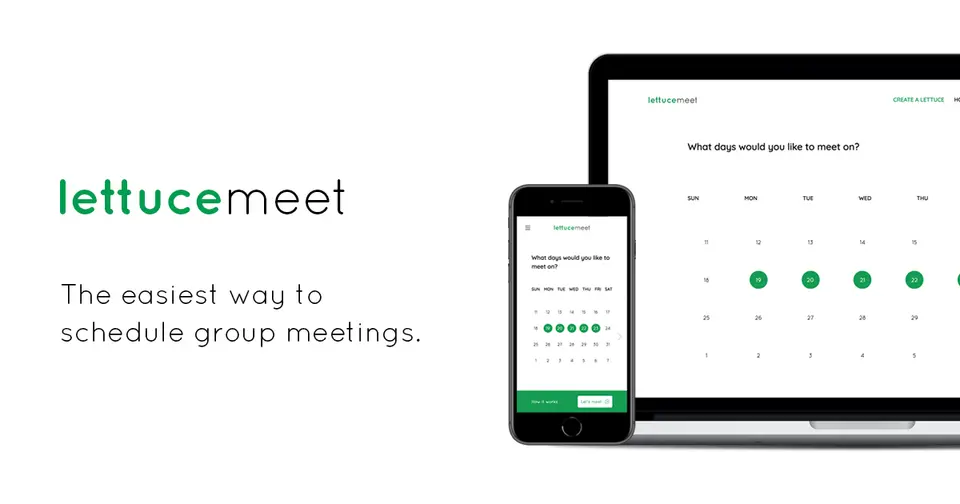
LettuceMeet is a free web tool for finding a time when a group can meet. The organizer picks candidate dates and a range of hours and shares a link, each person fills in when they are available, and the responses are overlaid to show the slots that suit the most people. Guests can respond without an account; signing up adds a Google or Outlook calendar connection, editable meetings and email notifications.
Worth knowing
- Web only: the site lists no mobile or desktop app.
- Meetings can be edited only by registered users; guests who try are prompted to sign up.
- The cookie notice says marketing cookies are used to provide customized ads.
- The privacy policy in the app was last updated on April 24, 2018.
Key features
- Availability polls shared by link
- Pick a range of dates or a single day and the hours to choose between, then share the meeting link. Everyone's availability is overlaid so the best slot is easy to spot.
- Guest responses
- People can continue as a guest to add their availability without signing up. An email address given by a guest is used only for updates about that meeting.
- Google and Outlook calendar connection
- Registered users can connect a Google or Outlook calendar to see their events underneath the grid while filling in availability. LettuceMeet says it never stores event information.
- Group and one-on-one meetings
- A meeting is created as Group, for three or more people, or as One on One, for the organizer and one other person. The One on One type is labelled beta.
- Meeting length limit
- An advanced option limits the scheduled meeting time to a set length, from 30 minutes to 3 hours in half-hour steps.
- Profile and notifications
- With an account, meetings you created or responded to are listed under your profile and can be changed later, and you are notified when someone responds or a meeting is scheduled.
LettuceMeet pricing
As of Oct 9, 2026, LettuceMeet is free to use.
- Starts at
- Free
- Free plan
- The site describes itself as 100% free with no account required, and lists no paid plan. Its cookie notice says marketing cookies are used to show customized ads.
- Free trial
- None listed
| Plan | Price | What you get |
|---|---|---|
| LettuceMeet | $0 | Group and one-on-one (beta) meeting polls, with an optional free account for calendar connection, editing meetings and notifications. |
Read from lettucemeet.com on Oct 9, 2026. Prices change, so confirm with LettuceMeet before you buy.
Works with
LettuceMeet alternatives
- LettuceMeet vs Rallly
Free plan · from $6/mo
- LettuceMeet vs Doodle
Free plan · from $11/mo





Common questions
Does LettuceMeet have an Android app?
No Android app was listed when its pages were read on Oct 9, 2026. LettuceMeet is listed for Web.
Does LettuceMeet have an iPhone app?
No iPhone app was listed when its pages were read on Oct 9, 2026. LettuceMeet is listed for Web.
Is LettuceMeet open source?
LettuceMeet is not described as open source on its own site, as read on Oct 9, 2026.
Sources for this page
The prices, plans, platforms and features above were read from these pages on Oct 9, 2026.