
Toki review (2026): is the free plan enough?
AI calendar assistant that turns messages into events and to-dos
Black Friday: is there a Toki sale?

Toki report card
Good · out of 4.0 · graded Nov 2, 2026
Best for adding events by just telling it
Toki is a calendar you message: send text, a voice note or a photo of a poster and it makes the event and sets the reminder, and Call Me rings your phone for ones you can't miss. But all of that draws on an AI allowance. Free covers about 10 simple events a week before the AI pauses for up to 7 days, Coordination is paid only, Toki no longer works in WhatsApp, and with Plus gone from the pricing page, paying now starts at $9.99 a month.
Who Toki is for
- Fits if you'd rather message or speak to your calendar than tap through date pickers
- Works for people who sleep through normal alerts, since Call Me rings your phone on the free plan
Who Toki is not for
- Tight if you're staying free and add more than about 10 events a week, as the AI then pauses for up to 7 days
- Skip it if you want the assistant to email guests for you without paying, as Coordination is paid only
- Not for you if you lived in WhatsApp, where Toki no longer works
- Pricey if you only wanted the cheap tier, as Plus is off the pricing page and paid plans now start at $9.99 a month
- Watch out: the pricing page's yearly figures couldn't be read, and the US App Store still lists Plus at $3.99 a month though the site no longer does
Why Toki gets a 2.8
Five grades, each with its reason. The GPA is their average: an A is 4 points, an F is none.
- CValue for moneySuper is $9.99 a month, above this category's $6 middle and just under the $10 dearer quarter. Yearly billing is advertised as 30% less, and the US App Store lists Super at $83.90 a year. Pro is $19.99. The $3.99 Plus plan is off the pricing page, though the App Store still lists it.
- CFree plan and trialFree syncs 3 calendar accounts and includes Call Me alerts. But the AI allowance covers about 10 simple events a week by Toki's own estimate, and when it runs out the AI features pause for up to 7 days. That's a cap you'll meet in a busy week.
- BFeaturesEvents from text, voice, screenshots and forwarded email, booking links, to-dos, phone-call reminders, and Triggers that watch for a price or a release date. Paid plans add Coordination. That covers the job, though it syncs other people's calendars rather than keeping its own, and it no longer works inside WhatsApp.
- BEase of use4.81 from about 450 App Store ratings, too few people for an A. You type "lunch with Sam friday 1pm" the way you'd text a friend, and there's no form to fill in.
- APlatforms and integrationsWeb, Mac, Windows, Linux, iPhone and Android, which is the full set. It syncs Google, Apple and Outlook calendars and works with Google Meet, Telegram, LINE and Siri.
What these grades rest on. Graded from this listing, whose facts were read from Toki's own pages on 2 November 2026, and its App Store rating. Not based on using the product, and shorter than our full reviews. How we review and grade.
Make Toki? Put this grade on your site
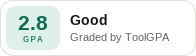
Paste this where you want the badge. It links here and follows the grade if it changes. About badges
<a href="https://toolgpa.com/tools/toki#review"><img src="https://toolgpa.com/badge/toki.svg" alt="Toki: 2.8 GPA on ToolGPA" width="196" height="56"></a>Where Toki stands among calendar and scheduling apps
Toki's GPA of 2.8 is higher than 78 of the 114 other calendar and scheduling apps we grade, and level with 16.
It stands best on platforms and integrations (A, above 110 of 114) and worst on free plan and trial (C, above 16).
Its paid plans start at $9.99 a month, against a middle price of $8 for the category: 49 of the 85 others that charge start lower.
On features, ease of use and platforms it scores 3.3 out of 4. Nothing scores higher for less, though at least one tool matches that score at a lower price.
Each grade against the category
Every bar is all 115 calendar and scheduling apps we grade, cut by the letter each got. Toki’s own letter is outlined.
- CValue for moneyAbove 19 of 114, level with 50
- CFree plan and trialAbove 16 of 114, level with 50
- BFeaturesAbove 78 of 114, level with 36
- BEase of useAbove 68 of 114, level with 33
- APlatforms and integrationsAbove 110 of 114, level with 4
Price against what you get
Each dot is one of 100 calendar and scheduling apps. Further left costs less, and higher up scores better on features, ease of use and platforms. Point at a dot to see which tool it is.
Features, ease of use and platforms, averaged
What paid plans start at, a month (each step along is roughly double) →
- The best score at each price
- Has a free plan
- No free plan
Keep Toki, or make your own?
You could make this
A calendar at its plainest is events on a grid.
What Toki does at its core is calendar, natural-language input and tasks, and that is the kind of thing an AI app builder makes well. You would give up 5 things, listed below, and little else. It costs $119.88 a year. An AI app builder starts at about $20 a month on our listings, and you only need it while you build.
What you could make
- Calendar, natural-language input and tasks: an app builder makes these well.
What you could not
- An AI agent on a rented model, with the safeguards you build around it.
- Booking pages that read and write other people's calendars and send the emails.
- Apps for macOS, Windows, Linux, iOS and Android that stay in step with each other.
- It plugs into other products, Google Calendar, Apple Calendar and Outlook Calendar among them.
- The depth: we grade its features B, which means it covers the whole job.
What this rests on. Toki’s listing: what it does, where it runs, what it plugs into and what it costs. It is a judgement about the kind of software this is. We have not built a replacement for it, and making your own means looking after it too. How we decide, and every tool’s verdict.
What is Toki?
Toki is an AI calendar and scheduling assistant from Orion Arm Pte. Ltd. You tell it what is happening by text, voice note, screenshot or forwarded email, and it creates the events, to-dos and reminders on a calendar synced with Google, Apple and Outlook. Paid plans raise the AI usage allowance and add Coordination, where an assistant emails other people to settle on a meeting time.
Worth knowing
- AI features draw on a usage allowance that refreshes every 7 days; when it runs out they pause until it refreshes, or you upgrade or buy credits.
- Coordination, where the assistant emails attendees for you, and creating events by emailing Toki are limited to paid plans.
- Toki no longer works inside WhatsApp, following a change to WhatsApp's business terms.
- Plus is no longer on the pricing page, though the US App Store still lists it at $3.99 a month or $35.90 a year.
Key features
- Events from text, voice and images
- Send a casual message, a voice note, a screenshot or a photo of a poster, and Toki extracts the date, time and place and adds the event with its reminder.
- Coordination
- A named assistant emails the people you are meeting, checks their replies against your calendar and returns times that fit. It is limited to paid plans.
- Booking links
- Shareable links show your real availability across calendars. The other person needs no account, and both sides get confirmation and reminder emails.
- Call Me and reminders
- Reminders arrive as push notifications or alarms, and for events you cannot miss Toki can ring your phone. Call Me is free for all users.
- To-dos and Triggers
- To-dos hold plans that have no fixed time yet. Triggers watch for a condition you name, such as a price or a release date, and alert you when it is met.
- Multi-calendar sync
- Connects Google Calendar, Apple Calendar and Outlook Calendar: 3 calendar accounts on the Free plan and 5 on Super, according to Toki's own reference file.
Toki pricing
As of Nov 2, 2026, Toki has a free plan, and paid plans start at $9.99 per month (Super).
- Starts at
- $9.99 per month (Super)
- Free plan
- 3 calendar accounts and a limited AI usage allowance that refreshes every 7 days, about 10 simple events a week by Toki's estimate. Call Me alerts are included.
- Free trial
- 7-day free trial for first-time subscribers to Super or Pro
| Plan | Price | What you get |
|---|---|---|
| Free | $0 | Sync up to 3 calendar accounts, with a limited AI usage allowance that refreshes weekly, enough for around 10 simple events a week. |
| Super | $9.99per month, billed monthly; yearly billing advertised as 30% less | 100K AI credits, the proactive scheduling agent and outreach handled by the agent. |
| Pro | $19.99per month, billed monthly; yearly billing advertised as 30% less | 200K AI credits, a round-the-clock proactive agent and larger quotas for research and outreach. |
Read from toki.com on Nov 2, 2026. Prices change, so confirm with Toki before you buy.
Ways to pay less
- Annual discountSave 30% with yearly billing
The pricing page advertises 30% off with yearly billing but its yearly figures could not be read; the US App Store lists Super (Yearly) at $83.90.
Stated on toki.com
How people rate the Toki app
4.8
out of 5 for the iPhone and iPad app
- 5 stars89%
- 4 stars7%
- 3 stars2%
- 2 stars<1%
- 1 star1%
454 ratings on the App Store in the United States, read Oct 6, 2026. It rates the app, not everything the product does. See the listing
Works with
Toki alternatives
- Toki vs Reclaim.ai
Free plan · from $10/mo
- Toki vs Motion
Free trial · from $19/mo
- Toki vs Google Calendar
Free plan · from $7/mo
- Toki vs Calendly
Free plan · from $10/mo
- Toki vs Howie
Free trial · from $25/mo





Common questions
Is Toki open source?
Toki is not described as open source on its own site, as read on Nov 2, 2026.
Sources for this page
The prices, plans, platforms and features above were read from these pages on Nov 2, 2026. What people say is linked where it appears.