
Calendly review (2026): is the free plan enough?
Booking links and team scheduling for external meetings
Black Friday: is there a Calendly sale?
Calendly report card
Good · out of 4.0 · graded Oct 10, 2026
Best for booking links for meetings with outsiders
Calendly is a booking link: you send a page, the other person picks a slot, and they need no account. The free plan allows one event type and one calendar connection, Standard is $10 a seat billed yearly, and round robin and Salesforce sync need Teams at $16. Notetaker needs a Plus plan from $24 a seat, and the tool books meetings rather than planning your own day.
Who Calendly is for
- Fits if you book many calls with people outside your company
- Works for one person who needs a single booking link, which is free with unlimited meetings
Who Calendly is not for
- Tight if you're staying free: one event type, one calendar connection and one-on-one meetings only
- Pricey if you want round robin, lead routing or Salesforce sync, which need Teams at $16 a seat billed yearly
- Pricey if you want Notetaker or Callie: they need a Plus plan, Teams Plus is $24 a seat, and both are English only
- Skip it if you want a calendar to plan your own day, because this one is for booking meetings
- Watch out: SSO is an add-on on Teams, and Enterprise starts at $15k a year with a 50-seat minimum
Why Calendly gets a 2.8
Five grades, each with its reason. The GPA is their average: an A is 4 points, an F is none.
- CValue for moneyStandard is $10 a seat a month billed yearly, which is the dear end of this category, where the middle is $6. Round robin and Salesforce sync are Teams at $16, and Notetaker needs a Plus plan, with Teams Plus at $24.
- CFree plan and trialFree forever with unlimited meetings, but one event type, one calendar connection and one-on-one only. A second kind of meeting and you're paying. New users get two weeks of Teams Plus first, then drop to Free.
- BFeaturesCovers the booking half of the job: event types, group and round robin events, lead routing, reminders, Stripe or PayPal at booking, Salesforce and HubSpot sync, a REST API with webhooks. Notetaker records and recaps Zoom, Meet and Teams calls. It won't plan your own day, though.
- AEase of use4.8 from about 55,000 App Store ratings. Make an event type, send the link, done, and the person booking needs no account and no seat.
- BPlatforms and integrationsWeb, iPhone and Android, extensions for Chrome, Firefox, Edge and Safari, add-ins for Outlook, Gmail and LinkedIn, plus a REST API. There's no desktop app, so the computer story is the browser.
What these grades rest on. Graded from this listing, whose facts were read from Calendly's own pages on 4 October 2026, and its App Store rating. Also tested with a demo account on 2026-03-29. How we review and grade.
Make Calendly? Put this grade on your site

Paste this where you want the badge. It links here and follows the grade if it changes. About badges
<a href="https://toolgpa.com/tools/calendly#review"><img src="https://toolgpa.com/badge/calendly.svg" alt="Calendly: 2.8 GPA on ToolGPA" width="196" height="56"></a>Where Calendly stands among calendar and scheduling apps
Calendly's GPA of 2.8 is higher than 78 of the 114 other calendar and scheduling apps we grade, and level with 16.
It stands best on ease of use (A, above 102 of 114) and worst on free plan and trial (C, above 16).
Its paid plans start at $10 a month for each person, against a middle price of $8 for the category: 50 of the 85 others that charge start lower.
On features, ease of use and platforms it scores 3.3 out of 4. Nothing scores higher for less, though at least one tool matches that score at a lower price.
Each grade against the category
Every bar is all 115 calendar and scheduling apps we grade, cut by the letter each got. Calendly’s own letter is outlined.
- CValue for moneyAbove 19 of 114, level with 50
- CFree plan and trialAbove 16 of 114, level with 50
- BFeaturesAbove 78 of 114, level with 36
- AEase of useAbove 102 of 114, level with 12
- BPlatforms and integrationsAbove 34 of 114, level with 75
Price against what you get
Each dot is one of 100 calendar and scheduling apps. Further left costs less, and higher up scores better on features, ease of use and platforms. Point at a dot to see which tool it is.
Features, ease of use and platforms, averaged
What paid plans start at, a month (each step along is roughly double) →
- The best score at each price
- Has a free plan
- No free plan
Keep Calendly, or make your own?
Keep it
To replace Calendly you would be making a bot that joins your calls and turns the talk into notes. That is not a weekend's work, with an AI app builder or without one.
It is one of the better ones too: its GPA of 2.8 is higher than 78 of the 114 other calendar and scheduling apps we grade. It costs $120 a year.
What you could not
- A bot that joins your calls and turns the talk into notes.
- Booking pages that read and write other people's calendars and send the emails.
- Speech turned into text you can trust.
- A real app for iOS and Android. Something home-made would be a web page.
- It is priced for each person, which means accounts and billing for a team.
- It plugs into other products, Google Calendar, Outlook and Zoom among them, and has an API.
- AI features, unless you pay a model provider for each request yourself.
- The depth: we grade its features B, which means it covers the whole job.
What this rests on. Calendly’s listing: what it does, where it runs, what it plugs into and what it costs. It is a judgement about the kind of software this is. We have not built a replacement for it, and making your own means looking after it too. How we decide, and every tool’s verdict.
What is Calendly?
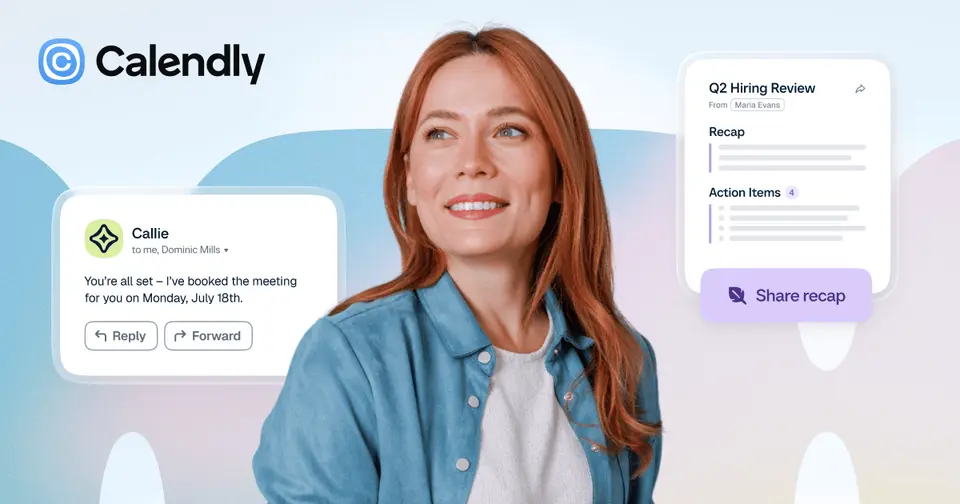
Calendly is a scheduling tool that lets invitees pick a meeting time from a booking page tied to your calendar. Paid plans add unlimited event types, group and round-robin scheduling, lead routing, payments and CRM sync. The newer Plus plans bundle Notetaker, which records and recaps video calls, and Callie, a beta AI assistant that schedules over email.
Worth knowing
- The Free plan allows one event type and one calendar connection, for one-on-one meetings only.
- Round-robin scheduling, lead routing and Salesforce sync need Teams; SSO is an add-on on Teams and built into Enterprise.
- Notetaker and Callie are not in base Standard or Teams. They need a Plus plan (Teams Plus is $24 per seat / month, billed yearly) and are English-only.
- Enterprise starts at $15k per year and 50 seats and is billed in USD only.
Key features
- Event types and booking pages
- Set up event types and share a link so invitees choose a time from your availability. Free allows one event type; paid plans allow unlimited.
- Team scheduling
- Group and collective events come with Standard. Round-robin distribution and centrally managed event types start on Teams.
- Routing and CRM sync
- Teams adds lead qualification and routing along with Salesforce sync. HubSpot connects from the Standard plan.
- Automations and payments
- Standard and above send automated reminders and can take payment at booking through Stripe or PayPal.
- Notetaker and Callie
- Notetaker joins Zoom, Google Meet and Microsoft Teams calls to record, transcribe and recap them. Callie is a beta AI assistant that schedules over email. Both come with the Plus plans.
- Apps, extensions and API
- iOS and Android apps, extensions for Chrome, Firefox, Edge and Safari, add-ins for Outlook, Gmail and LinkedIn, website embeds, and a REST API with webhooks.
Calendly pricing
As of Oct 4, 2026, Calendly has a free plan, and paid plans start at $10 per seat / month, billed yearly.
- Starts at
- $10 per seat / month, billed yearly
- Free plan
- One event type with unlimited meetings, one calendar connection, one-on-one scheduling, a customizable booking page, mobile apps and the browser extension.
- Free trial
- Two-week free trial of Teams Plus for new users; the account then moves to the Free plan
| Plan | Price | What you get |
|---|---|---|
| Free | $0 | One event type, one calendar connection and one-on-one scheduling. |
| Standard | $10per seat / month, billed yearly | Unlimited event types, up to 6 calendar connections, group events, automations, and Stripe and PayPal payments. |
| Teams | $16per seat / month, billed yearly | Adds round-robin scheduling, lead routing, Salesforce sync, admin tools and an optional SSO add-on. |
| Enterprise | From $15kper year, starting at 50 seats | SSO and advanced provisioning, audit logging, the full Salesforce routing suite and priority support. |
Read from calendly.com on Oct 4, 2026. Prices change, so confirm with Calendly before you buy.
6 price changes on recordWhat the app costs in other countries
Ways to pay less
- Annual discountSave 17% to 20% with yearly billing
Calendly's pricing page lists a 17% saving on Standard and a 20% saving on Teams when billed yearly instead of monthly.
Stated on calendly.com - Other savingsVolume pricing on annual Teams plans
On annual Teams plans, seats beyond the first 30 cost less: $14.50 per month for seats 31 to 50, stepping down to $12 from seat 301.
Stated on calendly.com
Calendly refunds and cancellation
Ordinary · checked Oct 12, 2026
Calendly's terms say every fee is non-refundable, and cancelling gets you no credit for unused time. The exit itself is fine: you switch to the Free plan in Billing, keep what you paid for until the cycle ends, and your account lives on. That's the standard deal, so a C. One line in the terms deserves a look, though: a renewal can come with a price rise of inflation plus 3%.
- Refund window
- No set window
- How you cancel
- Yourself, in settings
- Getting your money back
The Customer Terms say all fees are non-cancellable and non-refundable, and that on cancellation or termination you are not entitled to any refunds or credits. The one exception is a pro-rated refund of unused fees if Calendly cannot correct a material fault in the service within 30 days of written notice. A help page sends refund questions to the billing team through support, without promising one.
Stated on calendly.com- How to cancel Calendly
An owner or admin goes to Settings, then Billing, selects Change plan and switches to the Free plan, which is how a paid plan is cancelled. The downgrade starts at the end of the billing period and can be undone from a banner on the Billing page until then. Customers billed by invoice or on Enterprise must give 30 days' written notice before the term ends, under the Customer Terms.
- Go to Settings, then Billing
- Select Change plan, then Upgrade / Downgrade
- Choose the Free plan to cancel the paid one
- What you keep afterwards
You keep the paid plan's features until the billing cycle ends, then move to the Free plan: you are not billed again, can still schedule meetings, and can reverse the change. Deleting the account is a separate step under Settings and Profile, and permanently removes the account and all its data.
Stated on calendly.com- Renewals
The Customer Terms say the service renews automatically for a term equal to the last one, charged to the payment method on file at the fees then applicable. They add that each renewal may include a price increase of the Consumer Price Index plus 3%, unless Calendly notifies you of a different rate before it starts. No reminder before a renewal is mentioned.
Stated on calendly.com
In your favour
- You cancel yourself: Settings, Billing, switch to the Free plan.
- You keep the paid features until the billing cycle ends.
- The account stays on the Free plan afterwards, and you can reverse the downgrade if you change your mind.
Watch out for
- All fees are non-refundable, and the terms say cancelling earns no refund or credit.
- The terms allow a price rise of inflation plus 3% at each renewal unless Calendly tells you otherwise.
- It renews by itself, and no reminder is promised.
- On Enterprise or invoice billing you have to give 30 days' written notice before the term ends.
Calendly customer support
Excellent · checked Oct 12, 2026
On paper this is about as good as support gets. Every paid plan can chat with a real agent at any hour, email is open to everyone including free users, and Calendly puts numbers on it: most chats sorted in minutes, emails generally answered within 24 hours. There's a phone line too, but only on Enterprise. Live help on every paid plan, with hours and a reply time in writing, is an A.
Ways to get help
Live chat
Chat opens with an assistant that answers common questions and can connect you to the support team. Live chat with an agent is available on Standard, Teams and Enterprise, at any hour, and not on Free.
Stated on calendly.comPhone
Owners and admins on the Enterprise plan can call the support team Monday to Friday, 9am to 5pm EST.
Stated on calendly.comEmail
The pricing comparison lists 24/7 email support on every plan, Free included.
Stated on calendly.comContact form or ticket
A ticket form on the contact page takes your email, a subject, a description and an issue type, and the team follows up by email.
Stated on calendly.comAccount manager
Enterprise includes dedicated account support, described as a dedicated team for ongoing account guidance, and guided onboarding and implementation.
Stated on calendly.comHelp centre
The Help Center has articles on accounts, billing, integrations, scheduling and admin tools, open to everyone.
Stated on calendly.comCommunity or forum
The Calendly Community is a public forum for asking other users. The pricing comparison lists access to it on every plan.
Stated on community.calendly.com
- When people answer
The contact page says support is available 24/7 through chat and email. Phone support, for Enterprise owners and admins, runs Monday to Friday, 9am to 5pm EST.
Stated on calendly.com- How fast it says it replies
The contact page says chats resolve most issues in a few minutes and that email requests are generally answered within 24 hours. It does not tie either figure to a plan.
Stated on calendly.com- What depends on your plan
Free gets email support, the Help Center and the Community. Live chat with an agent starts at Standard and is included in Teams and Enterprise. Phone support, dedicated account support and guided onboarding are Enterprise only.
Stated on calendly.com
In your favour
- Live chat with an agent, at any hour, on every paid plan.
- Email support is open to everyone, free users included.
- It states a reply time: emails generally answered within 24 hours.
- The Help Center walks through cancelling and deleting your account step by step.
Watch out for
- Chat starts with an assistant, and it decides whether to connect you to a person.
- Free users get the assistant and email, not a live agent.
- Phone support is Enterprise only, weekdays 9 to 5 Eastern, and only for owners and admins.
- The 24-hour email reply is described as what generally happens, not as a guarantee.
What these two grades rest on. Read on 12 October 2026: Calendly's Customer Terms and Conditions, its help articles on billing, changing a plan, deleting an account and contacting support, and the support comparison on its pricing page. Nobody here cancelled a plan or contacted its support. They are graded apart from the five that make the GPA. How we grade refunds and support.
How people rate the Calendly app
4.8
out of 5 for the iPhone and iPad app
55,319 ratings on the App Store in the United States, read Oct 5, 2026. It rates the app, not everything the product does. See the listing
Works with
Jobs at Calendly
Calendly has 5 open roles, most in Engineering (2), Product (2) and Marketing (1). Here are the newest; open one to read the whole job and apply on Calendly’s own site.
- Staff Platform EngineerView and apply
Engineering · Remote - US · posted 2 weeks ago
- Staff Product Manager, MeetingsView and apply
Product and design · Product · San Francisco (Hybrid) · posted 3 weeks ago
- Senior Product Marketing ManagerView and apply
Marketing · Remote - US · posted 3 weeks ago
- Staff Product Manager, AI AssistantView and apply
People, finance and operations · Product · San Francisco (Hybrid) · posted 4 weeks ago
- Senior Full Stack Engineer, Website DevelopmentView and apply
Engineering · Remote - US · posted 8 weeks ago
Read from Calendly’s job board on Greenhouse on Nov 17, 2026 and checked every week. Applications go to Calendly, not to us.
Calendly alternatives
- Calendly vs Cal.com
Free plan · from $12/mo
- Calendly vs SavvyCal
Free trial · from $10/mo
- Calendly vs Google Calendar
Free plan · from $7/mo
- Calendly vs Reclaim.ai
Free plan · from $10/mo




Featured in
- The best Calendly alternatives in 2026Alternatives
- The best calendar apps in 2026Best of
Common questions
Does Calendly have a Windows app?
No Windows app was listed when its pages were read on Oct 4, 2026. Calendly is listed for Web, iOS and Android.
Does Calendly have a macOS app?
No macOS app was listed when its pages were read on Oct 4, 2026. Calendly is listed for Web, iOS and Android.
Is Calendly open source?
Calendly is not described as open source on its own site, as read on Oct 4, 2026.
Does Calendly have an API?
Yes. Calendly offers a public API, according to its own site.
Sources for this page
The prices, plans, platforms and features above were read from these pages on Oct 4, 2026. What people say is linked where it appears.