Reminders MenuBar review (2026): is it any good?
Open-source macOS menu bar app for Apple Reminders
Reminders MenuBar report card
Fair · out of 4.0 · graded Nov 18, 2026
Best for Apple Reminders from your Mac's menu bar
Launch at login keeps breaking with macOS and app updates, and on version 2.2.0 with macOS 27 it cannot be turned on, so the app is gone after a restart until you add it to Login Items by hand. It is a free window onto Apple Reminders, for Macs only, with no task list of its own.
Who Reminders MenuBar is for
- Fits if you already keep your tasks in Apple Reminders and work on a Mac
- Works for jotting a reminder mid-task with a global shortcut and plain typing
Who Reminders MenuBar is not for
- Skip it if you don't use Apple Reminders, because it has no task list of its own
- Not for you if you're on Windows or want it on your phone, as it's a Mac app only
- Watch out: it needs macOS Monterey 12 or later, and installs through Homebrew or a GitHub download, with no Mac App Store listing mentioned
- Too light for anything Apple Reminders can't hold, since it only shows what's stored there and relies on Apple's sync
Why Reminders MenuBar gets a 2.4
Five grades, each with its reason. The GPA is their average: an A is 4 points, an F is none.
- AValue for moneyA Mac app you download and run for nothing, open source under the GPL v3, with no paid version to graduate to. The rest of this category charges $2.42 to $5.00 a month; here there's only a Ko-fi link.
- AFree plan and trialFree outright, with no paid tier and so nothing held back for one. Install it with Homebrew or take the disk image from the GitHub releases page and that's the whole product.
- DFeaturesIt needs another product to do anything: the tasks live in Apple Reminders, and this is the window onto them. It adds plain-language entry that sets the date, list and tags, in-place editing, search and filters, but on its own it holds nothing.
- CEase of useWas B. Down to C because of one problem people report: launch at login keeps breaking, and is broken again on macOS 27.
- DPlatforms and integrationsOne operating system, and one window on it: macOS Monterey 12 or later, with no iPhone, iPad, Windows or web version. Your reminders do reach your phone, but that's Apple Reminders and iCloud doing it, not this app.
What these grades rest on. Graded from this listing, whose facts were read from Reminders MenuBar's own pages on 9 October 2026. Problems people report, and lawsuits, fines and breaches, were read from reviews, news, app-store reviews and court and regulator records on 18 November 2026. How we review and grade.
Make Reminders MenuBar? Put this grade on your site

Paste this where you want the badge. It links here and follows the grade if it changes. About badges
<a href="https://toolgpa.com/tools/reminders-menubar#review"><img src="https://toolgpa.com/badge/reminders-menubar.svg" alt="Reminders MenuBar: 2.4 GPA on ToolGPA" width="196" height="56"></a>The worst thing about Reminders MenuBar
Launch at login fails after updates, so the app is gone after a restart
Launch at login broke after macOS 15.4, again through the 2.x versions in mid 2026, and again on 2.2.0 with macOS 27, where the switch cannot be turned on at all. Anyone who counts on the menu bar list or the due count finds it missing after a restart, with no warning. The only way round it is to add the app to Login Items in System Settings by hand.
Took a letter off its grade for Ease of use
Reported bygithub.com (Oct 8, 2026)github.com (Jul 2, 2026)github.com (Sep 6, 2026)github.com (Apr 1, 2025)github.com (Jun 13, 2024)appledispatch.substack.com (Sep 18, 2024)
Found on Nov 18, 2026 by searching reviews, news, app-store reviews, and court and regulator records. A problem is listed only when at least three places report it and it is still true, and each one took a letter off the grade it belongs to. Cases are described as they stand today: an ongoing case is a claim, not a finding.
Where Reminders MenuBar stands among to-do list apps
Reminders MenuBar's GPA of 2.4 is higher than 51 of the 133 other to-do list apps we grade, and level with 31.
It stands best on free plan and trial (A, above 95 of 133) and worst on platforms and integrations (D, above 0).
Reminders MenuBar has no paid plan.
On features, ease of use and platforms it scores 1.3 out of 4. Nothing scores higher for less, though at least one tool matches that score at a lower price.
Each grade against the category
Every bar is all 134 to-do list apps we grade, cut by the letter each got. Reminders MenuBar’s own letter is outlined.
- AValue for moneyAbove 76 of 133, level with 57
- AFree plan and trialAbove 95 of 133, level with 38
- DFeaturesAbove 2 of 133, level with 24
- CEase of useAbove 26 of 133, level with 49
- DPlatforms and integrationsAbove 0 of 133, level with 23
Price against what you get
Each dot is one of 107 to-do list apps. Further left costs less, and higher up scores better on features, ease of use and platforms. Point at a dot to see which tool it is.
Features, ease of use and platforms, averaged
What paid plans start at, a month (each step along is roughly double) →
- The best score at each price
- Has a free plan
- No free plan
Keep Reminders MenuBar, or make your own?
Your call
A to-do list at its plainest is tasks with dates, repeats and a box to tick.
Reminders MenuBar is free, so making your own saves no money. Make it only if you want it built your way.
What you could make
- Tasks and natural-language input: an app builder makes these well.
What you could not
- A native app living in the menu bar.
- A real app for macOS. Something home-made would be a web page.
What this rests on. Reminders MenuBar’s listing: what it does, where it runs, what it plugs into and what it costs. It is a judgement about the kind of software this is. We have not built a replacement for it, and making your own means looking after it too. How we decide, and every tool’s verdict.
What is Reminders MenuBar?
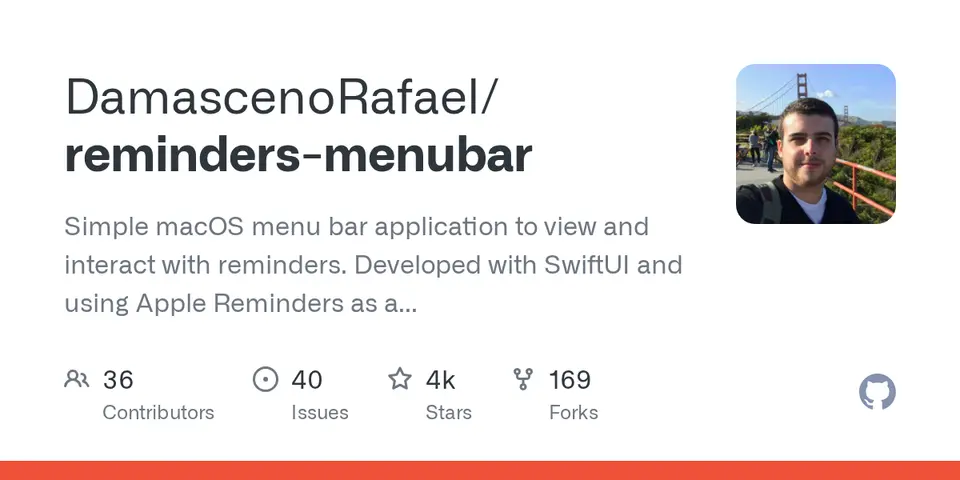
Reminders MenuBar is a free, open-source macOS app that puts Apple Reminders in the menu bar. It reads and writes the Mac's own reminders store, so everything stays in sync with Apple Reminders and iCloud, and new reminders can be typed in natural language with a due date, list and tags. It is built with SwiftUI and requires macOS Monterey 12 or later.
Worth knowing
- macOS only, and it requires macOS Monterey 12 or later; there is no iPhone, iPad, Windows or web version.
- It is a front end to Apple Reminders, not a separate task store: it needs permission to access reminders and relies on Apple's own sync.
- The README lists Homebrew and a direct download from GitHub as the install routes and mentions no Mac App Store listing.
Key features
- Reminders in the menu bar
- Every interaction happens in a popover opened from the macOS menu bar, which can show an icon, a counter or the title of the next upcoming reminder.
- Natural-language entry
- New reminders are typed in natural language that sets the due date, list and tags. Version 2.2.0 added typing shortcuts for flagged (!f) and urgent (!u) reminders.
- Edit and complete reminders
- Reminders can be marked as completed or edited in place, including their due dates, priorities, recurrence rules, lists and tags.
- Upcoming view, search and filters
- An upcoming section shows reminders within a time interval you configure, a search covers all reminders, and lists and tags filter what is displayed.
- Sync through Apple Reminders
- The app uses Apple's EventKit store to access the reminders on the Mac, the same ones shown in Apple Reminders and synced through iCloud, after a one-time permission request.
- Global shortcut and in-app updates
- A global keyboard shortcut toggles the app from anywhere, and since version 2.0.0 updates are delivered inside the app through Sparkle.
Reminders MenuBar pricing
As of Oct 9, 2026, Reminders MenuBar is free to use.
- Starts at
- Free
- Free plan
- The whole app is free and open source under the GNU General Public License v3.0, with no paid version. The developer accepts sponsorship through GitHub Sponsors and Ko-fi.
- Free trial
- None listed
| Plan | Price | What you get |
|---|---|---|
| Free | $0 | The complete app, installed with Homebrew or as a disk image or zip archive from the GitHub releases page. |
Read from github.com on Oct 9, 2026. Prices change, so confirm with Reminders MenuBar before you buy.
Works with
Reminders MenuBar alternatives
- Reminders MenuBar vs GoodTask
Free trial · from $19.99 one-time
- Reminders MenuBar vs Due
From $7.99 one-time
- Reminders MenuBar vs Memento
From $7.99 one-time
- Reminders MenuBar vs Unforgetful
Free trial · from $19.99/yr



Common questions
Does Reminders MenuBar have an Android app?
No Android app was listed when its pages were read on Oct 9, 2026. Reminders MenuBar is listed for macOS.
Does Reminders MenuBar have an iPhone app?
No iPhone app was listed when its pages were read on Oct 9, 2026. Reminders MenuBar is listed for macOS.
Is Reminders MenuBar open source?
Yes. Reminders MenuBar is open source, according to its own site.
Sources for this page
The prices, plans, platforms and features above were read from these pages on Oct 9, 2026.
- github.com/DamascenoRafael/reminders-menubar
- raw.githubusercontent.com/DamascenoRafael/reminders-menubar/master/README.md
- raw.githubusercontent.com/DamascenoRafael/reminders-menubar/master/.github/FUNDING.yml
- api.github.com/repos/DamascenoRafael/reminders-menubar
- api.github.com/repos/DamascenoRafael/reminders-menubar/releases
- api.github.com/users/DamascenoRafael