
Superlist review (2026): is the free plan enough?
To-do lists that hold tasks and notes together, with AI meeting notes
Black Friday: is there a Superlist sale?
Superlist report card
Fair · out of 4.0 · graded Nov 19, 2026
Best for tasks and notes in the same shared list
The worst thing is sync: reviewers say tasks and notes go missing or never reach their other devices, and the maker was still shipping sync fixes in November 2026. Basics such as search, bulk editing and widgets are also missing, say users. The free plan is capped at 5 lists and the paid plans cost more than the big names.
Who Superlist is for
- Fits if your tasks usually come with a paragraph of notes attached
- Works for small teams sharing lists and handing tasks to each other
Who Superlist is not for
- Tight if you're staying free, with 5 lists, 5 people per shared list and 500MB of storage
- Pricey if AI meeting notes are why you came, at $21 a person on yearly billing or $25 monthly
- Watch out: Basic is $6 a month, not $5, unless you pay for the year up front
- Not for you if you want integrations or voice input free, as both need Basic, and there's no trial
- Skip it if you want an app on Windows or Linux, as none is listed
Why Superlist gets a 2.4
Five grades, each with its reason. The GPA is their average: an A is 4 points, an F is none.
- CValue for moneyBasic is $5 a person a month billed yearly ($59), or $6 monthly, which sits right at the top of what this category charges rather than below it. Super jumps to $21 a month yearly ($249), and that's where the unlimited AI meeting notes are.
- CFree plan and trialFree forever with unlimited tasks and notes, but only 5 lists, 5 people in a shared list and 500MB of storage. Work, home, groceries and you're nearly out. There's no trial of the paid plans either.
- DFeaturesWas C. Down to D because of two problems people report: sync fails and tasks or notes go missing; basic tools still missing: search, bulk edit, shortcuts, widgets.
- BEase of use4.52 from 455 App Store ratings, taken as the store writes it. That clears the bar for a B but is a long way from the 4.7 an A asks for. Adding a task by typing, by voice or from a lock screen widget is quick.
- APlatforms and integrationsMac, iPhone, Android and the web, hooked into Gmail, Google Calendar, Slack, Linear and GitHub. That's a desktop app, both phones and a real list of connections, though the desktop app is Mac only.
What these grades rest on. Graded from this listing, whose facts were read from Superlist's own pages on 4 October 2026, and its App Store rating. Problems people report, and lawsuits, fines and breaches, were read from reviews, news, app-store reviews and court and regulator records on 19 November 2026. How we review and grade.
Make Superlist? Put this grade on your site
Paste this where you want the badge. It links here and follows the grade if it changes. About badges
<a href="https://toolgpa.com/tools/superlist#review"><img src="https://toolgpa.com/badge/superlist.svg" alt="Superlist: 2.4 GPA on ToolGPA" width="196" height="56"></a>The worst thing about Superlist
Tasks and notes can vanish when devices fail to sync
Reviewers report that items and notes disappear or never reach their other devices, including a case where unsynced work was also wiped from the web app. Anyone keeping their only copy of notes or a shared list in Superlist risks losing it. The maker is still shipping sync fixes as of November 2026.
Took a letter off its grade for Features
Reported byapps.apple.com (Apr 24, 2024)apps.apple.com (Dec 3, 2024)apps.apple.com (Feb 23, 2024)producthunt.comhyperquest.digitalpress.blog (Jun 24, 2024)justuseapp.com (Sep 23, 2026)
What else goes wrong
- 2
Basic tools still missing: search, bulk edit, shortcuts, widgets
Reviewers list things they expect from a task app and do not get: bulk editing, a visible search, thorough keyboard use, home-screen widgets, an Apple Watch app, and calendar or kanban views. Several call it unfinished and say the AI work came before these basics. The Windows version is browser only, per one reviewer.
Took a letter off its grade for Features
Reported byproducthunt.comhyperquest.digitalpress.blog (Jun 24, 2024)justuseapp.com (Sep 23, 2026)nerdymomocat.github.io (Oct 6, 2023)apps.apple.com (Sep 11, 2025)
Found on Nov 19, 2026 by searching reviews, news, app-store reviews, and court and regulator records. A problem is listed only when at least three places report it and it is still true, and each one took a letter off the grade it belongs to. Cases are described as they stand today: an ongoing case is a claim, not a finding.
Where Superlist stands among to-do list apps
Superlist's GPA of 2.4 is higher than 51 of the 133 other to-do list apps we grade, and level with 31.
It stands best on platforms and integrations (A, above 120 of 133) and worst on features (D, above 2).
Its paid plans start at $5 a month for each person, against a middle price of $3 for the category: 56 of the 72 others that charge start lower.
On features, ease of use and platforms it scores 2.7 out of 4. 7 tools score higher and cost less.
Each grade against the category
Every bar is all 134 to-do list apps we grade, cut by the letter each got. Superlist’s own letter is outlined.
- CValue for moneyAbove 20 of 133, level with 35
- CFree plan and trialAbove 9 of 133, level with 64
- DFeaturesAbove 2 of 133, level with 24
- BEase of useAbove 76 of 133, level with 48
- APlatforms and integrationsAbove 120 of 133, level with 13
Price against what you get
Each dot is one of 107 to-do list apps. Further left costs less, and higher up scores better on features, ease of use and platforms. Point at a dot to see which tool it is.
Features, ease of use and platforms, averaged
What paid plans start at, a month (each step along is roughly double) →
- The best score at each price
- Has a free plan
- No free plan
Keep Superlist, or make your own?
Keep it
To replace Superlist you would be making a bot that joins your calls and turns the talk into notes. That is not a weekend's work, with an AI app builder or without one.
It costs $60 a year.
What you could make
- Tasks and notes: an app builder makes these well.
What you could not
- A bot that joins your calls and turns the talk into notes.
- Speech turned into text you can trust.
- Apps for macOS, iOS and Android that stay in step with each other.
- Several people working in it at the same moment.
- It plugs into other products, Gmail, Google Calendar and Slack among them.
- AI features, unless you pay a model provider for each request yourself.
- Hooks into the device itself: widgets and the lock screen.
What this rests on. Superlist’s listing: what it does, where it runs, what it plugs into and what it costs. It is a judgement about the kind of software this is. We have not built a replacement for it, and making your own means looking after it too. How we decide, and every tool’s verdict.
What is Superlist?
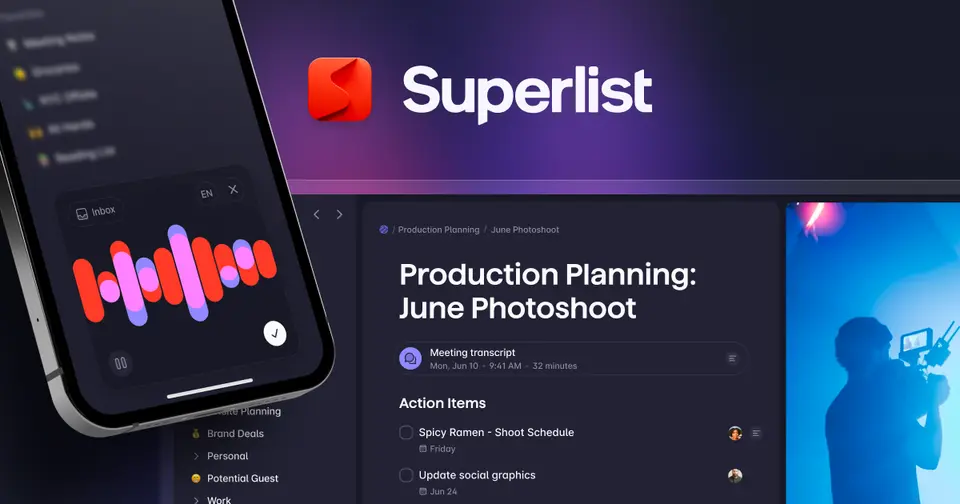
Superlist is a to-do list app that keeps tasks and notes in the same lists, which can be nested and shared with other people. It runs on macOS, iOS, Android and the web. Paid plans add integrations, voice input and AI meeting notes that turn a recording into a summary and a list of tasks, while the free plan allows unlimited tasks in up to 5 lists.
Worth knowing
- The free plan is limited to 5 lists, 5 people per shared list and 500MB of storage.
- Integrations and voice input need Basic; unlimited AI meeting notes and AI chat need Super.
- Billed monthly, Basic is $6 and Super is $25 per person; the lower headline prices apply to yearly billing.
- No Windows or Linux app is listed; the vendor names macOS, iOS, Android and the web.
Key features
- Tasks and notes in one list
- Notes and details are written directly inside a task, and lists can contain nested sublists and subtasks to any depth.
- Shared lists
- Share a list to assign tasks and work on it with others in real time. A free shared list holds up to 5 people; on Basic the limit is 25 members per list.
- Talk voice input
- Say a task aloud and Talk creates it, including a due date and subtasks. Voice input is listed under the Basic and Super plans.
- AI meeting notes
- A meeting is recorded without a meeting bot, transcribed and summarized, and its action items become tasks. Unlimited meeting notes are part of Super.
- Integrations
- Basic and Super connect Gmail, Google Calendar, Slack, Linear and GitHub, and accept tasks sent by email forwarding.
- Quick add and widgets
- Tasks can be added by typing, by voice or from home and lock screen widgets without opening the app.
Superlist pricing
As of Oct 4, 2026, Superlist has a free plan, and paid plans start at $5 per person / month, billed yearly ($59); $6 billed monthly.
- Starts at
- $5 per person / month, billed yearly ($59); $6 billed monthly
- Free plan
- Up to 5 private and shared lists, up to 5 people in a shared list, unlimited tasks and notes, 25MB uploads and 500MB of storage.
- Free trial
- None listed
| Plan | Price | What you get |
|---|---|---|
| Free | $0 | Up to 5 private and shared lists, up to 5 people in shared lists, unlimited tasks and notes, and 500MB of storage. |
| Basic | $5per person / month, billed yearly ($59); $6 billed monthly | Unlimited lists, sublists and shared lists, all integrations, unlimited team members, Talk voice input and 25GB of storage. |
| Super | $21per person / month, billed yearly ($249); $25 billed monthly | Everything in Basic, plus unlimited AI meeting notes and AI chat messages, Make AI generation, and email and Slack summarization. |
Read from superlist.com on Oct 4, 2026. Prices change, so confirm with Superlist before you buy.
Ways to pay less
- Annual discountYearly billing is labeled 20% off
The pricing page marks yearly billing as 20% off. Basic is $59 a year against $6 a month, and Super is $249 a year against $25 a month.
Stated on superlist.com
How people rate the Superlist app
4.5
out of 5 for the iPhone and iPad app
- 5 stars77%
- 4 stars9%
- 3 stars8%
- 2 stars3%
- 1 star3%
455 ratings on the App Store in the United States, read Oct 5, 2026. It rates the app, not everything the product does. See the listing
Works with
Jobs at Superlist
Any open roles at Superlist are on its own careers page. We can’t read a count from there, so have a look.
Applications go to Superlist, not to us.
Superlist alternatives
- Superlist vs Todoist
Free plan · from $5/mo
- Superlist vs TickTick
Free plan · from $49.99/yr
- Superlist vs Things 3
Free trial · from $9.99 one-time
- Superlist vs Any.do
Free plan · from $4.99/mo





Featured in
- The best Todoist alternatives in 2026Alternatives
- The best to-do list apps in 2026Best of
Common questions
Does Superlist have a Windows app?
No Windows app was listed when its pages were read on Oct 4, 2026. Superlist is listed for Web, macOS, iOS and Android.
Does Superlist have a Linux app?
No Linux app was listed when its pages were read on Oct 4, 2026. Superlist is listed for Web, macOS, iOS and Android.
Is Superlist open source?
Superlist is not described as open source on its own site, as read on Oct 4, 2026.
Does Superlist work offline?
Yes, according to its own site. What works without a connection differs by plan and platform, so check the vendor's page for the detail.
Sources for this page
The prices, plans, platforms and features above were read from these pages on Oct 4, 2026. What people say is linked where it appears.