Finale To Do
Task manager and habit tracker for iPhone, iPad and Mac
Finale To Do report card
Very good · out of 4.0 · graded Oct 9, 2026
Best for tasks and habits in one app on Apple devices
Finale To Do rolls a task list, a habit tracker and a focus timer into one app for iPhone, iPad and Mac. The core is free with no ads, and Pro is only $19.99 a year. But repeating tasks and iCloud sync are both Pro, and there's no Android or Windows version to move to.
Who Finale To Do is for
- Great if you want tasks, habits and a focus timer in one app instead of three
- Handy when you need reminders that keep nagging until the thing is done
- Good for people who'd rather pay $44.99 once than subscribe
Who Finale To Do is not for
- Skip it if anyone you share lists with is on Android or Windows, as it's Apple only
- Tight if you're staying free, because repeating tasks and iCloud sync both need Pro
- Not for you if you want your list in a browser, since it's on iPhone, iPad and Mac only
Why Finale To Do gets a 3.2
Five grades, each with its reason. The GPA is their average: an A is 4 points, an F is none.
- AValue for moneyPro is $19.99 a year, which is well under what most paid to-do apps charge. Or pay $44.99 once and keep it for good. Monthly is $3.99, so the yearly plan is the one to pick.
- BFree plan and trialTasks, lists, Smart Lists, habits, focus timers and notes are free, with no ads. The catch is that repeating tasks and iCloud sync between your devices are Pro. Most people will want at least one of those.
- AFeaturesType a task in plain language and it picks out the date. Tasks take priorities and several reminders, and Nagging Mode keeps at you. Add the habit tracker, the Pomodoro timer, notes and shared lists and there's a lot here.
- BEase of useWe have no App Store rating on record for it, so a B is as high as we go. Writing a task in normal words sets its date and time for you, which keeps adding things quick.
- CPlatforms and integrationsiPhone, iPad and Mac only, tied into iCloud, Apple Reminders, Apple Calendar and Apple Health. The help centre says there are no plans for an Android app in the near future.
What these grades rest on. Graded from this listing, whose facts were read from Finale To Do's own pages on 9 October 2026. Not based on using the product, and shorter than our full reviews. How we review and grade.
Make Finale To Do? Put this grade on your site
Paste this where you want the badge. It links here and follows the grade if it changes. About badges
<a href="https://toolgpa.com/tools/finale-to-do#review"><img src="https://toolgpa.com/badge/finale-to-do.svg" alt="Finale To Do: 3.2 GPA on ToolGPA" width="196" height="56"></a>What is Finale To Do?
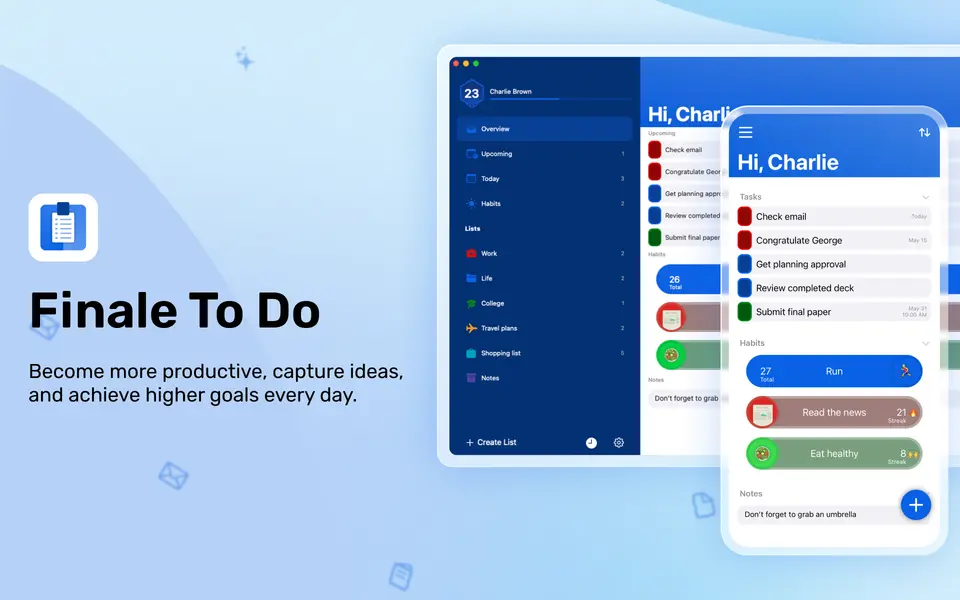
Finale To Do is a personal task manager that also includes a habit tracker, focus timers and notes. Tasks take priorities, several reminders and dates recognized from plain-language titles, and are grouped into custom lists and automatic Smart Lists. The core app is free with no ads on iPhone, iPad and Mac, and Finale Pro adds repeating tasks, iCloud sync, unlimited habits and shared lists as a subscription or a lifetime purchase.
Finale To Do has a free plan. Paid plans start at $3.99 per month, or $19.99 per year. See every plan
Good for
- Tracking tasks and habits in one app on Apple devices
- People who want repeated, persistent reminders
- Buyers who prefer a lifetime license to a subscription
Worth knowing
- It is available for iPhone, iPad and Mac only; the help center says there are no plans for an Android app in the near future.
- iCloud sync between devices is a Finale Pro feature, as are repeating tasks and unlimited habits.
- Sharing a list needs Finale Pro and iCloud sync.
- Passcode and Face ID protection, importing iOS Reminders and syncing the iOS Calendar are also limited to Finale Pro.
Key features
- Detailed tasks and lists
- Tasks take priorities, notes and several reminders, and sit in custom lists with colors, icons and emojis. Smart Lists group tasks automatically, and tasks can be edited in batches.
- Plain-language dates
- Writing a task in natural language sets its date and time automatically. Recognition works in the language the app is set to: English, German, Portuguese, Spanish, French or Russian.
- Reminders and Nagging Mode
- A task can have standard, repeating or several notifications. Unlimited notifications per task, Time Sensitive notifications and Nagging Mode are part of Finale Pro.
- Habit tracker
- Habits have their own colors, icons, schedules, reminders and streaks. Unlimited habits, habit goals and flexible repeat settings need Finale Pro.
- Focus timers
- A Pomodoro timer or a plain stopwatch can be pointed at a specific task, with reminders to take a break or resume. Pomodoro time can sync to Apple Health.
- Shared lists
- With Finale Pro a list can be shared with any number of people as editors or viewers and worked on in real time. iCloud sync must be on to share or join a list.
Finale To Do pricing
- Starts at
- $3.99 per month, or $19.99 per year
- Free plan
- Core task, habit, focus and notes features are free with no ads. Repeating tasks, iCloud sync, unlimited habits, shared lists and unlimited notifications per task need Finale Pro.
- Free trial
- None listed
| Plan | Price | What you get |
|---|---|---|
| Free | $0 | Core tasks, lists, Smart Lists, habits, focus timers, notes and widgets, with no ads. |
| Finale Pro - Monthly | $3.99per month | Adds repeating tasks, iCloud sync, unlimited habits and notifications, Nagging Mode, shared lists, passcode and Face ID lock, and iOS Reminders import. |
| Finale Pro - Yearly | $19.99per year | The same Finale Pro features billed once a year. |
| Finale Pro - Lifetime | $44.99one-time purchase | Finale Pro bought once and kept with no further fees, on all devices using the same Apple ID. |
Read from apps.apple.com on Oct 9, 2026. Prices change, so confirm with Finale To Do before you buy.
Ways to pay less
- Annual discountYearly Pro costs about 58% less than monthly
The US App Store lists Finale Pro at $3.99 monthly or $19.99 yearly, so a year on the yearly plan costs about 58% less than twelve monthly payments.
Stated on apps.apple.com - Lifetime licenseLifetime Finale Pro for a one-time $44.99
The Lifetime plan is bought once and keeps Finale Pro permanently with no further fees, in place of the monthly or yearly subscription.
Stated on apps.apple.com
Works with
Finale To Do alternatives
- Finale To Do vs TickTick
Free plan · from $49.99/yr
- Finale To Do vs Things 3
Free trial · from $9.99 one-time
- Finale To Do vs Due
From $7.99 one-time
- Finale To Do vs Any.do
Free plan · from $4.99/mo
- Finale To Do vs Todoist
Free plan · from $5/mo




Common questions
Is Finale To Do free?
Finale To Do has a free plan. Core task, habit, focus and notes features are free with no ads. Repeating tasks, iCloud sync, unlimited habits, shared lists and unlimited notifications per task need Finale Pro. Paid plans start at $3.99 per month, or $19.99 per year.
How much does Finale To Do cost?
Finale To Do lists 4 plans. Free: $0. Finale Pro - Monthly: $3.99 per month. Finale Pro - Yearly: $19.99 per year. Finale Pro - Lifetime: $44.99 one-time purchase. Prices were read from apps.apple.com on Oct 9, 2026.
What platforms does Finale To Do work on?
Finale To Do is available on iOS and macOS.
Does Finale To Do offer any discounts?
Finale To Do publicly lists the following: Yearly Pro costs about 58% less than monthly; Lifetime Finale Pro for a one-time $44.99.
Does Finale To Do have an Android app?
No Android app was listed when its pages were read on Oct 9, 2026. Finale To Do is listed for iOS and macOS.
Does Finale To Do have a Windows app?
No Windows app was listed when its pages were read on Oct 9, 2026. Finale To Do is listed for iOS and macOS.
Is Finale To Do open source?
Finale To Do is not described as open source on its own site, as read on Oct 9, 2026.
What does Finale To Do integrate with?
Finale To Do's listing names iCloud, Apple Reminders, Apple Calendar and Apple Health. A listing names up to eight integrations, so it may connect to more.
Who makes Finale To Do?
Finale To Do is made by Finale To Do Team (Grant Oganyan).
What are the alternatives to Finale To Do?
The closest alternatives to Finale To Do in our directory are TickTick, Things 3, Due, Any.do and Todoist. Each one has a side-by-side comparison with Finale To Do.
Sources for this page
The prices, plans, platforms and features above were read from these pages on Oct 9, 2026.