What is Mindwtr?
Mindwtr is a free, open-source to-do app built around the Getting Things Done (GTD) method. It covers the whole workflow, from an Inbox and guided clarifying through next actions, projects, Waiting For and Someday lists to daily and weekly reviews, on macOS, Windows, Linux, iPhone, iPad and Android. Data stays on the device with no account, and sync is optional through iCloud, Dropbox, WebDAV, a shared folder or a server you host.
Mindwtr is free to use. See every plan
Good for
- People who follow Getting Things Done and want the method built in
- Keeping tasks on your own devices with no account
- Linux users who want the same app on desktop and phone
- Syncing through Dropbox, WebDAV, iCloud or a server you run
Worth knowing
- It is built for one person: the site says it is not designed for shared workspaces, task assignments or team discussion.
- There is no hosted web app. The browser version (PWA) has to be self-hosted, stores data in localStorage and lacks some desktop features.
- The maker runs no sync service of its own, so syncing depends on iCloud, Dropbox, WebDAV, a shared folder or a server you host.
- It is maintained by one developer and funded by donations through Ko-fi and GitHub Sponsors.
Key features
- Guided GTD workflow
- Inbox, Next, Waiting For and Someday lists with projects, areas and contexts. Inbox processing is guided and applies the two-minute rule, and wizards walk through daily and weekly reviews.
- Focus, calendar and board views
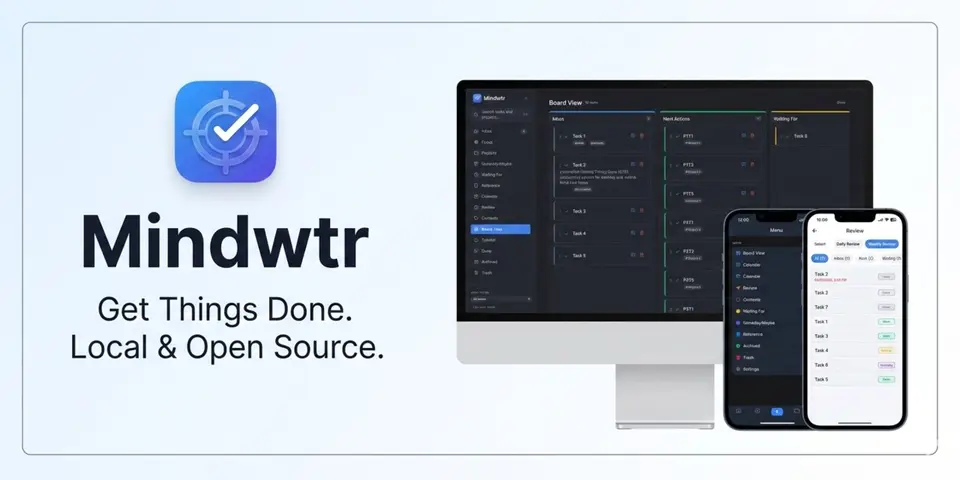
- Focus shows a time-based agenda next to the next actions. A calendar plans dated tasks and subscribes to external calendars and ICS feeds, and a Kanban board moves tasks between status lists.
- Quick capture
- Tasks are added by a global hotkey, the tray, the share sheet, a widget or voice, and the quick-add line reads contexts and due dates as you type. Spoken tasks are transcribed into the Inbox.
- Local data with sync you choose
- Tasks are stored as SQLite and JSON on the device. Sync is optional and runs through iCloud, Dropbox, a folder, WebDAV or a self-hosted server, and a JSON export serves as a backup.
- Import from other task apps
- Importers bring in tasks from Todoist, TickTick, DGT GTD and OmniFocus, and the desktop app can import an Obsidian vault with links back to the source notes.
- Optional AI, local API and MCP
- An AI assistant is off by default and uses your own provider key or a local model. The desktop app has a token-authenticated localhost REST API, and an MCP server lets AI tools manage tasks.
Mindwtr pricing
- Starts at
- Free
- Free plan
- Every feature is free under the AGPL-3.0 license with no account, ads or subscription, and the docs state there is no paid tier. Development is funded by optional donations and sponsorships.
- Free trial
- None listed
| Plan | Price | What you get |
|---|---|---|
| Free | $0 | All features on every platform, including sync through a service you choose, import, backup, the local API and the MCP server. |
Read from mindwtr.app on Oct 9, 2026. Prices change, so confirm with Mindwtr before you buy.
Works with
Mindwtr alternatives
- Mindwtr vs Everdo
Free plan · from $39.99 one-time
- Mindwtr vs Nirvana
Free plan · from $3/mo
- Mindwtr vs OmniFocus
Free trial · from $74.99 one-time
- Mindwtr vs Todoist
Free plan · from $5/mo





Common questions
Is Mindwtr free?
Yes. Mindwtr is free to use. Every feature is free under the AGPL-3.0 license with no account, ads or subscription, and the docs state there is no paid tier. Development is funded by optional donations and sponsorships.
How much does Mindwtr cost?
Mindwtr lists one plan. Free: $0. Prices were read from mindwtr.app on Oct 9, 2026.
What platforms does Mindwtr work on?
Mindwtr is available on macOS, Windows, Linux, iOS and Android.
Is Mindwtr open source?
Yes. Mindwtr is open source, according to its own site.
Does Mindwtr work offline?
Yes, according to its own site. What works without a connection differs by plan and platform, so check the vendor's page for the detail.
What does Mindwtr integrate with?
Mindwtr's listing names iCloud, Dropbox, WebDAV, Obsidian, Apple Shortcuts, Todoist, TickTick and OmniFocus. A listing names up to eight integrations, so it may connect to more.
Who makes Mindwtr?
Mindwtr is made by Dongda Li. It dates from 2025.
What are the alternatives to Mindwtr?
The closest alternatives to Mindwtr in our directory are Everdo, Nirvana, Super Productivity, OmniFocus and Todoist. Each one has a side-by-side comparison with Mindwtr.
Sources for this page
The prices, plans, platforms and features above were read from these pages on Oct 9, 2026.