
OneTask review (2026): is it any good?
Free task app that syncs Google, Outlook and CalDAV task lists
OneTask report card
Fair · out of 4.0 · graded Nov 18, 2026
Best for Google, Outlook and CalDAV tasks in one app
OneTask can't make a task repeat, so weekly and monthly jobs are typed in again every time, and on Windows repeats set up elsewhere have been lost. It is a free viewer for lists you keep in Google, Microsoft, iCloud or a CalDAV server, with no task service of its own. You also can't sort tasks by hand or mark a priority, times on Google tasks don't carry over, and the app keeps nagging for feedback.
Who OneTask is for
- Fits if your tasks are split between a Google account and a Microsoft one
- Works for Nextcloud or Synology users who want CalDAV tasks on phone and PC
Who OneTask is not for
- Skip it if you want a to-do service of its own, because tasks live in the accounts you connect
- Not for you if you need your lists in a browser, as there's no web version
- Too light for anyone starting from scratch, since without an account to connect there's nothing in it
- Watch out: Google Play and the Microsoft Store flag in-app purchases, but no page shows a price for one
- Watch out: it's One Task on Google Play and the Microsoft Store and One Tasks on the App Store
Why OneTask gets a 2.4
Five grades, each with its reason. The GPA is their average: an A is 4 points, an F is none.
- AValue for moneyA free download on the App Store, Google Play and the Microsoft Store, including the Mac and Windows apps, where this category's paid plans run $2.42 to $5.00 a month. Google Play and the Microsoft Store do flag in-app purchases, but no page shows a price for one.
- AFree plan and trialThe whole app, on all five platforms, for nothing, and the US App Store listing shows no in-app purchases at all. You bring your own Google, Microsoft, iCloud or CalDAV account and nothing is held back.
- FFeaturesWas D. Down to F because of three problems people report: no repeating tasks, and repeats made elsewhere can break; can't drag tasks into your own order or give them a priority; times on tasks don't carry over to Google Tasks properly.
- DEase of useWas C. Down to D because of one problem people report: keeps asking you for feedback, nearly every day.
- BPlatforms and integrationsiPhone, iPad, Mac, Windows and Android, so phone and computer are both covered, and it connects to Google Tasks, Outlook, Office 365, iCloud Reminders, Nextcloud, Synology and Mailbox.org. The gap is the browser: there's no web version.
What these grades rest on. Graded from this listing, whose facts were read from OneTask's own pages on 9 October 2026. Problems people report, and lawsuits, fines and breaches, were read from reviews, news, app-store reviews and court and regulator records on 18 November 2026. How we review and grade.
Make OneTask? Put this grade on your site
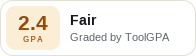
Paste this where you want the badge. It links here and follows the grade if it changes. About badges
<a href="https://toolgpa.com/tools/onetask#review"><img src="https://toolgpa.com/badge/onetask.svg" alt="OneTask: 2.4 GPA on ToolGPA" width="196" height="56"></a>The worst thing about OneTask
No repeating tasks, so weekly and monthly jobs are typed in again every time
Anyone with a weekly bill, a monthly meter reading or a daily pill has to enter the task again each time, because OneTask has no repeat setting on any platform. The request has been open on the maker's own board for about a year with no date. On Windows, users said in 2024 and 2025 that repeats set up elsewhere were lost once they used the task in OneTask.
Took a letter off its grade for Features
Reported byitunes.apple.com (Oct 9, 2026)itunes.apple.com (Jan 2, 2026)itunes.apple.com (Dec 28, 2025)itunes.apple.com (Dec 21, 2025)onetask.sleekplan.app (2025)onetask.sleekplan.app (2025)onetask.sleekplan.app (Apr 2026)storeedgefd.dsx.mp.microsoft.com (Nov 19, 2024)storeedgefd.dsx.mp.microsoft.com (Mar 4, 2025)storeedgefd.dsx.mp.microsoft.com (Feb 2, 2025)
What else goes wrong
- 2
Can't drag tasks into your own order or give them a priority
Tasks can't be dragged into an order you choose and can't be marked as more or less important. The maker's own board post says that without dragging there is no manual way to prioritise. iPhone users asked for manual sorting or a star in November 2025, and Windows users asked for reordering and priorities in 2025 and May 2026. Both requests have sat on the maker's board for about a year with no date.
Took a letter off its grade for Features
Reported byitunes.apple.com (Nov 6, 2025)storeedgefd.dsx.mp.microsoft.com (May 19, 2026)storeedgefd.dsx.mp.microsoft.com (Nov 13, 2025)storeedgefd.dsx.mp.microsoft.com (Feb 18, 2025)
- 3
Times on tasks don't carry over to Google Tasks properly
On Google Tasks accounts, a time added in OneTask is saved as an all-day task with the time typed into its text, so Google's own apps show no time or midnight. Timed tasks made in Google come back into OneTask as having no time. Both reports date from about December 2025 and are still open on the maker's board. On Windows, two users in June 2026 said they couldn't put a time or a timed reminder on a task at all.
Took a letter off its grade for Features
Reported byonetask.sleekplan.app (Dec 2025)onetask.sleekplan.app (Dec 2025)onetask.sleekplan.app (2025)storeedgefd.dsx.mp.microsoft.com (Jun 22, 2026)
- 4
Keeps asking you for feedback, nearly every day
The app asks for a review or feedback again and again. On the maker's board one user said it happens almost every day and that he was thinking of quitting over it, and another called the constant requests very annoying. On the Dutch Microsoft Store a user cut it to three stars for asking every time. All three complaints date from August to October 2026 and none has a reply.
Took a letter off its grade for Ease of use
Reported byonetask.sleekplan.app (Sep 2026)onetask.sleekplan.app (Oct 2026)storeedgefd.dsx.mp.microsoft.com (Aug 31, 2026)
Found on Nov 18, 2026 by searching reviews, news, app-store reviews, and court and regulator records. A problem is listed only when at least three places report it and it is still true, and each one took a letter off the grade it belongs to. Cases are described as they stand today: an ongoing case is a claim, not a finding.
Where OneTask stands among to-do list apps
OneTask's GPA of 2.4 is higher than 51 of the 133 other to-do list apps we grade, and level with 31.
It stands best on free plan and trial (A, above 95 of 133) and worst on features (F, above 0).
OneTask has no paid plan.
On features, ease of use and platforms it scores 1.3 out of 4. Nothing scores higher for less, though at least one tool matches that score at a lower price.
Each grade against the category
Every bar is all 134 to-do list apps we grade, cut by the letter each got. OneTask’s own letter is outlined.
- AValue for moneyAbove 76 of 133, level with 57
- AFree plan and trialAbove 95 of 133, level with 38
- FFeaturesAbove 0 of 133, level with 1
- DEase of useAbove 4 of 133, level with 21
- BPlatforms and integrationsAbove 85 of 133, level with 34
Price against what you get
Each dot is one of 107 to-do list apps. Further left costs less, and higher up scores better on features, ease of use and platforms. Point at a dot to see which tool it is.
Features, ease of use and platforms, averaged
What paid plans start at, a month (each step along is roughly double) →
- The best score at each price
- Has a free plan
- No free plan
Keep OneTask, or make your own?
Your call
A to-do list at its plainest is tasks with dates, repeats and a box to tick.
OneTask is free, so making your own saves no money. Make it only if you want it built your way.
What you could make
- Tasks: an app builder makes this well.
What you could not
- Apps for macOS, Windows, iOS and Android that stay in step with each other.
- It plugs into other products, Google Tasks, Outlook and Office 365 among them.
- Hooks into the device itself: widgets.
What this rests on. OneTask’s listing: what it does, where it runs, what it plugs into and what it costs. It is a judgement about the kind of software this is. We have not built a replacement for it, and making your own means looking after it too. How we decide, and every tool’s verdict.
What is OneTask?
OneTask is a task and to-do list app for Android, iPhone, iPad, Mac and Windows from the Dutch developer Code Spark. It works as a client for task lists held elsewhere: Google Tasks, Outlook, Office 365, iCloud Reminders and CalDAV servers such as Nextcloud and Synology. Tasks sync directly between the device and the provider, and the store listings, which title it One Task or One Tasks, show it as a free download.
Worth knowing
- There is no web version; the site lists apps for Android 6 and higher, iPhone, iPad, Mac and Windows 10 and 11 only.
- It has no task service of its own: tasks live in a connected Google, Microsoft, iCloud or CalDAV account.
- Google Play and the Microsoft Store label the app as having in-app purchases, but no listing or vendor page shows a price for one.
- The app is titled One Task on Google Play and the Microsoft Store and One Tasks on the App Store, not OneTask.
Key features
- Several task providers in one app
- Accounts from Google Tasks, Outlook, Office 365 and iCloud Reminders can be added side by side, so task lists from each appear in one place.
- CalDAV task lists
- Any third-party CalDAV server can be added with a username, password and server address. Nextcloud, Synology and Mailbox.org have dedicated account types.
- Subtasks, due dates and reminders
- Tasks can carry subtasks, due dates and reminders, and widgets show tasks outside the app.
- Offline use
- The site and the Microsoft Store listing both list working offline, without an internet connection, as a feature.
- Views, search and theming
- The app offers multiple views of task lists, task search and personalized color themes.
- Direct sync with no vendor server
- The privacy policy says task data is not stored on Code Spark's servers. Google and Microsoft accounts sign in with OAuth 2.0, and the token is stored encrypted on the device.
OneTask pricing
As of Oct 9, 2026, OneTask is free to use.
- Starts at
- Free
- Free plan
- The app is a free download on the App Store, Google Play and the Microsoft Store. The US App Store listing shows no in-app purchases.
- Free trial
- None listed
| Plan | Price | What you get |
|---|---|---|
| Free | $0 | The full app on iPhone, iPad, Mac, Android and Windows, connected to the user's own task accounts. |
Read from apps.apple.com on Oct 9, 2026. Prices change, so confirm with OneTask before you buy.
Works with
- Google Tasks
- Outlook
- Office 365
- iCloud Reminders
- OneCalendar
- Nextcloud
- Synology
- Mailbox.org
OneTask alternatives
- OneTask vs Tasks.org
Free plan · from $0.99/yr
- OneTask vs Google Tasks
Free plan · from $7/mo
- OneTask vs 2Do
Free plan · from $9.99 one-time
- OneTask vs TasksBoard
Free plan · from $4.79/mo



Common questions
Does OneTask have a Linux app?
No Linux app was listed when its pages were read on Oct 9, 2026. OneTask is listed for iOS, macOS, Windows and Android.
Is OneTask open source?
OneTask is not described as open source on its own site, as read on Oct 9, 2026.
Does OneTask work offline?
Yes, according to its own site. What works without a connection differs by plan and platform, so check the vendor's page for the detail.
Sources for this page
The prices, plans, platforms and features above were read from these pages on Oct 9, 2026.
- apps.apple.com/us/app/one-tasks/id1455000420
- onetask.eu/
- onetask.eu/download/store
- onetask.eu/onetask/about
- onetask.eu/onetask/privacypolicy
- onetask.eu/support/faq/about_security
- onetask.eu/support/faq/add-caldav-calendar
- play.google.com/store/apps/details?id=biz.codespark.onetask&hl=en_US&gl=US
- apps.microsoft.com/detail/9nblggh2jhrg?hl=en-US&gl=US